Here’s a number that should get your attention: 5,000+ MCP servers are now available, and every major AI coding tool supports them. Model Context Protocol (MCP) isn’t experimental anymore—it’s the standard way AI agents connect to your tools, databases, and APIs.
If you’re building with AI in 2026 and not using MCP, you’re working harder than you need to.
What is Model Context Protocol (MCP)?
MCP is an open standard created by Anthropic that lets AI assistants connect to external tools, data sources, and services through a single, unified interface. Think of it as USB-C for AI agents—one protocol that works everywhere.
An MCP server is a lightweight program that exposes tools, resources, and prompts to AI clients like Claude Code, Cursor, Windsurf, and VS Code. Instead of writing custom integrations for each AI tool, you build one MCP server and it works across all compliant clients.
The key difference: Traditional APIs require explicit integration logic. MCP lets your AI assistant dynamically discover and use tools at runtime.
Why MCP Matters for Developers in 2026
The shift is happening fast. Here’s why you should care:
- Universal compatibility: One server works with Claude Code, Cursor, Windsurf, VS Code, and more
- Dynamic tool discovery: AI agents discover available tools automatically
- Standardized security: Consistent permission models across all integrations
- 5,000+ servers available: From GitHub to PostgreSQL to browser automation
- Production-ready: Major enterprises are deploying MCP at scale
According to recent developer surveys, teams using MCP servers report 40% faster workflow integration compared to traditional API approaches.
How MCP Works: The Architecture
The MCP client (built into your AI coding tool) communicates with MCP servers via stdio (local) or HTTP (remote). Each server exposes tools that the AI can call with natural language.
Step-by-Step: Setting Up Your First MCP Server
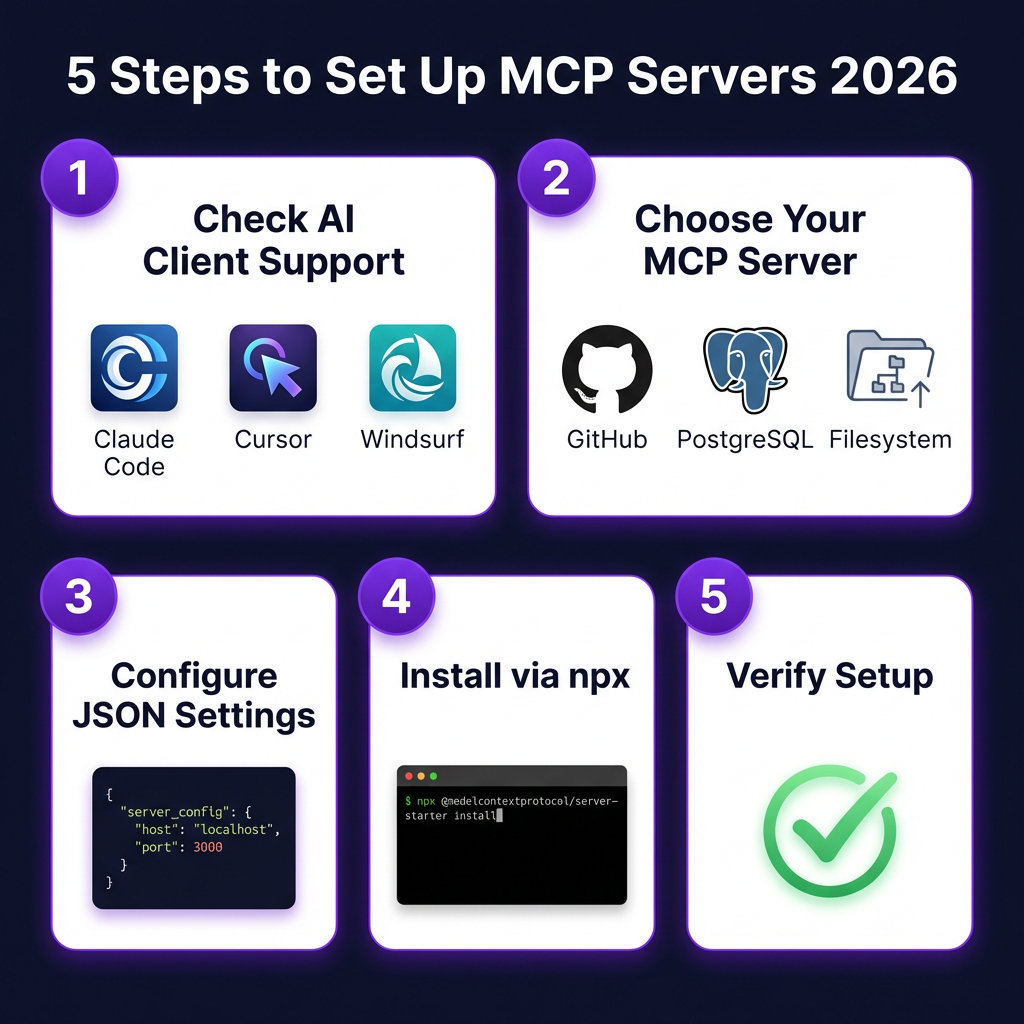
Step 1: Check Your AI Client Support
MCP is supported by:
- Claude Code (full native support)
- Cursor (Settings > Tools & MCP)
- Claude Desktop (full support)
- Windsurf (native integration)
- VS Code (via GitHub Copilot extensions)
- Zed (built-in support)
Step 2: Choose Your First MCP Server
For beginners, start with one of these:
| Server | Purpose | Difficulty |
|---|---|---|
| Filesystem | Read/write local files | Easy |
| GitHub | Repo management, PRs, issues | Easy |
| PostgreSQL | Database queries | Medium |
| Brave Search | Web search | Easy |
| Playwright | Browser automation | Medium |
Step 3: Configure in Claude Code
Claude Code uses a simple JSON configuration file. Here’s how to add a server:
# Add a server using the CLI
claude mcp add -s user github \
  -e GITHUB_TOKEN=ghp_your_token_here \
  -- npx -y @anthropic-ai/mcp-server-github
Or manually edit ~/.claude/config.json:
{
  "mcpServers": {
    "github": {
      "command": "npx",
      "args": ["-y", "@anthropic-ai/mcp-server-github"],
      "env": {
        "GITHUB_TOKEN": "ghp_your_token_here"
      }
    },
    "postgres": {
      "command": "npx",
      "args": [
        "-y",
        "@anthropic-ai/mcp-server-postgres",
        "postgresql://user:pass@localhost:5432/mydb"
      ]
    }
  }
}
Step 4: Configure in Cursor
Cursor stores MCP config in .cursor/mcp.json in your project root or global settings:
{
  "mcpServers": {
    "filesystem": {
      "command": "npx",
      "args": ["-y", "@anthropic-ai/mcp-server-filesystem", "/path/to/allowed/dir"]
    },
    "playwright": {
      "command": "npx",
      "args": ["-y", "@anthropic-ai/mcp-server-playwright"]
    }
  }
}
Important: Cursor has a limit of approximately 40 active tools across all MCP servers combined.
Step 5: Verify Your Setup
In Claude Code, run /tools to list all available tools from connected MCP servers.
In Cursor, go to Settings > Tools & MCP to see loaded servers with status indicators.
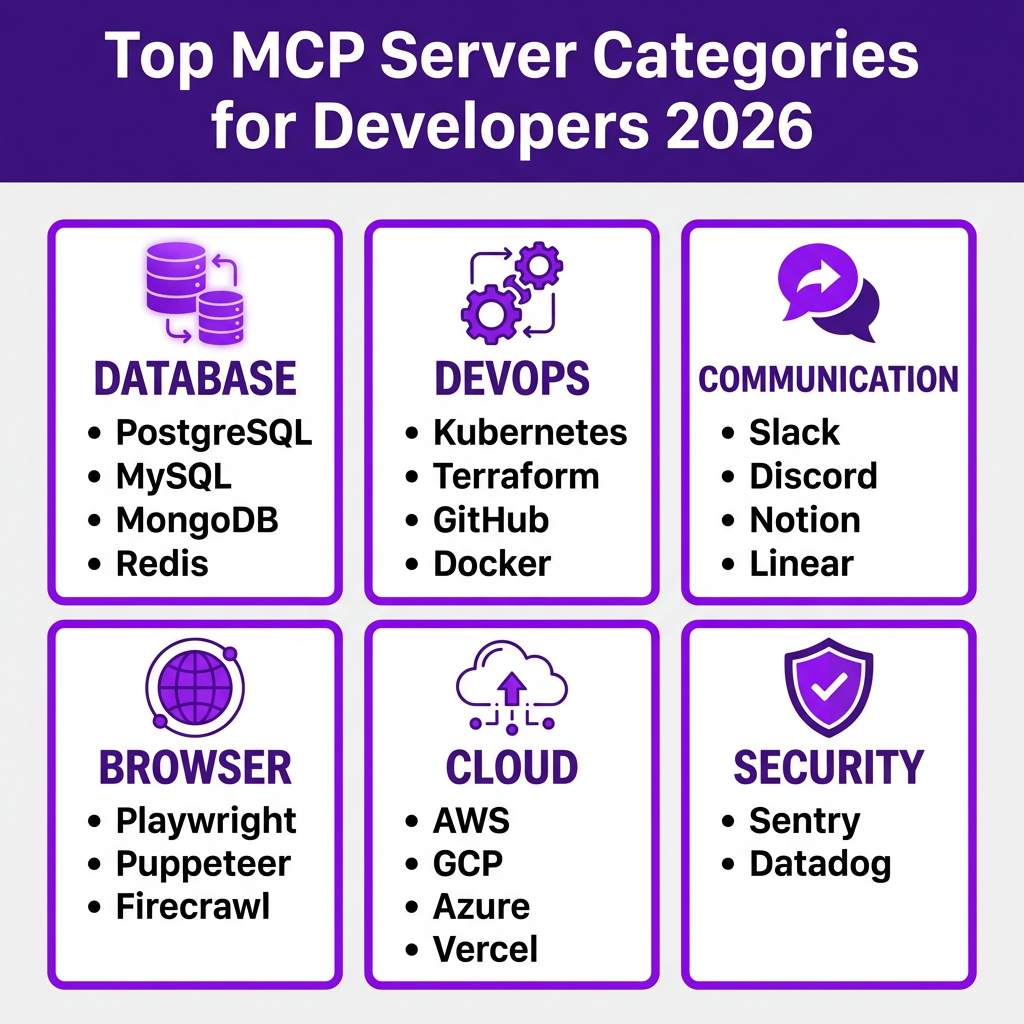
Top 10 MCP Servers Every Developer Needs
1. Filesystem MCP Server
What it does: Read and write files in allowed directories
Best for: Code analysis, documentation generation, file organization
{
  "filesystem": {
    "command": "npx",
    "args": ["-y", "@anthropic-ai/mcp-server-filesystem", "/home/user/projects"]
  }
}
2. GitHub MCP Server
What it does: Manage repositories, pull requests, issues, and workflows
Best for: Automated code reviews, issue management, CI/CD integration
{
  "github": {
    "command": "npx",
    "args": ["-y", "@anthropic-ai/mcp-server-github"],
    "env": {
      "GITHUB_TOKEN": "ghp_your_token"
    }
  }
}
3. PostgreSQL MCP Server
What it does: Query databases, analyze schemas, run migrations
Best for: Database debugging, schema analysis, data exploration
{
  "postgres": {
    "command": "npx",
    "args": [
      "-y",
      "@anthropic-ai/mcp-server-postgres",
      "postgresql://user:pass@localhost:5432/dbname"
    ]
  }
}
4. Playwright MCP Server
What it does: Browser automation, web scraping, UI testing
Best for: End-to-end testing, data extraction, visual regression
5. Brave Search MCP Server
What it does: Web search with privacy-focused results
Best for: Research, documentation lookup, staying current
6. Slack MCP Server
What it does: Send messages, read channels, manage notifications
Best for: Team notifications, incident response, automated updates
7. Notion MCP Server
What it does: Read pages, create content, manage databases
Best for: Documentation, knowledge bases, project management
8. AWS MCP Server
What it does: Manage AWS resources, check CloudWatch, deploy services
Best for: Infrastructure management, cost monitoring, debugging
9. Sentry MCP Server
What it does: Query errors, analyze issues, manage releases
Best for: Error monitoring, incident response, debugging
10. E2B MCP Server
What it does: Secure cloud sandbox for running code
Best for: Testing untrusted code, data analysis, safe experimentation
Advanced MCP Configurations
Running Multiple MCP Servers
You can run multiple servers simultaneously. Here’s a complete configuration:
{
  "mcpServers": {
    "github": {
      "command": "npx",
      "args": ["-y", "@anthropic-ai/mcp-server-github"],
      "env": { "GITHUB_TOKEN": "ghp_token" }
    },
    "postgres": {
      "command": "npx",
      "args": ["-y", "@anthropic-ai/mcp-server-postgres", "postgresql://localhost/devdb"]
    },
    "filesystem": {
      "command": "npx",
      "args": ["-y", "@anthropic-ai/mcp-server-filesystem", "/home/user/projects"]
    },
    "brave-search": {
      "command": "npx",
      "args": ["-y", "@anthropic-ai/mcp-server-brave-search"],
      "env": { "BRAVE_API_KEY": "key" }
    }
  }
}
HTTP/SSE Transport for Remote Servers
For production or remote servers, use HTTP transport:
claude mcp add --transport http -s user my-remote-mcp \
  https://mcp.example.com/sse \
  --header "Authorization: Bearer your-token"
Security Best Practices
MCP servers give AI agents significant power. Follow these rules:
1. Principle of Least Privilege
Only grant permissions the AI actually needs:
- Filesystem: Restrict to specific directories, not entire system
- Databases: Use read-only connections when possible
- Cloud: Create dedicated service accounts with minimal permissions
2. API Key Management
- Rotate keys regularly
- Use environment variables, never hardcode
- Monitor API usage for anomalies
- Revoke compromised keys immediately
3. Review Tool Calls
Most AI clients show you what tools the AI wants to use. Review before approving destructive operations, external network calls, and file system modifications.
4. Use MCP Gateways for Production
For enterprise deployments, use an MCP gateway like TrueFoundry MCP Gateway (unified governance), Bifrost (11-microsecond latency), or custom proxies with authentication and audit logging.
Real-World Use Cases
Use Case 1: Automated Code Review
Setup: GitHub + Filesystem MCP servers
AI fetches PR diff using GitHub tools, analyzes code changes with filesystem context, posts review comments on the PR, and suggests specific fixes with code examples. Teams report 60% reduction in manual review time.
Use Case 2: Database-Driven Development
Setup: PostgreSQL + Filesystem MCP servers
AI queries database schema, generates TypeScript interfaces from tables, creates API endpoints based on queries, and writes tests using actual data patterns. This eliminates manual type definition maintenance.
Use Case 3: Incident Response
Setup: Slack + Sentry + AWS MCP servers
AI monitors Sentry for new errors, queries AWS CloudWatch for related metrics, posts summary to #incidents Slack channel, and suggests rollback or hotfix based on error analysis. Mean time to resolution reduced by 45%.
Key Takeaways
- MCP is now the standard — With 5,000+ servers and support from every major AI coding tool, MCP has moved from experimental to essential
- Start simple — Begin with Filesystem or GitHub MCP servers before moving to complex configurations
- Security first — Use least-privilege access, rotate keys regularly, and review tool calls
- One config, many clients — The same MCP server works across Claude Code, Cursor, Windsurf, and more
- Build your own — If existing servers don’t meet your needs, the MCP SDK makes building custom servers straightforward
FAQ
What is the difference between MCP and API?
APIs require explicit integration code for each tool. MCP provides dynamic discovery—AI agents automatically see available tools and learn how to use them from the server’s schema.
Can I use multiple MCP servers at once?
Yes. You can connect to multiple servers simultaneously, giving your AI access to GitHub, databases, browsers, and more in a single session.
Is MCP only for Claude?
No. MCP is an open standard supported by Cursor, Windsurf, VS Code, Zed, and other AI coding tools.
How do I build my own MCP server?
Use the official MCP SDK available for TypeScript, Python, and other languages. The SDK handles protocol details so you can focus on your tool logic.
Are MCP servers safe for production?
Yes, with proper security practices. Use MCP gateways for enterprise deployments, implement least-privilege access, and monitor tool usage.
What’s the difference between stdio and HTTP transport?
Stdio runs the MCP server as a local subprocess—best for development. HTTP connects to remote servers—best for production and team sharing.
Conclusion
MCP servers represent a fundamental shift in how AI agents interact with tools and data. Instead of building custom integrations for every AI platform, you write once and deploy everywhere.
The 5,000+ available servers mean there’s likely an MCP server for every tool in your stack. And if there isn’t, building your own is straightforward with the MCP SDK.
Start with a simple Filesystem or GitHub server today. Once you experience AI agents that can actually interact with your tools, you’ll wonder how you worked without them.
Ready to build something? Get started with Fungies — the Merchant of Record platform that handles payments, tax compliance, and checkout for developers.
References
- Anthropic MCP Documentation — https://modelcontextprotocol.io/
- MCP Servers Directory — https://mcp.directory/
- NxCode MCP Guide 2026 — https://www.nxcode.io/resources/news/cursor-mcp-servers-complete-guide-2026
- TrueFoundry MCP Setup Guide — https://www.truefoundry.com/blog/mcp-servers-in-cursor-setup-configuration-and-security-guide
- Firecrawl MCP Servers for Developers — https://www.firecrawl.dev/blog/best-mcp-servers-for-developers
- Taskade MCP Server Review — https://www.taskade.com/blog/mcp-servers
- StackGen MCP for Platform Engineers — https://stackgen.com/blog/the-10-best-mcp-servers-for-platform-engineers-in-2026
- The New Stack MCP Roadmap 2026 — https://thenewstack.io/model-context-protocol-roadmap-2026/
- Python Alchemist MCP Protocol Guide — https://www.pythonalchemist.com/blog/mcp-protocol
- Developers Digest MCP Directory — https://www.developersdigest.tech/blog/mcp-servers-directory-2026