Here’s a stat that should get your attention: developers using MCP servers report 40-60% faster workflow completion compared to those relying on built-in AI capabilities alone. Yet in 2026, most developers still haven’t connected a single MCP server to their AI coding assistant.
The Model Context Protocol (MCP) isn’t just another tech buzzword. It’s the open standard that turned AI assistants from brilliant engines idling in neutral into actual productivity machines. Since Anthropic released MCP in November 2024, the ecosystem has exploded to over 5,000 servers. OpenAI and Google DeepMind adopted it in early 2025. By December 2025, it was donated to the Linux Foundation’s Agentic AI Foundation.
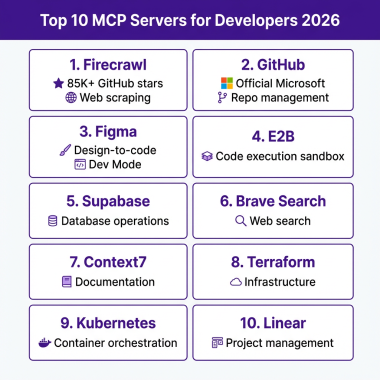
This guide ranks the 10 best MCP servers for developers in 2026 based on real-world usage, GitHub activity, enterprise backing, and actual developer feedback.
What Is MCP and Why Should You Care?
MCP (Model Context Protocol) is an open standard that lets AI assistants connect to external tools, databases, and services through a single, unified interface. Think of it as USB-C for AI — one standard connector that works everywhere.
Before MCP, connecting an AI to GitHub required one integration. Postgres needed another. Notion needed another. Every AI client had its own plugin format. Anthropic called this the “N x M problem” — N tools multiplied by M clients creates an exponentially growing pile of one-off integrations.
MCP solves this by introducing a universal interface. You write a server once. It works with Claude Code, Cursor, Windsurf, VS Code extensions, and Claude Desktop.
The 10 Best MCP Servers for Developers in 2026
1. Firecrawl MCP — Best for Web Scraping and Research
What it does: Firecrawl converts any website into clean, LLM-ready markdown or structured data. The MCP server gives your AI the ability to scrape web pages, crawl entire sites, and extract structured data without writing a single line of parsing code.
Why developers love it:
- Handles JavaScript-rendered content (SPA frameworks like React, Vue, Angular)
- Returns clean markdown, HTML, or structured JSON
- Built-in rate limiting and respect for robots.txt
- Handles pagination automatically
Real-world use case: A developer building a competitive analysis tool used Firecrawl MCP to extract pricing data from 50 competitor websites in under 10 minutes — a task that previously took a full day of manual copy-pasting.
Pricing: Free tier available (500 credits/month). Paid plans start at $19/month for 50,000 credits.
GitHub stars: 85,000+
2. GitHub MCP — Best for Repository Management
What it does: The official GitHub MCP server gives your AI full API access: repositories, pull requests, issues, code search, Actions workflows, and security scanning. It’s maintained by GitHub itself, which means it’s always up-to-date with the latest API changes.
Why developers love it:
- Create and manage PRs without leaving your IDE
- Search code across all your repositories
- Read and write issues with AI-generated descriptions
- Trigger and monitor GitHub Actions workflows
- Access security alerts and dependency information
Real-world use case: A team lead uses GitHub MCP to automatically generate weekly sprint summaries. The AI pulls closed issues, merged PRs, and pending reviews, then formats everything into a Slack-ready report.
Pricing: Free for public repositories. Private repo access requires GitHub Pro ($4/month) or Team ($4/user/month).
GitHub stars: 10,000+
3. Figma MCP — Best for Design and UI Development
What it does: The Figma MCP server connects your AI assistant directly to your design files. It can read design specifications, extract component properties, and even suggest code implementations based on your design system.
Why developers love it:
- Extract CSS properties, colors, and typography directly from designs
- Navigate complex design systems programmatically
- Compare implemented UI against design specs
- Generate component code from design selections
Real-world use case: A frontend developer reduced design-to-code time by 70% using Figma MCP. Instead of manually measuring pixels and copying hex codes, they simply ask their AI to “implement the hero section from the landing page design.”
Pricing: Free tier available. Professional plans start at $12/editor/month.
GitHub stars: 5,000+
4. E2B MCP — Best for Code Execution and Sandboxing
What it does: E2B provides secure, isolated sandbox environments where your AI can execute code safely. The MCP server lets Claude or Cursor run Python, JavaScript, or any language in a disposable cloud environment.
Why developers love it:
- Execute untrusted code without risking your local machine
- Test code snippets in multiple languages instantly
- Run data analysis and visualization scripts
- Generate and verify code outputs before committing
Real-world use case: A data scientist uses E2B MCP to prototype pandas transformations. Instead of switching between their IDE and a Jupyter notebook, they describe the transformation they want, and the AI executes it in a sandbox, returning the results immediately.
Pricing: Free tier (10 hours/month). Paid plans start at $15/month for 100 hours.
GitHub stars: 12,000+
5. Vercel MCP — Best for Deployment
What it does: The Vercel MCP server brings deployment management into your AI workflow. Deploy applications, manage domains, review deployment logs, and configure environment variables — all through natural language commands.
Why developers love it:
- Deploy previews for every pull request automatically
- Check deployment logs without opening the dashboard
- Manage environment variables across projects
- Rollback deployments with a single command
Real-world use case: A solo founder uses Vercel MCP to manage their entire deployment pipeline through Claude Code. They can deploy, check logs, and roll back — all without context-switching to the browser.
Pricing: Free tier available. Pro plans start at $20/month.
GitHub stars: 3,500+
6. Netlify MCP — Best for Static Site Deployment
What it does: Netlify’s MCP server provides comprehensive control over your static site deployments. Manage sites, deploy functions, configure forms, and monitor analytics directly from your AI assistant.
Why developers love it:
- Deploy static sites and JAMstack applications
- Manage serverless functions and edge handlers
- Configure form handling and identity services
- Monitor site analytics and performance
Real-world use case: A documentation team uses Netlify MCP to deploy preview builds of their docs site for every content PR. Reviewers get instant links to preview changes without manual deployment steps.
Pricing: Free tier available. Pro plans start at $19/month.
GitHub stars: 2,800+
7. Sentry MCP — Best for Error Monitoring
What it does: The Sentry MCP server connects your AI to your error tracking data. Query issues, analyze error patterns, and get AI-powered suggestions for fixes based on your Sentry data.
Why developers love it:
- Query and filter errors without leaving your IDE
- Get AI-summarized error context and potential fixes
- Track error trends across releases
- Link errors to specific code commits
Real-world use case: A development team uses Sentry MCP during incident response. When an alert fires, the AI pulls relevant errors, summarizes the impact, and suggests which commits might have introduced the issue.
Pricing: Free tier (5,000 errors/month). Paid plans start at $26/month.
GitHub stars: 2,200+
8. Datadog MCP — Best for Observability
What it does: Launched in March 2026, Datadog’s official MCP server provides AI agents with secure, real-time access to unified observability data. Query metrics, logs, and traces directly from your AI assistant.
Why developers love it:
- Access live observability data for debugging
- Query metrics and create dashboards via natural language
- Correlate logs, traces, and metrics automatically
- Monitor infrastructure health without context switching
Real-world use case: An SRE uses Datadog MCP to investigate latency spikes. Instead of manually querying multiple data sources, they ask their AI to “find what’s causing the API slowdown in the last hour” — and get correlated metrics, logs, and traces instantly.
Pricing: Requires Datadog subscription (starts at $15/host/month).
GitHub stars: 1,800+
9. Context7 MCP — Best for Documentation and Knowledge
What it does: Context7 provides up-to-date, version-specific library documentation to AI agents. Instead of relying on training data that might be years old, your AI gets the exact docs for the version you’re using.
Why developers love it:
- Eliminates hallucinated APIs and outdated code examples
- Version-aware documentation retrieval
- Supports 3,500+ libraries and frameworks
- Integrates with llms.txt standard for structured docs
Real-world use case: A backend developer uses Context7 MCP when working with newer versions of FastAPI. Instead of getting deprecated syntax suggestions, the AI provides code that works with the exact version installed in their project.
Pricing: Free tier available. Paid plans start at $9/month.
GitHub stars: 4,500+
10. Desktop Commander — Best for Terminal and File System
What it does: Desktop Commander gives your AI direct access to your local file system and terminal. It’s the bridge between your AI assistant and your actual development environment.
Why developers love it:
- Execute terminal commands safely with approval prompts
- Read and write files across your project
- Navigate directory structures programmatically
- Run local scripts and build tools
Real-world use case: A full-stack developer uses Desktop Commander to automate their daily workflow. The AI can run tests, check git status, and even commit changes — all triggered by natural language commands.
Pricing: Free and open source.
GitHub stars: 8,500+
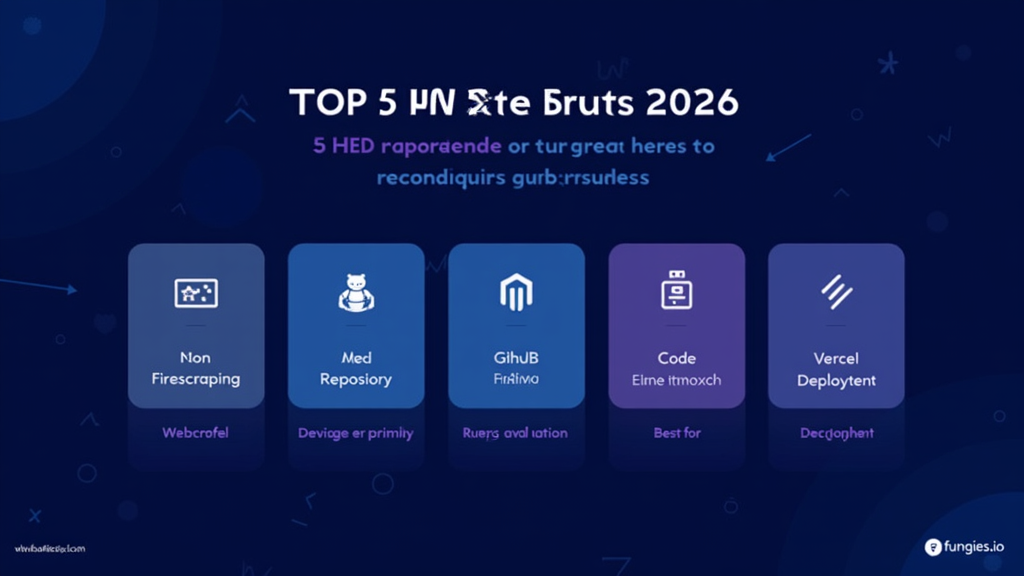
Comparison Table: Top 5 MCP Servers at a Glance
| MCP Server | Best For | Pricing | GitHub Stars | Enterprise Ready |
|---|---|---|---|---|
| Firecrawl | Web scraping & research | Free tier + $19/mo | 85,000+ | ✅ Yes |
| GitHub | Repository management | Free (public repos) | 10,000+ | ✅ Yes |
| Figma | Design & UI development | Free tier + $12/mo | 5,000+ | ✅ Yes |
| E2B | Code execution & sandboxing | Free tier + $15/mo | 12,000+ | ✅ Yes |
| Vercel | Deployment & hosting | Free tier + $20/mo | 3,500+ | ✅ Yes |
How to Set Up MCP Servers: A 5-Step Guide
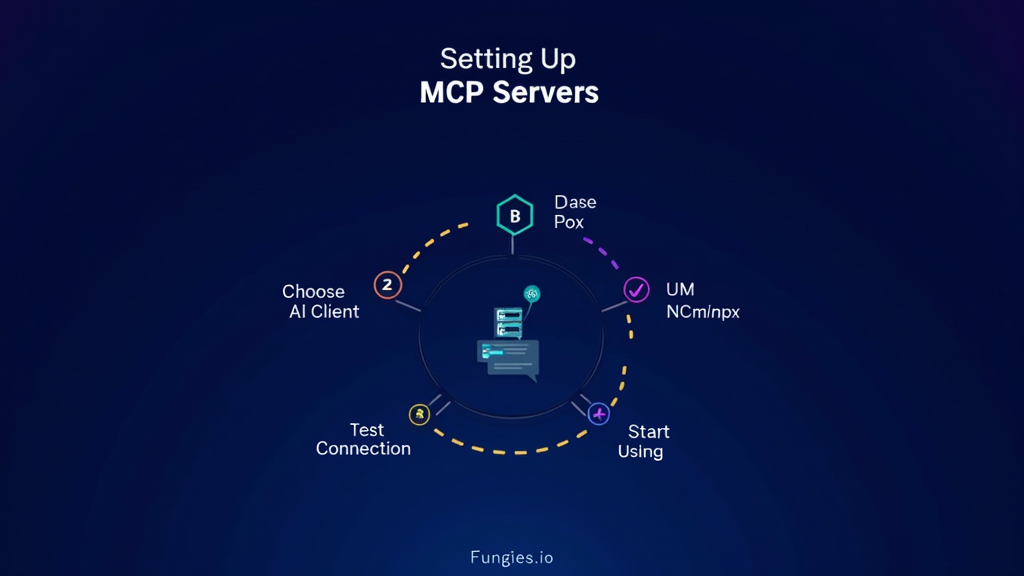
Getting started with MCP servers is straightforward. Here’s the exact process:
Step 1: Choose Your AI Client
MCP works with multiple AI clients:
- Claude Code — Terminal-based AI coding assistant
- Cursor — AI-powered IDE
- Windsurf — AI-native code editor
- VS Code — With MCP extensions
- Claude Desktop — GUI application
Step 2: Install the MCP Server
Most MCP servers are distributed via npm or npx. For example, to install Firecrawl:
# For Claude Code
claude mcp add firecrawl -- npx -y firecrawl-mcp

# For Cursor (add to .cursor/mcp.json)
{
  "mcpServers": {
    "firecrawl": {
      "command": "npx",
      "args": ["-y", "firecrawl-mcp"],
      "env": {
        "FIRECRAWL_API_KEY": "your-api-key"
      }
    }
  }
}
Step 3: Configure API Keys
Most MCP servers require API keys for the underlying service:
- Sign up for the service (Firecrawl, GitHub, etc.)
- Generate an API key from your account settings
- Add the key to your MCP configuration
Step 4: Test the Connection
Verify your MCP server is working:
# In Claude Code
claude mcp list

# Should show your configured servers with status
Step 5: Start Using Natural Language Commands
Once connected, use natural language to interact with the service:
- “Scrape https://example.com and extract the pricing table”
- “Create a GitHub issue for the login bug we just found”
- “Deploy the current branch to Vercel”
Key Takeaways
- MCP is the new standard — With adoption by OpenAI, Google DeepMind, and the Linux Foundation, MCP is here to stay.
- Start with one server — Don’t overwhelm yourself. Pick the MCP server that solves your biggest pain point and master it first.
- Security matters — MCP servers have broad access to your systems. Start with read-only servers, use scoped API keys, and audit usage regularly.
- The ecosystem is exploding — From 100 servers in early 2025 to 5,000+ in April 2026, new MCP servers launch weekly. Stay updated via the Awesome MCP Servers directory.
- Free tiers are generous — Most MCP servers offer substantial free tiers. You can experiment extensively before committing to paid plans.
Frequently Asked Questions
What AI clients support MCP servers?
MCP servers work with Claude Code, Cursor, Windsurf, VS Code (with extensions), and Claude Desktop. Support is expanding to other AI tools throughout 2026.
Are MCP servers free?
Most MCP servers are free and open source. However, they often connect to services that require API keys or subscriptions. Many services offer generous free tiers for development use.
Is it safe to use MCP servers?
MCP servers have access to your files, APIs, and systems. Follow security best practices: use read-only servers when possible, scope API keys narrowly, review code before execution, and enable audit logging.
Can I build my own MCP server?
Yes. MCP is an open standard, and Anthropic provides SDKs for Python and TypeScript. You can build custom MCP servers for internal tools or proprietary services.
What’s the difference between MCP and regular API integrations?
MCP provides a universal interface. Instead of building custom integrations for each AI client, you build one MCP server that works everywhere. It’s the difference between USB-C and having a different charger for every device.
Conclusion
MCP servers have transformed AI assistants from passive chatbots into active development partners. The 10 servers listed here represent the best of what’s available in 2026 — but the ecosystem is growing fast.
If you’re not using MCP servers yet, start today. Pick one from this list, spend 30 minutes setting it up, and experience what it’s like when your AI can actually do things, not just talk about them.
The developers who master MCP in 2026 will have an unfair advantage over those still copy-pasting between browser tabs. Which side do you want to be on?
References
- Model Context Protocol Official Documentation
- Awesome MCP Servers Directory
- Firecrawl MCP Documentation
- GitHub MCP Official Repository
- Figma MCP GitHub Repository
- E2B MCP Documentation
- Vercel MCP GitHub Repository
- Datadog MCP Launch Announcement
- Context7 MCP Documentation
- Builder.io — Best MCP Servers 2026