Here’s a number that might surprise you: a single RTX 4090 can run a 70B parameter model at 15-25 tokens per second—fast enough for real conversations, coding assistance, and document analysis. In 2026, running large language models on your own hardware has shifted from a weekend experiment to a legitimate production strategy.
The math is compelling. Cloud inference for heavy LLM usage can cost $300-$800 per month. A one-time hardware investment of $1,500-$4,000 breaks even in 6-12 months—and gives you complete data privacy, zero rate limits, and offline access.
What Changed in Local LLM Hardware (2024-2026)
Three things happened that made local LLMs practical for everyday developers:
- Open models caught up: Llama 4, Qwen 3.6, DeepSeek V4, and Gemma 4 now match or exceed GPT-4 on most tasks
- Consumer hardware crossed the threshold: RTX 4090/5090 and Apple Silicon M3/M4 Max can run 70B models smoothly
- Tools matured: Ollama, LM Studio, and llama.cpp made setup a single command
The result? Your desk can now host an AI lab that would have required a data center three years ago.
The VRAM Math: How Much Memory You Actually Need
VRAM (Video RAM) is the bottleneck for local LLMs. Here’s the rule of thumb:
| Model Size | Q4 Quantization | FP16 (Full) | Min VRAM |
|---|---|---|---|
| 7B parameters | 4-5 GB | 14 GB | 8 GB |
| 13B parameters | 8-9 GB | 26 GB | 12 GB |
| 34B parameters | 20-22 GB | 68 GB | 24 GB |
| 70B parameters | 40-42 GB | 140 GB | 48 GB (or 24GB at Q4) |
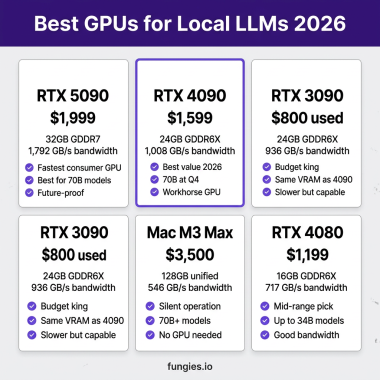
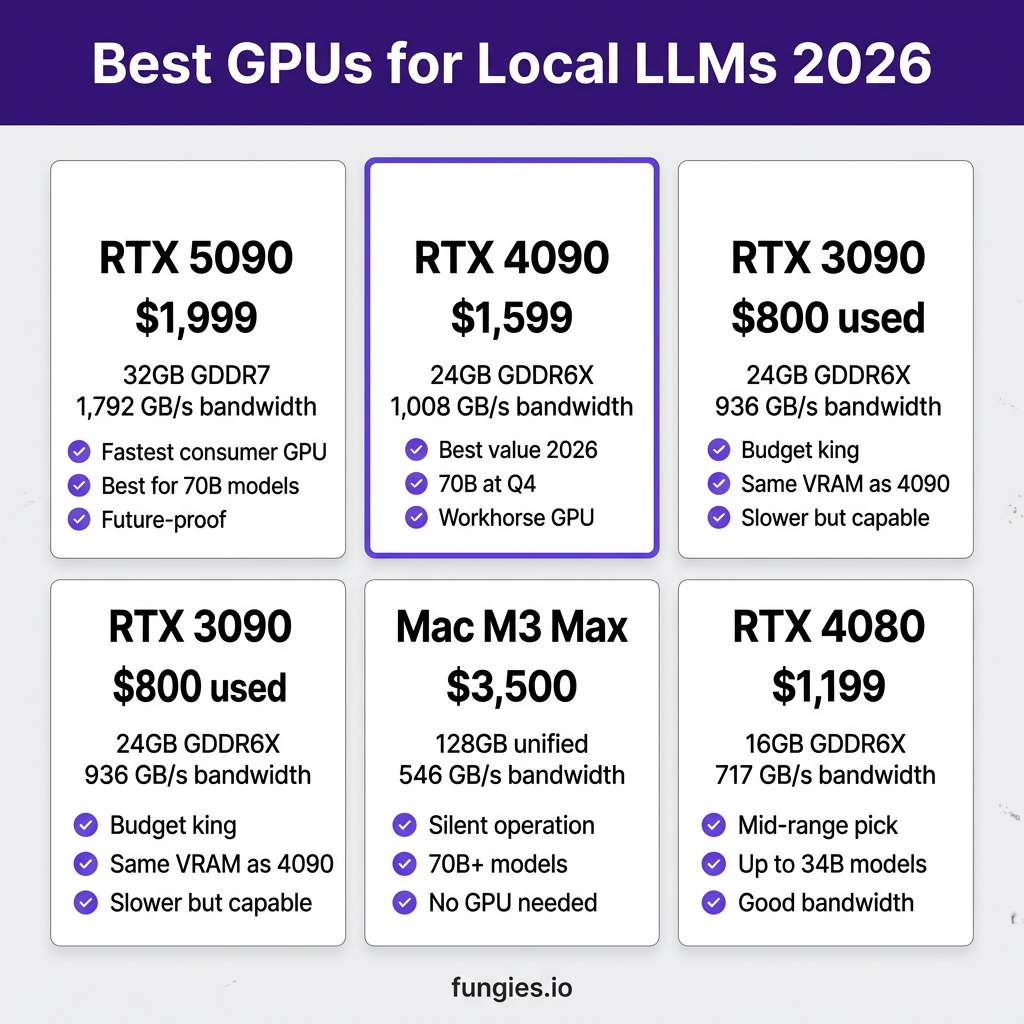
The sweet spot in 2026 is 24GB VRAM. This lets you run 7B models at full precision, 13-34B models comfortably, and 70B models with Q4 quantization. Two cards stand out: the RTX 4090 ($1,599) and the used RTX 3090 ($800).
7 Best Hardware Setups for Local LLMs (Ranked)
1. NVIDIA RTX 5090 — The Performance King
The RTX 5090 is NVIDIA’s Blackwell flagship, and it’s the fastest consumer GPU for local LLMs in 2026.
| VRAM | 32 GB GDDR7 |
| Memory Bandwidth | 1,792 GB/s |
| CUDA Cores | 21,760 |
| Price | $1,999 MSRP |
| Best For | 70B models, future-proofing, maximum speed |
Real performance: 45+ tokens/sec on 32B models, 25-30 tokens/sec on 70B models at Q4 quantization. The 78% bandwidth increase over RTX 4090 directly translates to faster inference.
Verdict: Buy if you want the absolute best and don’t mind paying the premium. The extra 8GB VRAM over the 4090 means you can run larger context windows without quantization artifacts.
2. NVIDIA RTX 4090 — The Sweet Spot
The RTX 4090 remains the best value for local LLMs in 2026. It’s been the workhorse of the local AI community for two years, and it’s still excellent.
| VRAM | 24 GB GDDR6X |
| Memory Bandwidth | 1,008 GB/s |
| CUDA Cores | 16,384 |
| Price | $1,599 MSRP |
| Best For | Most developers, 70B models at Q4, price/performance |
Real performance: 30-40 tokens/sec on 32B models, 15-25 tokens/sec on 70B models at Q4. The 24GB VRAM handles any 70B model with room to spare.
Verdict: This is the card most developers should buy. It’s $400 cheaper than the 5090, widely available, and handles 95% of local LLM use cases perfectly.
3. Used NVIDIA RTX 3090 — The Budget Champion
Don’t sleep on the used market. The RTX 3090 has the same 24GB VRAM as the 4090 and costs half the price.
| VRAM | 24 GB GDDR6X |
| Memory Bandwidth | 936 GB/s |
| CUDA Cores | 10,496 |
| Price | $700-$900 used |
| Best For | Budget builds, first local LLM setup, experimentation |
Real performance: 15-20 tokens/sec on 32B models, 8-12 tokens/sec on 70B models. Slower than the 4090, but perfectly usable.
Verdict: The best entry point into serious local LLMs. Two used 3090s ($1,600 total) give you 48GB VRAM—enough for 70B models at FP16 or even larger quantized models.
4. Mac Studio M3 Max (128GB) — The Silent Workhorse
Apple Silicon changed the game for local AI. Unified memory means the CPU and GPU share the same pool—no VRAM limitations.
| Memory | 128 GB Unified |
| Memory Bandwidth | 546 GB/s |
| Neural Engine | 16-core (mostly unused for LLMs) |
| Price | $3,500-$4,000 |
| Best For | Silent operation, 70B+ models, macOS developers |
Real performance: 20-30 tokens/sec on 70B models using llama.cpp with Metal backend. The 128GB configuration can run models that simply won’t fit in any single consumer NVIDIA GPU.
Verdict: Buy if you’re already in the Apple ecosystem and want a silent, capable machine. The M3 Max 96GB is the sweet spot; 128GB is for power users.
5. MacBook Pro M3 Max (96GB) — Portable Power
Need local LLMs on the go? The MacBook Pro M3 Max with 96GB unified memory is the only laptop that can seriously run 70B models.
| Memory | 96 GB Unified |
| Memory Bandwidth | 400 GB/s |
| Battery | 18-22 hours (light use) |
| Price | $3,200-$3,800 |
| Best For | Mobile developers, travel, client work on-site |
Real performance: 15-25 tokens/sec on 70B models. Not as fast as a desktop RTX 4090, but you can run it on a plane.
Verdict: The only truly portable 70B-capable solution. Expensive, but unmatched for mobile AI work.
6. Dual RTX 3090 Build — Maximum VRAM on a Budget
Two used RTX 3090s in a single workstation give you 48GB VRAM for under $2,000. That’s enough for 70B models at FP16 precision or even larger models with quantization.
| Total VRAM | 48 GB (2x 24GB) |
| Setup Complexity | Medium (requires NVLink or tensor parallelism) |
| Price | $1,600-$1,800 (used cards) |
| Best For | Maximum VRAM per dollar, research, large models |
Real performance: With tensor parallelism via llama.cpp or vLLM, you can run 70B models at FP16 (no quantization) at 10-15 tokens/sec.
Verdict: The best way to get 48GB VRAM without spending $8,000+ on a single card. Requires some technical setup but worth it for serious practitioners.
7. RTX 4080 / RTX 4070 Ti — Entry-Level Options
If your budget is tight, the RTX 4080 (16GB) and 4070 Ti (12GB) can still run local LLMs—you’ll just be limited to smaller models.
| Card | VRAM | Price | Max Model |
| RTX 4080 | 16 GB | $1,199 | 34B at Q4 |
| RTX 4070 Ti | 12 GB | $799 | 13B at Q4 |
| RTX 4070 | 12 GB | $599 | 13B at Q4 |
Verdict: Good for experimentation and smaller models (7B-13B), but you’ll outgrow them quickly if you want to run larger models. Consider a used 3090 instead for just slightly more money.
Performance Comparison: Real Token Speeds
Here’s how these setups actually perform with llama.cpp or Ollama, running Qwen 3.6 32B at Q4 quantization:
| Hardware | Tokens/sec | Cost per 1M tokens |
|---|---|---|
| RTX 5090 | 45-55 | $0.001 (electricity only) |
| RTX 4090 | 30-40 | $0.001 |
| RTX 3090 | 15-20 | $0.001 |
| Mac M3 Max 128GB | 20-30 | $0.001 |
| MacBook M3 Max 96GB | 15-25 | $0.001 |
| Cloud API (GPT-4o) | N/A | $2.50-$5.00 |
The cost advantage is massive. After the initial hardware purchase, your per-token cost is essentially just electricity (pennies per million tokens). Cloud APIs charge $2.50-$15.00 per million tokens depending on the model.
Break-Even Analysis: When Does Local Win?
Let’s run the numbers. Assume you’re a developer using LLMs heavily—say, 5 million tokens per month.
| Setup | Upfront Cost | Monthly Cloud Cost | Break-Even |
|---|---|---|---|
| Used RTX 3090 | $800 | $300 (GPT-4o) | 2.7 months |
| RTX 4090 | $1,600 | $300 | 5.3 months |
| RTX 5090 | $2,000 | $300 | 6.7 months |
| Mac Studio M3 Max | $3,500 | $300 | 11.7 months |
Bottom line: If you use LLMs daily, local hardware pays for itself in under a year. After that, you’re saving $300+ per month indefinitely.
Key Takeaways
- Best overall value: RTX 4090 ($1,599) — 24GB VRAM, excellent performance, proven reliability
- Best budget option: Used RTX 3090 ($800) — same VRAM as 4090, half the price
- Best for Apple users: Mac Studio M3 Max 96GB ($3,200) — silent, capable, no GPU needed
- Best for maximum performance: RTX 5090 ($1,999) — 32GB VRAM, fastest tokens/sec
- Best for maximum VRAM: Dual RTX 3090 ($1,600) — 48GB total for large models
Frequently Asked Questions
Can I run a 70B model on 24GB VRAM?
Yes. At Q4 quantization, a 70B model requires approximately 40-42GB. With 24GB VRAM, you’ll need to use Q4_K_M quantization and accept some quality trade-offs, or use context compression techniques. For best results with 70B models, aim for 32GB+ VRAM.
Is the RTX 5090 worth the upgrade from a 4090?
For most users, no. The 4090 handles 95% of local LLM use cases perfectly. The 5090 shines if you need the extra 8GB VRAM for larger context windows or want maximum token generation speed. If you’re buying new, the $400 difference might be worth it for future-proofing.
Are Macs good for local LLMs?
Surprisingly yes, especially the M3/M4 Max with 64-128GB unified memory. They won’t match an RTX 4090 in raw tokens/sec, but they’re silent, efficient, and can run models that exceed consumer GPU VRAM limits. The M-series chips use llama.cpp with Metal acceleration.
What’s the minimum hardware to get started?
An RTX 3060 12GB ($250 used) or Mac Mini M2 Pro 16GB ($600) can run 7B models comfortably. For serious work, aim for at least 24GB VRAM (RTX 3090/4090) or 48GB unified memory (Mac Studio).
Does quantization hurt model quality?
Q4_K_M (4-bit) quantization has minimal perceptible quality loss for most use cases. Q5_K_M (5-bit) is nearly indistinguishable from FP16. Avoid Q3 and below unless you’re desperate for VRAM.
Conclusion
Local LLMs in 2026 are practical, affordable, and surprisingly powerful. Whether you spend $800 on a used RTX 3090 or $4,000 on a maxed-out Mac Studio, you’ll get an AI setup that rivals cloud APIs—without the ongoing costs, privacy concerns, or rate limits.
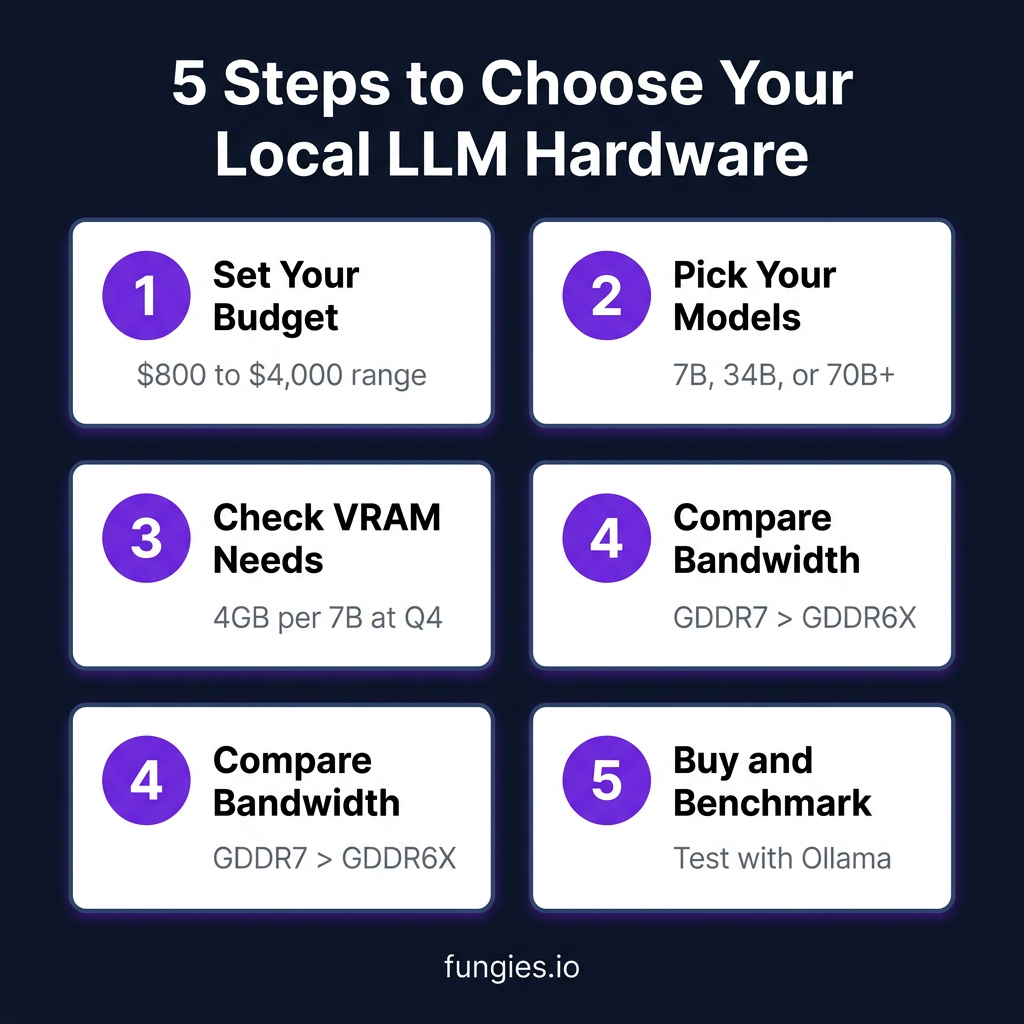
The best time to start running local LLMs was two years ago. The second best time is now. Pick your hardware, install Ollama, and join the local AI revolution.
Ready to monetize your AI projects? Sign up for Fungies and accept payments from customers worldwide with built-in tax compliance.
References
- Best Open-Source LLM Models in 2026 – Hugging Face
- RTX 5090 vs 4090 vs Used 3090 – Hostrunway
- Apple Silicon AI Workstation 2026 – Heyuan110
- Best GPUs for Running Local LLMs – Houtini
- Local LLMs vs Cloud APIs: 2026 TCO Analysis – SitePoint
- Local LLM Hardware Guide 2026 – PromptQuorum
\n