Developers using AI coding tools ship code 55% faster than those coding manually. That statistic isn’t from a marketing deck—it’s what engineering teams report after six months of daily AI integration. But here’s the catch: not all AI coding tools are created equal, and choosing the wrong one can cost you $500+ per year per developer while delivering mediocre results.
In 2026, the AI coding landscape has crystallized around four major players: Cursor, Claude Code, GitHub Copilot, and Windsurf. Each takes a fundamentally different approach to AI-assisted development. Cursor is an AI-native IDE forked from VS Code. Claude Code is a terminal-based agent that thinks and acts autonomously. GitHub Copilot is the mature incumbent with deep ecosystem integration. Windsurf is the ambitious challenger offering premium features for free.
This guide breaks down exactly how these tools compare on pricing, capabilities, and real-world performance—so you can make the right choice for your workflow without wasting months on trial and error.
What Changed in AI Coding Tools Since 2025
The shift from “autocomplete assistants” to “autonomous agents” happened faster than most predicted. In early 2025, AI coding tools mostly suggested the next line of code. By late 2025, tools like Claude Code and Cursor’s Composer could plan multi-step tasks, edit dozens of files simultaneously, run terminal commands, and even launch browsers to verify their work visually.
Three major trends define the 2026 landscape:
Agentic Workflows
Modern tools don’t just complete code—they understand tasks. Claude Code can receive a GitHub issue description, explore the codebase, implement a fix, run tests, and submit a pull request with minimal human direction.
Context Windows Exploded
128K context windows were impressive in 2024. In 2026, 1M token contexts are standard for premium models. This means AI tools can now hold entire codebases in memory, not just the current file.
Pricing Divergence
The market split into premium tools ($15-20/month) targeting professional developers and free/open-source alternatives that are genuinely competitive. Windsurf’s free individual tier and Aider’s open-source model prove you don’t need a corporate budget to access capable AI coding assistance.
The Four Dominant AI Coding Tools of 2026
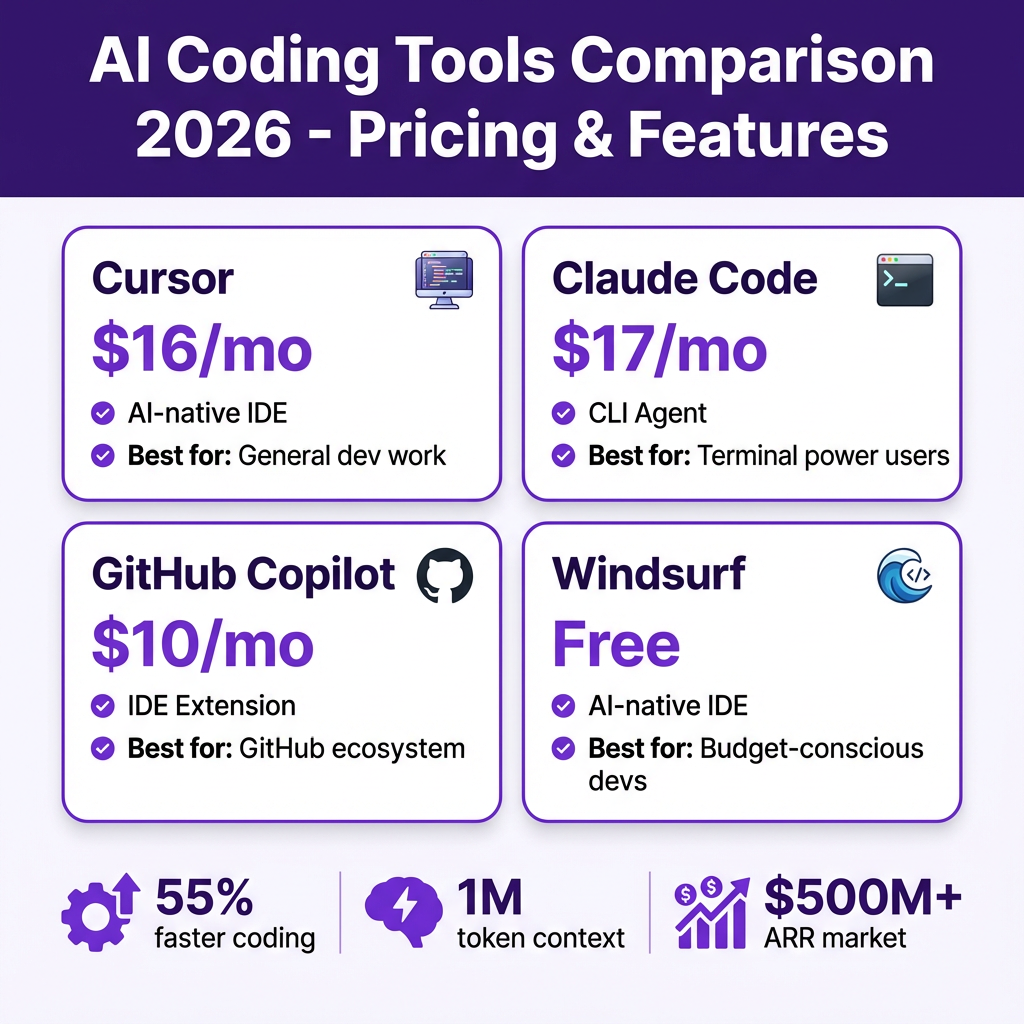
1. Cursor — The Market Leader ($16/mo)
Developer: Anysphere (YC S22)
Pricing: $16/mo Pro, $40/mo Business, $80/mo Enterprise
Estimated ARR: $500M+
Best For: General development, teams wanting polished UX
Cursor started as a VS Code fork with AI deeply integrated. By 2026, it’s the default choice for developers who want AI assistance without leaving their IDE. The Composer feature allows multi-file editing with natural language instructions—describe what you want changed, and Cursor updates every relevant file.
Key Features:
- Composer Mode: Multi-file AI editing with preview diffs
- Tab Autocomplete: Context-aware code completion across your entire project
- Context Awareness: Understands your codebase structure, dependencies, and patterns
- Model Flexibility: Switch between GPT-4o, Claude, and other models mid-conversation
Real-World Performance:
Teams report 40-60% faster feature development when using Cursor for daily work. The autocomplete alone saves 2-3 hours per week for active developers. Composer mode shines for refactoring—tasks that previously took a full day now take 2-3 hours.
Limitations:
Cursor’s terminal integration is limited compared to Claude Code. While it can run commands, it’s not designed for CLI-first workflows. Some developers also report “AI fatigue”—over-reliance on suggestions leading to less deep code understanding.
2. Claude Code — The Terminal Agent ($17/mo)
Developer: Anthropic
Pricing: $17/mo Pro, $100+/mo Max, API pricing available
Best For: Terminal power users, complex automation, agentic workflows
Claude Code is fundamentally different from IDE-based tools. It runs in your terminal, understands your entire codebase, and can execute commands, edit files, and manage Git workflows autonomously. It’s not an editor with AI—it’s an AI that happens to edit code.
Key Features:
- Native Terminal Integration: Runs commands, manages dependencies, executes scripts
- Agentic Workflows: Can work on tasks for minutes without human intervention
- Memory & Context: Remembers project conventions and previous decisions
- Git Integration: Auto-commits with descriptive messages, creates branches, manages PRs
Real-World Performance:
Claude Code excels at complex refactoring across multiple files. A developer at Stripe reported implementing a cross-service API change that touched 47 files in under 2 hours—a task they estimated would have taken 2 days manually. The tool’s ability to run tests, check for errors, and iterate autonomously reduces the feedback loop dramatically.
Limitations:
The learning curve is steeper than IDE-based tools. You need to be comfortable in the terminal. The $100+/mo Max tier is required for heavy usage—API costs can accumulate quickly for large codebases. It’s also less visual; you won’t see syntax highlighting or inline diffs like in Cursor.
3. GitHub Copilot — The Ecosystem Incumbent ($10/mo)
Developer: Microsoft/GitHub
Pricing: $10/mo Individual, $19/mo Business, $39/mo Enterprise
Estimated ARR: $2B+
Best For: Teams already in GitHub ecosystem, enterprise compliance
Copilot invented the AI coding assistant category. In 2026, it’s evolved from autocomplete into a full coding agent with Copilot Workspace, agent mode, and deep GitHub integration. While newer tools have flashier features, Copilot’s ecosystem integration remains unmatched.
Key Features:
- Copilot Workspace: Turn GitHub issues into implemented code
- Agent Mode: Multi-step task execution with tool use
- Deep GitHub Integration: PR reviews, issue management, team workflows
- IDE Coverage: Works in VS Code, JetBrains, Vim, Neovim, and more
Real-World Performance:
Copilot’s strength is consistency. It doesn’t have the “wow factor” of Cursor’s Composer or Claude Code’s autonomy, but it works reliably across the largest number of IDEs and languages. Enterprise teams particularly value the compliance features—audit logs, IP indemnification, and admin controls that newer tools lack.
Limitations:
Copilot is perceived as trailing Cursor and Claude Code in agentic capabilities. The context window is smaller (though this improves with each update). Some developers find the suggestions more conservative—safer but less creative than competitors.
4. Windsurf — The Free Challenger (Free / $15+ mo)
Developer: Codeium (YC W20)
Pricing: Free for individuals, $15+/mo for teams
Valuation: $2.8B
Best For: Budget-conscious developers, startups
Windsurf (formerly Codeium) made waves by offering premium AI coding features for free. The individual tier has no meaningful limitations—it’s genuinely free, not a trial. This has made it the default choice for students, indie developers, and startups watching their burn rate.
Key Features:
- Cascade AI: Multi-file editing with context awareness
- Flow State: Real-time collaboration between human and AI
- Free Tier: Full feature access for individual developers
- Local Models: Can run some models locally for privacy
Real-World Performance:
Windsurf matches Cursor for 80% of use cases. The Cascade feature is comparable to Composer, and the autocomplete is nearly as good. Where it falls short is extreme edge cases—very large codebases, unusual languages, or complex multi-step agentic tasks. But for standard web development, mobile apps, and backend services, it’s indistinguishable from paid alternatives.
Limitations:
The free tier doesn’t include priority support. Some enterprise features (SSO, audit logs) require paid plans. The community is smaller than Cursor’s, so fewer plugins and extensions.
Head-to-Head Comparison Table
| Feature | Cursor | Claude Code | GitHub Copilot | Windsurf |
|---|---|---|---|---|
| Price | $16/mo | $17/mo | $10/mo | Free |
| Type | AI-native IDE | CLI agent | IDE extension | AI-native IDE |
| Best Model | GPT-4o / Claude | Claude Opus 4.6 | GPT-4o | Multiple |
| Context Window | Full project | Full project | Project | Full project |
| Multi-file Editing | Excellent | Excellent | Good | Good |
| Terminal/CLI | Limited | Native | Limited | Limited |
| Git Integration | Basic | Native | Deep | Basic |
| Learning Curve | Low | Medium | Low | Low |
| Best For | General dev | Terminal users | GitHub teams | Budget-conscious |
LLM API Pricing for Coding Tasks (April 2026)
Understanding the underlying model costs helps you evaluate these tools. Here’s what the APIs charge per 1 million tokens:
| Model | Provider | Input (per 1M) | Output (per 1M) | Context |
|---|---|---|---|---|
| GPT-4.1 | OpenAI | $2.00 | $8.00 | 1M |
| GPT-4.1 mini | OpenAI | $0.40 | $1.60 | 1M |
| Claude Opus 4 | Anthropic | $15.00 | $75.00 | 200K |
| Claude Sonnet 4 | Anthropic | $3.00 | $15.00 | 200K |
| Gemini 2.5 Pro | $1.25 | $10.00 | 1M | |
| Gemini 2.5 Flash | $0.15 | $0.60 | 1M | |
| Llama 4 Maverick | Meta (hosted) | $0.20 | $0.60 | 1M |
Key Insight: Claude Opus 4 costs 5x more than Sonnet but delivers only marginally better results for most coding tasks. This is why Claude Code’s Max tier ($100+/mo) is only worth it for specialized use cases. For general development, Sonnet-level models are the sweet spot.
Cost Comparison by Workload
Scenario 1: Daily Development (Individual Developer)
A developer writing code 6 hours/day, 5 days/week:
| Tool | Monthly Cost | Notes |
|---|---|---|
| Cursor Pro | $16 | Includes credits, unlimited completions |
| Claude Code Pro | $17 | API usage may add $10-30 |
| GitHub Copilot | $10 | Cheapest paid option |
| Windsurf | $0 | Free tier is fully functional |
Winner: Windsurf for budget, Cursor for features, Copilot for reliability
Scenario 2: Team of 10 Developers
Monthly costs for a small engineering team:
| Tool | Monthly Cost | Notes |
|---|---|---|
| Cursor Business | $400 | Admin controls, analytics |
| Claude Code Team | $170+ | Plus API usage |
| Copilot Business | $190 | Enterprise features |
| Windsurf Team | $150+ | SSO, audit logs |
Winner: Windsurf for cost, Copilot for enterprise compliance, Cursor for productivity
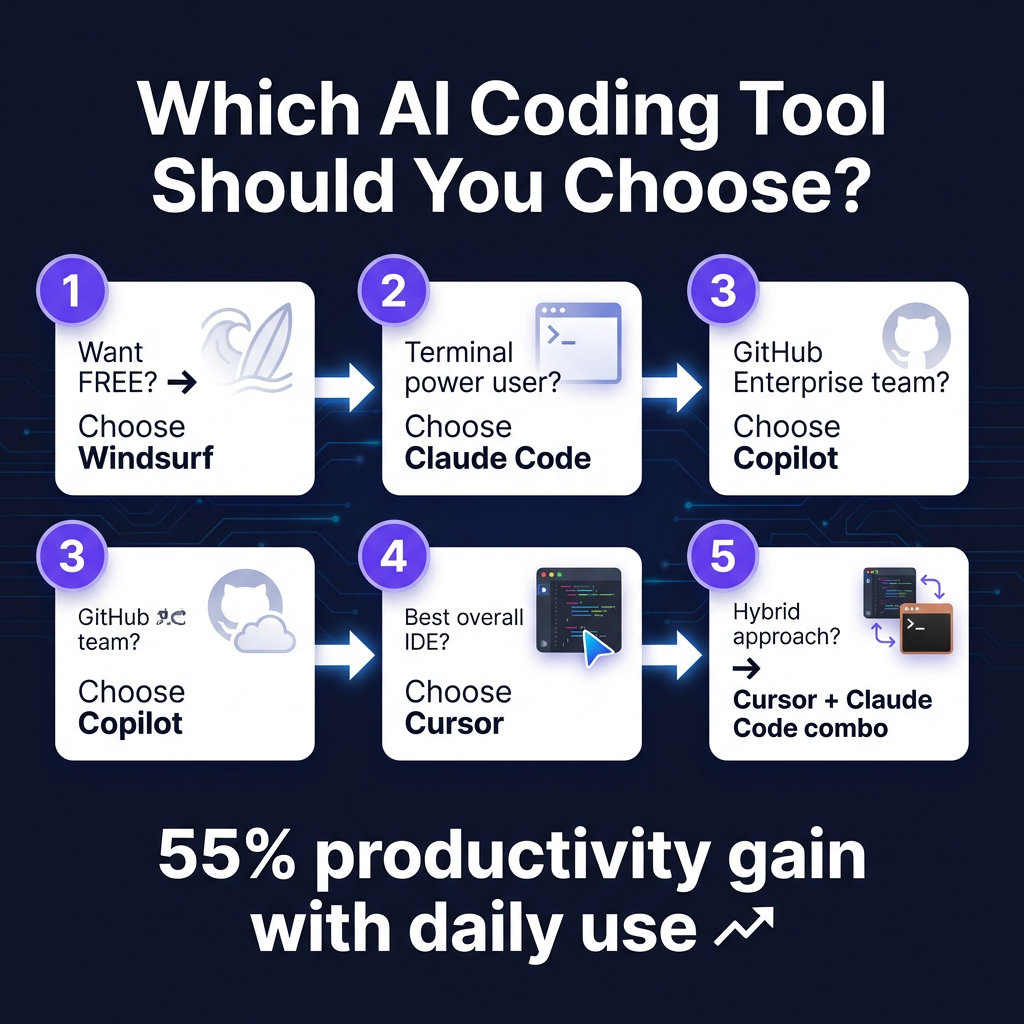
Which Tool Should You Choose?
Choose Cursor If:
- You want the best overall IDE experience
- You value polished UX and community support
- You’re willing to pay $16/mo for productivity gains
- You switch between different AI models frequently
Choose Claude Code If:
- You live in the terminal
- You want agentic workflows that run autonomously
- You need the best reasoning model (Claude Opus)
- You’re comfortable with CLI-first workflows
Choose GitHub Copilot If:
- Your team is already on GitHub Enterprise
- You need enterprise compliance features
- You want the most IDE options (not just VS Code)
- You prefer Microsoft’s ecosystem
Choose Windsurf If:
- You want capable AI coding for free
- You’re a student, indie developer, or startup
- $16/month feels like real money to you
- You don’t need enterprise features
The Hybrid Approach
Many experienced developers use multiple tools. The most common pattern is:
- Cursor or Windsurf for daily editing and autocomplete
- Claude Code for complex refactoring and CLI automation
- Copilot for GitHub-integrated workflows and team collaboration
This “best of breed” approach costs more ($26-33/mo combined) but maximizes productivity for developers who spend 30+ hours/week coding.
Key Takeaways
- The free option is genuinely good. Windsurf’s individual tier has no meaningful limitations. If budget matters, start there.
- Cursor is the safe choice. At $16/mo with the largest community and most polished experience, it’s the default recommendation for developers who just want something that works.
- Claude Code is for power users. The terminal-first approach and agentic capabilities appeal to developers who want AI to do more than suggest code—they want it to handle tasks.
- Copilot is the enterprise default. If your company uses GitHub Enterprise, Copilot’s integration and compliance features make it the pragmatic choice despite trailing on raw capabilities.
- Model choice matters less than workflow fit. GPT-4.1, Claude Sonnet 4, and Gemini 2.5 Pro are all excellent for coding. The tool’s interface and workflow integration matter more than the underlying model.
Frequently Asked Questions
Can I use AI coding tools for free?
Yes. Windsurf offers a fully functional free tier for individuals. Aider is open-source and free. Gemini CLI has a generous free tier. Ollama lets you run local models at zero API cost.
Will AI coding tools replace developers?
No. They make developers more productive—55% faster according to most studies—but they don’t eliminate the need for human judgment, architecture decisions, and understanding business requirements.
Which tool has the best code completion?
Cursor and Windsurf are neck-and-neck for autocomplete quality. Claude Code doesn’t have inline completion—it’s designed for task-based workflows. Copilot’s completion is good but slightly behind Cursor.
Is Claude Code worth $100+/mo for the Max tier?
Only for specialized use cases: complex refactoring across large codebases, agentic automation workflows, or when you specifically need Claude Opus’s reasoning capabilities. Most developers are fine with the $17 Pro tier.
Can I switch between tools easily?
Yes. These tools don’t lock you in. Many developers use Cursor for editing and Claude Code for CLI tasks. Your code stays in Git—switching tools just changes how you write it.
Conclusion
The AI coding tool you choose in 2026 matters less than committing to one and learning it deeply. Cursor, Claude Code, Copilot, and Windsurf are all capable of dramatically improving your productivity. The worst choice is analysis paralysis—trying none of them because you can’t decide which is “best.”
Start with Windsurf if budget is tight. Choose Cursor if you want the polished, safe option. Pick Claude Code if you’re terminal-native and want agentic workflows. Stay with Copilot if you’re in the GitHub ecosystem and need enterprise features.
The 55% productivity gain isn’t theoretical—it’s what teams report after six months of daily use. The only wrong choice is waiting to start.
Ready to streamline your SaaS payments while you code? Fungies.io handles global tax compliance, VAT, and sales tax automatically—so you can focus on shipping features, not tax forms.
References
- TLDL AI Coding Tools Comparison 2026
- PE Collective LLM Pricing Comparison April 2026
- Prism Labs AI Coding Agents Comparison 2026
- SitePoint AI Coding Tools Comparison 2026
- NxCode Cursor vs Claude Code vs Copilot
- Augment Code 8 Best AI Coding Assistants
- MightyBot 9 Best AI Coding Agents 2026
- CloudIDR LLM API Pricing 2026