93% of developers now use AI coding assistants as part of their daily workflow. That’s not a prediction — it’s the finding from JetBrains’ January 2026 AI Pulse survey of over 10,000 professional developers worldwide. The question isn’t whether you should use AI coding tools. It’s how to integrate them properly so they actually make you faster instead of creating more work.
I’ve spent the last year testing Claude Code, Cursor, and GitHub Copilot across real production projects. What I’ve learned: the productivity gap between developers who integrate these tools well and those who don’t is measurable and growing. This guide will show you exactly how to integrate AI coding assistants into your development workflow based on real data and proven patterns.
What Are AI Coding Assistants and Why Do They Matter in 2026?
AI coding assistants have evolved from simple autocomplete tools into agentic systems capable of multi-file editing, autonomous planning, and deep codebase reasoning. According to the JetBrains survey, 70% of engineers now use 2-3 different AI tools in combination rather than relying on a single solution.
The market has matured significantly. Claude Code leads developer satisfaction at 46% preference according to JetBrains data, followed by Cursor at 19% and GitHub Copilot at 9%. But raw preference numbers don’t tell the whole story — each tool excels in different scenarios.
The Three Dominant AI Coding Assistants in 2026
Before integrating anything, you need to understand what each tool actually does best. Here’s the breakdown based on real-world testing and benchmark data:
Claude Code: The Terminal-Native Powerhouse
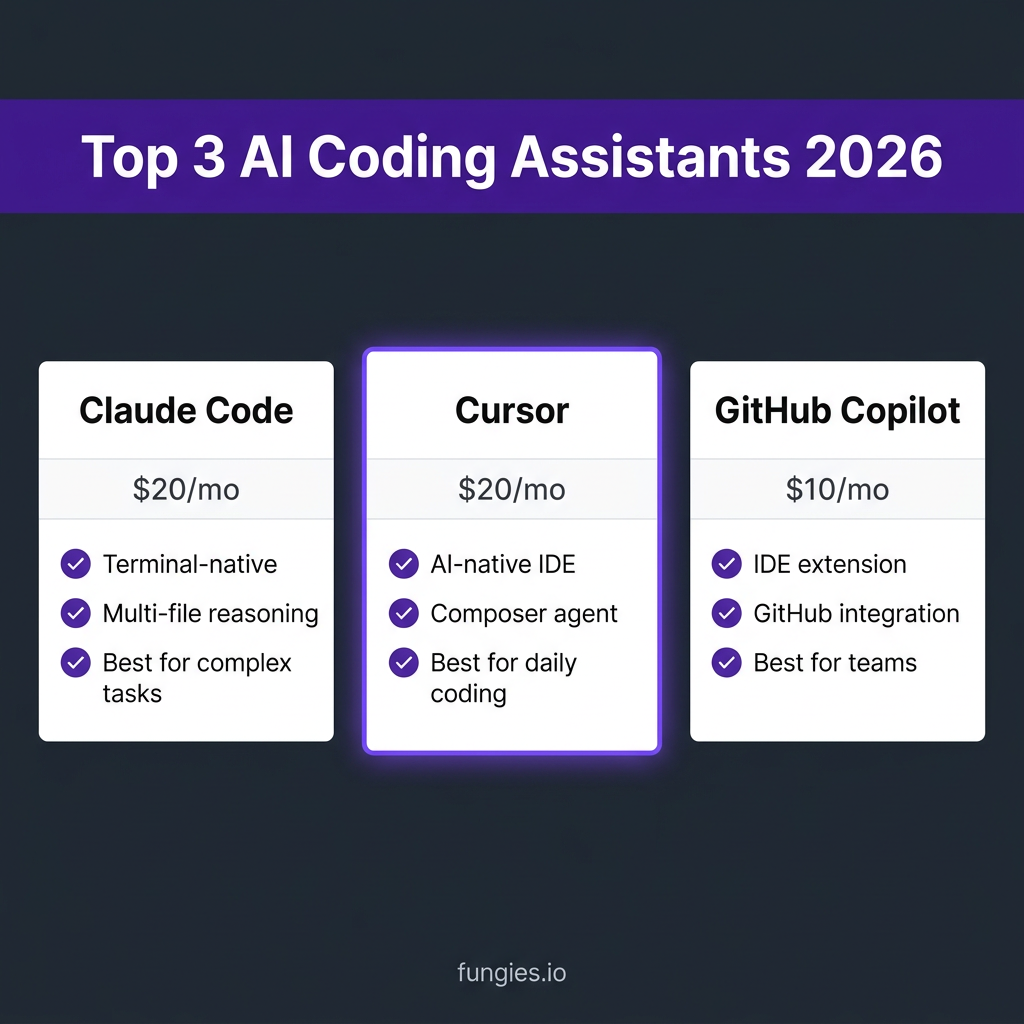
Claude Code is Anthropic’s agentic coding interface that runs in your terminal. It doesn’t require an IDE and can edit files, run commands, and manage multi-file refactoring tasks autonomously. At $20/month for Pro and $100/month for Max 5x, it’s positioned for developers who need deep reasoning capabilities.
- Best for: Complex architecture work, large codebase refactoring, multi-file changes
- Interface: Terminal/CLI — works anywhere you have a shell
- Pricing: $20/month (Pro), $100/month (Max 5x)
- Context window: Up to 200K tokens
Cursor: The AI-Native IDE
Cursor is a VS Code fork with AI baked into every layer. It features the Composer agent for visual multi-file editing, Supermaven autocomplete with a 72% acceptance rate, and background agents for autonomous tasks. Cursor has reached $500M+ ARR and is widely considered the developer favorite for daily coding work.
- Best for: Daily development, polyglot projects, solo developers
- Interface: AI-native IDE (VS Code fork)
- Pricing: $20/month (Pro), $40/month (Pro+), $200/month (Ultra)
- Key feature: Composer for visual multi-file editing
GitHub Copilot: The Platform-Integrated Standard
GitHub Copilot remains the most widely distributed option, working across VS Code, JetBrains, Neovim, and other editors. At $10/month, it’s the best value entry point. The new Copilot coding agent can convert GitHub issues into pull requests automatically, making it ideal for team workflows.
- Best for: Enterprise teams, GitHub-centric workflows, beginners
- Interface: IDE extension across multiple editors
- Pricing: $10/month (Pro), $39/month (Pro+)
- Key feature: Native GitHub integration and issue-to-PR automation
| Feature | Claude Code | Cursor | GitHub Copilot |
|---|---|---|---|
| Price (entry) | $20/month | $20/month | $10/month |
| Interface | Terminal/CLI | AI-native IDE | IDE extension |
| Best for | Complex tasks | Daily coding | Team workflows |
| Context window | 200K tokens | 128K tokens | 128K tokens |
| Multi-file editing | Yes (agentic) | Yes (Composer) | Limited |
Step-by-Step: How to Integrate AI Coding Assistants Into Your Workflow
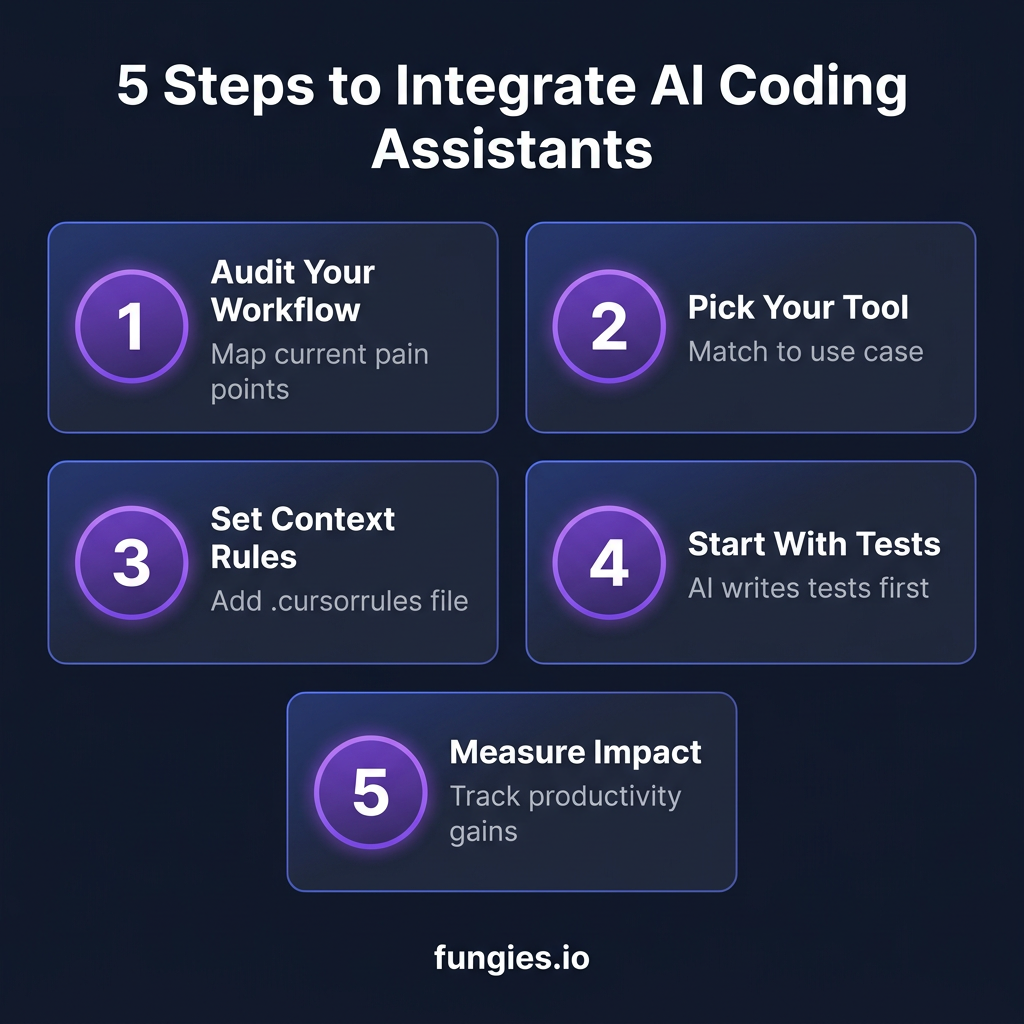
Step 1: Audit Your Current Workflow
Before adding any tool, map where you actually spend time. Track your development activities for 3-5 days across these categories:
- Writing new code: Greenfield development, feature implementation
- Debugging: Finding and fixing bugs, error investigation
- Refactoring: Restructuring existing code, technical debt
- Code review: Reading others’ code, PR reviews
- Testing: Writing and maintaining test suites
- Documentation: Comments, READMEs, API docs
Most developers find they spend 40-50% of their time on debugging and refactoring — exactly where AI assistants provide the highest ROI.
Step 2: Choose the Right Tool for Your Use Case
Don’t just pick the most popular option. Match the tool to your specific needs:
- Choose Claude Code if: You work on complex architecture, need deep multi-file reasoning, prefer terminal workflows, or handle large refactoring tasks regularly.
- Choose Cursor if: You want AI integrated into your daily editing experience, work across multiple languages, or prefer a visual interface for AI interactions.
- Choose GitHub Copilot if: Your team uses GitHub heavily, you need broad IDE compatibility, or you’re looking for the most cost-effective entry point.
Here’s a pro tip from the data: 70% of successful developers use multiple tools. The most common stack is Cursor for daily editing plus Claude Code for complex CLI tasks.
Step 3: Set Up Context Rules and Constraints
AI assistants work best when they understand your project’s context. Set these up immediately:
- .cursorrules file (Cursor): Define coding standards, preferred patterns, and project-specific conventions
- CLAUDE.md (Claude Code): Document architecture decisions, tech stack, and common patterns
- Copilot instructions: Use the settings to define code style preferences
Example .cursorrules file:
# Project Context
- This is a React + TypeScript SaaS application
- Use functional components with hooks
- Follow the existing folder structure (components/, hooks/, utils/)
- Prefer explicit types over 'any'
- Use the existing UI component library for consistency
Step 4: Start With Low-Risk, High-Value Tasks
Don’t hand over your critical path to AI on day one. Start with these proven high-value, low-risk tasks:
- Writing tests: AI excels at generating test cases based on existing code
- Documentation: Generating docstrings, README updates, API documentation
- Boilerplate reduction: CRUD operations, form validation, standard API calls
- Code explanation: Understanding unfamiliar codebases or legacy systems
Only after you’re comfortable should you move to more complex tasks like architectural changes or feature implementation.
Step 5: Establish Review and Validation Practices
Here’s a sobering statistic: only 29% of developers fully trust AI-generated code according to recent surveys. That mistrust is healthy — and manageable with the right practices.
- Always review AI suggestions: Never blindly accept code, especially for security-critical sections
- Run tests before committing: Make automated testing a non-negotiable step
- Start with small changes: Review AI-generated code in small, focused commits
- Build a verification checklist: Security, performance, error handling, edge cases
Advanced Integration Patterns for Teams
Once you’ve mastered individual usage, consider these team-wide integration patterns:
Pattern 1: The Two-Tool Stack
The most common successful setup among professional developers: GitHub Copilot for daily autocomplete and inline suggestions, plus Claude Code for complex refactoring and architectural work. This gives you the best of both worlds — seamless IDE integration for quick tasks and deep reasoning for complex ones.
Pattern 2: AI-Assisted Code Review
Use AI to pre-review code before human review. Claude Code can analyze PRs for potential issues, suggest improvements, and catch common mistakes. This doesn’t replace human review — it makes human review more effective by filtering out obvious issues first.
Pattern 3: Documentation-First Development
Write feature specifications in natural language, then use AI to generate the initial implementation. This works especially well with Cursor’s Composer or Claude Code’s agentic editing. The key is being specific — vague prompts produce vague code.
Measuring the Impact: What to Track
To know if your AI integration is working, track these metrics:
| Metric | What to Measure | Target Improvement |
|---|---|---|
| Code acceptance rate | % of AI suggestions you keep | 60-75% |
| Time to first PR | Hours from task start to PR | 20-40% reduction |
| Bug rate | Bugs per 100 lines of code | No increase (maintain quality) |
| Test coverage | % of code with tests | 10-20% increase |
| Developer satisfaction | Self-reported productivity | Measurable improvement |
Common Integration Mistakes to Avoid
Based on real developer feedback, here are the most common pitfalls:
- Over-reliance on AI: Using AI for everything without understanding the output leads to subtle bugs and security issues
- Poor context setup: Not providing project context results in generic, poorly-fitting code
- Skipping validation: Trusting AI-generated tests without running them is a recipe for false confidence
- Wrong tool for the job: Using a lightweight tool for complex architecture work or vice versa
- No measurement: Not tracking whether AI is actually improving productivity
Key Takeaways: Your Integration Roadmap
Integrating AI coding assistants isn’t about replacing developers — it’s about amplifying their capabilities. Here’s your action plan:
- Week 1: Audit your workflow and pick one tool to start with
- Week 2: Set up context rules and start with low-risk tasks (tests, docs)
- Week 3: Expand to feature development with strict review practices
- Week 4: Measure impact and adjust your approach
- Month 2+: Consider adding a second tool for specialized tasks
The developers seeing the biggest gains aren’t the ones using the most expensive tools — they’re the ones who integrated AI thoughtfully into workflows that were already working.
Frequently Asked Questions
Which AI coding assistant is best for beginners?
GitHub Copilot at $10/month is the best entry point. It works across multiple IDEs, has a gentle learning curve, and integrates seamlessly with GitHub workflows. The free tier (50 requests/month) lets you test before committing.
Can I use multiple AI coding assistants together?
Yes, and many developers do. The most common combination is Cursor for daily editing plus Claude Code for complex CLI tasks. Each tool has strengths, and using them strategically gives you the best of all worlds.
How much can AI coding assistants really improve productivity?
Studies show 20-55% productivity improvements for developers who integrate AI effectively. However, this depends heavily on proper integration — developers who blindly accept AI suggestions often see no improvement or even reduced productivity due to debugging time.
Are AI coding assistants secure for proprietary code?
All three major tools offer enterprise plans with data privacy guarantees. Claude Code and Cursor both have zero-data-retention options for enterprise customers. GitHub Copilot offers IP indemnification for Business and Enterprise plans. For highly sensitive code, self-hosted or air-gapped solutions are also available.
What’s the best way to learn prompt engineering for coding?
Start with specific, context-rich prompts. Instead of “fix this bug,” try “this function should validate email addresses but is accepting invalid formats. Check the regex pattern and add proper validation.” The more context you provide, the better the output.
Conclusion: Start Small, Measure, Scale
AI coding assistants are now essential tools for professional developers. The 93% adoption rate isn’t hype — it’s a reflection of real productivity gains for those who integrate them properly.
Don’t try to revolutionize your workflow overnight. Pick one tool, start with low-risk tasks, establish review practices, and measure your results. The goal isn’t to replace your expertise — it’s to amplify it.
Ready to streamline more than just your coding workflow? Fungies.io handles payments, tax compliance, and global sales for SaaS and digital products — so you can focus on building great software.
References
- JetBrains AI Pulse Survey (January 2026) — 10,000+ developer survey on AI tool adoption
- Claude Code vs Cursor vs Copilot: The 2026 Developer Comparison — Feature and pricing comparison
- AI Coding Tools Pricing Comparison 2026 — Complete pricing breakdown
- Claude Code Statistics 2026 — Adoption and benchmark data
- 84% of Developers Use AI Coding Tools in April 2026 — Trust and adoption statistics