In Q1 2026, Ollama crossed 52 million monthly downloads—up 520x from just 100,000 in Q1 2023. With 174,000 GitHub stars and counting, it’s clear that running large language models locally has moved from weekend hobbyist territory to legitimate production infrastructure.
But here’s the problem: most guides treat “local LLM tools” as a single category. They aren’t. The tool you need for hacking on a side project is completely different from what you’d deploy to serve thousands of users.
This guide breaks down the 10 best local LLM inference tools in 2026—ranked by use case, not popularity. Each one targets a specific workflow: CLI scripting, desktop chatting, production serving, or squeezing every token-per-second out of your hardware.
Why Local LLM Inference Matters in 2026
Three developments converged in early 2026 to make local inference production-viable:
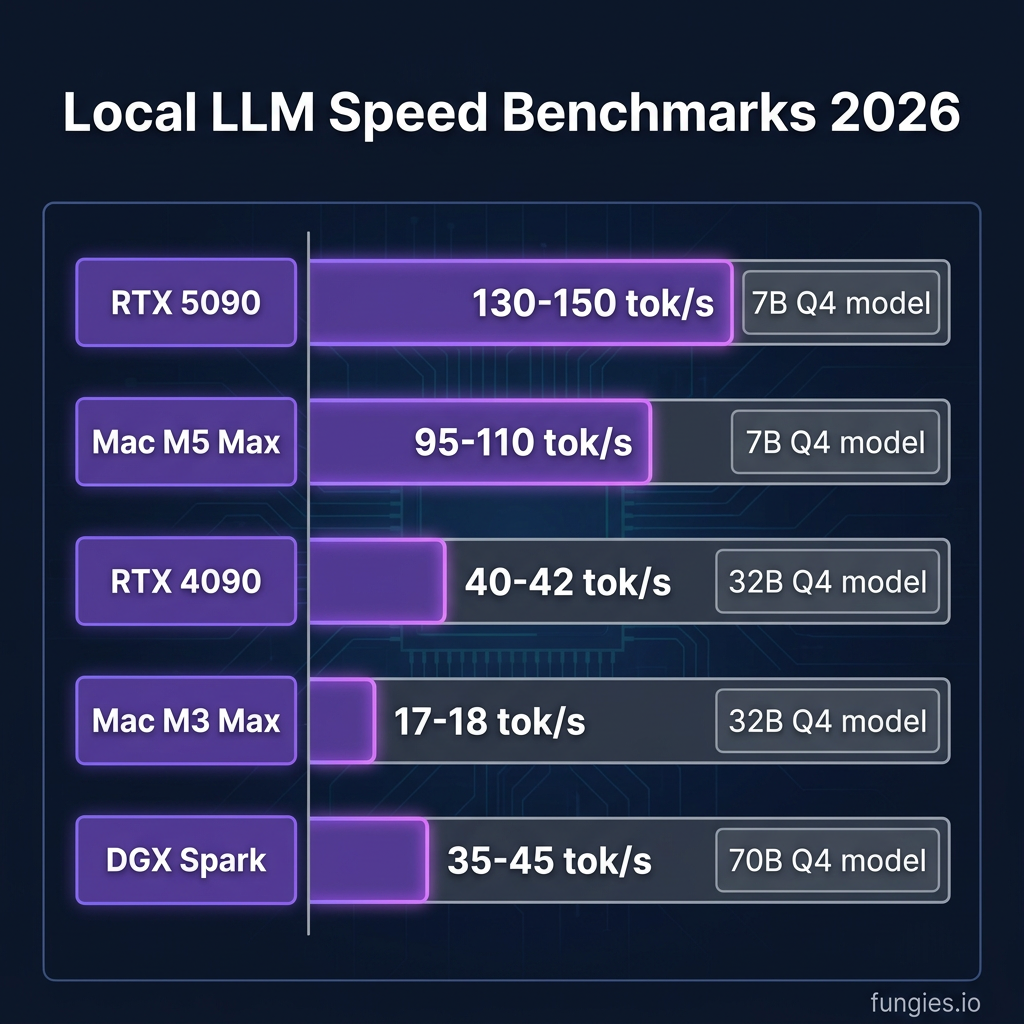
- Hardware crossed a threshold: The RTX 5090 delivers 130-150 tokens per second on 7B models. Apple’s Mac Studio M5 Max with 128GB unified memory runs 70B parameter models without breaking a sweat.
- Open-weight models caught up: Llama 4, Qwen 3.5, and GPT-OSS now match GPT-4-class performance on most tasks.
- The economics flipped: At 10 million tokens per month, a local RTX 5090 setup breaks even against cloud APIs in under 6 months.
Add in zero data privacy concerns, no rate limits, and the ability to work offline, and the case becomes obvious.
The 10 Best Local LLM Inference Tools Ranked
1. Ollama — Best for Developers and Automation
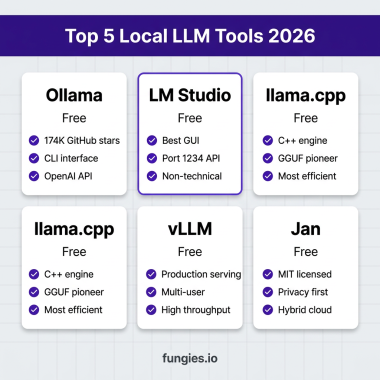
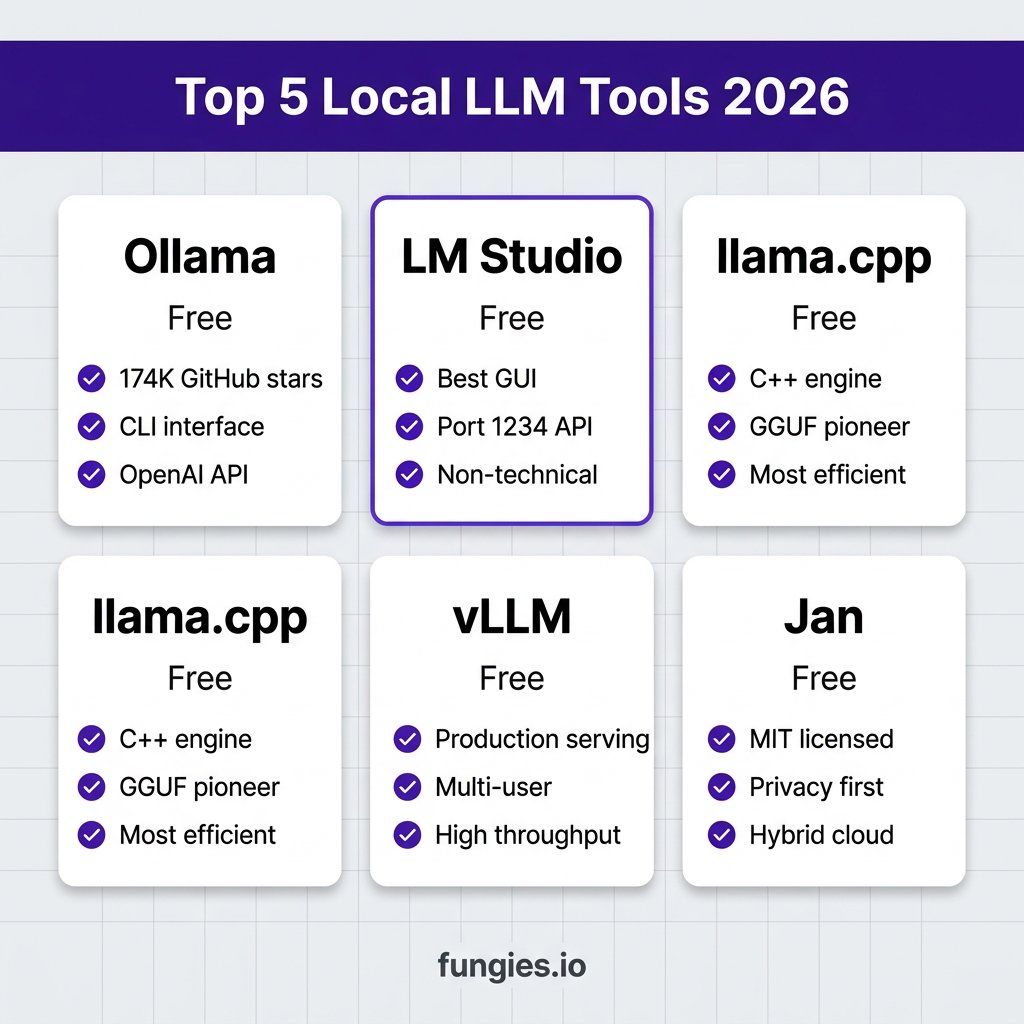
Ollama is the default choice for developers in 2026. One command installs it. One command downloads and runs a model. It exposes an OpenAI-compatible API on port 11434, making it trivial to drop into existing applications.
Key stats: 174,000+ GitHub stars, 52M monthly downloads (Q1 2026), 200+ supported models.
Pros: Fastest setup, massive model library, excellent CLI, works on macOS/Linux/Windows.
Cons: No native GUI (though web UIs exist), memory leaks reported on long-running instances, ~37% slower than raw llama.cpp on multi-turn chats.
2. LM Studio — Best GUI Experience
Built by a 9-person team led by an ex-Apple engineer, LM Studio is the most polished desktop app for local LLMs. It’s the tool you recommend to non-technical colleagues who want ChatGPT without the cloud.
The built-in model browser downloads from HuggingFace automatically. Visual parameter controls let you tweak temperature, top-p, and context length without touching a config file. The OpenAI-compatible server on port 1234 is battle-tested in production workflows.
Pros: Best-in-class interface, side-by-side model comparison, cross-platform (excluding Intel Macs).
Cons: Proprietary license (free for personal use, paid for commercial teams), version 0.3.5 had a 96% performance regression bug.
3. llama.cpp — The Engine Everything Runs On
Here’s the secret most guides won’t tell you: Ollama, LM Studio, and GPT4All are all just wrappers around llama.cpp. This C++ inference engine is what actually does the math—loading models, running tokenizers, and pushing work to your GPU.
llama.cpp pioneered the GGUF quantization format that makes running 70B models on consumer hardware possible. It runs on everything from Raspberry Pis to multi-GPU servers, with backends for CUDA, Metal, Vulkan, and pure CPU.
Pros: Maximum control, fastest raw performance, supports every quantization format, embeddable library.
Cons: Steep learning curve, command-line only, manual model management.
4. vLLM — Best for Production Serving
vLLM is engineered for throughput at scale. While llama.cpp optimizes for single-user efficiency, vLLM optimizes for serving many concurrent users on GPU infrastructure.
The key innovation is PagedAttention, which reduces memory waste by treating attention keys/values like virtual memory pages. This lets vLLM achieve 10-20x higher throughput than naive implementations when serving multiple users.
Pros: Highest multi-user throughput, continuous batching, OpenAI-compatible API, production-ready.
Cons: NVIDIA-only, Python dependency, overkill for single-user setups.
5. Jan — Best for Privacy-Maximalists
Jan is the only fully open-source (MIT license) GUI tool on this list. While LM Studio is proprietary, Jan’s entire codebase is auditable and forkable. It’s developed by a bootstrapped team in Ho Chi Minh City.
Jan supports hybrid local+cloud workflows—you can switch between local models and API providers without changing your setup. The MCP extension ecosystem lets you connect to external tools.
Pros: Fully open source, hybrid cloud/local, extensible, no licensing restrictions.
Cons: Smaller team than competitors, newer and less battle-tested, occasional stability issues.
6. GPT4All — Best for Document Chat
From Nomic AI (which raised $17M in Series A), GPT4All differentiates itself with LocalDocs—a feature that lets you chat with your documents without sending them to any server. The 4-person team focuses on privacy-first AI.
Pros: LocalDocs feature, privacy-focused, good model selection.
Cons: Smaller team, documentation warns that LocalDocs can crash the app, slower iteration than Ollama.
7. SGLang — The New High-Performance Contender
SGLang is emerging as a serious competitor to vLLM for production serving. It offers graph-compiled kernels that outperform vLLM on dense models at high concurrency. Recent updates added TensorRT-LLM kernel integration for DeepSeek models.
Pros: State-of-the-art throughput, growing model support, active development.
Cons: Newer ecosystem, smaller community than vLLM.
8. TensorRT-LLM — Best for NVIDIA Hardware
NVIDIA’s official optimization engine delivers maximum performance on their hardware. If you’re running a data center full of A100s or H100s, this is the gold standard.
TensorRT-LLM includes optimized kernels for every major model architecture, with support for FP8, INT8, and INT4 quantization. The tradeoff is vendor lock-in—it only runs on NVIDIA GPUs.
Pros: Maximum NVIDIA performance, production-grade, supports latest optimizations.
Cons: NVIDIA-only, complex setup, requires model compilation.
9. ExLlamaV3 — Best for VRAM Efficiency
ExLlamaV3 targets enthusiasts who want to squeeze maximum model quality per VRAM byte. It uses advanced quantization techniques to run larger models on limited GPU memory.
Pros: Best-in-class quantization, runs 70B models on 24GB VRAM, fast inference.
Cons: Complex setup, smaller community, primarily for NVIDIA.
10. Msty — Best Alternative GUI
Msty offers a polished desktop interface with a freemium model. The base version is free; premium features cost $9.99/month. It’s a solid alternative if LM Studio’s licensing or Jan’s stability don’t work for you.
Pros: Clean interface, regular updates, good model management.
Cons: Premium features locked behind subscription, smaller ecosystem.
Performance Benchmarks: Real Numbers
Here are actual tokens-per-second figures from community benchmarks in 2026:
| Hardware | 7B Q4 Model | 32B Q4 Model | 70B Q4 Model |
|---|---|---|---|
| RTX 5090 (32GB) | 130-150 t/s | 65-75 t/s | 35-45 t/s |
| RTX 4090 (24GB) | 85-95 t/s | 40-42 t/s | 8-12 t/s* |
| Mac Studio M5 Max (128GB) | 95-110 t/s | 45-55 t/s | 25-32 t/s |
| Mac M3 Max (128GB) | 50-60 t/s | 17-18 t/s | 14 t/s |
| NVIDIA DGX Spark | 150+ t/s | 85-95 t/s | 35-45 t/s |
* Requires layer offloading due to VRAM constraints
How to Choose the Right Tool
| If you need… | Use this tool |
|---|---|
| One-command setup and CLI scripting | Ollama |
| Polished GUI for non-technical users | LM Studio |
| Maximum performance and control | llama.cpp |
| Multi-user production serving | vLLM or SGLang |
| Fully open-source solution | Jan |
| Chat with local documents | GPT4All |
| NVIDIA data center deployment | TensorRT-LLM |
Key Takeaways
- Ollama remains the fastest path from zero to running a local LLM, with 174K GitHub stars backing its dominance.
- LM Studio offers the best GUI experience, making local AI accessible to non-developers.
- llama.cpp is the engine powering most other tools—use it directly when you need maximum control.
- vLLM and SGLang are the choices for production multi-user serving.
- Jan is the only fully open-source GUI option for privacy-conscious users.
- Hardware matters: RTX 5090 and Mac Studio M5 Max are the current sweet spots for local inference.
Frequently Asked Questions
What’s the fastest local LLM inference tool?
For raw single-user performance, llama.cpp is fastest. For multi-user serving, vLLM and SGLang lead. For ease-of-use with good performance, Ollama hits the sweet spot.
Can I run local LLMs without a GPU?
Yes. llama.cpp supports CPU inference, and Apple Silicon Macs use the Neural Engine. Expect 5-10x slower performance than GPU inference, but it’s viable for smaller models (7B-13B).
Is Ollama slower than other tools?
Ollama can be ~37% slower than raw llama.cpp on long multi-turn conversations due to its Go-based orchestration layer. For most use cases, this difference is negligible. If maximum speed is critical, run llama.cpp directly.
What’s the best free local LLM tool?
All tools on this list are free. Ollama and llama.cpp are completely open-source. LM Studio is free for personal use. Jan is MIT-licensed. Only Msty has a premium tier.
How much VRAM do I need for local LLMs?
7B models: 4-8GB VRAM
13B models: 8-12GB VRAM
32B models: 16-24GB VRAM
70B models: 40GB+ VRAM (or use quantization with offloading)
Conclusion
The local LLM tooling ecosystem has matured dramatically in 2026. Whether you’re a developer looking for a simple API, a non-technical user wanting a ChatGPT alternative, or an infrastructure engineer building production AI services, there’s a tool that fits your workflow.
Start with Ollama if you’re unsure. It’s the default for a reason. Move to specialized tools like vLLM or llama.cpp as your needs grow.
And if you’re building a SaaS product that needs to accept payments globally, check out Fungies.io—the Merchant of Record platform that handles tax compliance, payments, and checkout for digital product sellers.