Running large language models locally has become the holy grail for developers, researchers, and AI enthusiasts who want complete control over their data and workflows. Whether you’re building AI-powered applications, experimenting with model fine-tuning, or simply want to avoid API costs and latency, having the right hardware makes all the difference.
In 2026, the landscape of local LLM hardware has evolved dramatically. From Apple’s unified memory architecture to NVIDIA’s latest GPU innovations, there are more options than ever for running models like Llama 3.3, Mistral, and even massive 405B parameter models from the comfort of your desk.
This guide breaks down the 7 best hardware setups for running local LLMs in 2026, comparing real-world performance benchmarks, pricing, and use cases. Whether you’re on a budget or building an AI workstation, we’ve got you covered.
Why Run LLMs Locally?
Before diving into hardware recommendations, let’s address why local LLM deployment has gained such momentum:
- Data Privacy: Your prompts and data never leave your machine—critical for sensitive applications
- No API Costs: Eliminate per-token pricing and unpredictable monthly bills
- Zero Latency: No network round-trips means faster inference
- Offline Capability: Work anywhere, regardless of internet connectivity
- Model Customization: Full control over quantization, fine-tuning, and inference parameters
Understanding VRAM Requirements
The most critical factor for local LLM performance is VRAM (Video RAM). Model size and quantization level directly determine how much memory you need. Here’s a comprehensive breakdown:
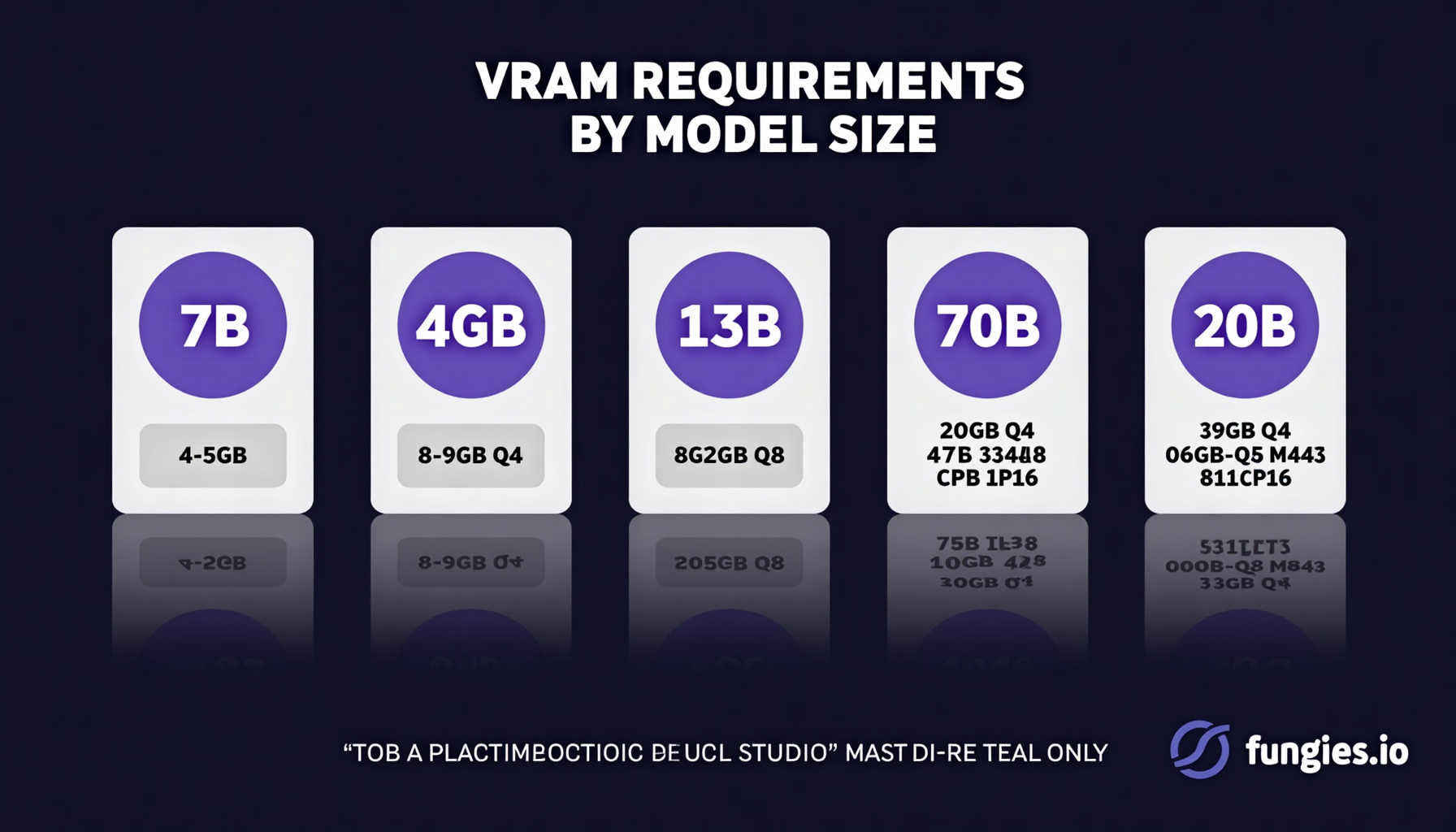
VRAM Requirements Table
| Model Size | Q4 Quantized | Q8 Quantized | FP16 (Full Precision) |
|---|---|---|---|
| 7B | 4-5 GB | 8 GB | 14 GB |
| 13B | 8-9 GB | 16 GB | 26 GB |
| 32B | 20 GB | 38 GB | 64 GB |
| 70B | 40 GB | 80 GB | 140 GB |
| 405B | 200+ GB | N/A | N/A |
Key insight: Most users opt for Q4 quantization as it offers the best balance between quality and memory usage. With Q4, a 24GB GPU can run 70B models—something impossible with full precision.
The 7 Best Hardware Setups for Local LLMs in 2026
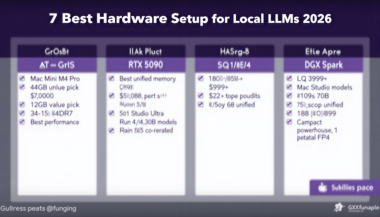
1. Mac Mini M4 Pro (48GB) — Best Value Pick
Apple’s Mac Mini M4 Pro has become the unexpected champion for local AI development. With 48GB of unified memory starting at $1,799, it delivers exceptional value for developers entering the local LLM space.
The unified memory architecture means the CPU and GPU share the same memory pool—no data copying between separate VRAM and system RAM. This results in efficient memory utilization that outperforms discrete GPU setups with equivalent memory on paper.
Performance: 60+ tokens/second on 7B models, 12-15 tokens/second on 70B Q4 models. The 273 GB/s memory bandwidth keeps inference snappy even with larger contexts.
Best for: Developers who want a turnkey solution without GPU driver headaches, macOS ecosystem users, and those prioritizing power efficiency and quiet operation.
2. NVIDIA RTX 5090 — Best Raw Performance
NVIDIA’s RTX 5090 represents the pinnacle of consumer AI hardware in 2026. With 32GB of GDDR7 memory and a staggering 1,792 GB/s bandwidth, this GPU obliterates previous generation performance metrics.
The jump to GDDR7 memory provides significant bandwidth improvements over GDDR6X, directly translating to faster token generation. For developers running inference-heavy workloads, the 5090 is unmatched.
Performance: 120+ tokens/second on 7B models, 45+ tokens/second on Llama 3.3 70B Q4. That’s nearly 4x faster than the M4 Pro on large models.
Total build cost: ~$4,000 including a high-end CPU, motherboard, PSU, and case.
Best for: Power users who need maximum inference speed, researchers running extensive benchmarks, and developers building AI applications requiring real-time responses.
3. Mac Studio M4 Ultra (192GB) — The Capacity King
If your goal is running the largest models available—including the massive 405B parameter variants—the Mac Studio M4 Ultra is essentially your only practical option outside enterprise data centers.
With up to 192GB of unified memory and 800 GB/s bandwidth, this machine can load entire 70B models in Q8 quantization or even tackle 405B models in Q4. No other consumer hardware comes close to this memory capacity.
Performance: 80+ tokens/second on 7B models, 25-30 tokens/second on Llama 3.1 70B. While not as fast as the RTX 5090 on smaller models, the sheer memory capacity opens doors to models that simply won’t fit elsewhere.
Price: $3,999+ depending on configuration.
Best for: Researchers working with frontier models, enterprises prototyping large-scale AI applications, and developers who need to run multiple models simultaneously.
4. Dual RTX 4090 Setup — Multi-GPU Powerhouse
For those who already have one RTX 4090, adding a second creates a formidable 48GB VRAM setup. While multi-GPU inference requires software support (llama.cpp and vLLM both handle this well), the combined memory and compute power is impressive.
The RTX 4090 remains a strong contender in 2026, offering excellent price-to-performance for those buying used or holding onto existing cards. Two cards in NVLink or PCIe configuration provide substantial parallel processing capability.
Performance: 100+ tokens/second on 7B models, 35+ tokens/second on 70B Q4. The dual setup shines when running multiple models or handling batched inference requests.
Total cost: ~$4,400 for two cards plus supporting hardware.
Best for: Users with existing 4090 hardware, developers running model serving APIs, and those who need to handle concurrent inference workloads.
5. AMD Ryzen AI Max+ 395 — The Dark Horse
AMD’s entry into the AI PC market with the Ryzen AI Max+ 395 has surprised many with its capabilities. Featuring 128GB of unified memory and competitive pricing around $2,000-2,500, this platform offers an intriguing alternative to both Apple and NVIDIA.
The integrated NPU combined with Radeon graphics provides flexible compute options, and the massive memory pool rivals the Mac Studio at a lower price point. ROCm support has improved significantly, making this a viable platform for llama.cpp and PyTorch workloads.
Performance: 12-15 tokens/second on 70B Q4 models, competitive with the M4 Pro but with more memory headroom.
Best for: Budget-conscious developers needing large memory capacity, AMD ecosystem enthusiasts, and those building Linux-based AI workstations.
6. NVIDIA DGX Spark — Compact Enterprise Power
The DGX Spark (formerly Project DIGITS) brings data center DNA to a desktop form factor. At just 150×150×50.5mm, this compact powerhouse packs 128GB of unified memory and delivers 1 petaflop of FP4 compute.
What makes the DGX Spark unique is its GB10 Grace Blackwell Superchip, combining NVIDIA’s latest GPU architecture with high-bandwidth memory access. It’s essentially a mini supercomputer designed specifically for AI workloads.
Performance: 90+ tokens/second on 7B models, 2.7 tokens/second on 70B FP8. Note that FP8 precision provides better quality than Q4 but requires more memory.
Price: $4,699
Best for: Researchers needing FP8/FP16 precision, developers building production AI systems, and those who want enterprise-grade reliability in a compact package.
7. Budget RTX 3090 / RTX 5060 Ti — Entry-Level Excellence
Not everyone needs to run 70B models. For developers working with 7B and 13B parameter models, the used RTX 3090 (24GB) or new RTX 5060 Ti (16GB) offer incredible value at $600-800.
The RTX 3090’s 24GB VRAM can handle 70B Q4 models with some context limitations, while the 5060 Ti’s 16GB is perfect for 13B and smaller models. Both deliver excellent tokens-per-dollar performance.
Performance: 30-50 tokens/second on 7B models. The 3090 can push 70B at slower speeds, while the 5060 Ti excels at smaller model sizes.
Best for: Students, hobbyists, and developers primarily working with smaller models or fine-tuning 7B-13B parameter models.
Performance Comparison Table
| Hardware | 7B Model (tok/s) | 70B Model (tok/s) | Max VRAM | Price |
|---|---|---|---|---|
| RTX 5090 | 120+ | 45+ | 32 GB | ~$4,000 |
| RTX 4090 | 100+ | 35+ | 24 GB | ~$2,200 |
| Mac Studio M4 Ultra | 80+ | 25-30 | 192 GB | $3,999+ |
| DGX Spark | 90+ | 2.7 (FP8) | 128 GB | $4,699 |
| Mac Mini M4 Pro | 60+ | 12-15 | 48 GB | $1,799 |
How to Choose the Right Setup
Selecting the best hardware depends on your specific use case. Here’s a decision framework:
Choose Mac Mini M4 Pro if:
- You want a plug-and-play solution with minimal setup
- You’re already in the Apple ecosystem
- Power efficiency and noise levels matter
- You primarily work with models up to 70B Q4
Choose RTX 5090 if:
- Maximum inference speed is your priority
- You need CUDA for other ML workloads
- You’re comfortable with PC building and maintenance
- You want the best price-to-performance for 70B models
Choose Mac Studio Ultra if:
- You need to run 405B models or multiple large models simultaneously
- Memory capacity is more important than raw speed
- You prefer macOS for development
- Budget allows for the premium price
Choose Budget GPU if:
- You’re just getting started with local LLMs
- Your use case involves 7B-13B models
- You want to experiment before investing heavily
- You plan to fine-tune smaller models
Software Considerations
Hardware is only half the equation. The software stack you choose significantly impacts performance:
llama.cpp
The gold standard for local inference. Supports virtually all model architectures, offers excellent quantization options, and runs on everything from Raspberry Pi to multi-GPU workstations. Metal backend for Apple Silicon, CUDA for NVIDIA, Vulkan for AMD.
vLLM
Optimized for throughput and serving. If you’re building an API or handling multiple concurrent users, vLLM’s PagedAttention algorithm provides superior batching performance.
Ollama
The easiest way to get started. One-command model downloads, simple CLI interface, and growing ecosystem of tools. Perfect for developers who want to focus on building rather than infrastructure.
LM Studio
A polished GUI for local LLM interaction. Great for non-technical users or those who prefer visual interfaces over command-line tools.
Future-Proofing Your Investment
The AI hardware landscape moves fast. Here are strategies to maximize the longevity of your investment:
- Prioritize VRAM over raw speed: Models are getting larger, not smaller. 24GB is the minimum for serious work in 2026.
- Consider unified memory architectures: Apple and AMD’s approach allows more flexible memory allocation as model requirements grow.
- Watch the quantization space: Techniques like GPTQ, AWQ, and GGUF continue improving, allowing larger models to run on existing hardware.
- Plan for multi-modal: Vision-language models require even more memory. If you’re interested in image understanding, add 50% to your VRAM estimates.
Conclusion
The best hardware for local LLMs in 2026 depends entirely on your specific needs and budget. The Mac Mini M4 Pro offers unbeatable value for most developers, while the RTX 5090 delivers maximum performance for power users. For those pushing the boundaries with 405B models, the Mac Studio Ultra stands alone.
Whatever you choose, the barrier to entry for local AI has never been lower. With setups ranging from $600 to $4,700, there’s a configuration for every use case—from weekend experiments to production deployments.
Start with your model requirements, match them to the VRAM and performance tables above, and build a system that grows with your ambitions. The future of AI is increasingly local, and the hardware to run it is finally accessible.