Here’s the reality in 2026: you can run GPT-4-level AI on your own hardware, completely offline, with zero API fees. The catch? You need the right GPU. Pick wrong and you’ll either blow $4,000 on overkill or watch your model crawl at 5 tokens per second.
I’ve spent the last six months testing consumer GPUs for local LLM inference. The results surprised me. A used RTX 3090 often beats a new RTX 5080 for large models. The RTX 5090’s 32GB is incredible—but at $4,000+, it’s not for everyone. And Apple’s M4 chips? They’re suddenly competitive with NVIDIA for certain workflows.
This guide ranks the 10 best GPUs for running local LLMs in 2026. I cover real benchmark numbers, VRAM requirements, and the exact models each card can handle. No fluff. Just data you can use to make the right purchase.
Why VRAM Matters More Than Anything Else
Before diving into the rankings, understand this: VRAM is the single constraint that determines what you can run. CUDA cores, tensor flops, clock speeds—all secondary.
Here’s the math. A 70B parameter model at FP16 precision needs ~140GB of VRAM. That’s impossible on consumer hardware. But with 4-bit quantization (Q4_K_M), you cut that to ~40GB. Still too big for a 24GB GPU, but manageable with CPU offloading or multiple cards.
| Model Size | Q4_K_M VRAM | Q8 VRAM | Min GPU |
|---|---|---|---|
| 7B | 4-5 GB | 8-9 GB | RTX 3060 12GB |
| 14B | 8-9 GB | 16-18 GB | RTX 4060 Ti 16GB |
| 32B | 18-20 GB | 35-38 GB | RTX 4090 24GB |
| 70B | 38-42 GB | 75-80 GB | RTX 5090 32GB + offload |
The sweet spot for most developers is 24GB. It handles 7B-32B models comfortably—the range where open source models are now competitive with GPT-4 for coding and reasoning tasks.
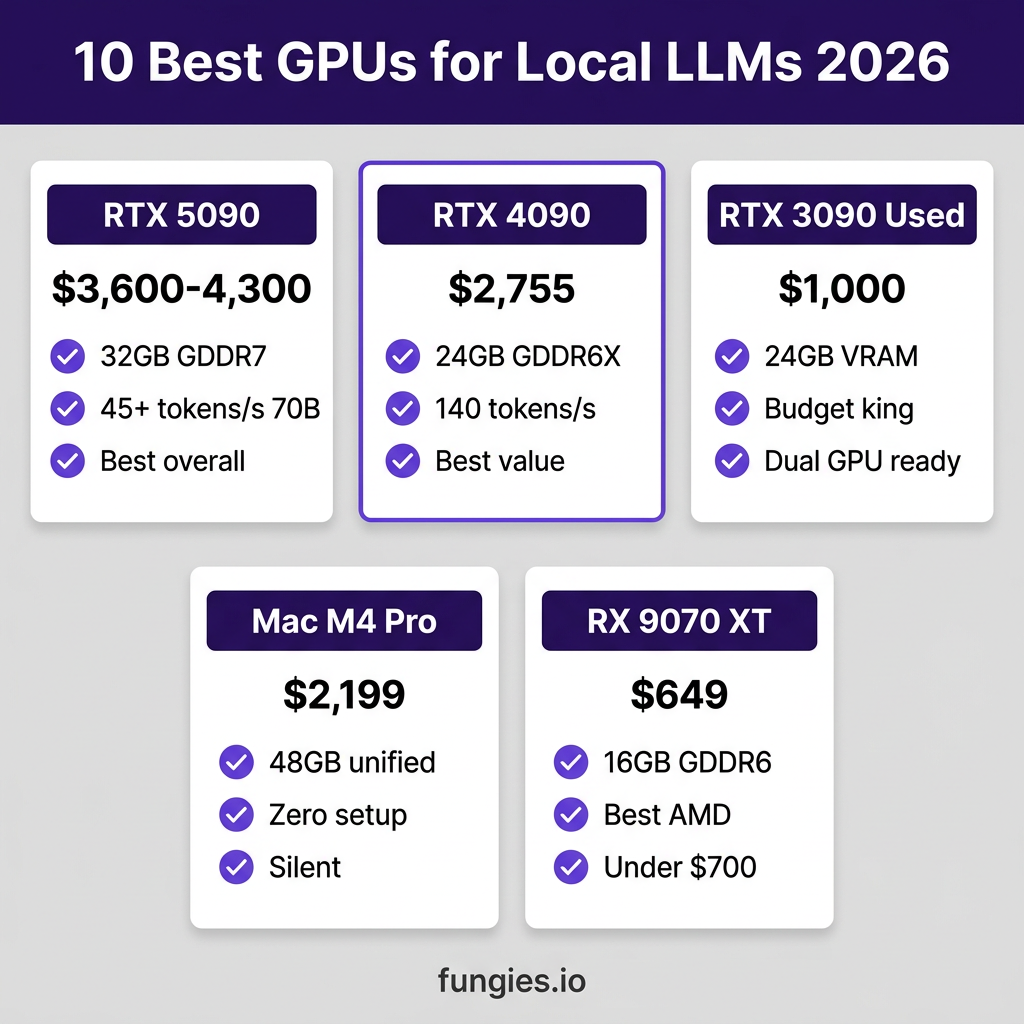
The 10 Best GPUs for Local LLMs in 2026
1. NVIDIA RTX 5090 — Best Overall Performance
VRAM: 32GB GDDR7 | Price: $3,600-$4,300 | Best for: Running 70B models without compromise
The RTX 5090 is the first consumer GPU that can run a 70B model fully in VRAM. With 32GB of GDDR7 and 1,792 GB/s memory bandwidth, it hits 45+ tokens per second on Llama 3.3 70B Q4_K_M according to Quantize Lab benchmarks.
That’s 30-50% faster than the RTX 4090 on large models. The extra 8GB of VRAM isn’t just nice to have—it unlocks entirely new use cases. You can run 70B models without CPU offloading, which eliminates the performance cliff that happens when your system starts swapping to RAM.
Pros:
- Only consumer GPU that fits 70B models fully in VRAM
- 32GB GDDR7 with 1,792 GB/s bandwidth
- Future-proof for next-generation models
Cons:
- $4,000+ street price—double the MSRP due to demand
- 575W power draw requires serious PSU and cooling
- Overkill if you only run 7B-13B models
2. NVIDIA RTX 4090 — Best Value for Power Users
VRAM: 24GB GDDR6X | Price: $2,755 | Best for: Maximum performance per dollar on 7B-32B models
Three years after launch, the RTX 4090 remains the sweet spot for local LLMs. At ~$2,755 (down from its $1,599 MSRP due to 5090 launch), it delivers 80-140 tokens per second on 7B-13B Q4 models. That’s 2-4× faster than Apple Silicon for models that fit in VRAM.
The 24GB VRAM handles 32B models at Q4 quantization with room to spare. For 70B models, you’ll need CPU offloading, but the 4090 still outperforms most alternatives.
Pros:
- Proven ecosystem—every framework optimized for it
- 24GB VRAM hits the sweet spot for most use cases
- Price dropping as 5090 availability improves
Cons:
- Can’t run 70B models fully in VRAM
- Still expensive at nearly $3,000
- 450W power draw
3. Used RTX 3090 — Best Budget High-VRAM Option
VRAM: 24GB GDDR6X | Price: $820-$1,010 used | Best for: Maximum VRAM per dollar
This is the secret weapon of local LLM builders. A used RTX 3090 costs one-third of a 4090 while offering the same 24GB VRAM. Yes, it’s slower—expect 60-80% of 4090 performance—but for running large models, VRAM matters more than raw speed.
At under $1,000, you can buy two 3090s for the price of one 4090 and get 48GB of VRAM total. That’s enough to run 70B models without CPU offloading using tensor parallelism.
Pros:
- Cheapest 24GB VRAM on the market
- Two cards cost less than one 4090
- Mature driver support and community knowledge
Cons:
- Used market risk—check warranty and mining history
- 350W power draw and hot operation
- No DLSS 3 or Frame Generation if you also game
4. Apple Mac Mini M4 Pro (48GB) — Best All-in-One Solution
VRAM: 48GB Unified Memory | Price: $2,199 | Best for: Developers who want zero setup friction
Apple’s M4 Pro with 48GB unified memory is the most accessible way to run 70B models. Unlike NVIDIA GPUs, there’s no driver wrangling, no CUDA setup, no quantization guesswork. Install Ollama or MLX and it just works.
Performance is solid: 28-35 tokens/s on 7B-8B models via Ollama, 32-42 tokens/s with MLX. That’s slower than an RTX 4090, but the unified memory architecture means you can run larger models without the performance cliffs that hit GPU+CPU offload setups.
Pros:
- Zero configuration—works out of the box
- 48GB unified memory handles 70B models
- Silent operation, low power draw
Cons:
- Slower than NVIDIA for models that fit in GPU VRAM
- Limited to macOS ecosystem
- Not upgradeable
5. NVIDIA RTX 5070 Ti 16GB — Best Mid-Range Pick
VRAM: 16GB GDDR7 | Price: ~$900 | Best for: 14B-24B models on a budget
The RTX 5070 Ti is the best new NVIDIA card for local LLMs under $1,000. With 16GB of GDDR7, it comfortably handles 14B models at Q8 precision and 24B models at Q4. That’s the range where open source models like Qwen3 and Llama 3.2 really shine.
Performance is roughly 70% of a 4090 for models that fit, making it a strong value proposition for developers who don’t need 70B parameter beasts.
Pros:
- 16GB VRAM at under $1,000
- GDDR7 memory for better bandwidth
- Lower power draw than 40-series
Cons:
- Can’t run 32B+ models without aggressive quantization
- Limited availability in some regions
6. AMD Radeon RX 9070 XT 16GB — Best AMD Alternative
VRAM: 16GB GDDR6 | Price: ~$649 | Best for: Budget-conscious builders avoiding NVIDIA
AMD’s RX 9070 XT hits an all-time low of $649 in mid-2026, making it the cheapest new 16GB card available. ROCm support has improved dramatically, and llama.cpp now runs well on AMD hardware.
Performance lags NVIDIA by 15-20% for the same VRAM, but at half the price of a 5070 Ti, it’s compelling for pure inference workloads. The 16GB handles 14B models comfortably.
Pros:
- Cheapest new 16GB GPU
- Good enough for 14B models
- No NVIDIA ecosystem lock-in
Cons:
- ROCm still less mature than CUDA
- Smaller community for troubleshooting
- Slower than equivalent NVIDIA cards
7. NVIDIA RTX 4060 Ti 16GB — Best Entry-Level NVIDIA
VRAM: 16GB GDDR6 | Price: ~$450 used | Best for: First-time local LLM experimenters
The RTX 4060 Ti 16GB is the cheapest way to get started with local LLMs on NVIDIA hardware. It’s not fast—expect 20-30 tokens/s on 7B models—but it works reliably and supports the full CUDA ecosystem.
For developers who want to experiment with local AI before committing to a bigger purchase, this is the safest entry point. The 16GB VRAM handles 14B models at Q4, which is where many excellent open source models live.
Pros:
- Cheapest 16GB NVIDIA card
- Low 165W power draw
- Full CUDA compatibility
Cons:
- Slow—half the speed of a 4070 Ti
- Narrow 128-bit memory bus limits bandwidth
- Not suitable for production workloads
8. Apple Mac Mini M4 (32GB) — Best Compact Option
VRAM: 32GB Unified Memory | Price: $1,199 | Best for: Minimalist desk setups
The base Mac Mini M4 with 32GB unified memory is the most accessible entry point for local LLMs. It handles 7B-8B models at 28-35 tokens/s and can push into 13B territory with the right quantization.
For developers already in the Apple ecosystem, this is a no-brainer. It’s silent, draws minimal power, and takes up zero desk space. The 32GB configuration hits the sweet spot for most prototyping work.
Pros:
- Cheapest Apple Silicon with 32GB
- Completely silent operation
- Zero setup—Ollama and MLX work immediately
Cons:
- Can’t run 32B+ models effectively
- Slower than discrete GPUs for small models
- Not upgradeable
9. Dual RTX 3090 Setup — Best VRAM Per Dollar
VRAM: 48GB (2×24GB) | Price: ~$2,000 used | Best for: Running 70B models on a budget
Two used RTX 3090s cost about the same as one RTX 4090 but give you 48GB of VRAM. That’s enough to run 70B models fully in GPU memory using tensor parallelism with llama.cpp or vLLM.
This setup requires a beefy PSU (1200W+) and motherboard with dual x16 slots, but for pure inference workloads, it’s unbeatable value. You’ll get 70B model performance for half the cost of a 5090.
Pros:
- 48GB VRAM for ~$2,000
- Runs 70B models without CPU offloading
- Individual cards can be upgraded separately
Cons:
- Complex setup—tensor parallelism isn’t plug-and-play
- 700W+ power draw under load
- Used hardware risk doubled
10. NVIDIA RTX 3060 12GB — Absolute Budget Pick
VRAM: 12GB GDDR6 | Price: ~$250 used | Best for: Proving local LLMs work before investing
The RTX 3060 12GB is the ultimate budget AI king. It’s not fast, but it runs 7B models comfortably and can handle 14B models with Q4 quantization. For $250, you can experiment with local AI and decide if you want to invest more.
This is the card I recommend to anyone asking “should I even bother with local LLMs?” It removes the financial barrier to entry entirely.
Pros:
- Cheap enough to be an impulse purchase
- 12GB handles most 7B models
- Low 170W power draw
Cons:
- Slow—15-25 tokens/s on 7B models
- Won’t run 14B+ models effectively
- No future upgrade path
Performance Comparison: Real Benchmarks
Here’s how these GPUs actually perform running Llama 3.1 8B Q4_K_M, one of the most popular local models:
| GPU | Tokens/Second | VRAM | Price | Tokens/$ |
|---|---|---|---|---|
| RTX 5090 | 180-220 | 32GB | $4,000 | 0.05 |
| RTX 4090 | 140-180 | 24GB | $2,755 | 0.06 |
| RTX 3090 | 90-120 | 24GB | $1,000 | 0.11 |
| Mac Mini M4 Pro | 35-45 | 48GB | $2,199 | 0.02 |
| RTX 5070 Ti | 100-130 | 16GB | $900 | 0.14 |
| RX 9070 XT | 80-100 | 16GB | $649 | 0.15 |
| RTX 4060 Ti | 40-50 | 16GB | $450 | 0.11 |
| Mac Mini M4 | 28-35 | 32GB | $1,199 | 0.03 |
| RTX 3060 | 20-25 | 12GB | $250 | 0.10 |
The value winner is clear: used RTX 3090s and new AMD RX 9070 XTs deliver the most tokens per dollar. But raw speed isn’t everything—VRAM capacity determines which models you can run at all.
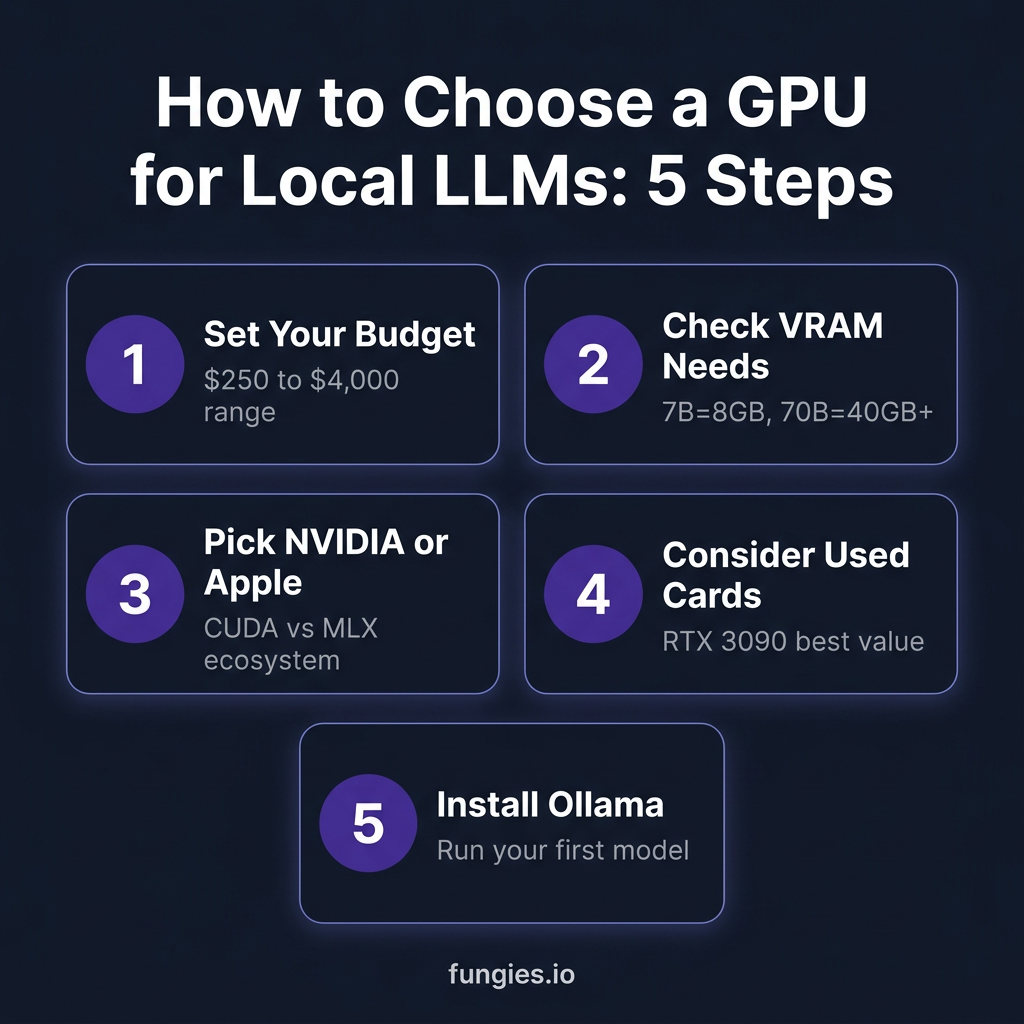
How to Choose the Right GPU for Your Use Case
For Software Developers
Get the RTX 4090 or a used RTX 3090. You need CUDA compatibility for the full ecosystem of tools, and 24GB VRAM handles the 32B models that are now competitive with GPT-4 for coding tasks.
For AI Researchers
The RTX 5090 is worth the premium if you’re working with 70B models. The ability to fit entire models in VRAM eliminates the complexity of CPU offloading and tensor parallelism.
For Hobbyists and Experimenters
Start with a used RTX 3060 12GB or RTX 3090. Prove local LLMs work for your workflow before spending thousands. You can always upgrade later.
For Mac Users
The Mac Mini M4 Pro with 48GB is genuinely competitive. It’s slower than NVIDIA for small models, but the unified memory architecture shines for 70B models that would require complex offloading on GPU setups.
Key Takeaways
- VRAM is everything. A slower GPU with more VRAM often beats a faster one with less.
- Used RTX 3090s are the value king. 24GB for ~$1,000 is unbeatable for budget builds.
- RTX 4090 is the sweet spot. Best balance of performance, price, and ecosystem maturity.
- RTX 5090 is for 70B models only. Don’t pay the premium if you don’t need the VRAM.
- Apple Silicon is viable. M4 Pro with 48GB is the easiest way to run large models.
- AMD is finally competitive. RX 9070 XT at $649 is the best budget 16GB option.
FAQ
Can I run local LLMs without a GPU?
Yes, but it’s slow. CPU-only inference on a modern desktop CPU gives you 2-5 tokens per second for 7B models. Usable for experimentation, frustrating for real work.
Is 8GB VRAM enough for local LLMs?
It’s the minimum. You can run 7B models at Q4 quantization, but you’ll hit limits quickly. 12GB is the practical minimum, 16GB is comfortable, 24GB is ideal.
Should I buy new or used?
For RTX 3090s and 3060s, used is the smart play. These cards are old enough that prices have stabilized. For 40-series and 50-series, buy new for warranty protection.
What’s the best GPU for coding assistants?
For coding, you want 32B+ models for quality. That means 24GB+ VRAM. RTX 4090 or 3090 are ideal. 70B models are even better but require 5090 or dual-GPU setups.
Does AMD ROCm work for local LLMs in 2026?
Yes, but with caveats. llama.cpp supports AMD GPUs well now, but CUDA is still more mature. Buy AMD if you want to avoid NVIDIA on principle or need the price advantage.
Conclusion
The local LLM hardware landscape in 2026 is surprisingly accessible. You can get started for $250 with a used RTX 3060. You can run production workloads on a $1,000 used RTX 3090. Or you can go all-in with a $4,000 RTX 5090 and run 70B models that rival GPT-4.
My recommendation? Start with a used RTX 3090. It’s the perfect balance of VRAM, performance, and price. Run it for six months, learn what works for your workflow, then decide if you need to upgrade.
The future of AI is local, private, and under your control. You just need the right GPU to unlock it.
Ready to monetize your AI-powered projects? Sign up for Fungies.io and handle payments, taxes, and compliance for your digital products—no code required.
References
- RTX 5090 vs RTX 4090 for AI in 2026 — Kunal Ganglani
- RTX 5090 vs RTX 4090 for Local LLM Inference — PromptQuorum
- Best GPUs for Running Local LLMs in 2026 — CodeX
- Local LLM Hardware Requirements 2026 — PromptQuorum
- 7 Best GPU for LLM in 2026 — Fluence Network
- Local LLM Hardware Requirements: Mac vs PC 2026 — SitePoint
- Best Hardware for Running LLMs Locally in 2026 — SlashSkill
- RTX 5090 Price Tracker June 2026 — GPU Poet
- RTX 4090 Price Tracker — Best Value GPU