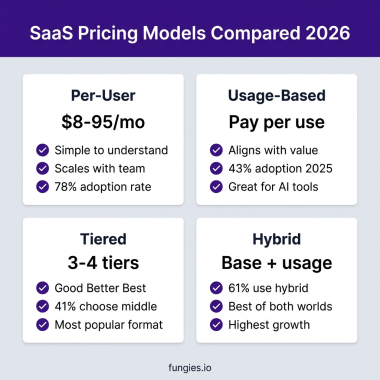
Here’s a stat that should wake up every SaaS founder: 65% of major SaaS vendors are now layering usage-based components on top of their existing pricing models. The old playbook of simply charging per seat is being rewritten in real-time.
I have spent the last six years running paid acquisition for SaaS companies, and I have watched pricing become one of the biggest levers for growth. Get it right, and you unlock expansion revenue that compounds. Get it wrong, and you are leaving 30-40% of potential revenue on the table.
The problem? Most founders pick a pricing model because their competitor uses it, not because it fits their business. This guide breaks down 10 SaaS pricing models with real data, clear use cases, and a framework for choosing the right one.
What Is a SaaS Pricing Model?
A SaaS pricing model is the framework you use to charge customers for access to your software. It defines what you measure (users, usage, features), how you package it (tiers, credits, flat fees), and how customers predict and pay their bills.
The model you choose affects everything: your sales cycle length, your expansion revenue potential, your churn patterns, and even how customers perceive your product’s value. It is not just a billing decision. It is a go-to-market decision.
Why Your Pricing Model Matters More Than Ever
In 2026, three forces are reshaping SaaS pricing:
- AI integration: When AI agents do work independently of human users, per-seat pricing breaks. You cannot charge for a “seat” that is an algorithm.
- Variable infrastructure costs: AI compute, API calls, and token consumption create cost structures that vary wildly between customers.
- Buyer sophistication: CFOs and procurement teams now expect pricing that aligns with value received, not just headcount.
According to Maxio’s 2025 SaaS Pricing Trends Report, companies using hybrid pricing models report the highest median growth rate at 21%. Pure subscription and pure usage-based models both trail behind.
The 10 SaaS Pricing Models Compared
1. Per-Seat Pricing (Per-User)
The most common SaaS pricing model. You charge based on the number of users accessing the software.
- How it works: $10/user/month for Starter, $25/user/month for Pro
- Best for: Collaboration tools, CRMs, project management software
- Examples: Slack, Salesforce CRM, Asana, Notion, Jira
Pros: Simple to understand, predictable revenue, easy to forecast
Cons: Punished by AI efficiency, revenue caps when customers downsize teams, misaligned with variable-cost features
2. Usage-Based Pricing
Charge customers based on consumption: API calls, credits spent, data processed, or workflow executions.
- How it works: $0.01 per API call, or 10 credits per AI report generated
- Best for: Infrastructure, AI tools, API-first products
- Examples: Twilio, Snowflake, OpenAI, AWS, Stripe
Pros: Aligns revenue with costs, captures value from power users, low barrier to entry
Cons: Unpredictable revenue, harder to forecast, “bill shock” risk for customers
3. Hybrid Pricing (Seat + Usage)
Combine a base subscription with usage-based components. This is the fastest-growing model in SaaS.
- How it works: $30/user/month base + $10 per 100 AI credits
- Best for: AI-integrated SaaS, products with variable-cost features
- Examples: Microsoft Copilot, Salesforce Agentforce, HubSpot
Pros: Predictable base revenue + expansion upside, aligns with modern SaaS costs
Cons: More complex to implement, requires metering infrastructure
4. Flat-Rate Pricing
One price, unlimited usage. The simplest model but often leaves money on the table.
- How it works: $99/month for unlimited everything
- Best for: Simple tools, early-stage products, single-feature apps
- Examples: Basecamp (historically), some email marketing tools
Pros: Maximum simplicity, easy to sell, no usage anxiety
Cons: No expansion revenue, undercharges power users, hard to scale
5. Tiered Pricing (Good-Better-Best)
Create feature-based tiers that guide customers toward higher-value plans.
- How it works: Starter ($29), Professional ($79), Enterprise (custom)
- Best for: Feature-rich products, clear value progression
- Examples: Most modern SaaS including Zoom, Dropbox, Mailchimp
Pros: Clear upgrade path, captures different buyer segments, easy to communicate
Cons: Feature gating can frustrate users, requires careful tier design
6. Per-Feature Pricing
Charge based on which features customers access, not how many users they have.
- How it works: Core features free, advanced analytics $50/month add-on
- Best for: Products with clear feature value differentiation
- Examples: Some analytics tools, security add-ons
Pros: Direct value alignment, modular buying experience
Cons: Complex pricing pages, harder to forecast
7. Credit-Based Pricing
Customers buy credits upfront and spend them on features or actions. The PricingSaaS 500 Index found 79 SaaS companies now use credit-based pricing, up 126% year-over-year.
- How it works: Buy 1,000 credits for $100, spend 10 credits per AI generation
- Best for: AI tools, sporadic usage patterns, variable consumption
- Examples: OpenAI, Anthropic, Jasper, many AI-native SaaS
Pros: Prepaid revenue, usage flexibility, easy to understand
Cons: Credit management overhead, breakage concerns
8. Outcome-Based Pricing
Charge based on results delivered, not usage or seats. The holy grail of value alignment.
- How it works: 5% of revenue generated, or $50 per qualified lead delivered
- Best for: Performance marketing, sales enablement, clear ROI products
- Examples: Some affiliate platforms, performance ad tools
Pros: Perfect value alignment, easy to justify spend
Cons: Hard to implement, attribution challenges, revenue unpredictability
9. Freemium
Offer a free tier with limited features to drive adoption, then convert to paid.
- How it works: Free for up to 3 users or 100 actions/month
- Best for: Product-led growth, viral potential, developer tools
- Examples: Figma, Notion, Slack, Zoom
Pros: Low barrier to entry, viral growth potential, large user base
Cons: High support costs, low conversion rates, freemium trap risk
10. Enterprise/Custom Pricing
No public pricing. Every deal is negotiated based on customer needs.
- How it works: Contact sales for custom quote
- Best for: High-value B2B, complex implementations, regulated industries
- Examples: Salesforce Enterprise, Workday, ServiceNow
Pros: Maximum deal size, tailored solutions, competitive flexibility
Cons: Longer sales cycles, requires sales team, harder to scale
SaaS Pricing Models Comparison Table
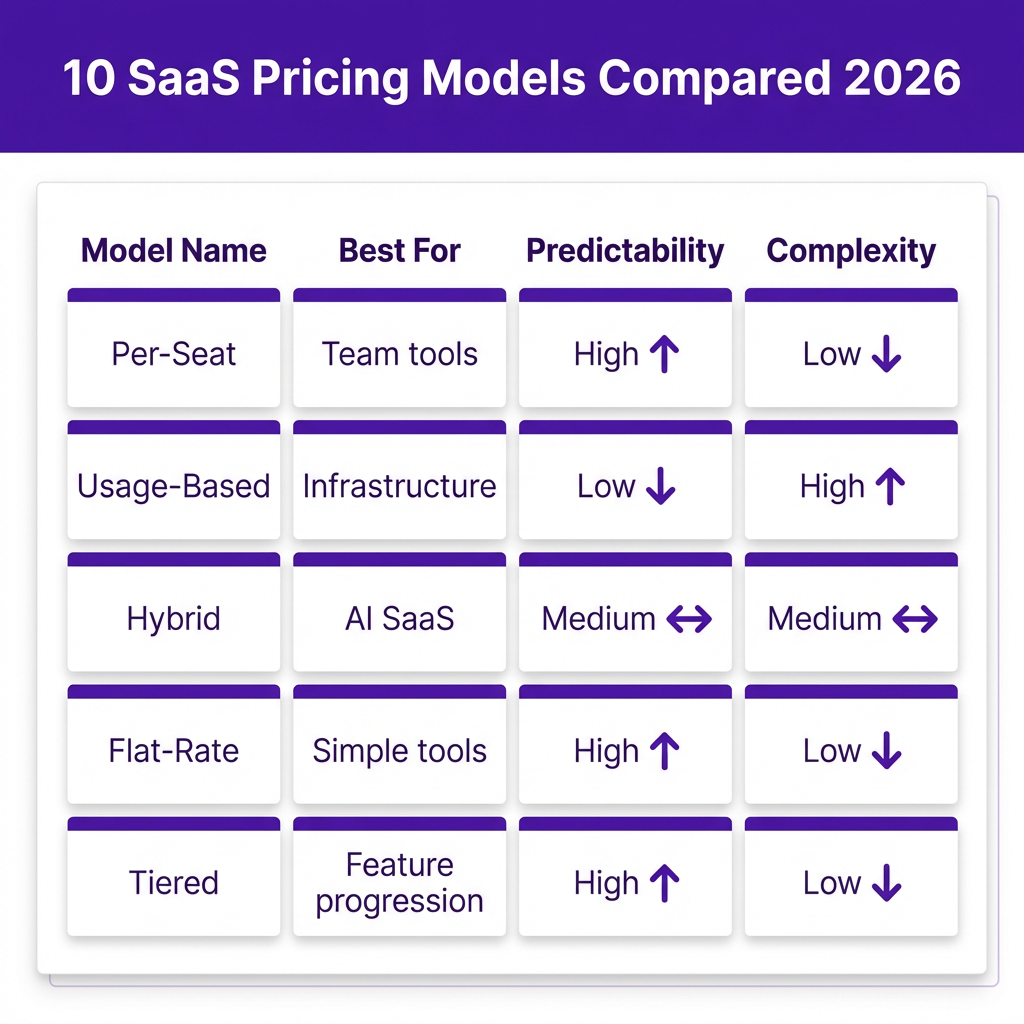
| Model | Predictability | Expansion Potential | Complexity | Best For |
|---|---|---|---|---|
| Per-Seat | High | Linear | Low | Collaboration tools |
| Usage-Based | Low | Exponential | High | Infrastructure, AI |
| Hybrid | Medium | High | Medium | Modern SaaS |
| Flat-Rate | High | None | Low | Simple tools |
| Tiered | High | Medium | Low | Feature-rich products |
| Credit-Based | Medium | High | Medium | AI tools |
| Outcome-Based | Low | High | High | Performance tools |
How to Choose Your SaaS Pricing Model
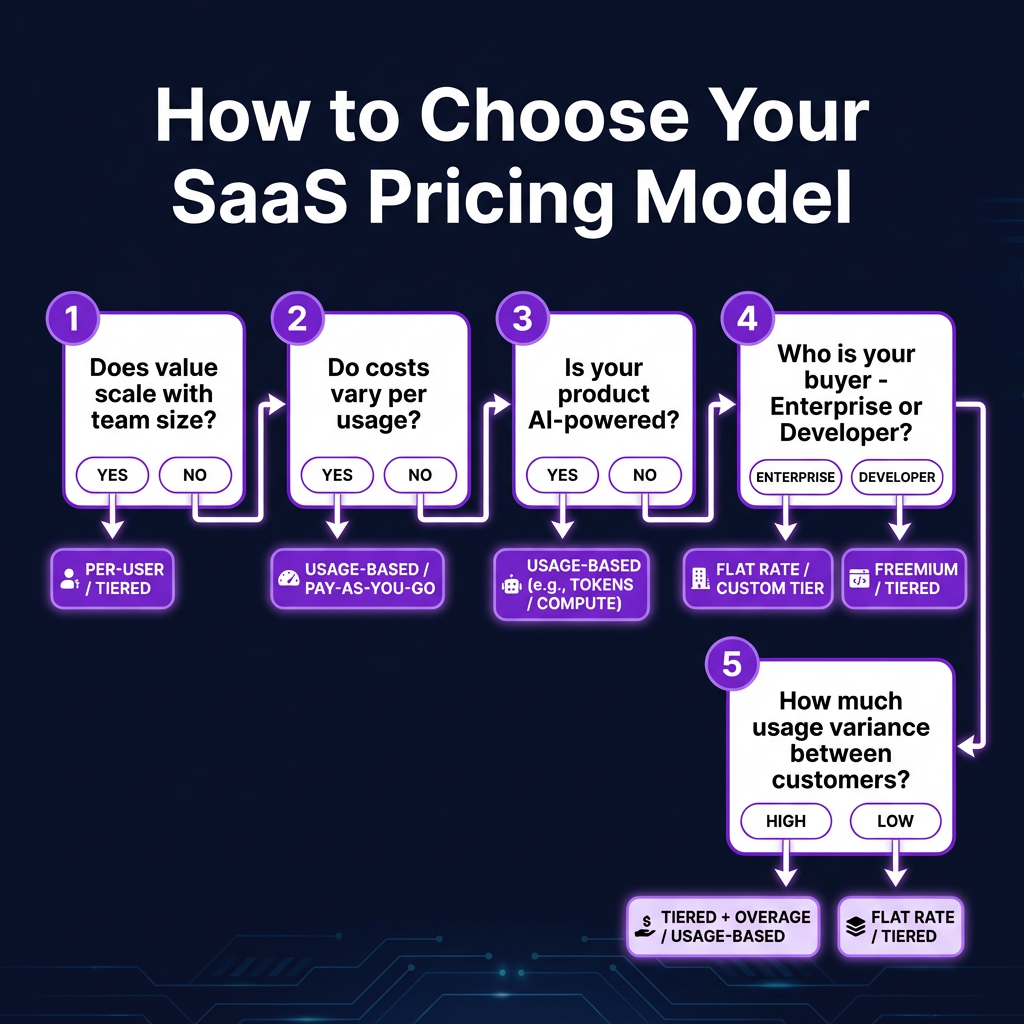
Use this 7-question framework to narrow down your options:
1. Does your product’s value increase with more users?
If yes, per-seat pricing makes sense. Collaboration tools like Slack and Notion work here because more users = more value. If no, look at usage-based or hybrid models.
2. Do your costs vary significantly per customer?
If serving one customer costs $5/month and another costs $500/month due to AI compute or API usage, you need usage-based pricing to protect margins.
3. Does your product include AI or automation?
AI agents and automated workflows generate value without human seats. Per-seat pricing cannot capture this. You need a usage or hybrid model.
4. Who is your primary buyer?
Enterprise CFOs need predictable budgets. Per-seat or flat-rate works. Developers and technical users are comfortable with metered billing.
5. How much variance exists between customers?
If your smallest customer uses 10 actions/month and your largest uses 10,000, you need usage-based or credit pricing to handle that spread.
6. What does your market expect?
If every competitor uses per-seat pricing, being the usage-based option might confuse buyers. Sometimes matching the market is the right call.
7. How important is revenue predictability?
If you are fundraising or selling to enterprise, predictable MRR matters. Hybrid models give you the best of both worlds: a predictable base with usage upside.
Common Pricing Mistakes to Avoid
After auditing dozens of SaaS pricing pages, here are the mistakes I see most often:
Copying Competitors Without Understanding Why
Just because Slack charges per seat does not mean you should. Their value scales with team size. Yours might not.
Switching Models Abruptly
Moving from per-seat to usage-based overnight alienates existing customers. Successful transitions happen gradually over 2-3 quarters.
Creating Pricing Anxiety
If customers need a spreadsheet to estimate their bill, you have failed. Usage-based pricing must include clear estimators, spending caps, and proactive notifications.
Ignoring Enterprise Needs
Even if usage-based pricing is theoretically better, enterprise buyers need budget certainty. Offer committed-use packages or annual credits.
FAQ: SaaS Pricing Models
What is the most popular SaaS pricing model?
Per-seat (per-user) pricing remains the most common, used by companies like Slack, Salesforce, and Asana. However, hybrid models combining seats with usage-based components are growing fastest, with 65% of major SaaS vendors now layering usage metrics on top of seat pricing.
Is per-seat pricing dead?
No. Per-seat pricing is not dead, but it is under pressure from AI and variable-cost features. The trend is toward hybrid models that combine a per-seat base with usage-based components for AI and high-cost features.
When should I use usage-based pricing?
Use usage-based pricing when your costs scale with consumption (AI, APIs, compute), when value does not correlate with team size, or when customers have 100x variance in usage patterns. It aligns your revenue with your costs and captures value from power users.
What is hybrid SaaS pricing?
Hybrid pricing combines a base subscription (often per-seat) with usage-based components like credits or metered billing. Companies using hybrid models report 21% median growth rates, outperforming both pure subscription and pure usage-based approaches.
How do I transition to a new pricing model?
Start by adding the new model alongside your existing pricing rather than replacing it. Grandfather existing customers, communicate changes clearly, and give buyers 6-12 months to adjust. Test with new customers first before rolling out to your entire base.
Conclusion: Pick the Model That Fits Your Business
There is no universally “best” SaaS pricing model. The right choice depends on your cost structure, your buyer, and how your product delivers value.
If your value scales with team size, per-seat pricing still works. If your costs vary with usage, you need usage-based or hybrid pricing. If you are building AI-powered SaaS in 2026, the hybrid model is becoming the default for a reason: it gives buyers predictability while capturing the full value of what your product does.
The companies getting pricing right treat it as a product decision, not an afterthought. They test, measure, and iterate with the same rigor they apply to building features.
Ready to implement your chosen pricing model? Get started with Fungies and launch your SaaS billing infrastructure in minutes, not months. Our platform supports per-seat, usage-based, and hybrid pricing out of the box, with built-in tax compliance and global payments.