Here’s a number that should get your attention: 95% of developers now use AI tools at least weekly, and 55% regularly deploy AI agents for production coding work. If you’re still evaluating whether to adopt AI coding agents, you’ve already fallen behind.
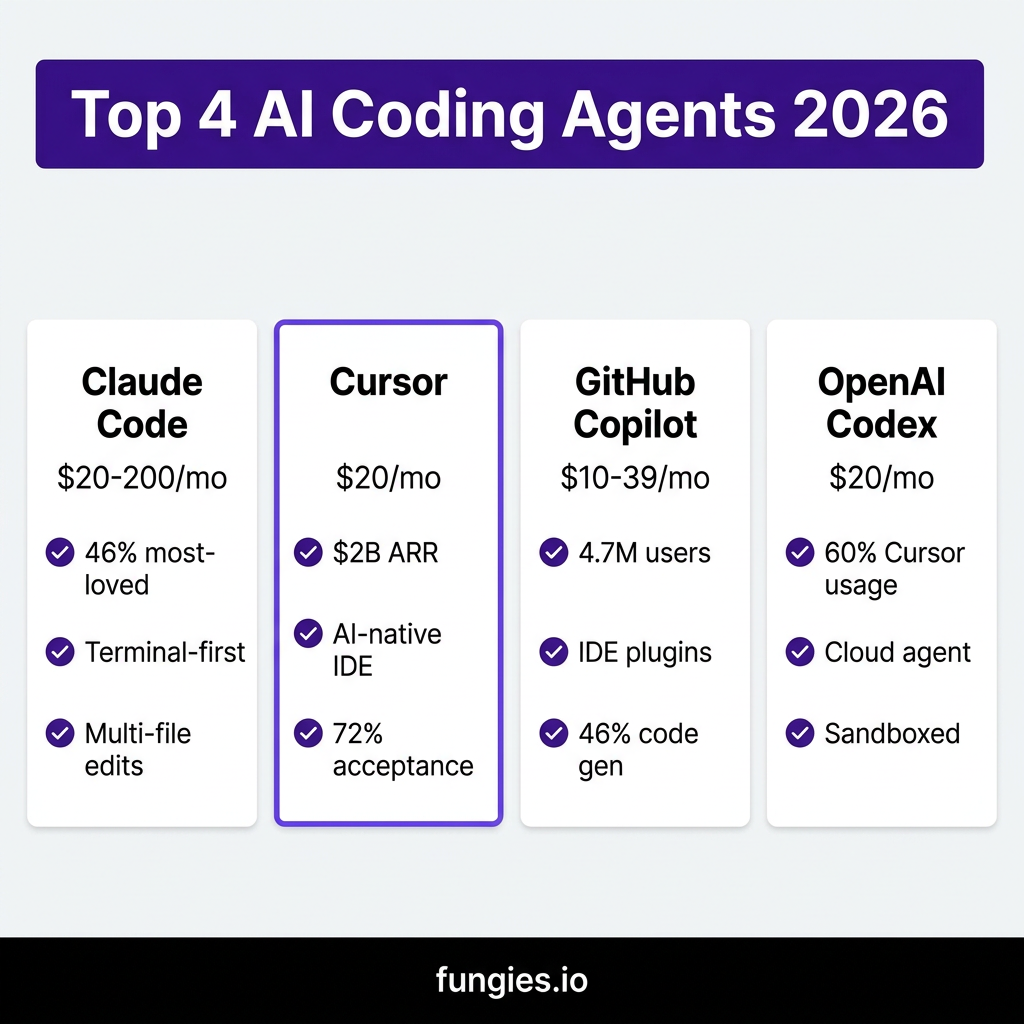
But here’s the real challenge — choosing the right one. With Claude Code dominating satisfaction scores at 46% “most-loved,” Cursor hitting $2 billion ARR, and OpenAI Codex capturing 60% of Cursor’s usage in mere months, the landscape shifts weekly. Pick the wrong tool and you’ll waste months on implementation. Pick the right one and your team’s productivity jumps 20-55%.
What Are AI Coding Agents (And Why They Matter in 2026)
AI coding agents go beyond autocomplete. They’re autonomous systems that can understand your entire codebase, plan multi-step changes, execute refactors across files, and even debug complex issues — all with minimal human intervention.
The market reflects this shift. The AI coding assistant market hit $12.8 billion in 2026 and is projected to reach $30.1 billion by 2032. GitHub reports that 46% of all code in Copilot-enabled repos is now AI-generated. This isn’t a future trend — it’s today’s reality.
Here’s what separates agents from basic completion tools:
- Context awareness: Agents understand your entire project structure, not just the current file
- Multi-step execution: They can plan and execute changes across dozens of files
- Autonomous operation: Run tasks in the background while you focus elsewhere
- Tool integration: Access terminals, run tests, and interact with external APIs
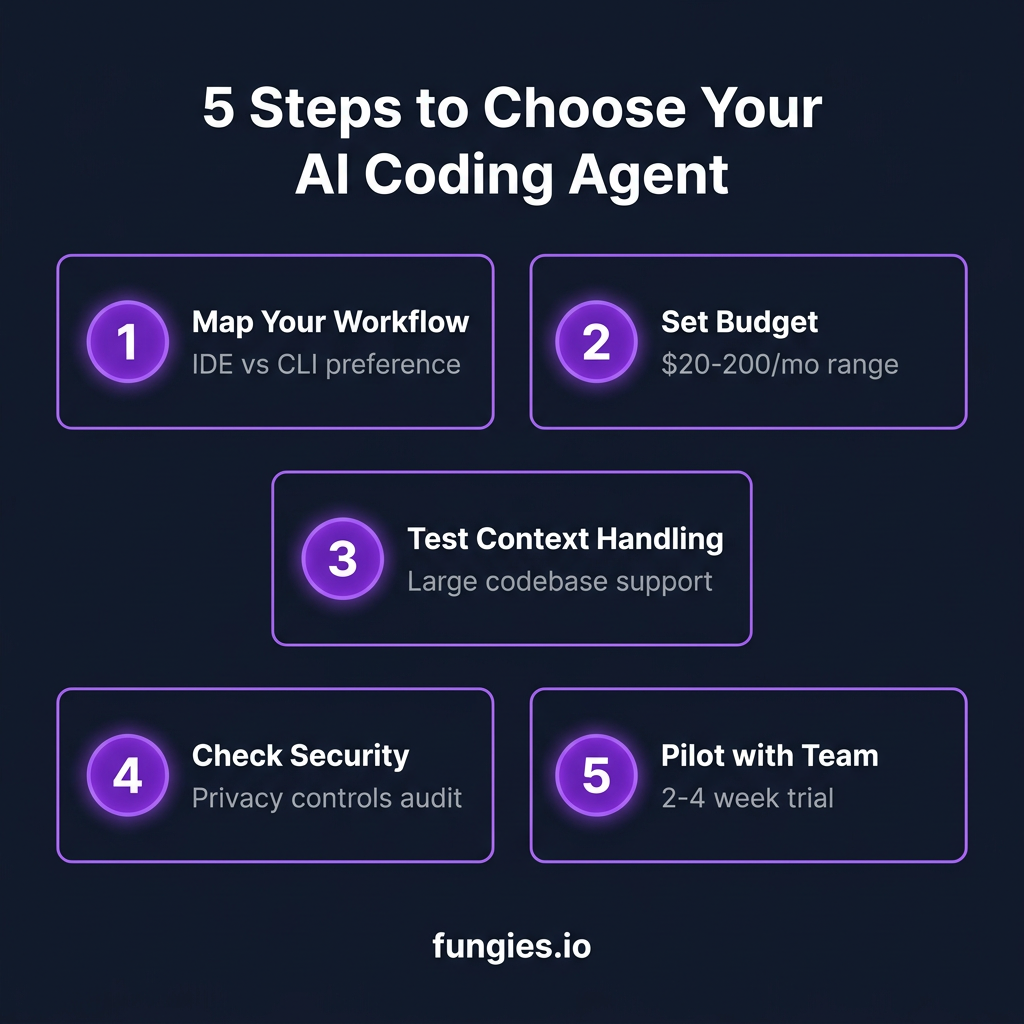
The 5 Key Criteria for Choosing an AI Coding Agent
After analyzing data from 10,000+ developers in JetBrains’ 2026 AI Pulse survey and The Pragmatic Engineer’s research, five factors determine whether an AI coding agent will work for your team.
1. Workflow Fit: IDE vs CLI vs Hybrid
The biggest mistake teams make? Choosing a tool that fights their existing workflow. Here’s the breakdown:
- IDE-first developers: Cursor and GitHub Copilot integrate directly into VS Code and JetBrains. Cursor’s 72% autocomplete acceptance rate is the highest published in the category.
- Terminal-centric teams: Claude Code is built for developers who live in the terminal. It’s the #1 most-used AI coding tool just eight months after launch.
- Hybrid workflows: 70% of engineers use 2-4 AI tools simultaneously. The dominant stack is Cursor for editing + Claude Code for complex tasks.
2. Cost and Pricing Models
Pricing varies wildly. At $20-40 per developer per month, these tools are rounding errors against developer salaries — but costs scale fast with heavy usage.
| Tool | Starting Price | Heavy Usage | Best For |
|---|---|---|---|
| GitHub Copilot | $10/mo | $39/mo (Pro+) | Budget-conscious teams |
| Cursor | $20/mo | $40-60/mo | AI-native IDE experience |
| Claude Code | $20/mo (Pro) | $100-200/mo | Complex multi-file tasks |
| OpenAI Codex | $20/mo (ChatGPT Plus) | $200/mo (Pro) | Cloud-based async work |
Real-world data from OpenAI shows Codex costs $100-200 per developer per month on average. Claude Code heavy users report $150-250 monthly. Factor this into your budget.
3. Context Handling and Codebase Understanding
Small projects don’t stress test context windows. Large codebases do. Here’s what matters:
- Context window size: Claude Code offers up to 1M tokens. Cursor’s Composer handles 200K+ tokens.
- Semantic understanding: How well does the agent grasp relationships between files? Claude Code leads here with 91% CSAT for complex refactors.
- Indexing speed: Large repos can take minutes to index. Cursor and Claude Code both optimize for this.
If your codebase exceeds 100K lines, test context handling before committing. Agents that work fine on toy projects often choke on real-world complexity.
4. Security and Privacy Controls
Enterprise adoption hinges on security. Key considerations:
- Data retention: Does the vendor train on your code? Anthropic and OpenAI offer zero-retention options for enterprises.
- SOC 2 compliance: GitHub Copilot and Cursor both have SOC 2 Type II. Claude Code Enterprise adds SSO and audit logs.
- On-premise options: Some regulated industries need local processing. Tabnine and Codeium offer this.
- Code isolation: OpenAI Codex runs in sandboxed containers — a selling point for security-conscious teams.
5. Team Size and Collaboration Features
Company size dramatically influences tool choice. The data is clear:
- Startups (<50 people): 75% use Claude Code as their primary tool
- Mid-market (500-5K): Cursor captures ~50% adoption
- Enterprise (10K+): GitHub Copilot leads with 56% adoption
Why the split? Enterprise procurement favors Microsoft’s distribution and compliance. Startups prioritize raw productivity in agentic workflows.
Decision Framework: Which Tool for Which Use Case
Don’t just compare feature lists. Match the tool to your specific needs:
Choose Claude Code If…
- You need multi-file refactors and complex architectural changes
- Your team prefers terminal-based workflows
- You want the highest satisfaction scores (46% most-loved, 54 NPS)
- You’re a startup prioritizing productivity over procurement
Choose Cursor If…
- You want an AI-native IDE experience
- Autocomplete quality is your top priority (72% acceptance rate)
- You need Composer for multi-file edits
- You prefer a VS Code fork with deep AI integration
Choose GitHub Copilot If…
- You need enterprise-grade compliance and procurement
- Your team lives in VS Code or JetBrains
- You want the most mature ecosystem (4.7M paid users)
- Budget is a primary concern ($10/mo starting price)
Choose OpenAI Codex If…
- You want cloud-based async task execution
- Sandboxed security is important
- You already use ChatGPT for other workflows
- You need background agents running in parallel
Implementation Best Practices
Once you’ve chosen a tool, follow these steps for successful rollout:
Start With a Pilot (2-4 Weeks)
Don’t roll out org-wide immediately. Pick 3-5 developers across different teams. Measure:
- Time to complete common tasks
- Code quality metrics (bugs, review comments)
- Developer satisfaction scores
- Actual usage vs. license costs
Set Context Rules
AI agents perform better with clear guidelines. Create .cursorrules or equivalent files that define:
- Coding standards and style preferences
- Architecture patterns to follow
- Testing requirements
- Security constraints
Train on Review, Not Just Usage
The teams that get the most from AI agents treat suggestions like junior developer PRs — always reviewed, never blindly accepted. Establish clear review protocols.
Key Takeaways
- Multi-tool stacks are standard. 70% of engineers use 2-4 AI coding tools. Don’t force a single-vendor solution.
- Match the tool to your workflow. Terminal-first teams love Claude Code. IDE-centric developers prefer Cursor or Copilot.
- Budget for real usage. Starting prices are $10-20/mo, but heavy users spend $100-250/mo.
- Enterprise vs. startup needs differ. Copilot wins on compliance. Claude Code wins on raw productivity.
- Test before scaling. Run a 2-4 week pilot with clear success metrics before org-wide rollout.
Frequently Asked Questions
What’s the difference between an AI coding agent and a code completion tool?
Code completion tools (like basic Copilot) suggest the next few lines as you type. AI coding agents can plan and execute multi-step changes across your entire codebase, run tests, and operate autonomously. Agents understand context; completion tools guess patterns.
Can I use multiple AI coding agents together?
Yes — and most successful teams do. The dominant pattern is Cursor for daily editing + Claude Code for complex tasks. 70% of engineers use 2-4 AI tools simultaneously. Each tool has strengths; smart teams route tasks accordingly.
How much should I budget for AI coding agents per developer?
Plan for $50-150 per developer per month for moderate usage. Light users can get by on $10-20/mo (Copilot Pro, Cursor Pro, ChatGPT Plus). Heavy users running complex agentic workflows report $150-250/mo on Claude Code or Codex.
Is Claude Code worth the higher price compared to Copilot?
For complex, multi-file tasks — yes. Claude Code leads satisfaction scores (46% most-loved vs. Copilot’s 9%) and excels at architectural changes. For simple autocomplete and single-file edits, Copilot at $10/mo is unbeatable value. Many teams use both.
What’s the best AI coding agent for enterprise teams?
GitHub Copilot leads enterprise adoption (56% at 10K+ employee companies) due to Microsoft’s procurement channels, SOC 2 compliance, and established vendor relationships. However, many enterprises now run multi-tool stacks with Copilot as standard plus Cursor or Claude Code for specific teams.
Conclusion
Choosing the right AI coding agent isn’t about finding the “best” tool — it’s about finding the right tool for your workflow, team size, and use cases. The data is clear: teams that embrace AI coding agents see 20-55% productivity gains. Those that don’t will fall behind.
Start with a pilot. Measure results. Scale what works. And remember — 70% of successful engineering teams use multiple AI tools, not just one.
Ready to streamline your SaaS payments and focus on building? Get started with Fungies.io — the merchant of record platform that handles payments, tax compliance, and checkout so you can focus on what matters: shipping great software.
References
- The Pragmatic Engineer: AI Tooling for Software Engineers in 2026
- JetBrains AI Pulse Survey 2026 (10,000+ developers)
- AI Coding Assistant Market Share 2026
- Claude Code Pricing 2026: Complete Plans & Cost Guide
- OpenAI Codex Pricing (2026): API Cost, Credits & Usage Limits
- GitHub Copilot Pricing 2026: Complete Guide to All 5 Tiers