Running large language models on your own hardware has shifted from a weekend experiment to a legitimate production strategy. By mid-2026, a single consumer GPU or Apple Silicon laptop can produce 20+ tokens per second with context windows above 2K tokens—performance that felt impossible just two years ago.
Here’s the reality: cloud inference for a 70B model can cost $300 to $800 per month for heavy users. A one-time hardware investment of $1,500 to $4,000 breaks even in 6 to 12 months—and gives you complete data privacy, zero rate limits, and offline access.
Why Run Local LLMs in 2026?
Three forces converged to make local LLMs practical:
- Model efficiency: Quantization techniques like Q4 (4-bit) let you run 70B parameter models in 40GB VRAM. Open-weight models now approach GPT-4-class performance at 8B to 14B parameters.
- Tooling maturity: Ollama and LM Studio have shipped stable releases for over two years. Single-command installs are now the norm.
- Hardware accessibility: The RTX 4090 delivers ~90-120 tokens/sec on a 7B Q4 model. Apple Silicon with unified memory can run 70B models that would be impossible on discrete GPUs.
Privacy is non-negotiable now. When you run a model locally, your prompts never leave your machine. For developers working with client data, source code under NDA, or anything subject to GDPR or HIPAA, this eliminates legal risks that cloud APIs introduce.
Hardware Requirements: What You Actually Need
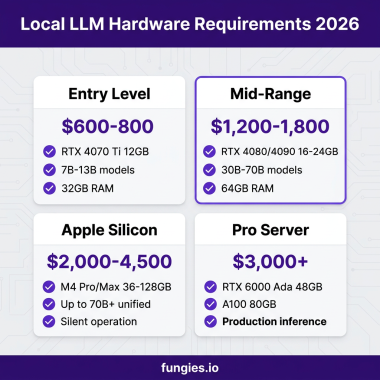
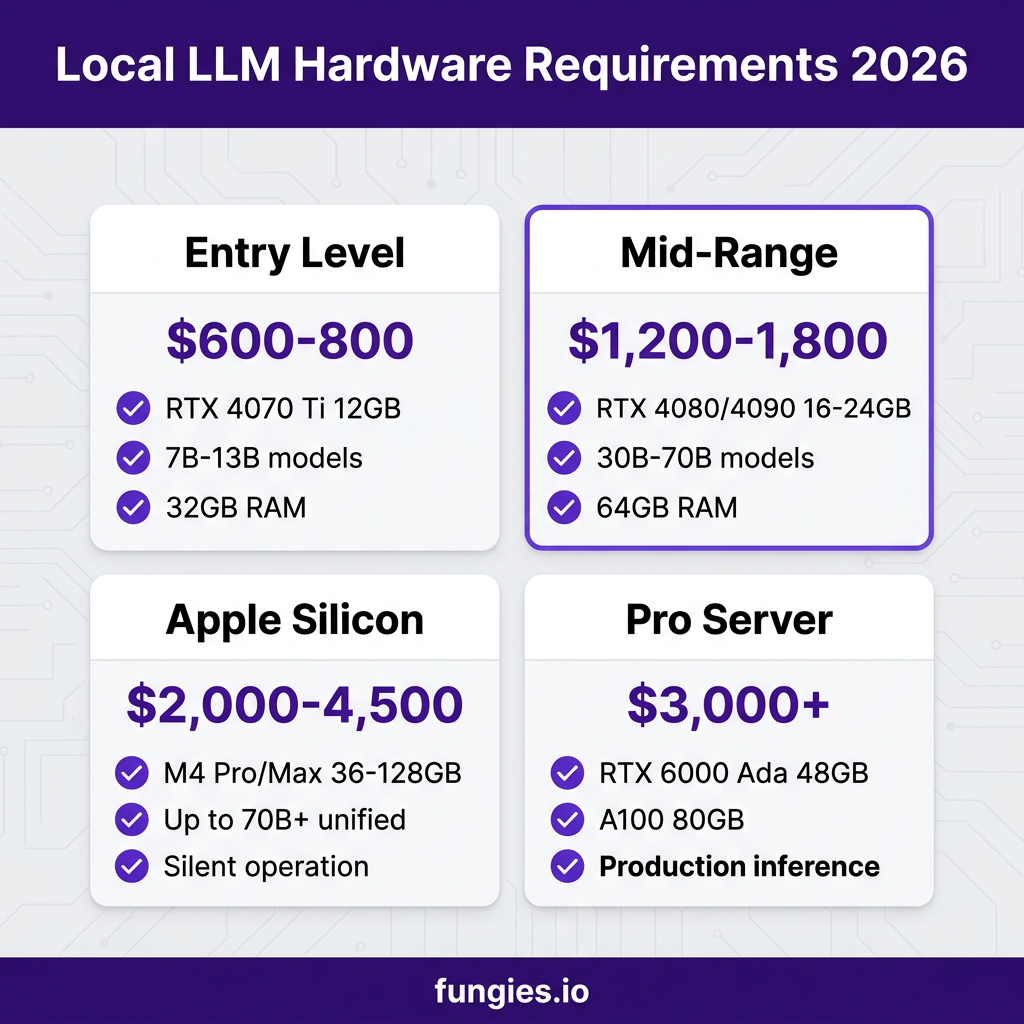
The VRAM math is roughly linear: a 7B parameter model at Q4 quantization requires approximately 4 to 5GB of VRAM. A 14B model needs 8 to 10GB for full GPU offload. A 30B model demands 16 to 20GB. Here’s the breakdown:
| Tier | GPU | VRAM | Models You Can Run | Price |
|---|---|---|---|---|
| Entry | RTX 4070 Ti | 12GB | 7B-13B (Q4) | $600 |
| Mid-Range | RTX 4080 | 16GB | 13B-30B (Q4) | $1,200 |
| Enthusiast | RTX 4090 | 24GB | Up to 70B (Q4) | $1,800 |
| Apple Silicon | M4 Max | 36-128GB unified | Up to 70B+ | $2,000-4,500 |
| Pro | RTX 6000 Ada | 48GB | Any 70B model | $3,000+ |
24GB VRAM is the sweet spot. This lets you run 7B models at full precision, 13-14B models comfortably with quantization, and 34B models at aggressive quantization. For storage, models are large—Llama 3.1 70B at Q4 quantization is ~40GB. Budget at least 1TB NVMe SSD.
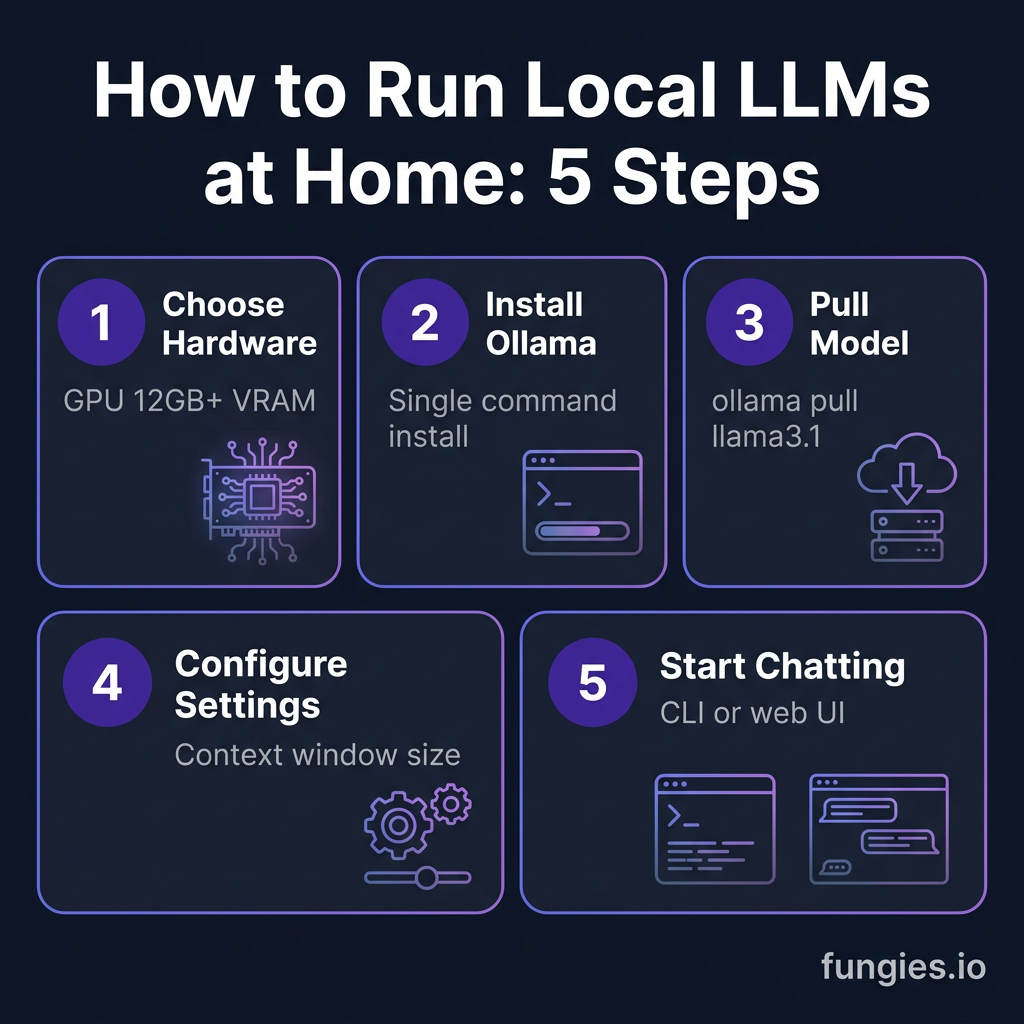
Step 1: Choose Your Setup Approach
You have three primary paths to running local LLMs:
Option A: Ollama (Command Line)
Ollama is the fastest way to get open-source LLMs running. Think of it as Docker for AI models—you pull a model with a single command, and it handles quantization, memory management, and GPU acceleration automatically. Over 110,000 developers search for Ollama tutorials monthly.
Option B: LM Studio (GUI)
LM Studio provides a desktop interface for model discovery, configuration, and chatting. It’s ideal if you prefer visual tools over terminal commands. The app includes a built-in model browser that connects directly to HuggingFace.
Option C: NVIDIA DGX Spark
The DGX Spark is NVIDIA’s compact AI development platform designed specifically for local inference. It comes pre-configured with optimized drivers and can run models like Nemotron 3 Nano Omni out of the box. LM Link lets you access your Spark’s models from another machine over an encrypted connection.
Step 2: Install Ollama (Recommended for Developers)
Ollama supports macOS, Linux, and Windows. Here’s the installation:
macOS
brew install ollama
Linux
curl -fsSL https://ollama.com/install.sh | sh
Windows
Download the installer from ollama.com and follow the setup wizard.
Verify installation:
ollama --version
Step 3: Pull and Run Your First Model
Ollama maintains a library of pre-configured models. Here are the best options for different use cases:
| Model | Size | Best For | Pull Command |
|---|---|---|---|
| Llama 3.1 | 8B | General purpose, coding | ollama pull llama3.1 |
| Mistral | 7B | Fast responses, reasoning | ollama pull mistral |
| Qwen 2.5 | 7B-32B | Multilingual, coding | ollama pull qwen2.5 |
| Gemma 3 | 4B-27B | Google ecosystem, efficiency | ollama pull gemma3 |
| Phi-4 | 14B | Reasoning, MIT license | ollama pull phi4 |
| DeepSeek V3 | Various | Math, coding | ollama pull deepseek-v3 |
Run a model interactively:
ollama run llama3.1
Or start the API server for integration:
ollama serve
Step 4: Configure for Your Hardware
By default, Ollama automatically detects your GPU and optimizes settings. But for fine-tuning, create a Modelfile:
FROM llama3.1
PARAMETER temperature 0.7
PARAMETER num_ctx 4096
SYSTEM You are a helpful coding assistant.
Build and run your custom model:
ollama create my-assistant -f Modelfile
ollama run my-assistant
Step 5: Integrate with Your Development Workflow
Ollama exposes a REST API on localhost:11434. Here’s a Python example:
import requests

response = requests.post('http://localhost:11434/api/generate', json={
    'model': 'llama3.1',
    'prompt': 'Explain recursion in Python',
    'stream': False
})

print(response.json()['response'])
For streaming responses:
import requests

response = requests.post('http://localhost:11434/api/generate',
    json={'model': 'llama3.1', 'prompt': 'Hello', 'stream': True},
    stream=True
)

for line in response.iter_lines():
    if line:
        print(json.loads(line)['response'], end='')
Performance Expectations: Real Numbers
Here are actual benchmark numbers from community testing:
| Hardware | Model (Q4) | Tokens/Sec | Context |
|---|---|---|---|
| RTX 4090 | 7B | 90-120 | 4K-128K |
| RTX 4090 | 13B | 50-70 | 4K-32K |
| RTX 4090 | 70B | 15-25 | 4K-8K |
| M4 Max 36GB | 7B | 25-40 | 128K |
| M4 Max 128GB | 70B | 10-15 | 128K |
| RTX 4070 Ti | 7B | 40-60 | 4K |
CPU-only inference is possible but significantly slower—expect 5-15 tokens/sec for 7B models versus 90+ on a high-end GPU.
Cost Comparison: Local vs Cloud
Let’s break down the 12-month total cost of ownership:
| Usage Level | Cloud API (12mo) | Local Setup (12mo) | Break-Even |
|---|---|---|---|
| Light (1K req/day) | $630-1,260 | $1,800 (RTX 4090) | Month 14-28 |
| Moderate (5K req/day) | $3,150-6,300 | $1,800 + $150 elec | Month 4-7 |
| Heavy (20K req/day) | $12,600-25,200 | $3,000 + $300 elec | Month 3-4 |
For moderate to heavy usage, local inference pays for itself within the first year. The savings compound after that.
Key Takeaways
- Start with an RTX 4070 Ti (12GB) or used RTX 3090 (24GB) for entry-level local LLMs
- Ollama is the fastest path to production—single command installs, automatic GPU optimization
- 7B models at Q4 quantization deliver 90+ tokens/sec on an RTX 4090
- Apple Silicon with unified memory can run 70B models impossible on discrete GPUs
- Break-even with cloud APIs occurs at 4-7 months for moderate usage
- Privacy, zero rate limits, and offline access are built-in advantages
Frequently Asked Questions
Can I run local LLMs without a GPU?
Yes, but performance suffers. CPU-only inference achieves 5-15 tokens/sec for 7B models versus 90+ on an RTX 4090. For practical use, a GPU with 12GB+ VRAM is recommended.
What’s the best model for coding?
Llama 3.1 8B and Qwen 2.5 7B are excellent for coding tasks. For more complex reasoning, Phi-4 14B scores highly on coding benchmarks while maintaining reasonable hardware requirements.
How much electricity does a local LLM server use?
An RTX 4090 system under full load draws ~450W. At $0.15/kWh, running 8 hours daily costs approximately $16-20/month. Idle consumption is much lower at ~80W.
Can I use local LLMs for commercial projects?
Most open-weight models allow commercial use, but check the license. Llama 3.1, Mistral, and Qwen have permissive licenses. Phi-4 uses the MIT license, the most permissive option.
What’s the difference between Q4 and Q8 quantization?
Q4 (4-bit) reduces model size by 75% with minimal quality loss. Q8 (8-bit) uses twice the VRAM but preserves more precision. For most use cases, Q4 is the sweet spot.
Conclusion
Running local LLMs at home in 2026 is no longer a fringe activity—it’s a practical, cost-effective choice for developers and teams. The combination of efficient quantization, mature tooling like Ollama, and accessible hardware means you can deploy production-capable AI on a single machine.
Start small with a 7B model on existing hardware. Scale up as your needs grow. The break-even math favors local inference for anyone making more than a few thousand API calls per day.
Ready to build AI-powered applications? Get started with Fungies.io—the merchant of record platform that handles payments, tax compliance, and global checkout for SaaS and digital products.