Here’s a number that should get your attention: a used RTX 3090 delivers 24GB of VRAM for under $800 — enough to run 32-billion-parameter models locally. That’s the same memory capacity as the $1,600+ RTX 4090, at roughly half the price.
Building a local AI rig in 2026 isn’t about buying the newest hardware. It’s about understanding what actually matters for LLM inference — VRAM capacity, memory bandwidth, and quantization — then assembling components that maximize performance per dollar.
This guide walks you through three proven builds under $2,000: a used GPU workstation, a unified memory mini PC, and an Apple Silicon setup. Each targets different use cases, and each can run production-quality local LLMs without touching cloud APIs.
Why Build a Local AI Rig in 2026?
Cloud LLM APIs are convenient until you do the math on sustained usage. At $20/month for ChatGPT Plus, you’re spending $240/year for a single user. A local rig serving a small team breaks even in 12-18 months — and runs unlimited inference thereafter.
More importantly, local inference means:
- Zero data leakage — your prompts never leave your network
- No rate limits — run 100K token contexts without throttling
- Custom model support — fine-tune and deploy specialized models
- Offline capability — work during outages or in restricted environments
The hardware landscape shifted dramatically in 2025-2026. AMD’s Ryzen AI Max+ 395 (Strix Halo) brought 128GB unified memory to mini PCs. Apple’s M4 chips delivered surprising inference performance per watt. And the used GPU market flooded with 24GB RTX 3090s as data centers upgraded.
What Actually Matters for Local LLM Performance
Before picking components, understand the three factors that determine local LLM performance:
1. VRAM Capacity (The Hard Limit)
LLMs must fit entirely in GPU memory to run at usable speeds. Here’s what each VRAM tier can handle at Q4_K_M quantization (the standard for quality/efficiency balance):
| VRAM | Max Model Size | Example Models |
|---|---|---|
| 8GB | 7B parameters | Llama 3.1 8B, Qwen2.5 7B |
| 12GB | 13B parameters | Llama 3.1 13B, Mistral Small |
| 16GB | 13B-16B parameters | DeepSeek Coder 16B, Qwen2.5 14B |
| 24GB | 32B parameters | Qwen3 30B, Llama 3.1 70B (Q2) |
| 32GB+ | 70B+ parameters | Llama 3.1 70B Q4, Mixtral 8x22B |
2. Memory Bandwidth (The Speed Factor)
Once a model fits in VRAM, memory bandwidth determines tokens-per-second. More bandwidth = faster generation. Here’s how consumer hardware compares:
| GPU/Platform | Memory Bandwidth | Typical tok/s (8B Q4) |
|---|---|---|
| RTX 3060 12GB | 360 GB/s | 25-30 t/s |
| RTX 3090 24GB | 936 GB/s | 75-85 t/s |
| RTX 4090 24GB | 1,008 GB/s | 100-110 t/s |
| RTX 5090 32GB | 1,792 GB/s | 180-200 t/s |
| Mac Mini M4 16GB | 120 GB/s (unified) | 28-35 t/s |
| AMD Ryzen AI Max+ 395 | 256 GB/s (unified) | 50-60 t/s |
3. Quantization (The Quality/Efficiency Tradeoff)
Quantization compresses models to fit smaller VRAM. Q4_K_M (4-bit) reduces size by ~75% with minimal quality loss — it’s the sweet spot for local inference. Q5_K_M uses 25% more memory for slightly better quality. Q8_0 approaches full precision but doubles memory requirements.
Here’s the practical takeaway: a 24GB card running Q4 can fit a 32B model that would need 64GB+ at full precision. The quality difference is barely perceptible for most coding and writing tasks.
Build Option 1: The Used GPU Workstation ($1,400-$1,800)
This is the highest-performance option under $2,000. It centers on a used RTX 3090 — still the best VRAM-per-dollar GPU in 2026.
Component List
| Component | Recommendation | Price (USD) |
|---|---|---|
| GPU | Used RTX 3090 24GB (eBay/Marketplace) | $750-$850 |
| CPU | AMD Ryzen 5 5600 or Intel i5-12400F | $120-$150 |
| RAM | 32GB DDR4-3200 (2x16GB) | $60-$80 |
| Motherboard | B550 (AMD) or B660 (Intel) | $90-$120 |
| Storage | 1TB NVMe SSD (PCIe 3.0 or 4.0) | $60-$80 |
| PSU | 750W 80+ Gold (must handle 3090 spikes) | $90-$120 |
| Case | Mid-tower with good airflow | $60-$100 |
| Total | $1,230-$1,600 |
What This Build Can Run
- Qwen3 30B (Q4): ~45-55 tokens/second
- Llama 3.1 8B (Q4): ~75-85 tokens/second
- DeepSeek Coder 33B (Q4): ~35-40 tokens/second
- Llama 3.1 70B (Q2): ~15-20 tokens/second (lower quality but functional)
Buying Tips for Used RTX 3090s
The RTX 3090 is now 5+ years old. Here’s how to avoid a bad purchase:
- Check VRAM thermals — 3090s run hot; ask for memory junction temps under load (should be under 95C)
- Avoid mining cards — look for gaming/workstation use history, not 24/7 mining
- Verify warranty — some EVGA/ASUS cards had 3-year warranties; check serial numbers
- Test before buying — run a 10-minute stress test and watch for artifacts or crashes
Pro tip: Two used RTX 3090s in NVLink give you 48GB VRAM for ~$1,500 — enough to run 70B models at Q4. This beats a single RTX 5090 for raw memory capacity, though power consumption jumps to 1,300W under load.
Build Option 2: The AMD Unified Memory Mini PC ($1,500-$2,000)
AMD’s Ryzen AI Max+ 395 (codenamed Strix Halo) changed the mini PC landscape in 2026. These machines offer 64-128GB of unified LPDDR5X memory shared between CPU and GPU — no VRAM ceiling, just total system RAM available for model loading.
Top Mini PC Options
| Model | RAM | Price | Best For |
|---|---|---|---|
| GMKtec EVO-X2 | 64GB | $1,500-$1,700 | Entry-level 70B capability |
| AOOSTAR X1 | 96GB | $1,800-$2,100 | Mid-range flexibility |
| Minisforum AI X1 | 128GB | $2,300-$2,600 | Maximum model support |
| Beelink GTi14 | 64GB | $1,600-$1,800 | Build quality and support |
Performance Expectations
The integrated Radeon 8060S GPU in these systems delivers RTX 4070-class performance. Real-world benchmarks from community testing:
- Llama 3.1 8B (Q4): ~50-60 tokens/second
- Qwen3 30B (Q4): ~20-25 tokens/second
- Llama 3.1 70B (Q4): ~8-12 tokens/second (64GB), ~12-15 t/s (128GB)
- Qwen3 235B (Q4): ~8-11 tokens/second (128GB only)
Pros and Cons
| Pros | Cons |
|---|---|
| Up to 128GB unified memory | Higher price per unit performance |
| Compact form factor | Limited upgradeability (soldered RAM) |
| Low power consumption (120-200W) | iGPU bandwidth lower than discrete GPUs |
| Silent operation modes | Cooling can throttle under sustained load |
| Can run 70B+ models | Slower tokens/second than RTX 4090/5090 |
Who this is for: Developers who prioritize model capacity over raw speed. If you need to run 70B models for reasoning tasks and don’t mind waiting 5-8 seconds for responses, a 128GB mini PC is unbeatable for the form factor.
Build Option 3: The Apple Silicon Setup ($600-$2,000)
Apple’s unified memory architecture makes Macs surprisingly capable for local LLMs. The base Mac Mini M4 at $599 can run 7B-8B models smoothly — and the performance scales linearly with RAM.
Mac Mini Configurations for Local LLMs
| Configuration | Price | Max Model Size | Performance (8B Q4) |
|---|---|---|---|
| M4 16GB | $599 | 7B-8B parameters | 28-35 t/s |
| M4 Pro 24GB | $1,199 | 13B-16B parameters | 40-50 t/s |
| M4 Pro 48GB | $1,999 | 30B-32B parameters | 55-70 t/s |
| M4 Max 128GB | $3,500+ | 70B+ parameters | 90-120 t/s |
Software Stack for Mac
Macs use MLX — Apple’s machine learning framework — for optimal inference. Tools like LM Studio and Ollama automatically use MLX on Apple Silicon, delivering better performance than generic llama.cpp builds.
Installation is trivial:
# Install Ollama
curl -fsSL https://ollama.com/install.sh | sh

# Pull and run a model
ollama pull llama3.1:8b
ollama run llama3.1:8b
When to Choose Mac
- You already own a Mac and can upgrade RAM
- You prioritize silence and power efficiency
- You run macOS-native development workflows
- You need a secondary machine that “just works”
The catch: Macs hit a price/performance wall above 48GB. A $2,000 M4 Pro 48GB is outperformed by a $1,400 RTX 3090 build for raw inference speed. Choose Mac for the ecosystem, not maximum tokens-per-dollar.
Software Setup: From Hardware to First Prompt
Hardware is only half the equation. Here’s the software stack that turns your build into a working local LLM server:
Option A: Ollama (Easiest)
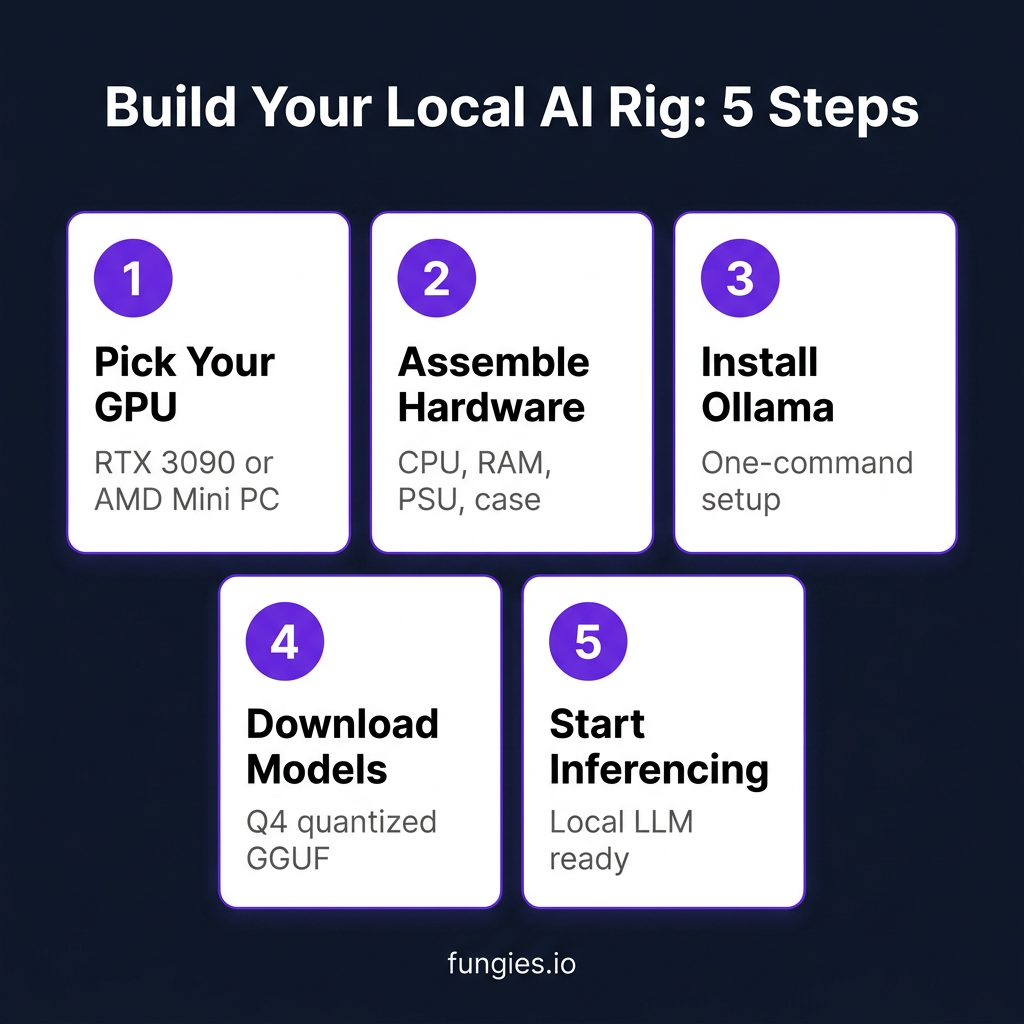
Ollama is the fastest path to running models. One command install, simple CLI, built-in model library. Perfect for beginners and single-user setups.
# Linux/macOS
curl -fsSL https://ollama.com/install.sh | sh

# Windows: Download from ollama.com

# Run a model
ollama run qwen3:30b
Option B: LM Studio (GUI-Friendly)
LM Studio offers a desktop interface for browsing, downloading, and chatting with models. It includes a local API server compatible with OpenAI’s format — drop-in replacement for coding assistants.
Option C: vLLM (Production-Grade)
For multi-user scenarios or API serving, vLLM offers 10-20x throughput improvement through PagedAttention and continuous batching. Setup is more complex but essential for team deployments.
pip install vllm

vllm serve Qwen/Qwen3-30B-A3B --quantization awq --tensor-parallel-size 1
Performance Comparison: Real-World Benchmarks
Here’s how our three budget builds compare running the same model (Llama 3.1 8B Q4):
| Build | Price | Tokens/Second | Power Draw | VRAM/RAM |
|---|---|---|---|---|
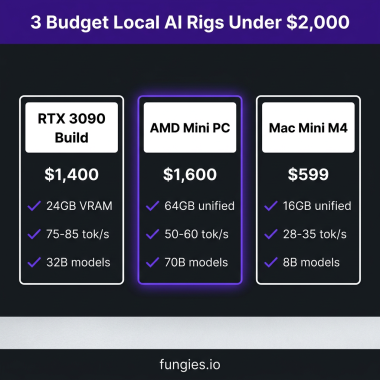
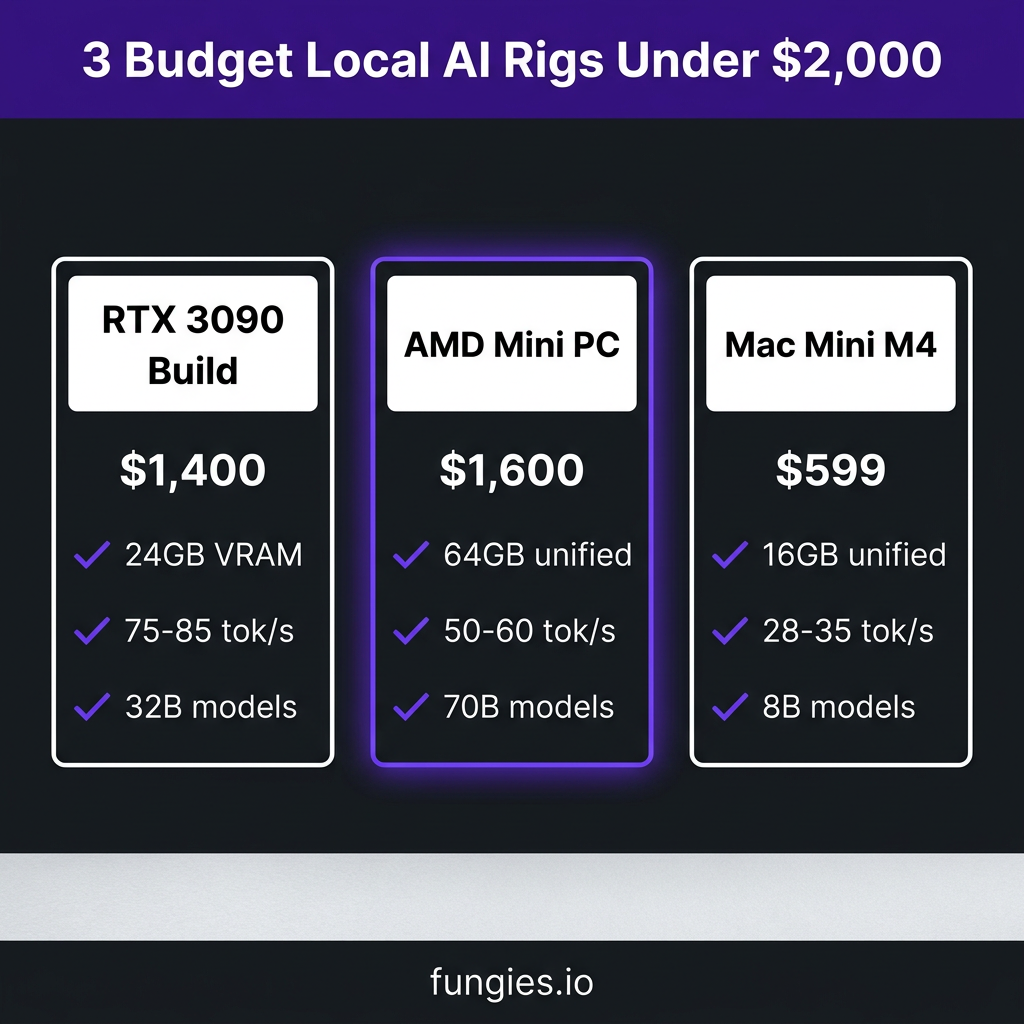
| RTX 3090 Workstation | $1,400 | 75-85 t/s | 350W | 24GB |
| AMD Mini PC (64GB) | $1,600 | 50-60 t/s | 150W | 64GB unified |
| Mac Mini M4 16GB | $599 | 28-35 t/s | 25W | 16GB unified |
The RTX 3090 build wins on raw speed. The AMD mini PC offers the best balance of capacity and efficiency. The Mac Mini is unbeatable for entry-level experimentation at $599.
Key Takeaways
- VRAM is the bottleneck — prioritize memory capacity over raw compute for LLMs
- Used RTX 3090s are the value king — 24GB for $750-$850 beats everything else per dollar
- AMD mini PCs enable 70B models — 64-128GB unified memory for $1,500-$2,500
- Mac Mini M4 is the entry point — $599 gets you productive with 7B-8B models
- Quantization is essential — Q4_K_M reduces memory by 75% with minimal quality loss
Frequently Asked Questions
Can I use multiple GPUs for more VRAM?
Yes, but with caveats. Two RTX 3090s in NVLink give you 48GB effective VRAM for ~$1,500 total. However, not all inference engines support multi-GPU well. llama.cpp and vLLM support tensor parallelism, but you’ll need to verify your specific model and quantization format.
Is a used RTX 3090 reliable for daily use?
If properly cooled, yes. The main issue is VRAM thermals — 3090s run hot. Replace thermal pads if buying used, and ensure your case has good airflow. Many 3090s have been running 24/7 in mining farms; avoid those if possible.
What’s the cheapest way to start with local LLMs?
A Mac Mini M4 16GB at $599 or a PC with an RTX 3060 12GB (~$300 used) can run 7B-8B models smoothly. Start there, then upgrade as you hit model size limits.
How does local inference compare to ChatGPT?
A 30B parameter model at Q4 quantization matches GPT-3.5 quality for most tasks. A 70B model approaches GPT-4 on reasoning benchmarks. The tradeoff is speed — local inference is slower but offers privacy, customization, and no rate limits.
Should I wait for RTX 5090 prices to drop?
Probably not if you’re budget-conscious. At $2,000+, the 5090 is 2.5x the price of a used 3090 for 33% more VRAM and ~2x speed. The value proposition only makes sense if you need the 32GB for specific models and can’t use dual 3090s.
Conclusion
Building a local AI rig under $2,000 in 2026 is not just possible — it’s practical. The used RTX 3090 market, AMD’s unified memory mini PCs, and Apple’s aggressive M4 pricing have created multiple viable paths depending on your priorities.
Choose the GPU workstation for maximum tokens-per-second. Choose the AMD mini PC for running the largest models. Choose the Mac Mini for simplicity and efficiency.
Whatever you build, you’ll own your AI infrastructure. No API keys, no rate limits, no data leaving your network. For developers serious about AI integration, that’s worth every dollar.
Ready to monetize your AI-powered projects? Create your Fungies account and start selling digital products with built-in global tax compliance.
References
- FormulaMod – Best NVIDIA GPU for Local AI 2026: https://www.formulamod.net/blogs/new/which-nvidia-gpu-for-local-ai-in-2026-rtx-3090-vs-4060-ti-vs-4070-ti-super-vs-4090-vs-5090
- Hostrunway – RTX 5090 vs 4090 vs Used 3090: https://www.hostrunway.com/blog/rtx-5090-vs-rtx-4090-used-3090-in-2026-is-the-upgrade-worth-it-for-local-llms
- TerminalBytes – Best Mini PC for Local LLMs 2026: https://terminalbytes.com/best-mini-pc-for-local-llm-2026
- Like2Byte – Mac Mini M4 Local LLM Benchmarks: https://like2byte.com/mac-mini-m4-16gb-local-llm-benchmarks-roi
- Spheron – RTX 5090 LLM Benchmarks: https://www.spheron.network/blog/rent-nvidia-rtx-5090
- XDA Developers – Used RTX 3090 for Local AI: https://www.xda-developers.com/used-rtx-3090-still-best-for-local-ai-in-value