Here’s a number that should get your attention: running a 70B parameter model in the cloud can cost $300 to $800 per month for heavy users. Buy the right hardware once, and that same workload costs roughly $50 to $150 per year in electricity.
Local LLM inference has exploded in 2026. Ollama crossed 174,000 GitHub stars. NVIDIA’s Blackwell RTX 50-series cards are shipping. Apple’s M4/M5 chips dominate unified memory. And developers are realizing they can run GPT-4-class models on their own hardware — privately, offline, and without subscription fees.
But hardware matters. The difference between a smooth 30 tokens/sec experience and a frustrating 3 tokens/sec crawl comes down to VRAM, memory bandwidth, and picking the right GPU for your model size. This guide ranks the 7 best hardware options for local LLMs in 2026, with real benchmarks, pricing, and specific recommendations.
Why VRAM Is the Only Spec That Matters
For local AI inference, VRAM (or unified memory on Apple Silicon) is the single constraint that determines what you can run. Here’s the math:
- 7B models: ~4-6GB VRAM at Q4_K_M quantization
- 14B models: ~8-10GB VRAM at Q4_K_M
- 32B models: ~18-20GB VRAM at Q4_K_M
- 70B models: ~35-40GB VRAM at Q4_K_M
The most common format in the Ollama and LM Studio ecosystem is GGUF, and the sweet spot for most users is Q4_K_M — a 4-bit quantization that preserves 95-98% of full-precision quality while cutting memory roughly in half compared to FP16.
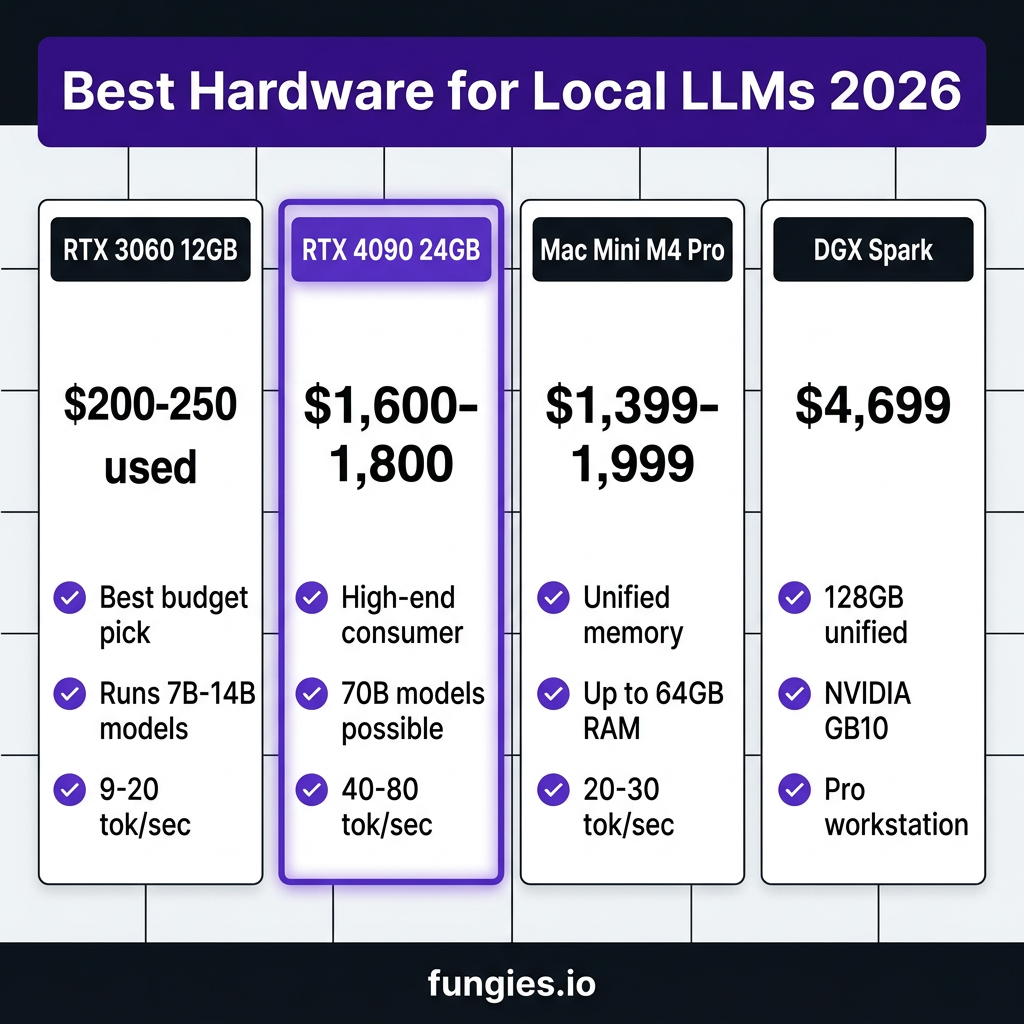
1. NVIDIA RTX 3060 12GB — The Budget King
Price: $200-250 (used) | VRAM: 12GB GDDR6 | Power: 170W
The RTX 3060 12GB remains the best mainstream value pick for cheap local LLMs in 2026. Its 12GB VRAM handles all 7B-8B models in Q4/Q5 quantization and most 13B-14B models in Q4. That’s enough for serious local AI work without breaking the bank.
Real performance:
- Qwen3 8B: 16-20 tok/sec
- Qwen3 14B: 9-12 tok/sec
- Gemma 4 12B: 11-14 tok/sec
- Mistral Small: 18 tok/sec
- DeepSeek-R1 7B: 10-12 tok/sec
Best for: Developers getting started with local LLMs, budget-conscious builders, secondary AI workstation.
2. NVIDIA RTX 4060 Ti 16GB — The Sweet Spot
Price: $380-450 (used) / $599 (new) | VRAM: 16GB GDDR6 | Power: 165W
The 16GB variant of the RTX 4060 Ti hits a sweet spot. It runs Mistral Small 3.1 24B at Q4_K_M (~13GB, 55 tok/sec) — the strongest general model that fits with context headroom. That’s a 24B parameter model running locally at usable speeds.
Compared to the 8GB 4060, the 16GB version is a completely different class of hardware for AI work. The extra VRAM lets you run larger models or use higher quantization levels (Q5_K_M) for better quality.
3. Intel Arc B580 — The Tinkerer’s Bargain
Price: $240-280 | VRAM: 12GB GDDR6 | Memory Bandwidth: 456 GB/s
Intel’s Arc B580 delivers surprising value. Its 456 GB/s memory bandwidth actually outperforms the RTX 4060 Ti 8GB’s 288 GB/s. For raw inference throughput on compatible models, this card punches above its weight.
The catch? Software support. Ollama and llama.cpp have improved Intel GPU support significantly in 2026, but you’ll still encounter edge cases. For adventurous developers comfortable with troubleshooting, the B580 offers excellent price/performance.
4. NVIDIA RTX 4090 24GB — The High-End Consumer Choice
Price: $1,600-1,800 | VRAM: 24GB GDDR6X | Power: 450W
The RTX 4090 has been the gold standard for local LLMs since its release. With 24GB VRAM, it handles 70B parameter models at Q4_K_M (barely — you’ll need tight context limits). More realistically, it’s the perfect card for 32B-40B models with room to breathe.
Real performance:
- Llama 3.3 70B Q4_K_M: 8-12 tok/sec (context-dependent)
- Qwen3 32B Q4_K_M: 25-35 tok/sec
- Mistral Large: 40-60 tok/sec
Best for: Serious local AI developers, researchers, anyone running 30B+ models regularly.
5. NVIDIA RTX 5090 32GB — The New Flagship
Price: $1,999+ | VRAM: 32GB GDDR7 | Power: 575W
NVIDIA’s Blackwell flagship changes the equation. With 32GB GDDR7, the RTX 5090 runs 70B models comfortably at Q4_K_M with context headroom. Two 5090s in a single system (64GB combined) can handle 70B models at higher quantization or even approach 100B+ territory.
The catch? Power and cooling. At 575W, this card needs serious PSU and case airflow. But for raw inference speed, nothing in the consumer space comes close.
6. Mac Mini M4 Pro (24GB-64GB) — The Unified Memory Advantage
Price: $1,399 (24GB) / $1,999 (48GB) / $2,499 (64GB) | Memory: Unified up to 64GB | Power: 30-40W
Apple’s unified memory architecture is genuinely different. The CPU and GPU share the same RAM pool — no copying between system memory and VRAM. A $1,999 Mac Mini M4 Pro with 48GB unified memory can run 32B models that would require an RTX 4090 ($1,800) plus a full PC build on the Windows side.
Real performance (M4 Pro 48GB):
- 8B models: 40-60 tok/sec
- 32B models: 15-25 tok/sec
- 70B models: 5-8 tok/sec (usable for batch work)
The M4 Pro 64GB can run 70B models at Q4_K_M with ~12-18 tok/sec — interactive chat speed. That’s remarkable for a 30W machine that fits on your desk.
Best for: Developers in the Apple ecosystem, anyone prioritizing power efficiency and noise levels, users wanting large-model capability without workstation complexity.
7. NVIDIA DGX Spark — The Professional Workstation
Price: $4,699 | Memory: 128GB unified | Chip: NVIDIA GB10 Grace Blackwell
The DGX Spark is NVIDIA’s “personal AI supercomputer.” It’s not a GPU — it’s a complete ARM-based system with 128GB of unified memory and the GB10 Grace Blackwell chip. This is the hardware for running 70B models at full precision or 100B+ models quantized.
Real performance:
- Llama 3.1 70B FP8: 2.7 tok/sec (NVIDIA’s own benchmark)
- Llama 3.1 70B Q4_K_M: 12-15 tok/sec
- Multiple models simultaneously: Yes
The DGX Spark isn’t about raw tokens/sec — it’s about capability. 128GB unified memory means you can run models that simply won’t fit on consumer GPUs. For researchers, AI engineers, and developers building production local AI systems, it’s a unique product.
Hardware Comparison Table
| Hardware | Price | VRAM/Memory | Max Model (Q4) | Speed (7B) | Power |
|---|---|---|---|---|---|
| RTX 3060 12GB | $200-250 | 12GB | 14B | 16-20 tok/s | 170W |
| Intel Arc B580 | $240-280 | 12GB | 14B | 14-18 tok/s | 190W |
| RTX 4060 Ti 16GB | $380-599 | 16GB | 24B | 25-35 tok/s | 165W |
| RTX 4090 24GB | $1,600-1,800 | 24GB | 70B (tight) | 40-80 tok/s | 450W |
| RTX 5090 32GB | $1,999+ | 32GB | 70B | 50-100 tok/s | 575W |
| Mac Mini M4 Pro 48GB | $1,999 | 48GB unified | 70B | 15-25 tok/s | 30W |
| DGX Spark | $4,699 | 128GB unified | 100B+ | Variable | 300W |
How to Choose: Decision Framework
Budget Under $300
Get a used RTX 3060 12GB. It’s the cheapest way to get a credible local AI experience. You’ll run 7B-14B models comfortably — enough for coding assistance, writing help, and experimentation.
Budget $400-600
The RTX 4060 Ti 16GB is your best bet. The extra VRAM over the 12GB cards lets you run 24B models like Mistral Small 3.1, which is a significant quality jump from 7B-8B alternatives.
Budget $1,500-2,000
Choose between the RTX 4090 (24GB) for raw speed or the Mac Mini M4 Pro 48GB for efficiency and unified memory flexibility. The 4090 wins on tokens/sec; the Mac wins on power efficiency and noise.
Need 70B+ Models
You have three options: dual RTX 5090s (64GB combined), a Mac Studio with 128GB unified memory, or the DGX Spark. The DGX Spark is the most purpose-built; the Mac Studio offers the best software ecosystem; dual 5090s offer the best raw performance.
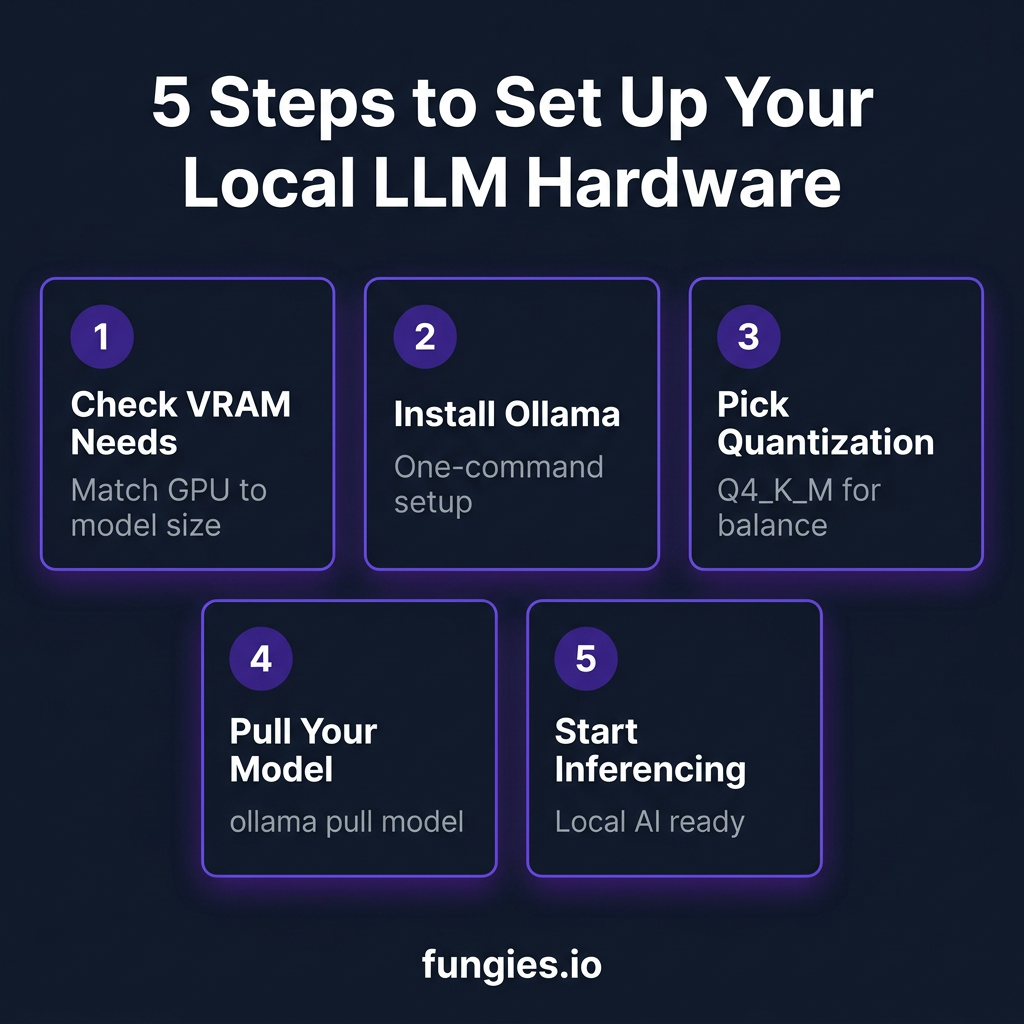
Getting Started: 5-Minute Setup
Once you have your hardware, getting started is simple:
- Step 1: Install Ollama —
curl -fsSL https://ollama.com/install.sh | sh - Step 2: Pull a model —
ollama pull qwen3:8b - Step 3: Start chatting —
ollama run qwen3:8b
For a GUI experience, download LM Studio. It offers a polished interface for model management, parameter tuning, and chat — all without touching the command line.
Key Takeaways
- VRAM is everything. Match your GPU to the model sizes you want to run. 12GB handles 7B-14B; 24GB handles up to 70B with care; 48GB+ handles 70B comfortably.
- Quantization matters. Q4_K_M is the sweet spot — 95-98% quality at half the memory.
- Used hardware is fine. A $200 RTX 3060 12GB is a perfectly valid entry point.
- Apple Silicon competes. Unified memory changes the equation. A Mac Mini M4 Pro can run models that would require expensive GPU setups on Windows.
- Start small. You don’t need a $4,000 setup to get value from local LLMs. Start with what you have, upgrade when you know what you need.
FAQ
Can I run local LLMs on a laptop?
Yes. Laptops with RTX 4060/4070 (8GB) can run 7B models. Apple Silicon MacBooks (16GB+) handle 7B-13B models well. For serious local AI work, look for 24GB+ VRAM or unified memory.
Is 8GB VRAM enough for local LLMs?
It’s enough for 7B models at Q4_K_M quantization. You won’t run larger models, and context length will be limited. For comfortable local AI work, 12GB is the practical minimum.
Are AMD GPUs good for local LLMs?
AMD RX 7900 XTX (24GB) and RX 9060 XT 16GB are viable alternatives to NVIDIA. ROCm support has improved, but NVIDIA still has better software ecosystem support in Ollama and llama.cpp.
What’s the cheapest way to run 70B models?
A used RTX 3090 24GB (~$800) or a Mac Mini M4 Pro with 48-64GB unified memory. Both can run 70B at Q4_K_M with careful context management.
Does CPU matter for local LLM inference?
For GPU-accelerated inference, CPU matters less. For CPU-only inference (llama.cpp without GPU), a fast modern CPU with AVX2/AVX-512 helps significantly. But GPU inference is 10-50x faster.
Conclusion
The local LLM revolution is here, and hardware has never been more accessible. Whether you’re spending $200 on a used RTX 3060 or $4,700 on a DGX Spark, you can run capable AI models locally — privately, offline, and without ongoing API costs.
Start with your budget and model size needs. Match hardware to those constraints. And remember: a $200 GPU running local models beats a $0 GPU paying cloud API fees if you’re a heavy user.
Ready to build something? Sign up for Fungies and let us handle payments, taxes, and compliance while you focus on shipping AI-powered products.
References
- Local LLM Hardware Requirements 2026 — PromptQuorum
- Picking the Right Hardware to Run LLMs Locally in 2026 — Pinggy
- How to Run Local LLMs in 2026: The Complete Developer’s Guide — SitePoint
- The best budget GPUs for local LLMs in 2026 — Popular AI
- Local LLM Hardware Guide 2026 — Kunal Ganglani
- Mac Mini M4 for AI 2026 — Compute Market