87% of developers now use AI tools in their daily workflow. Yet choosing the right AI code editor has become a source of genuine decision paralysis. With Cursor valued at $50 billion, GitHub Copilot boasting 4.7 million paid subscribers, and new entrants like Windsurf and Claude Code gaining serious traction, the market is crowded with compelling options.
This guide cuts through the noise. Whether you’re a SaaS developer building your next product, a software engineer optimizing your workflow, or an indie developer watching your budget, you’ll find a clear decision framework here. No fluff, no affiliate links—just data-driven recommendations based on real 2026 pricing and features.
What Are AI Code Editors? Understanding the Landscape
AI code editors fall into two distinct categories: AI-native IDEs and AI extensions. Understanding this difference is crucial for making the right choice.
AI-Native IDEs vs. AI Extensions
AI-native IDEs like Cursor and Windsurf are built from the ground up around AI capabilities. They’re typically forks of VS Code (Cursor) or entirely new editors (Zed) with AI deeply integrated into every interaction. These tools offer features like multi-file editing, agent modes that can execute terminal commands, and context windows that understand your entire codebase.
AI extensions like GitHub Copilot and Cline bolt AI capabilities onto existing editors. Copilot started as a VS Code extension and remains primarily that. Cline works as a VS Code extension too, while Continue.dev supports multiple editors including VS Code and JetBrains IDEs.
The Shift from Autocomplete to Agents
The evolution from simple autocomplete to AI agents represents the biggest shift in developer tooling since the IDE itself. Early AI coding tools suggested the next line of code. Today’s agents can:
- Understand entire codebases with million-token context windows
- Execute terminal commands and run tests
- Refactor across multiple files simultaneously
- Debug errors by reading stack traces and logs
- Deploy code to production environments
This shift means choosing an AI code editor in 2026 isn’t just about code completion quality—it’s about selecting an AI pair programmer that matches your workflow, budget, and technical requirements.
The 7 Best AI Code Editors Compared
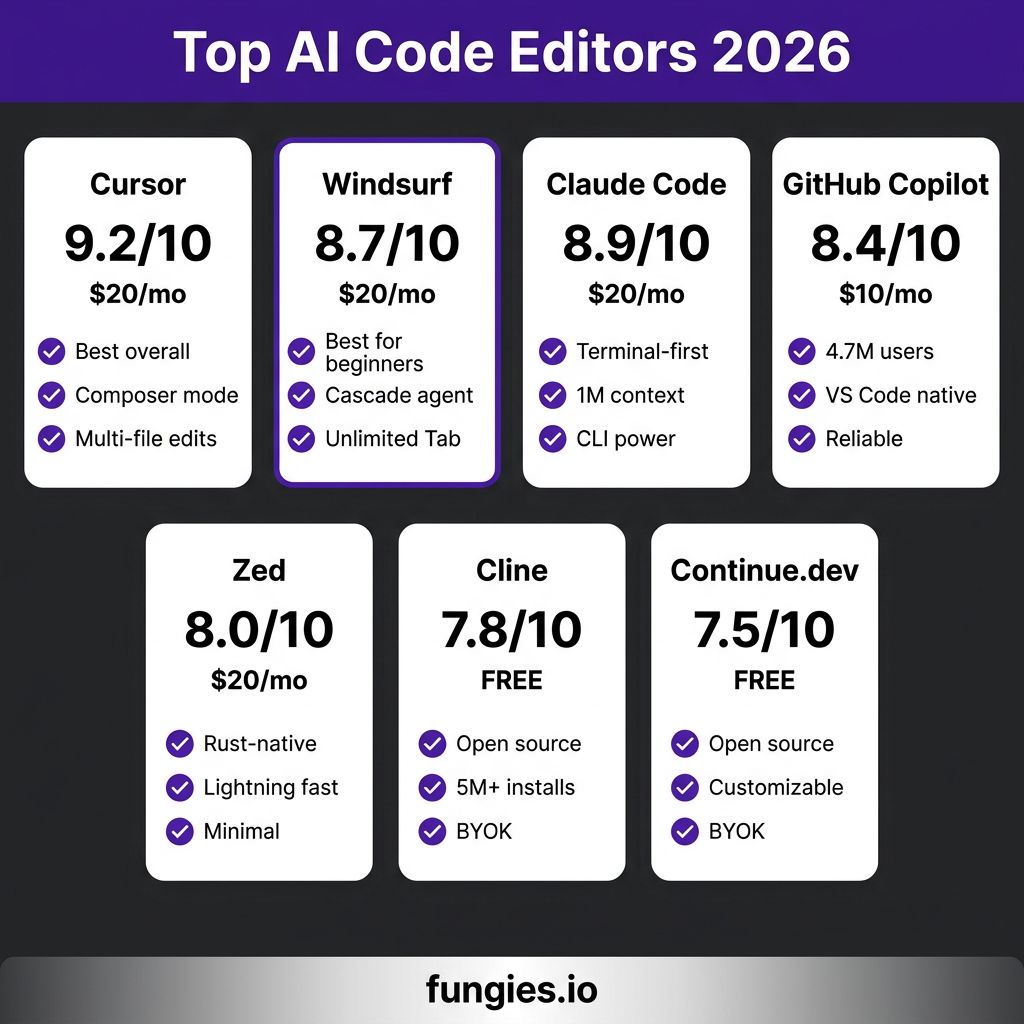
Here’s a quick overview of the top AI code editors in 2026, rated on features, performance, and value:
| Editor | Rating | Starting Price | Best For |
|---|---|---|---|
| Cursor | 9.2/10 | $20/mo | Overall best, power users |
| Windsurf | 8.7/10 | $20/mo | Beginners, Cascade agent |
| Claude Code | 8.9/10 | $20/mo | Terminal-first workflows |
| GitHub Copilot | 8.4/10 | $10/mo | VS Code users, reliability |
| Zed | 8.0/10 | Free / $20/mo | Speed, minimalism |
| Cline | 7.8/10 | Free | Budget-conscious, BYOK |
| Continue.dev | 7.5/10 | Free | Maximum customization |
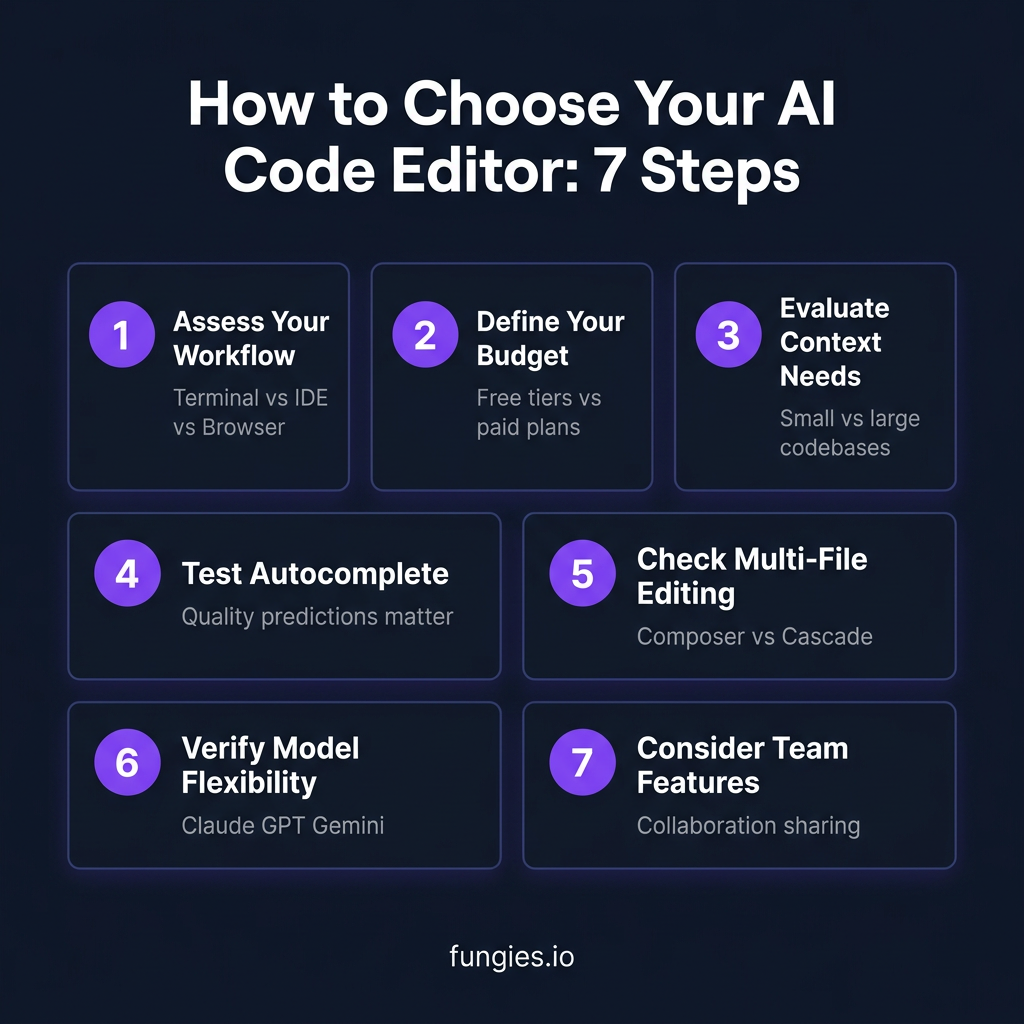
How to Choose Your AI Code Editor: A 7-Step Decision Framework
Follow this framework to narrow down your options and select the editor that fits your specific needs.
Step 1: Assess Your Workflow
Your development environment is the first filter. Ask yourself:
- Do you live in the terminal? Claude Code is built specifically for terminal-first workflows. It integrates with your shell, understands your project structure, and executes commands directly.
- Are you a VS Code diehard? Cursor, Windsurf, GitHub Copilot, Cline, and Continue.dev all work within VS Code. Cursor and Windsurf are VS Code forks with enhanced AI. Copilot, Cline, and Continue are extensions.
- Do you value speed above all? Zed is a Rust-native editor designed for performance. It’s fast—startups are near-instantaneous, and AI responses feel snappy even on modest hardware.
- Do you work across multiple editors? Continue.dev supports VS Code, JetBrains IDEs, and Vim/Neovim through extensions.
Step 2: Define Your Budget
Pricing varies dramatically. Here’s the breakdown:
| Editor | Free Tier | Entry Paid | Top Tier |
|---|---|---|---|
| Cursor | Limited | Pro $20/mo | Ultra $200/mo |
| Windsurf | Limited | Pro $20/mo | Max $200/mo |
| Claude Code | No | Pro $20/mo | Max $200/mo |
| GitHub Copilot | 50 req/mo | Pro $10/mo | Pro+ $39/mo |
| Zed | Full | Pro $20/mo | — |
| Cline | Full (BYOK) | — | — |
| Continue.dev | Full (BYOK) | — | — |
BYOK (Bring Your Own Key) options like Cline and Continue.dev are genuinely free—you only pay for API usage to OpenAI, Anthropic, or other providers. For light usage, this can cost under $5/month. For heavy usage, it might exceed paid tiers.
Step 3: Evaluate Context Needs
Context window size determines how much of your codebase the AI can understand at once:
- Claude Code: 1 million token context—enough for entire large codebases
- Cursor: 200K+ token context with smart context selection
- Windsurf: Large context with Cascade agent for multi-file understanding
- Copilot: Smaller context, optimized for inline suggestions
For small projects, context size barely matters. For monorepos or large applications, Claude Code’s massive context window is a genuine advantage.
Step 4: Test Autocomplete Quality
Not all autocomplete is created equal. Cursor uses Supermaven’s autocomplete engine, widely regarded as the fastest and most accurate. Windsurf offers unlimited free Tab completions. Copilot’s autocomplete is reliable but occasionally conservative.
Test this yourself: open a file in your project and see how often the AI predicts exactly what you need versus requiring manual prompting.
Step 5: Check Multi-File Editing Capabilities
Single-file editing is table stakes. The differentiator is multi-file refactoring:
- Cursor Composer: Edit multiple files simultaneously with natural language instructions
- Windsurf Cascade: Agent mode that can modify files, run tests, and iterate
- Claude Code: Can refactor across your entire codebase with terminal integration
- Copilot Edits: Multi-file editing is newer and less mature than Cursor/Windsurf
Step 6: Verify Model Flexibility
Some editors lock you into specific models:
- Cursor: Claude, GPT-4, GPT-4o, custom models—full flexibility
- Windsurf: Multiple models including Claude and GPT
- Copilot: Primarily OpenAI models (GPT-4, GPT-4o)
- Cline/Continue: BYOK means any model you have API access to
If you have strong preferences for Claude’s reasoning or GPT-4o’s speed, ensure your chosen editor supports them.
Step 7: Consider Team Collaboration Features
For teams, collaboration features matter:
- Cursor: Team plans with shared context and custom model training
- Copilot: GitHub-native, integrates with PRs and code review workflows
- Windsurf: Team features are newer but developing rapidly
- Cline/Continue: Primarily individual tools
Deep Dive: When to Choose Which Editor
Choose Cursor If…
- You want the best overall AI code editor experience
- Multi-file editing and Composer mode appeal to you
- You value Supermaven’s industry-leading autocomplete
- You’re willing to pay $20-60/month for premium features
- You want flexibility to switch between Claude, GPT-4, and other models
Cursor is the current market leader for good reason. It’s a polished, powerful tool that just works. The $50 billion valuation isn’t hype—it’s a reflection of genuine product-market fit.
Choose Windsurf If…
- You’re new to AI coding tools and want an approachable entry point
- The Cascade agent’s guided workflow appeals to you
- Unlimited free Tab completions are important
- You want a VS Code-like experience with AI deeply integrated
Windsurf has gained 1M+ users by being genuinely beginner-friendly without sacrificing power. The Cascade agent is particularly good at explaining its reasoning as it works.
Choose Claude Code If…
- You live in the terminal and prefer CLI workflows
- You work with large codebases that benefit from 1M token context
- You trust Claude’s reasoning capabilities above other models
- You want an AI that can execute commands and run tests directly
Claude Code is a different paradigm—it’s not an IDE, it’s an AI pair programmer that happens to work in your terminal. For the right user, it’s transformative.
Choose GitHub Copilot If…
- You want the most reliable, battle-tested option
- GitHub integration is important to your workflow
- You prefer staying within official Microsoft/GitHub tooling
- You want the lowest-cost entry point ($10/mo)
- You value the 4.7M+ user community and extensive documentation
Copilot isn’t the flashiest option, but it’s the safest bet. It works, it’s supported, and it’s deeply integrated into the GitHub ecosystem.
Choose Cline or Continue.dev If…
- Budget is your primary concern
- You’re comfortable managing API keys
- You want maximum customization
- You prefer open-source tools
- You want to experiment with different models without platform lock-in
Cline (5M+ installs) and Continue.dev are genuinely free and surprisingly capable. The tradeoff is more setup and configuration versus the polished out-of-box experience of paid alternatives.
Migration Guide: Switching from VS Code
If you’re currently using VS Code, migration is straightforward for most AI editors:
Cursor & Windsurf
Both are VS Code forks, so migration is seamless:
- Settings sync automatically—your themes, keybindings, and extensions transfer
- Extensions from the VS Code marketplace work without modification
- Switching cost: Near zero
GitHub Copilot, Cline, Continue.dev
These install as VS Code extensions:
- No migration needed—install the extension and start using AI features
- Can coexist (though running multiple AI extensions simultaneously can cause conflicts)
- Switching cost: Zero
Claude Code & Zed
These require more significant workflow changes:
- Claude Code: Terminal-based—no GUI to migrate to
- Zed: New editor with its own ecosystem—extensions and themes are Zed-specific
- Switching cost: Moderate (learning curve and setup time)
Key Takeaways
- Best overall: Cursor (9.2/10) if budget allows
- Best for beginners: Windsurf (8.7/10) with its guided Cascade agent
- Best for terminal users: Claude Code (8.9/10) with 1M token context
- Best value: GitHub Copilot (8.4/10) at $10/mo with 4.7M users
- Best free option: Cline (7.8/10) or Continue.dev (7.5/10) with BYOK
- 87% of developers now use AI tools—if you’re not among them, you’re falling behind
Frequently Asked Questions
Will AI code editors replace developers?
No. AI code editors are productivity multipliers, not replacements. They handle boilerplate, suggest implementations, and accelerate routine tasks. The creative work—architecture, problem-solving, user experience—remains human. Think of AI as a senior developer pair programming with you, not a replacement.
Is it safe to use AI code editors for proprietary code?
Most enterprise-grade AI editors offer zero-data-retention policies and private model hosting. Cursor, Windsurf, and Copilot all have business/enterprise tiers that don’t train on your code. For maximum security, BYOK options like Cline let you control exactly what data leaves your environment.
Can I use multiple AI code editors simultaneously?
Technically yes, but it’s not recommended. Running Copilot alongside Cursor, for example, can cause conflicting suggestions and confusion. Pick one primary tool and perhaps keep a secondary for specific use cases (e.g., Cursor for daily work, Claude Code for large refactoring tasks).
What’s the difference between Cursor and Windsurf?
Both are VS Code forks with AI integration, but they differ in approach. Cursor focuses on raw power with Composer mode for multi-file editing and Supermaven autocomplete. Windsurf emphasizes approachability with the Cascade agent that explains its reasoning. Cursor has a slight edge in features; Windsurf wins on beginner-friendliness.
Do I need to pay for API keys with free editors like Cline?
Yes. Cline and Continue.dev are free software, but they use your API keys for OpenAI, Anthropic, or other providers. Costs vary by usage—light use might be $2-5/month, heavy use could exceed $50. For predictable budgeting, paid tiers like Cursor Pro ($20/mo) include generous usage limits.
Conclusion: Make Your Choice and Start Building
The AI code editor you choose matters less than the fact that you choose one. With 87% of developers already using AI tools, the competitive advantage isn’t having AI assistance—it’s how effectively you use it.
Start with the framework above. Test 2-3 options that fit your workflow and budget. Most offer free trials or tiers, so experimentation is low-risk.
Once you’ve optimized your development workflow with AI, consider optimizing your business workflow too. Fungies handles payments, tax compliance, and checkout for SaaS and digital products—so you can focus on building, not billing. Register free today.
References
- Cursor valuation and market data – TechCrunch, March 2026
- GitHub Copilot subscriber numbers – GitHub Blog, Q1 2026
- Developer AI adoption statistics – Stack Overflow Developer Survey 2026
- SWE-bench performance scores – SWE-bench Official Leaderboard, May 2026
- Windsurf user statistics – Codeium Official Announcement, April 2026
- Cline install metrics – VS Code Marketplace, May 2026