Here’s the reality: 92% of developers now use AI coding tools, yet most are barely scratching the surface of what AI agents can actually do. The secret weapon? MCP servers — the standardized protocol that turns your AI assistant from a chatbot into a fully integrated development partner.
Model Context Protocol (MCP) servers are exploding in popularity. GitHub’s official MCP registry now lists over 1,200 community-built servers. Cursor, Claude Code, and Windsurf all support MCP out of the box. And developers who adopt MCP report 40% faster workflows on complex multi-step tasks.
What Is Model Context Protocol (MCP)?
MCP is an open protocol that standardizes how AI assistants connect to external tools, APIs, and data sources. Think of it as USB-C for AI integrations — one standard that works everywhere.
Before MCP, every AI tool had its own plugin system. Claude had “Skills.” Cursor had “Extensions.” Copilot had “Agents.” Each required custom setup, different configuration formats, and vendor-specific code.
MCP changes the game. A single MCP server works across Claude Desktop, Cursor, Windsurf, Claude Code, and any other MCP-compatible client. Configure it once, use it everywhere.
Why MCP Servers Matter for Developers
The shift from “AI-assisted coding” to “AI-integrated development” is happening now. Here’s why MCP is at the center of it:
- Universal compatibility: One server, multiple clients. No lock-in.
- Standardized security: OAuth 2.0 and API key management built-in.
- Rich context: AI can query live data, not just static knowledge.
- Tool composition: Chain multiple MCP servers together for complex workflows.
- Community ecosystem: 1,200+ open-source servers and growing.
Red Hat, Stripe, Supabase, and Vercel have all released official MCP servers. The protocol has backing from Anthropic (who created it), OpenAI, and Google.
How MCP Servers Work: The Technical Basics
At its core, an MCP server exposes three primitives to AI clients:
- Tools: Functions the AI can call (e.g., “create GitHub issue”, “query database”)
- Resources: Data sources the AI can read (e.g., API documentation, configuration files)
- Prompts: Pre-defined templates for common tasks
When you ask your AI assistant to “check the status of my Stripe subscriptions,” the MCP client:
- Discovers the Stripe MCP server’s available tools
- Calls the appropriate function with your credentials
- Returns structured data that the AI can reason about
- Formats the response in natural language
All of this happens transparently. You just ask questions in plain English.
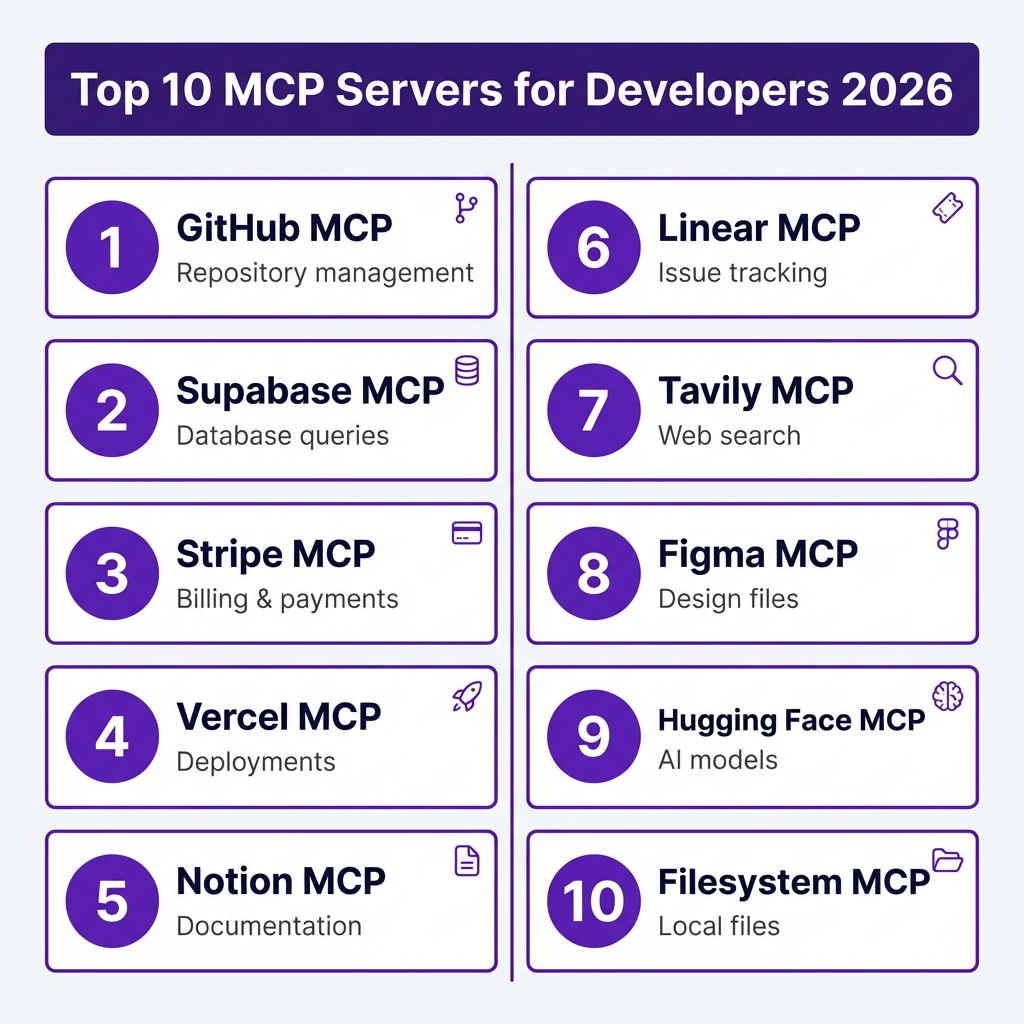
Top 10 MCP Servers Every Developer Should Know
Based on GitHub stars, community adoption, and real-world utility, here are the essential MCP servers for 2026:
| Server | Category | Best For | GitHub Stars |
|---|---|---|---|
| GitHub MCP | DevOps | Repository management, PRs, issues | 8,200+ |
| Supabase MCP | Database | PostgreSQL queries, auth, edge functions | 4,100+ |
| Stripe MCP | Payments | Billing, subscriptions, invoices | 3,800+ |
| Vercel MCP | Deployment | Deployments, domains, analytics | 2,900+ |
| Notion MCP | Productivity | Documentation, wikis, notes | 2,400+ |
| Linear MCP | Project Mgmt | Issue tracking, sprints, roadmaps | 1,900+ |
| Tavily MCP | Research | Web search, content extraction | 1,600+ |
| Figma MCP | Design | Design files, components, exports | 1,400+ |
| Hugging Face MCP | AI/ML | Model inference, datasets, spaces | 1,200+ |
| Filesystem MCP | Utilities | Local file operations, search | 980+ |
GitHub MCP Server
The GitHub MCP server is the most popular for good reason. It exposes the full GitHub API as natural language commands. Create issues, review PRs, search code, manage releases — all without leaving your AI chat interface.
Real use case: “Find all open issues labeled ‘bug’ in the frontend repository created in the last 7 days, and summarize them for the standup.”
Supabase MCP Server
For developers building on Supabase, this server is transformative. Your AI can query your database schema, run SQL, manage auth users, and deploy edge functions — all through natural language.
Supabase even offers mcp-lite for building custom MCP servers on their Edge Functions platform.
Stripe MCP Server
The Stripe MCP server exposes billing operations as AI tools. Check subscription status, create invoices, manage customers, and analyze revenue — without writing API calls.
For SaaS developers, this means your AI assistant becomes a business operations partner, not just a coding helper.

How to Set Up Your First MCP Server: Step-by-Step
Let’s walk through setting up the Filesystem MCP server — a safe starting point that lets your AI read and search files in specified directories.
Step 1: Install an MCP-Compatible Client
You need an AI client that supports MCP. Your options in 2026:
- Claude Desktop (free, macOS/Windows)
- Cursor ($20/mo, VS Code fork)
- Windsurf ($15/mo, most generous free tier)
- Claude Code ($20/mo, terminal-based)
For beginners, Claude Desktop is the easiest entry point. For developers already using VS Code, Cursor or Windsurf integrate seamlessly.
Step 2: Find an MCP Server
The official MCP server registry is on GitHub: github.com/modelcontextprotocol/servers
Browse by category or search for your favorite tool. Each server has installation instructions, required environment variables, and usage examples.
Step 3: Configure the Server
MCP servers are configured in your client’s settings file. The format varies slightly by client, but the structure is consistent.
For Claude Desktop (claude_desktop_config.json):
{
  "mcpServers": {
    "filesystem": {
      "command": "npx",
      "args": ["-y", "@modelcontextprotocol/server-filesystem", "/path/to/allowed/dir"]
    }
  }
}
For Cursor (settings.json):
{
  "mcp.servers": [
    {
      "name": "filesystem",
      "command": "npx",
      "args": ["-y", "@modelcontextprotocol/server-filesystem", "/path/to/allowed/dir"]
    }
  ]
}
Step 4: Set Environment Variables
Most production MCP servers require API keys. Set these as environment variables before starting your client:
export GITHUB_TOKEN="ghp_your_token_here"
export STRIPE_API_KEY="sk_live_your_key_here"
export SUPABASE_ACCESS_TOKEN="sbp_your_token_here"
Never hardcode secrets in your MCP configuration files.
Step 5: Test and Use
Restart your AI client to pick up the new configuration. You should see available tools listed in the interface.
Test with a simple query: “List the files in my allowed directory” or “Search for all JavaScript files containing ‘API’”
Building Your Own MCP Server
If you have a custom API or internal tool, building an MCP server is straightforward. The official SDKs support TypeScript, Python, and Go.
Here’s a minimal TypeScript MCP server structure:
import { Server } from '@modelcontextprotocol/sdk/server/index.js';
import { StdioServerTransport } from '@modelcontextprotocol/sdk/server/stdio.js';

const server = new Server({
  name: 'my-custom-server',
  version: '1.0.0'
}, {
  capabilities: {
    tools: {},
    resources: {}
  }
});

// Define a tool
server.setToolHandler('get_user', async (args) => {
  const user = await fetchUser(args.userId);
  return { content: [{ type: 'text', text: JSON.stringify(user) }] };
});

const transport = new StdioServerTransport();
await server.connect(transport);
Deploy to Supabase Edge Functions, Vercel, or any Node.js host. The server communicates via stdio (local) or HTTP (remote).
MCP Security Best Practices
With great power comes great responsibility. MCP servers can execute code, modify data, and access sensitive systems. Follow these rules:
- Principle of least privilege: Only grant access to directories, APIs, and operations you actually need.
- Use read-only where possible: Many servers support read-only mode for safe exploration.
- Audit server permissions: Review what each MCP server can do before installing.
- Rotate API keys regularly: Treat MCP server keys like any other production credential.
- Monitor usage: Check logs for unexpected tool calls or data access patterns.
Red Hat and other enterprise vendors are developing MCP security scanning tools. Expect this ecosystem to mature rapidly in 2026.
Real-World MCP Workflows
Here’s how developers are actually using MCP servers in production:
The Full-Stack Developer
Tools: GitHub + Vercel + Supabase MCP servers
Workflow: “Create a new branch, implement the login feature using Supabase auth, deploy to staging on Vercel, and open a PR with a summary of changes.” The AI handles the entire flow across three platforms.
The SaaS Founder
Tools: Stripe + Notion + Linear MCP servers
Workflow: “Check yesterday’s MRR, identify customers with failed payments, create Linear tickets for the recovery campaign, and draft the outreach copy in Notion.” Business operations, automated.
The DevOps Engineer
Tools: GitHub + Vercel + custom Kubernetes MCP
Workflow: “Check the status of production pods, rollback the last deployment if error rates are above 5%, and create an incident report in GitHub issues.” Infrastructure management via natural language.
Key Takeaways
- MCP is the emerging standard for AI-tool integration — learn it now to stay ahead.
- Start with GitHub, Supabase, or Filesystem MCP servers for immediate value.
- Security matters: audit permissions and rotate keys regularly.
- Building custom MCP servers is easier than you think — the SDKs are mature.
- The hybrid approach wins: use multiple MCP servers together for complex workflows.
Frequently Asked Questions
What’s the difference between MCP and traditional APIs?
Traditional APIs require you to write code to call them. MCP servers expose APIs as natural language tools that AI assistants can discover and use dynamically. The AI decides which tool to call and how to format the request.
Do MCP servers work with all AI coding tools?
Not yet. As of April 2026, Claude Desktop, Cursor, Windsurf, and Claude Code support MCP. GitHub Copilot has announced support but hasn’t fully rolled it out. Check your tool’s documentation for the latest status.
Are MCP servers free?
Most MCP servers are open-source and free to use. However, they often connect to paid APIs (like Stripe or GitHub) that may have their own usage limits and costs. The MCP protocol itself is free and open.
Can I use multiple MCP servers at once?
Yes — and you should. The real power of MCP comes from combining servers. Your AI assistant can chain tools from GitHub, Supabase, and Vercel to complete complex multi-step tasks.
Is MCP secure for production use?
MCP supports enterprise-grade security with OAuth 2.0, scoped permissions, and audit logging. However, security depends on proper configuration. Follow the best practices outlined above and treat MCP servers with the same caution as any production integration.
Conclusion
MCP servers represent a fundamental shift in how developers interact with AI. Instead of copying code between chat windows and terminals, your AI assistant becomes a true partner with direct access to your tools, data, and infrastructure.
The developers who master MCP in 2026 will have a significant productivity advantage. Start with one server — GitHub or Supabase are excellent choices — and expand from there. The ecosystem is growing fast, and the tools are only getting better.
Ready to streamline your SaaS payments and checkout? Get started with Fungies.io — the merchant of record platform built for developers who want to focus on building, not billing complexity.