In June 2026, Ollama crossed 174,000 GitHub stars. That’s not just popularity — it’s a signal that running large language models locally has moved from hobbyist experiment to production infrastructure. Whether you’re building AI agents, coding assistants, or privacy-critical applications, choosing the right inference engine determines whether your local LLM runs at 2 tokens per second or 120.
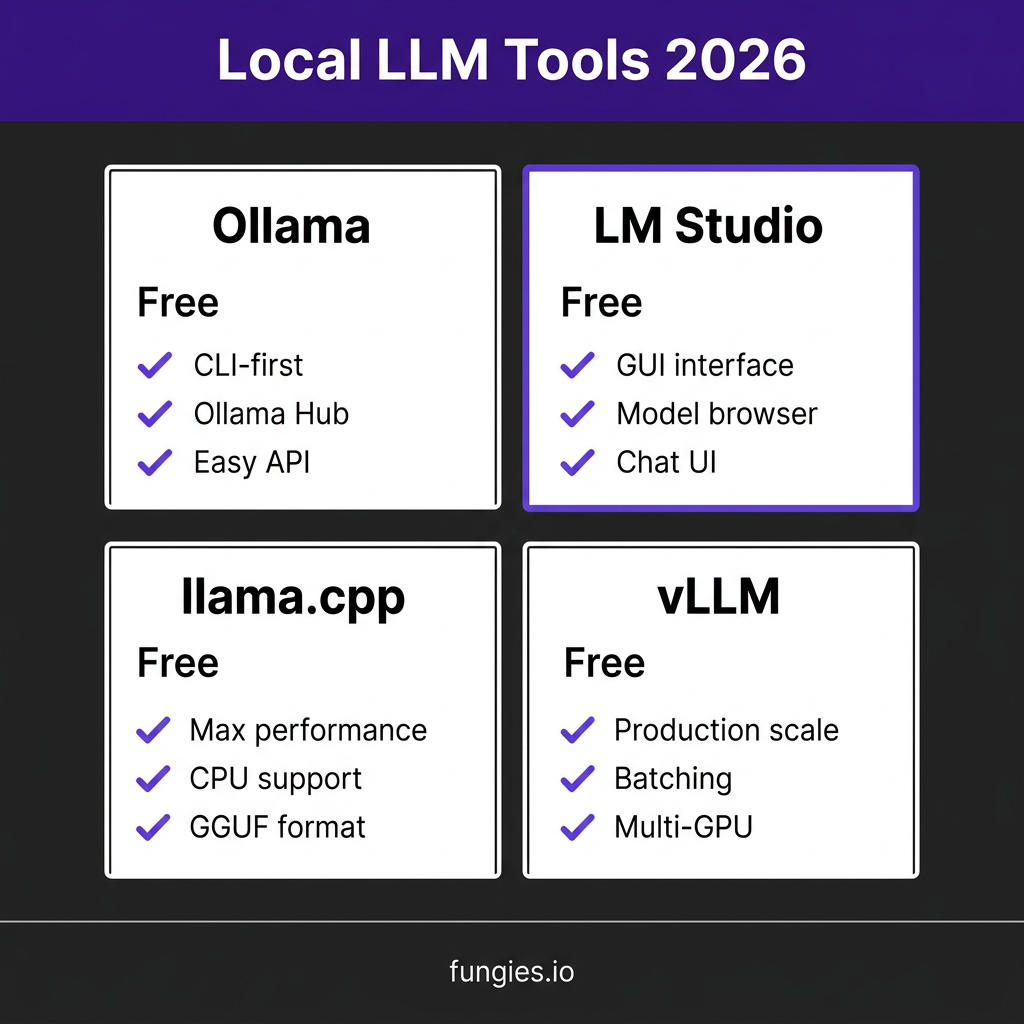
This guide compares the four dominant local LLM inference tools in 2026: Ollama, LM Studio, llama.cpp, and vLLM. I’ll cover installation, performance benchmarks, use cases, and the specific scenarios where each tool wins.
What Is Local LLM Inference?
Local LLM inference means running large language models entirely on your own hardware — laptop, desktop, or server — without sending data to cloud APIs like OpenAI or Anthropic. The model weights live on your machine. Your prompts never leave your network. You pay nothing per token.
Why developers choose local inference in 2026:
| Reason | Details |
|---|---|
| Privacy | Sensitive data (contracts, source code, medical records) never leaves your machine |
| Cost control | One-time hardware cost vs. unpredictable API bills |
| Latency | No network round-trip; sub-100ms response times possible |
| Offline operation | Works without internet — critical for air-gapped environments |
| Customization | Fine-tune, quantize, and modify models without vendor restrictions |
The trade-off? You’re responsible for hardware, model selection, and optimization. That’s where inference tools come in.
The Four Dominant Tools in 2026
1. Ollama — The Developer Favorite
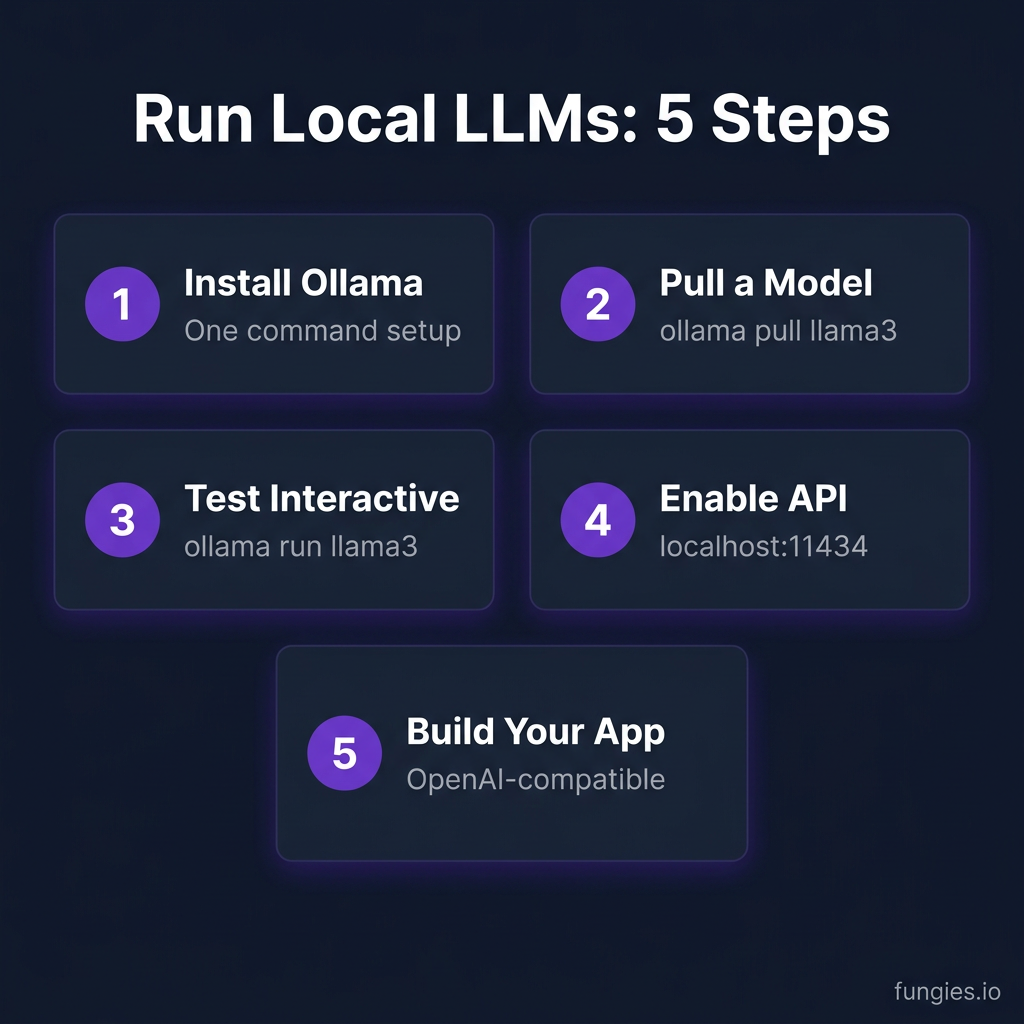
Ollama is a command-line tool and runtime that makes running local LLMs as simple as Docker containers. One command to install. One command to pull and run a model.
Key Features:
- CLI-first design with simple commands:
ollama run llama3 - Built-in model registry (Ollama Hub) with 100+ pre-configured models
- OpenAI-compatible REST API at
localhost:11434 - Modelfile system for customizing prompts, parameters, and system messages
- Cross-platform: macOS, Linux, Windows
Installation:
# macOS/Linux
curl -fsSL https://ollama.com/install.sh | sh

# Windows: Download from ollama.com/download
Performance (RTX 4090, Llama 3.1 8B Q4_K_M):
- Single-user throughput: ~62 tokens/second
- Memory usage: ~6GB VRAM
- Time to first token: ~50ms
2. LM Studio — The GUI Powerhouse
LM Studio is a desktop application that abstracts away the complexity of local LLMs. Built-in model browser, chat interface, and local API server. Best for researchers, writers, and developers who prefer GUIs over terminals.
Key Features:
- Visual model browser with HuggingFace integration
- Built-in chat interface with conversation history
- Local API server (OpenAI-compatible) — toggle on/off
- Hardware detection and automatic optimization
- One-click model downloads from HuggingFace
Installation: Download from lmstudio.ai — available for macOS, Windows, Linux.
Performance (RTX 4090, Llama 3.1 8B Q4_K_M):
- Single-user throughput: ~58 tokens/second
- Memory usage: ~6GB VRAM
- Time to first token: ~60ms
3. llama.cpp — The Performance Engine
llama.cpp is the low-level C/C++ inference engine that powers many higher-level tools (including LM Studio). It focuses on maximum performance, portability, and quantization support. If you need to run models on CPU, edge devices, or extract every ounce of GPU performance, this is your tool.
Key Features:
- Supports virtually every quantization format: GGUF, Q4_K_M, Q5_K_M, Q8_0, FP16
- CPU inference with AVX/AVX2/NEON optimizations
- Metal support for Apple Silicon
- CUDA and ROCm support for NVIDIA/AMD GPUs
- Smallest memory footprint of any major engine
Installation (from source):
git clone https://github.com/ggerganov/llama.cpp.git
cd llama.cpp
make -j
Performance (RTX 4090, Llama 3.1 8B Q4_K_M):
- Single-user throughput: ~71 tokens/second
- Memory usage: ~5.5GB VRAM
- Time to first token: ~45ms
4. vLLM — The Production Workhorse
vLLM is designed for high-throughput, low-latency serving. Originally built for cloud deployments, it’s increasingly used by developers running local servers for team access or AI agent pipelines. Its killer feature is PagedAttention — a memory management system that enables continuous batching.
Key Features:
- PagedAttention for efficient memory usage and continuous batching
- OpenAI-compatible API server
- Tensor parallelism for multi-GPU setups
- Automatic quantization (AWQ, GPTQ, SqueezeLLM)
- Best-in-class concurrent request handling
Installation:
pip install vllm
Running the server:
vllm serve meta-llama/Llama-3.1-8B-Instruct --quantization awq
Performance (RTX 4090, Llama 3.1 8B):
- Single-user throughput: ~71 tokens/second (FP16)
- 50-user aggregate throughput: ~920 tokens/second
- p99 latency at 50 users: ~2.8 seconds
Head-to-Head Performance Comparison
| Metric | Ollama | LM Studio | llama.cpp | vLLM |
|---|---|---|---|---|
| Single-user tok/s (8B Q4) | ~62 | ~58 | ~71 | ~71 |
| Multi-user throughput | ~155 tok/s | ~140 tok/s | ~180 tok/s | ~920 tok/s |
| Memory efficiency | Good | Good | Excellent | Excellent |
| Setup complexity | Very Low | Low | Medium | Medium |
| Best for | Development | Exploration | Edge/CPU | Production |
Benchmarks: RTX 4090, Llama 3.1 8B, Q4_K_M quantization (where applicable)
Choosing the Right Tool: Decision Framework
Use Ollama if:
- You want the fastest path to running local LLMs
- You need a scriptable, API-first workflow
- You’re building AI agents or coding assistants
- You prefer command-line tools
Use LM Studio if:
- You want a polished GUI experience
- You’re testing multiple models interactively
- You’re sharing the setup with non-technical team members
- You need visual conversation management
Use llama.cpp if:
- You need maximum performance on limited hardware
- You’re running on CPU or edge devices
- You want the smallest memory footprint
- You’re building custom integrations
Use vLLM if:
- You’re serving multiple users concurrently
- You need production-grade throughput
- You’re building AI agent pipelines with high request volumes
- You have multi-GPU setups to utilize
Hardware Requirements by Tool
| Tool | Minimum RAM | Recommended GPU | Notes |
|---|---|---|---|
| Ollama | 8GB | 8GB+ VRAM | Runs on CPU with slower performance |
| LM Studio | 8GB | 8GB+ VRAM | GUI requires more system resources |
| llama.cpp | 4GB | Optional | Best CPU performance of any tool |
| vLLM | 16GB | 12GB+ VRAM | Optimized for GPU; CPU mode limited |
Quantization: The Key to Local Performance
All four tools support GGUF quantization — the standard for running compressed models locally. Here’s what the quantization levels mean:
| Format | Bits/Weight | Quality | 8B Model Size | Use Case |
|---|---|---|---|---|
| Q2_K | 2.5 | Fair | ~3.2GB | Extreme memory constraints |
| Q3_K_M | 3.5 | Good | ~4.0GB | Budget GPUs (<8GB) |
| Q4_K_M | 4.5 | Very Good | ~4.7GB | Sweet spot for most users |
| Q5_K_M | 5.5 | Excellent | ~5.6GB | Quality-critical applications |
| Q8_0 | 8.0 | Near-lossless | ~8.0GB | Maximum quality locally |
Recommendation: Start with Q4_K_M. It delivers 90%+ of full-precision quality at 60% of the memory cost.
Real-World Setup: Complete Ollama Workflow
Here’s a complete setup for running Llama 3.1 8B with Ollama:
# 1. Install Ollama
curl -fsSL https://ollama.com/install.sh | sh

# 2. Pull the model
ollama pull llama3.1:8b

# 3. Create a custom Modelfile
cat > Modelfile << 'EOF'
FROM llama3.1:8b
PARAMETER temperature 0.7
PARAMETER top_p 0.9
SYSTEM You are a helpful coding assistant. Be concise.
EOF

# 4. Create custom model
ollama create my-coder -f Modelfile

# 5. Run interactively
ollama run my-coder

# 6. Or use the API
curl http://localhost:11434/api/generate -d '{"model": "my-coder", "prompt": "Explain Python decorators:"}'
Key Takeaways
- Ollama is the best starting point for most developers — simple, fast, and scriptable
- vLLM wins for multi-user scenarios with 6x better concurrent throughput than alternatives
- llama.cpp delivers maximum single-user performance and runs on anything, including CPUs
- LM Studio is the friendliest for exploration and non-technical users
- Q4_K_M quantization is the sweet spot — start there and adjust based on your quality needs
FAQ
Q: Can I run these tools on a Mac?
Yes. All four support Apple Silicon with Metal acceleration. M-series chips with unified memory excel at local LLMs — a Mac Studio with 64GB RAM can run 70B parameter models.
Q: Which tool has the best API compatibility with OpenAI?
All four offer OpenAI-compatible endpoints, but Ollama and vLLM have the most complete implementations. You can often swap api.openai.com for localhost:11434 with minimal code changes.
Q: How much VRAM do I need for a 70B model?
At Q4_K_M quantization: ~40GB VRAM. This requires an RTX 4090 (24GB) with partial CPU offloading, multiple GPUs, or an Apple Silicon Mac with 48GB+ unified memory.
Q: Can I switch between tools with the same models?
Yes, if using GGUF format. Models downloaded via Ollama are in GGUF format and can be used with llama.cpp or LM Studio by locating the file in ~/.ollama/models.
Q: Which is fastest for coding assistants?
For single-user coding: llama.cpp or vLLM (~70 tok/s). For team setups: vLLM’s batching handles concurrent requests far better than alternatives.
Conclusion
The local LLM landscape in 2026 is mature enough that your choice of inference tool matters more than your choice of model. Ollama gets you started in minutes. vLLM scales to production workloads. llama.cpp extracts maximum performance from any hardware. LM Studio makes exploration effortless.
Start with Ollama. Graduate to vLLM when you need to serve a team. Keep llama.cpp in your toolkit for edge cases and maximum optimization.
Ready to build with AI? Get started with Fungies.io — the merchant of record platform that handles payments, tax compliance, and checkout for AI-powered SaaS products.
References
- Ollama GitHub Repository: https://github.com/ollama/ollama
- LM Studio: https://lmstudio.ai
- llama.cpp: https://github.com/ggerganov/llama.cpp
- vLLM Documentation: https://docs.vllm.ai
- SitePoint — Ollama vs vLLM Benchmark 2026: https://www.sitepoint.com/ollama-vs-vllm-performance-benchmark-2026
- Kunal Ganglani — Ollama vs LM Studio: https://www.kunalganglani.com/blog/ollama-vs-lm-studio
- DeployBase — Best LLM Inference Engines 2026: https://deploybase.ai/articles/best-llm-inference-engine
- HuggingFace GGUF Documentation: https://huggingface.co/docs/hub/en/gguf
- Red Hat — llama.cpp vs vLLM: https://developers.redhat.com/articles/2026/06/15/llamacpp-vs-vllm-choosing-right-local-llm-inference-engine
- SitePoint — Local LLMs vs Cloud APIs Cost Analysis: https://www.sitepoint.com/local-llms-vs-cloud-api-cost-analysis-2026