Here is a statistic that should stop you in your tracks: 73% of developers who use AI coding assistants say they cannot do anything beyond writing code without MCP servers. That is not a typo. Three out of four developers have hit the wall of what AI can do on its own.
The solution? Model Context Protocol (MCP) — an open standard that is quietly becoming the glue connecting AI agents to the tools you use every day. By mid-2026, every major platform from Red Hat to Cloudflare to Slack has added MCP support. If you are not using MCP servers yet, you are working harder than you need to.
What Is MCP (Model Context Protocol)?
MCP stands for Model Context Protocol. It is an open, JSON-RPC-based standard created by Anthropic that lets any AI application discover tools, reusable prompts, resources, and context from remote MCP servers. Instead of ad-hoc API calls, MCP creates a stateful session between your AI assistant and external tools.
Think of it this way: without MCP, your AI coding assistant is a brilliant developer who cannot access GitHub, cannot query your database, cannot check Slack, and cannot deploy to AWS. With MCP, that same assistant becomes a full-stack engineer who can interact with your entire toolchain using natural language.
The Three Components of MCP
- MCP Hosts: AI assistants like Claude Code, Cursor, or VS Code Copilot that need external capabilities
- MCP Clients: Embedded clients within hosts that connect to servers and invoke tools
- MCP Servers: Applications that expose tools, prompts, and resources that clients can use
Why MCP Servers Matter for Developers in 2026
The AI coding assistant market hit $12.8 billion in 2026, with 85% of developers now using AI tools regularly. But here is the catch: AI assistants without MCP are like race cars without fuel. They look impressive, but they cannot go anywhere meaningful.
Platform engineering teams report saving 3-5 hours per week after implementing MCP servers for their workflows. Instead of opening multiple browser tabs and running terminal commands across different tools, engineers can ask their AI assistant to “show me failing pods and their recent logs” or “deploy this infrastructure blueprint to staging” — all without leaving their IDE.
The 10 Best MCP Servers for Developers in 2026
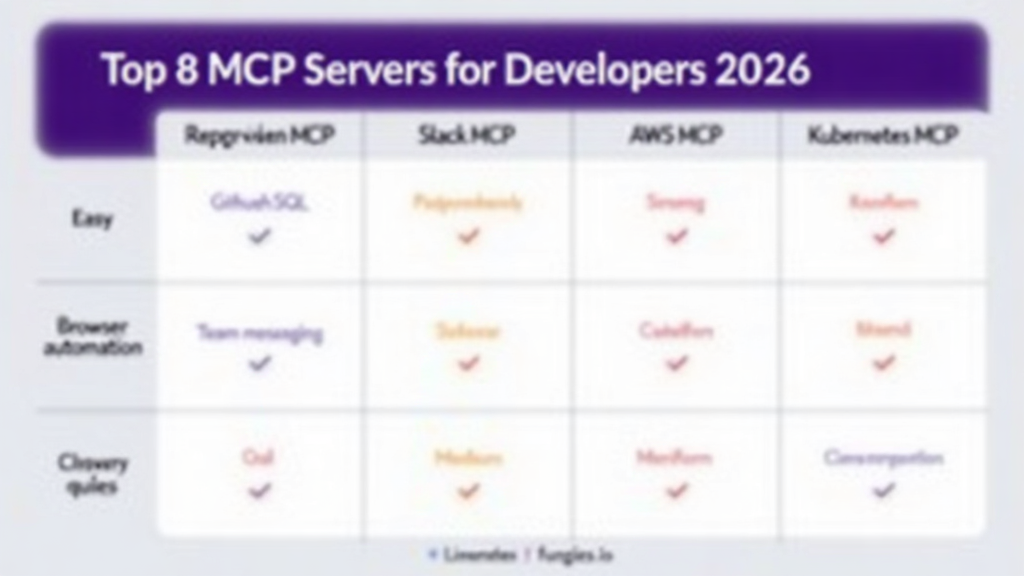
Not all MCP servers are created equal. Here are the ten most useful MCP servers for developers, ranked by utility and ease of setup:
1. GitHub MCP Server
The GitHub MCP server is the starting point for most developers. It enables advanced automation and interaction with GitHub APIs directly from your AI assistant. You can create issues, review pull requests, search repositories, and manage releases without touching a browser.
- Best for: Repository management, PR reviews, issue tracking
- Difficulty: Easy
- Setup time: 5 minutes
2. PostgreSQL MCP Server
Query your databases using natural language. The PostgreSQL MCP server lets you run SQL queries, inspect schema, and analyze data without writing SQL by hand. Perfect for quick data exploration and debugging.
- Best for: Database queries, schema inspection, data analysis
- Difficulty: Medium
- Setup time: 10 minutes
3. Slack MCP Server
Slack’s official MCP server maps the Slack Web API into tools like send_message, list_channels, add_reaction, search_messages, and upload_file. Coordinate with your team, check notifications, and search conversations without context switching.
- Best for: Team messaging, notifications, channel management
- Difficulty: Easy
- Setup time: 5 minutes
4. Playwright MCP Server
Automate browser interactions for testing and scraping. The Playwright MCP server provides programmatic access to Chrome DevTools for comprehensive browser control, inspection, and debugging. Ideal for end-to-end testing workflows.
- Best for: Browser automation, E2E testing, web scraping
- Difficulty: Medium
- Setup time: 15 minutes
5. AWS MCP Server
Manage AWS infrastructure through natural language commands. Check EC2 instances, review CloudWatch logs, manage S3 buckets, and deploy CloudFormation stacks. Enterprise teams use this for cost optimization and infrastructure audits.
- Best for: Cloud infrastructure, cost monitoring, deployment
- Difficulty: Hard
- Setup time: 20 minutes
6. Terraform MCP Server
Infrastructure as Code meets AI. The Terraform MCP server lets you plan, apply, and destroy infrastructure through conversational commands. Review execution plans and manage state files without memorizing CLI flags.
- Best for: IaC deployment, infrastructure lifecycle management
- Difficulty: Medium
- Setup time: 15 minutes
7. Kubernetes MCP Server
Manage container orchestration without kubectl memorization. Check pod status, view logs, scale deployments, and debug services using plain English. Platform engineers report this saves 30-60 minutes per incident.
- Best for: Container orchestration, debugging, scaling
- Difficulty: Hard
- Setup time: 20 minutes
8. Linear MCP Server
For teams using Linear for project management, this MCP server enables issue creation, status updates, and sprint planning through your AI assistant. Connect your development workflow to your project management seamlessly.
- Best for: Issue tracking, sprint planning, project management
- Difficulty: Easy
- Setup time: 5 minutes
9. Prometheus MCP Server
Query metrics and set up alerts without writing PromQL. The Prometheus MCP server translates natural language into metric queries, making observability accessible to developers who are not monitoring experts.
- Best for: Metrics querying, observability, alerting
- Difficulty: Medium
- Setup time: 15 minutes
10. PagerDuty MCP Server
Incident management through AI. Check who is on-call, acknowledge alerts, and trigger escalations without leaving your development environment. Critical for on-call engineers who need to move fast during incidents.
- Best for: Incident management, on-call coordination
- Difficulty: Medium
- Setup time: 10 minutes
Step-by-Step MCP Server Setup Guide
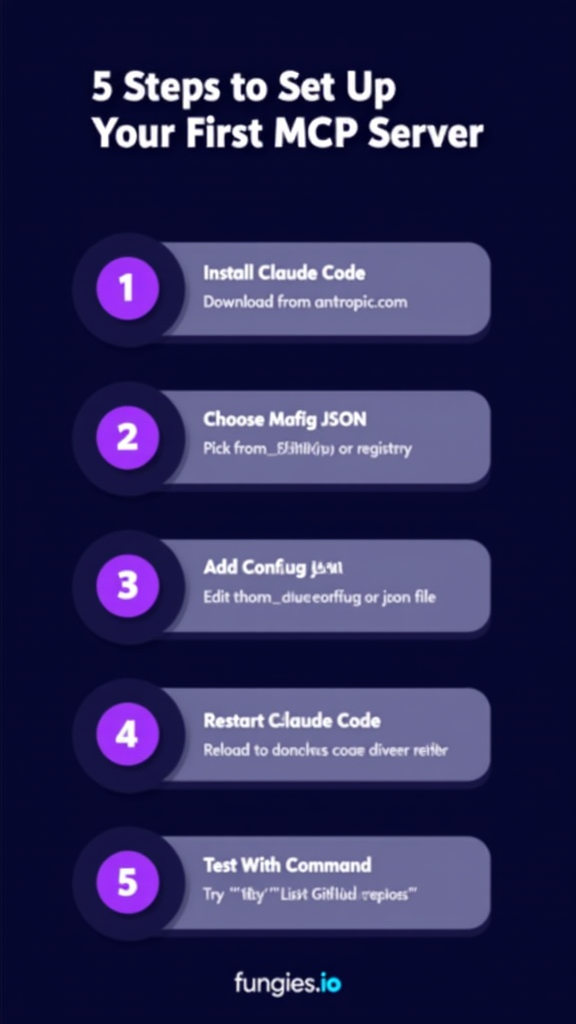
Setting up your first MCP server takes about 10 minutes. Here is the exact process:
Step 1: Install Claude Code
If you have not already, install Claude Code from Anthropic. It is the most mature MCP host available in 2026. Download it from anthropic.com and complete the initial setup.
Step 2: Choose Your MCP Server
Pick a server from the list above. For beginners, start with GitHub MCP or Slack MCP — they are the easiest to configure. You can find official servers on GitHub or browse the MCP Market registry.
Step 3: Add Configuration JSON
Edit your Claude Code configuration file. On macOS/Linux, this is typically at ~/.config/claude/config.json. Add your MCP server configuration:
{
  "mcpServers": {
    "github": {
      "command": "npx",
      "args": ["-y", "@modelcontextprotocol/server-github"],
      "env": {
        "GITHUB_PERSONAL_ACCESS_TOKEN": "your_token_here"
      }
    }
  }
}
Step 4: Restart Claude Code
Close and reopen Claude Code to load the new configuration. The MCP server will initialize automatically on startup.
Step 5: Test Your Setup
Try a natural language command to verify everything works. For GitHub MCP, try: “List my recent repositories” or “Show me open pull requests in the fungies.io repo.” If you get results, your MCP server is working.
MCP Server Comparison Table
| MCP Server | Use Case | Difficulty | Setup Time |
|---|---|---|---|
| GitHub | Repo management | Easy | 5 min |
| PostgreSQL | Database queries | Medium | 10 min |
| Slack | Team messaging | Easy | 5 min |
| Playwright | Browser automation | Medium | 15 min |
| AWS | Cloud infrastructure | Hard | 20 min |
| Terraform | IaC deployment | Medium | 15 min |
| Kubernetes | Container orchestration | Hard | 20 min |
| Linear | Issue tracking | Easy | 5 min |
Real-World MCP Use Cases
Here is what MCP-enabled workflows actually look like in practice:
Incident Response
“Show me failing pods in the production namespace and their recent logs. Who is on-call for database issues tonight?”
Without MCP: Open Kubernetes dashboard, find namespace, filter pods, copy pod names, run kubectl logs, open PagerDuty, check on-call schedule. Time: 10-15 minutes.
With MCP: One natural language query. Time: 30 seconds.
Code Review Workflow
“List open pull requests in the payment-service repo. Show me the diff for PR #247 and check if all tests passed.”
Without MCP: Switch to browser, navigate to GitHub, find repo, click Pull Requests, open PR, view Files Changed tab, scroll to checks section. Time: 3-5 minutes.
With MCP: One command from your IDE. Time: 10 seconds.
Infrastructure Deployment
“Deploy the staging environment terraform plan and show me what resources will change.”
Without MCP: Open terminal, navigate to terraform directory, run terraform plan, review output, run terraform apply, confirm. Time: 5-10 minutes.
With MCP: Natural language command with built-in confirmation. Time: 1 minute.
Pricing: What MCP Servers Actually Cost
Here is the good news: most MCP servers are free and open source. The costs come from the underlying AI tools you use to interact with them.
| AI Tool | Monthly Cost | MCP Support |
|---|---|---|
| Claude Code Pro | $20 | Native |
| Cursor Pro | $20 | Native |
| GitHub Copilot Pro | $10 | Via VS Code Agent |
| VS Code + Copilot | $10 | Native Agent Mode |
| JetBrains AI | $10-20 | Built-in MCP client |
Enterprise teams can expect additional costs for managed MCP servers or custom integrations, but the base protocol is free to use.
Key Takeaways
- MCP (Model Context Protocol) is the open standard connecting AI assistants to external tools
- 73% of developers say AI assistants cannot perform complex tasks without MCP servers
- Top MCP servers include GitHub, PostgreSQL, Slack, AWS, Kubernetes, and Terraform
- Setup takes 5-20 minutes depending on server complexity
- Platform engineers save 3-5 hours per week using MCP-enabled workflows
- Most MCP servers are free; costs come from AI tool subscriptions ($10-20/month)
- Red Hat, Cloudflare, Microsoft, and AWS all support MCP in 2026
Frequently Asked Questions
What is the difference between MCP and a regular API integration?
MCP provides a standardized, stateful session between AI assistants and tools. Unlike one-off API calls, MCP servers expose tools, prompts, and resources that AI can discover and use dynamically. It eliminates the need for custom integration code for every tool.
Do I need to be a Claude user to use MCP servers?
No. While Anthropic created MCP, the standard is open and supported by multiple hosts including Cursor, VS Code (via Agent Mode), JetBrains IDEs, and OpenClaw. Any AI assistant that implements the MCP client protocol can use MCP servers.
Are MCP servers secure?
MCP servers run locally or in your infrastructure. They use your API keys and credentials, which are stored in your local configuration. The protocol itself does not send your code or data to third parties — everything stays between your AI assistant and the tools you connect.
Can I build my own MCP server?
Yes. MCP is an open protocol with SDKs available for Python, TypeScript, and other languages. If you have internal tools or proprietary systems, you can build custom MCP servers to connect them to your AI assistants.
Which MCP server should I start with?
For beginners, start with the GitHub MCP server. It is the easiest to configure, has excellent documentation, and provides immediate value for daily development workflows. Once comfortable, add PostgreSQL or Slack depending on your needs.
Conclusion
MCP servers are not a nice-to-have in 2026 — they are essential infrastructure for developers who want to get the most out of AI coding assistants. The ability to interact with GitHub, databases, cloud infrastructure, and team communication tools through natural language is a force multiplier for productivity.
The setup is straightforward, the servers are free, and the time savings are real. Platform engineering teams report 3-5 hours saved per week. Individual developers cut context-switching time by 70% or more.
If you have not set up your first MCP server yet, start today. Install Claude Code, add the GitHub MCP server, and experience what AI-assisted development actually feels like when your assistant can interact with your entire toolchain.
And if you are building a SaaS product that developers use, consider this: your customers are already using MCP servers. Make sure your platform integrates seamlessly with the tools they rely on. Get started with Fungies.io to handle payments, taxes, and compliance for your developer-focused SaaS — so you can focus on building features that matter.
References
- Model Context Protocol Official Documentation
- Red Hat: Building Effective AI Agents with MCP
- Cloudflare: Model Context Protocol
- CodiLime: Model Context Protocol Explained
- StackGen: 10 Best MCP Servers for Platform Engineers
- Nimbalyst: Best Claude Code MCP Servers
- MCP Market Leaderboard
- IdeaPlan: AI Coding Tools 2026 Market Data
- UVik: AI Coding Assistant Statistics 2026