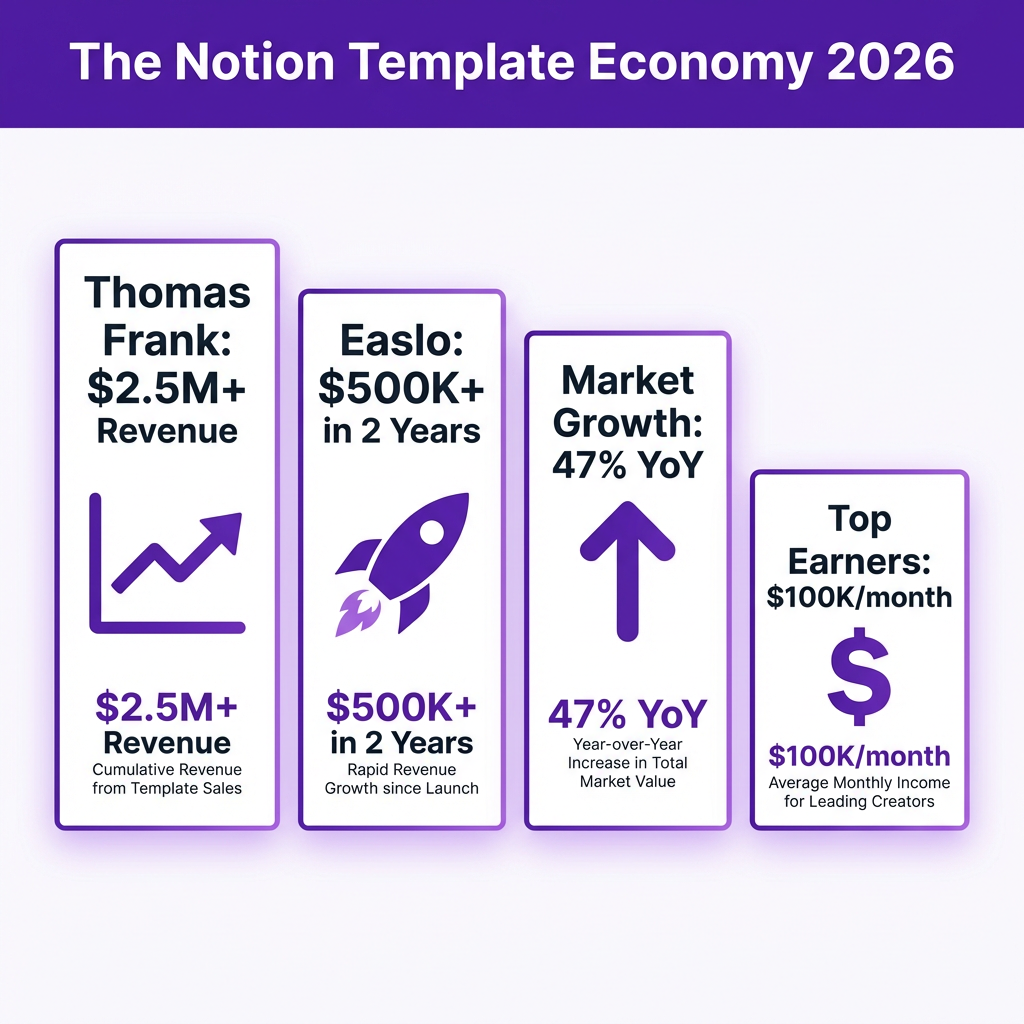
Thomas Frank made over $2.5 million selling Notion templates. Easlo, a 21-year-old from Singapore, crossed $500,000 in two years. And they’re not outliers — the Notion template market is exploding, with top creators pulling in $50,000 to $100,000 monthly from digital products that cost almost nothing to produce.
Here’s the thing: you don’t need to be a design genius or have a massive audience to start. What you need is a systematic approach to building, pricing, and selling templates that solve real problems. This guide breaks down exactly how to sell Notion templates in 2026, based on what’s actually working for successful creators right now.
What Are Notion Templates (And Why They’re Profitable)
Notion templates are pre-built workspaces, databases, and systems that users can duplicate into their own Notion accounts with a single click. Think of them as productivity shortcuts — instead of spending hours building a project management system from scratch, customers get a professionally designed solution instantly.
The economics are compelling. You build a template once, and you can sell it thousands of times with zero marginal cost. No inventory. No shipping. No manufacturing. Just pure digital product economics at their finest.
According to data from Gumroad and Notion Marketplace, the average successful Notion template sells for between $19 and $79. At those price points, you only need to sell 100-200 copies monthly to hit a comfortable full-time income. Thomas Frank’s Ultimate Brain template sells for $79, and he’s sold tens of thousands of copies.
Step 1: Choose a Profitable Niche
Don’t make the mistake of building a generic “productivity template” and hoping it sells. The most successful Notion template creators focus on specific niches with clear use cases and motivated buyers.
Here are the highest-performing niches in 2026:
- Content Creation Systems: YouTube planners, podcast production workflows, social media content calendars. Thomas Frank’s Creator’s Companion dominates this space.
- Business Operations: CRM systems, project management dashboards, client onboarding workflows. These appeal to freelancers and small agencies.
- Personal Finance: Budget trackers, investment portfolios, net worth dashboards. Easlo built his early success here.
- Goal Setting & Productivity: Life OS systems, habit trackers, annual planning templates. High emotional value drives purchases.
- Student & Academic: Note-taking systems, study planners, thesis management. Lower price points but high volume.
- Freelance & Consulting: Proposal templates, project trackers, invoice systems. B2B buyers have higher budgets.
The key is finding the intersection of what you’re knowledgeable about and what people are actively searching for. Use tools like Google Trends, Twitter search, and Reddit communities (r/Notion, r/productivity) to validate demand before you build.
Step 2: Build a Template That Actually Solves Problems
Here’s a truth most beginners miss: your template isn’t competing against other Notion templates. It’s competing against the status quo — spreadsheets, scattered notes, forgotten to-do lists. Your job is to create something so obviously better that buying becomes a no-brainer.
Design Principles That Drive Sales
- Start with the outcome: Before touching Notion, write down exactly what transformation your template enables. “Go from scattered content ideas to a published YouTube video every week” is clearer than “content planner.”
- Keep it simple: Over-engineered templates with 47 databases and complex formulas confuse buyers. The best templates feel intuitive within 5 minutes of use.
- Make it beautiful: Aesthetics matter. Use consistent color schemes, clear typography, and generous whitespace. Canva and Notion’s built-in cover images help here.
- Include instructions: Every template should come with a “Start Here” page explaining how to use it. Video walkthroughs increase perceived value significantly.
Honestly, most template creators overbuild. Focus on solving one problem exceptionally well rather than trying to be an all-in-one solution. Thomas Frank’s templates work because they do specific things brilliantly — not because they do everything.
Step 3: Pick the Right Platform to Sell
Where you sell matters as much as what you sell. Each platform has different trade-offs around fees, audience reach, and control. Here’s the breakdown:
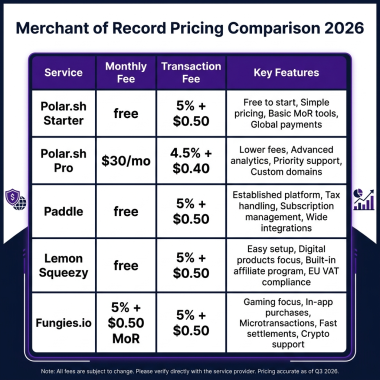
| Platform | Monthly Cost | Transaction Fee | Best For |
|---|---|---|---|
| Notion Marketplace | Free | 10% | Built-in Notion audience, easy discovery |
| Gumroad | Free | 10% + processing | Beginners, simple setup, existing creator audience |
| Stan Store | $29-$99 | 0% | Social media creators, link-in-bio sales |
| Payhip | Free | 5% | Low fees, EU VAT handling |
| Fungies.io | Free | 5% + $0.50 | Global tax compliance, instant delivery, no monthly fees |
| Shopify | $39+ | 2.9% + $0.30 | High volume, full store experience |
My recommendation? Start with Gumroad or Fungies.io if you’re just testing the waters — both have no monthly fees, so you only pay when you make sales. Gumroad is simpler but hits you with higher transaction fees at scale. Fungies includes global tax compliance (VAT, sales tax) which becomes crucial once you’re selling internationally.
Once you’re making consistent sales, consider Stan Store if you have a strong social media presence, or move to Shopify for maximum control and lower per-transaction costs at volume.
Step 4: Price for Profit (And Psychology)
Pricing Notion templates is part art, part science. Price too low and you signal low quality. Price too high without justification and you kill conversions. Here’s what actually works:
Tiered Pricing Strategy
- Free/$0-$9: Lead magnets, simple single-page templates. Use these to build an email list.
- $19-$39: Entry-level paid templates. Single-use systems like a habit tracker or budget spreadsheet.
- $49-$79: Premium templates. Comprehensive systems like a full Life OS or content creation suite.
- $99-$199: Bundles or templates with extensive video training and support.
Thomas Frank prices his templates at $79 because they’re comprehensive systems with extensive documentation and video tutorials. Easlo started at lower price points ($19-$29) and raised prices as he built reputation.
One pricing tactic that works exceptionally well: offer a “lite” version for free, then upsell the full version. This lets customers experience value before committing money, dramatically increasing conversion rates on the paid upgrade.
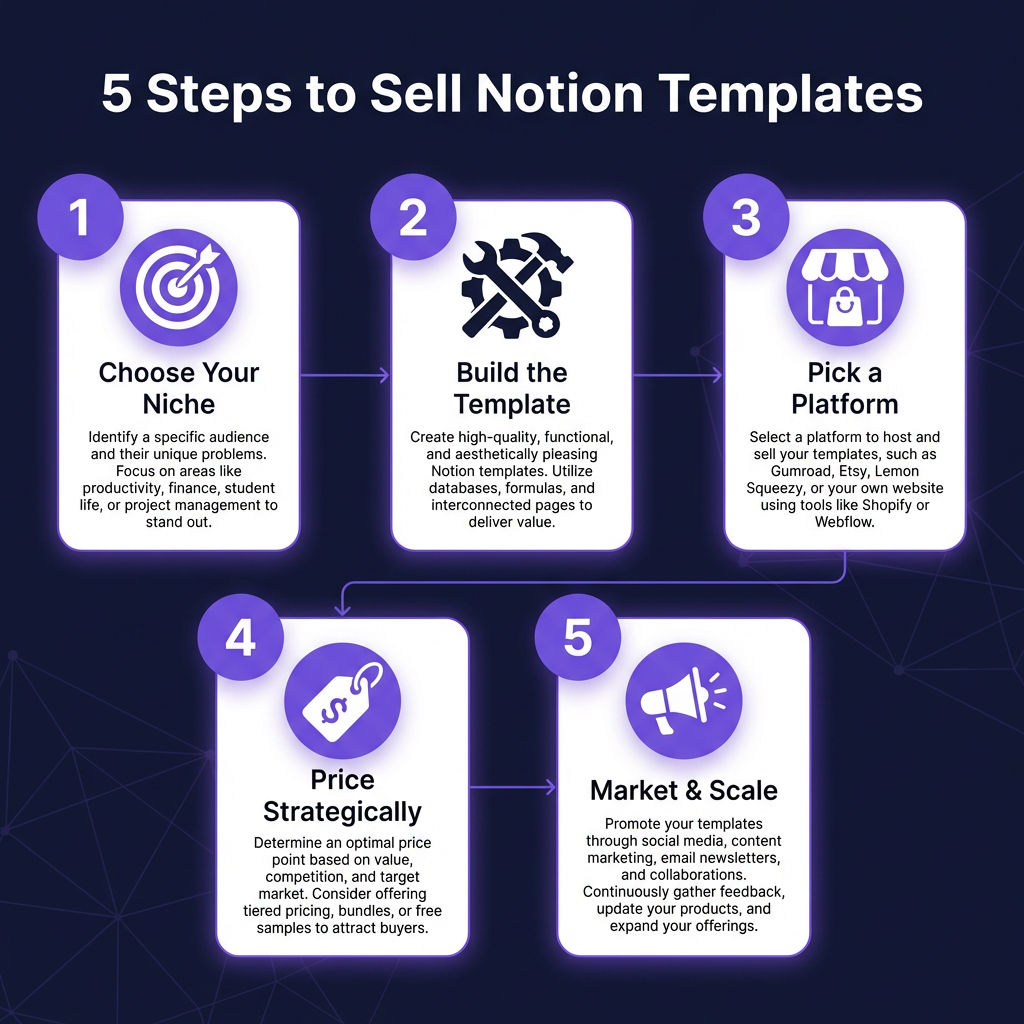
Step 5: Market Your Templates (Without Being Salesy)
Building a great template is only half the battle. The creators making serious money are equally skilled at marketing. Here’s how they do it:
Build in Public
Share your template-building process on Twitter/X, LinkedIn, and Reddit. Post screenshots of your workspace, explain your design decisions, and ask for feedback. This builds anticipation and establishes you as an expert before you even launch.
Create Valuable Content
Don’t just post “buy my template” endlessly. Share productivity tips, Notion tutorials, and behind-the-scenes looks at how you use your own systems. Thomas Frank’s YouTube channel drove massive template sales because he provided genuine value first.
Leverage Notion Communities
Reddit’s r/Notion (500K+ members), Facebook groups, and Discord communities are full of your target customers. Participate genuinely, help people solve problems, and occasionally mention your templates when relevant. Hard selling gets you banned; genuine help gets you customers.
Use Affiliate Marketing
Offer 30-50% commissions to influencers and content creators in your niche. One YouTube review from the right creator can drive thousands in sales. Gumroad and Fungies.io both have built-in affiliate systems.
Handling the Business Side
Once money starts flowing, you need to handle the unsexy but critical business aspects:
Tax Compliance
Selling digital products internationally means dealing with VAT (EU), sales tax (US), and GST (Australia/NZ). Each jurisdiction has different thresholds and requirements. You have three options:
- DIY with Stripe Tax: Stripe calculates taxes but you’re still responsible for registration and filing. Costs around 0.5% per transaction.
- Tax software (Avalara, TaxJar): Automated calculation and filing, but expensive for small sellers ($100+/month).
- Merchant of Record (Fungies, Paddle): The platform handles all tax compliance. You get paid net of fees and taxes. This is what I’d recommend for most creators starting out.
Customer Support
Template customers ask surprisingly few questions if your documentation is good. But expect some — usually about customization or technical issues. Set up a simple FAQ page and respond to emails within 24 hours. At scale, consider tools like Crisp or Intercom for live chat.
Scaling Beyond Templates
The smartest Notion template creators don’t stop at templates. They use templates as a gateway to higher-ticket offerings:
- Template customization services: $200-$500 for personalized setups
- Notion consulting: $100-$300/hour for business workflow optimization
- Online courses: Teach others to build and sell templates ($197-$997)
- Template memberships: $9-$29/month for ongoing template releases
- Done-for-you systems: $2,000-$10,000 for enterprise Notion builds
Thomas Frank’s template business led to a full productivity education empire including courses, coaching, and sponsorships. Easlo expanded into template bundles and affiliate partnerships. Your first $1,000 from templates is just the beginning.
FAQ: Selling Notion Templates
Do I need to be a Notion expert to sell templates?
No, but you need to solve a specific problem better than existing solutions. Domain expertise in your niche matters more than Notion mastery. A freelance writer who understands content workflows will build better templates than a Notion power user who doesn’t understand the use case.
How long does it take to make the first sale?
With active marketing, most creators see their first sale within 1-2 weeks. Without marketing, you might wait months. The difference is almost always whether you’re actively promoting or hoping for organic discovery.
Can I sell the same template on multiple platforms?
Yes, with one caveat: Notion Marketplace requires exclusivity for paid templates. If you list there, you can’t sell the same template elsewhere. Other platforms (Gumroad, Fungies, Stan Store) have no restrictions.
What’s the average conversion rate for template sales?
From landing page to purchase, expect 1-3% for cold traffic and 5-10% for warm traffic (email list, social followers). Free templates convert at 20-40% since there’s no monetary cost.
Do I need an LLC or business entity?
Not immediately. Most creators start as sole proprietors and formalize business structure once revenue justifies the cost and complexity. Consult a tax professional when you’re consistently making $2,000+ monthly.
Start Selling Notion Templates Today
The Notion template market isn’t oversaturated — it’s underexplored. While thousands of creators compete in generic productivity niches, there are hundreds of underserved micro-niches waiting for the right template. Wedding planners. Real estate agents. Podcast editors. Church administrators. Each has specific workflow needs that generic templates don’t address.
You don’t need to hit $100K monthly to build something meaningful. An extra $1,000-$3,000 monthly from templates can fund your main project, pay off debt, or simply provide creative freedom. And unlike client work, template income keeps coming even when you’re not actively working.
The creators winning in this space aren’t necessarily the most talented designers or the biggest influencers. They’re the ones who consistently ship, listen to customer feedback, and iterate. Thomas Frank didn’t start with a $2.5M template business. He started with one template, one customer, and one improvement at a time.
Ready to build your own digital product business? Create your free Fungies.io account and start selling Notion templates with built-in global tax compliance, instant delivery, and no monthly fees. Your first template could be live today.
Sources
- Thomas Frank Twitter/X thread on $2.5M template revenue: typefully.com
- Business Insider profile on Thomas Frank’s $1M year: businessinsider.com
- Easlo case study – $500K from Notion templates: cajobo.com
- Reddit r/Entrepreneur Easlo discussion: reddit.com
- Gumroad creator economy data 2025
\n