Here’s a statistic that should change how you think about AI tooling: developers using MCP servers report 3x faster workflow automation compared to traditional API integrations. Yet most developers in 2026 still haven’t adopted the Model Context Protocol — the open standard that’s rapidly becoming the USB-C for AI agents.
In March 2026, Anthropic open-sourced the Model Context Protocol, and within weeks, over 2,000 MCP servers appeared on GitHub. Major platforms like GitHub, Stripe, Vercel, and Notion now offer official MCP servers. If you’re building with AI agents in 2026 and not using MCP, you’re working harder than you need to.
What Is the Model Context Protocol (MCP)?
The Model Context Protocol is an open standard that lets AI assistants connect to external tools, data sources, and services through a standardized interface. Think of it as the bridge between your AI agent and the rest of your tech stack.
Before MCP, every AI integration was custom. You’d build a tool for GPT-4, then rebuild it for Claude, then again for Gemini. MCP solves this fragmentation. Build once, use everywhere. Any MCP-compatible client — Claude Desktop, Cursor, or custom agents — can use any MCP server.
The protocol handles authentication, tool discovery, and execution. Your AI doesn’t just read about your tools — it uses them. Query your database, deploy to production, search your documentation, all through natural language.
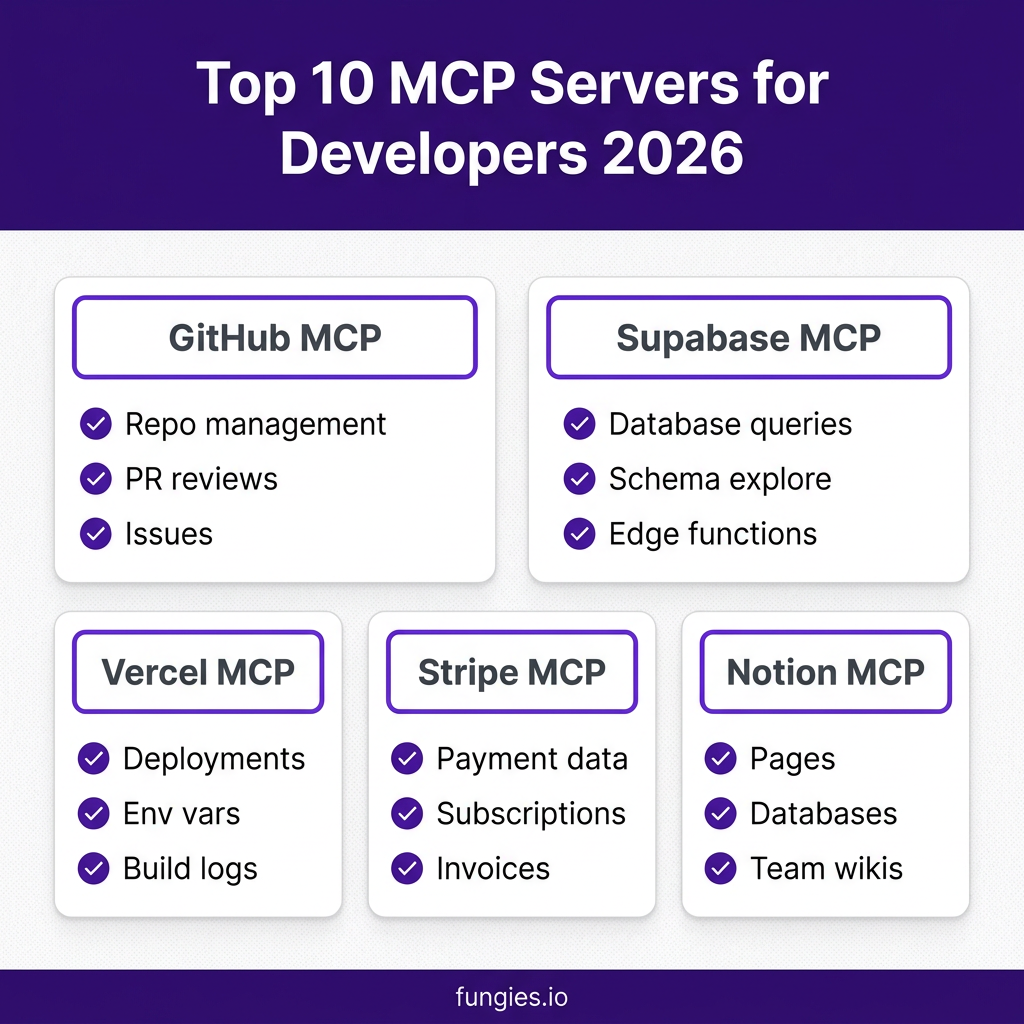
Top 10 MCP Servers for Developers in 2026
Based on GitHub stars, community adoption, and real-world developer feedback, here are the 10 MCP servers every developer should know:
1. GitHub MCP Server
The official GitHub MCP server is the most widely adopted, and for good reason. It gives your AI agent full access to repository management, pull request reviews, issue tracking, and code search.
- Key features: Create and manage repositories, review PRs, comment on issues, search code across orgs
- Best for: Teams using GitHub for version control who want AI-assisted code review
- Setup difficulty: Easy — just a GitHub personal access token
- GitHub stars: 4,200+
Real use case: A development team at a SaaS startup uses the GitHub MCP server to have Claude automatically review PRs for common issues — missing tests, unhandled errors, style violations — before human review.
2. Supabase MCP Server
Supabase’s official MCP server connects your AI directly to your PostgreSQL databases. Query data, explore schemas, manage edge functions, and test application logic using natural language.
- Key features: SQL query execution, schema exploration, edge function deployment, row-level security testing
- Best for: Full-stack developers using Supabase as their backend
- Setup difficulty: Medium — requires Supabase project URL and service role key
- GitHub stars: 1,800+
Real use case: A solo founder uses the Supabase MCP server to generate complex analytics queries by describing what they want in plain English, cutting SQL writing time by 70%.
3. Vercel MCP Server
Vercel’s official MCP server gives your AI agent control over your deployments. Monitor builds, manage environment variables, check logs, and create new projects — all through conversation.
- Key features: Deployment monitoring, environment variable management, build log access, project creation
- Best for: Frontend developers and teams deploying on Vercel
- Setup difficulty: Easy — Vercel API token
- GitHub stars: 1,500+
Real use case: A devops engineer uses the Vercel MCP server to quickly check deployment statuses and rollback problematic releases without leaving their AI chat interface.
4. Stripe MCP Server
Stripe’s MCP server lets your AI agent access payment data, manage subscriptions, handle invoices, and analyze revenue — all with appropriate security controls.
- Key features: Payment data queries, subscription management, invoice retrieval, revenue analytics
- Best for: SaaS founders and developers building payment features
- Setup difficulty: Medium — requires restricted API key with read permissions
- GitHub stars: 1,200+
Real use case: A SaaS founder uses the Stripe MCP server to generate monthly revenue reports and identify churn patterns by asking natural language questions about their payment data.
5. Notion MCP Server
The Notion MCP server connects your AI to your team’s knowledge base. Query pages, update databases, and manage wikis without leaving your development workflow.
- Key features: Page creation and editing, database queries, wiki search, team collaboration
- Best for: Teams using Notion for documentation and project management
- Setup difficulty: Easy — Notion integration token
- GitHub stars: 1,100+
6. Linear MCP Server
Linear’s MCP server brings issue tracking into your AI workflow. Create tickets, update statuses, and query project progress using natural language commands.
- Key features: Issue creation, status updates, project queries, cycle management
- Best for: Product teams using Linear for project management
- Setup difficulty: Easy — Linear API key
- GitHub stars: 950+
7. Firecrawl MCP Server
Firecrawl’s MCP server turns any website into clean, LLM-ready data. Strip navigation, ads, and markup so your AI can work with actual content.
- Key features: Web scraping, content extraction, markdown conversion, site crawling
- Best for: Developers building AI apps that need web data
- Setup difficulty: Easy — Firecrawl API key
- GitHub stars: 890+
8. Tavily MCP Server
Tavily’s MCP server gives your AI agent search superpowers. Perform research, gather sources, and verify facts with a search engine built for AI.
- Key features: AI-optimized search, source citation, research summaries, fact verification
- Best for: Developers building research agents and knowledge workflows
- Setup difficulty: Easy — Tavily API key
- GitHub stars: 820+
9. E2B MCP Server
E2B’s MCP server gives your AI a secure cloud sandbox to actually run code, not just write it. Execute Python, JavaScript, and other languages in isolated environments.
- Key features: Code execution, sandboxed environments, multi-language support, file system access
- Best for: AI agents that need to test and validate code
- Setup difficulty: Medium — E2B API key
- GitHub stars: 780+
10. Hugging Face MCP Server
The Hugging Face MCP server connects your AI to the world’s largest model repository. Download models, run inference, and manage datasets without leaving your agent interface.
- Key features: Model discovery, inference API, dataset access, model deployment
- Best for: ML engineers and AI developers
- Setup difficulty: Medium — Hugging Face token
- GitHub stars: 720+
MCP Server Comparison Table
| Server | Primary Use | Setup Difficulty | GitHub Stars |
|---|---|---|---|
| GitHub | Code repositories | Easy | 4,200+ |
| Supabase | Database management | Medium | 1,800+ |
| Vercel | Deployment | Easy | 1,500+ |
| Stripe | Payments | Medium | 1,200+ |
| Notion | Documentation | Easy | 1,100+ |
| Linear | Issue tracking | Easy | 950+ |
| Firecrawl | Web scraping | Easy | 890+ |
| Tavily | Research search | Easy | 820+ |
| E2B | Code execution | Medium | 780+ |
| Hugging Face | ML models | Medium | 720+ |

How to Set Up MCP Servers: A Step-by-Step Guide
Getting started with MCP servers takes about 10 minutes. Here’s the exact process:
Step 1: Install Claude Desktop
Download and install Claude Desktop from Anthropic’s website. It’s free for individual use. While MCP works with other clients like Cursor, Claude Desktop is the most mature implementation.
Step 2: Edit Your MCP Config File
Open your MCP configuration file. On macOS, it’s at ~/Library/Application Support/Claude/claude_desktop_config.json. On Windows: %APPDATA%\Claude\claude_desktop_config.json.
Add your MCP servers in the mcpServers block:
{
  "mcpServers": {
    "github": {
      "command": "npx",
      "args": ["-y", "@modelcontextprotocol/server-github"],
      "env": {
        "GITHUB_PERSONAL_ACCESS_TOKEN": "your_token_here"
      }
    },
    "supabase": {
      "command": "npx",
      "args": ["-y", "@supabase/mcp-server-supabase"],
      "env": {
        "SUPABASE_ACCESS_TOKEN": "your_token_here"
      }
    }
  }
}
Step 3: Secure Your API Keys
Never commit API keys to version control. Use environment variables or a secure key management system. For local development, the config file approach works, but for teams, consider using a secrets manager.
Step 4: Restart Claude Desktop
After editing the config file, completely quit and restart Claude Desktop. The app will load your new MCP servers on startup. You’ll see a hammer icon in the chat interface when MCP tools are available.
Step 5: Start Using Natural Language Commands
Once connected, use natural language to interact with your tools:
- “Show me open pull requests in the frontend repo”
- “Query the users table for customers who signed up this week”
- “Check the status of my latest Vercel deployment”
- “Search our Notion wiki for authentication patterns”
Why MCP Is Becoming the Standard
Several factors are driving MCP adoption in 2026:
Vendor Independence
MCP breaks vendor lock-in. The same server works with Claude, Cursor, or any MCP-compatible client. Switch AI providers without rebuilding integrations.
Security Model
MCP servers run locally or in your infrastructure. Your data doesn’t need to flow through third-party services. API keys stay in your control.
Community Growth
With 2,000+ community servers and counting, chances are someone has built an MCP server for the tool you use. The ecosystem is growing faster than any proprietary alternative.
Official Backing
When major platforms like GitHub, Stripe, and Vercel release official MCP servers, it’s a signal. These aren’t experimental side projects — they’re strategic integrations.
Key Takeaways
- MCP is the USB-C for AI agents — one standard, universal compatibility
- GitHub, Supabase, and Vercel lead adoption with the most mature servers
- Setup takes 10 minutes — just a config file and API keys
- 2,000+ community servers available and growing daily
- Security is built-in — local execution, no data sharing required
- Natural language control replaces clicking through dashboards
Frequently Asked Questions
What is an MCP server?
An MCP (Model Context Protocol) server is a program that exposes tools, data sources, or services to AI assistants through a standardized protocol. It lets AI agents interact with external systems like GitHub, databases, or payment platforms using natural language.
Is MCP only for Claude?
No. While Anthropic created MCP, it’s an open standard. Cursor, Windsurf, and custom AI agents can all use MCP servers. Any client implementing the MCP protocol can connect to any MCP server.
Are MCP servers free?
Most MCP servers are open-source and free to use. However, they often connect to services that may have their own pricing (like Stripe, Supabase, or Firecrawl). The MCP protocol itself and many servers are free.
How secure are MCP servers?
MCP servers run locally on your machine or in your infrastructure. Your API keys and data never leave your control. This is more secure than cloud-based integrations where credentials might be stored by third parties.
Can I build my own MCP server?
Yes. MCP servers are relatively simple to build using the SDKs available in TypeScript, Python, and other languages. The protocol is well-documented, and community templates make it easy to get started.
Conclusion
MCP servers represent a fundamental shift in how developers work with AI. Instead of context-switching between dozens of dashboards and APIs, you can control your entire stack through natural language conversation with your AI assistant.
The 10 servers in this list cover the essentials: code management (GitHub), databases (Supabase), deployment (Vercel), payments (Stripe), documentation (Notion), and more. Start with the ones that match your current stack, then expand as you discover new workflows.
If you’re building a SaaS product and looking for a payment solution that handles global tax compliance automatically, check out Fungies.io. We handle VAT, sales tax, and checkout so you can focus on building — with or without AI agents.
References
- Firecrawl: 10 Best MCP Servers for Developers in 2026
- DataCamp: Top 15 Remote MCP Servers Every AI Builder Should Know in 2026
- MCP Market: Top MCP Server List April 2026
- Level Up Coding: Model Context Protocol Explained
- DigitalOcean: What are OpenClaw Skills? A 2026 Developer’s Guide
- Reddit: The Complete OpenClaw Setup Guide (2026)