The digital art market is exploding. In 2026, independent artists are earning six figures selling everything from Procreate brushes to 3D assets, NFT collections to printable wall art. But here’s what most guides won’t tell you: where you sell matters just as much as what you create.
I’ve spent years analyzing creator platforms, and the difference between a struggling artist and a thriving one often comes down to three things: reach, fees, and tax compliance. Get these wrong, and you’re leaving money on the table—or worse, facing unexpected tax bills.
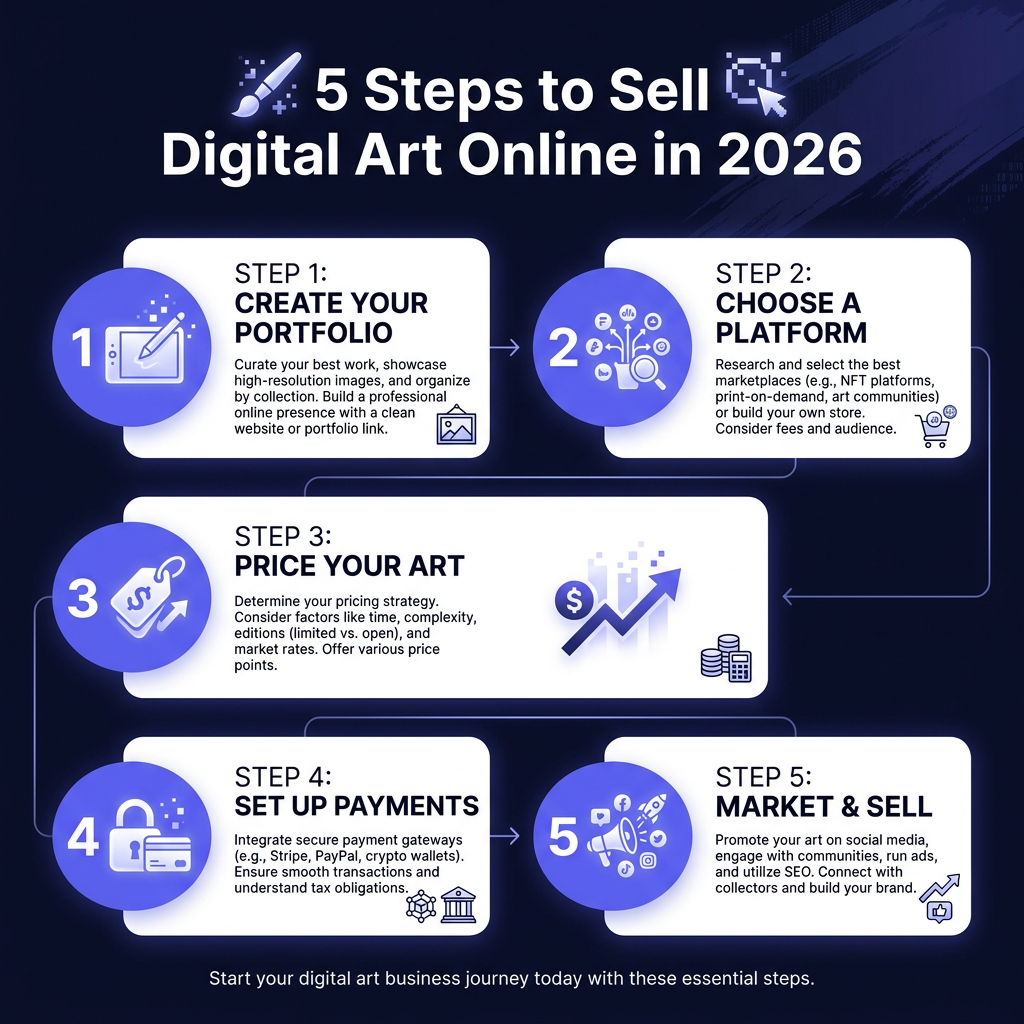
In this guide, I’ll show you exactly how to sell digital art online in 2026, from choosing the right platform to pricing your work and handling the boring (but crucial) business stuff.
Why Digital Art Is the Perfect Creator Business
Before we dive into platforms and strategies, let’s talk about why digital art is such an incredible opportunity right now:
- Infinite scalability: Create once, sell forever. Unlike physical art, there’s no inventory, no shipping, no reproduction costs.
- Global market: Your customers can be anywhere. A designer in Tokyo can buy your texture pack at 3 AM while you sleep.
- High margins: Digital products typically have 90%+ profit margins after platform fees.
- Recurring revenue potential: Subscription models for brushes, templates, or exclusive content can create predictable monthly income.
The global digital art market hit $13.8 billion in 2025 and is projected to reach $19.2 billion by 2027. That’s not just NFT hype—that’s real demand for brushes, textures, 3D models, UI kits, and educational content from working artists.
The 5 Best Platforms to Sell Digital Art Online
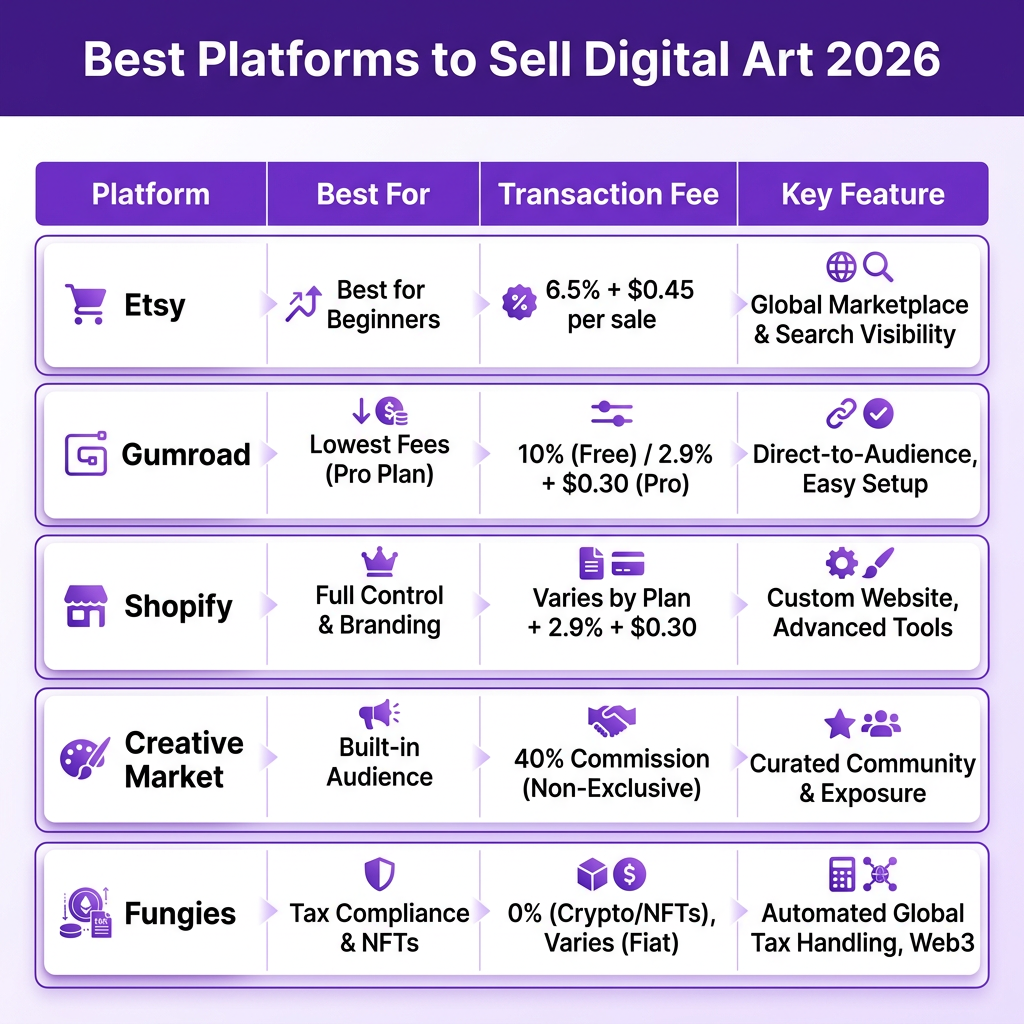
Not all platforms are created equal. Here’s my honest breakdown of where to sell your digital art based on your goals:
1. Etsy — Best for Beginners
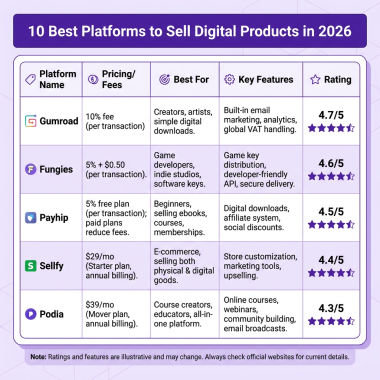
Etsy is the gateway drug for digital artists. With 96 million active buyers, you get instant access to a massive audience actively searching for digital downloads.
Pros: Built-in traffic, easy setup, trusted brand, great for printable art and simple downloads.
Cons: $0.20 listing fee per item, 6.5% transaction fee, 3% + $0.25 payment processing, limited file size (20MB), no automatic tax compliance for international sales.
Best for: Printable wall art, planners, simple templates, and artists just starting out.
2. Gumroad — The Creator Favorite
Gumroad built its reputation on being creator-friendly, and it shows. The platform is dead simple to use and has a loyal following among digital artists.
Pros: No monthly fees, simple setup, supports memberships, pay-what-you-want pricing, good analytics.
Cons: 10% + $0.30 per transaction (recently increased from 3% + $0.30), limited customization, you’re responsible for your own tax compliance, basic file delivery.
Best for: Brushes, textures, tutorials, and artists with an existing audience who don’t mind higher fees for simplicity.
3. Shopify — Full Control, Full Responsibility
Want complete control over your brand? Shopify gives you that—but at a cost.
Pros: Complete customization, no platform fees on sales (just payment processing), professional storefront, integrates with everything.
Cons: $39/month minimum, you need apps for digital delivery (extra cost), zero built-in traffic, you’re 100% responsible for tax compliance across all jurisdictions, requires technical knowledge.
Best for: Established artists with consistent sales who want full brand control and don’t mind the monthly overhead.
4. Creative Market — Built-in Audience
Creative Market is where designers go to buy from other designers. The audience is pre-qualified and actively looking for professional assets.
Pros: Highly targeted audience, professional reputation, handles some tax collection, good for high-value assets.
Cons: 50% commission on sales (yes, half), competitive marketplace, approval process required, limited pricing control.
Best for: Professional-grade fonts, UI kits, and design resources where quality justifies the high commission.
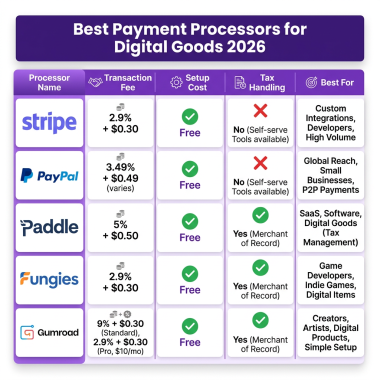
5. Fungies — Tax Compliance Included
Full disclosure: I work with Fungies. But here’s why I genuinely recommend it for digital artists: it’s the only platform that handles global tax compliance automatically.
Pros: 5% + $0.50 flat fee (lower than Gumroad’s new rates), automatic VAT/sales tax collection and remittance in 170+ countries, instant payouts, fraud protection, multiple payment methods including crypto.
Cons: Newer platform with smaller built-in audience than Etsy, requires integration for full storefront (though checkout is instant).
Best for: Artists selling globally who want to avoid tax headaches and keep more of their earnings.
How to Price Your Digital Art
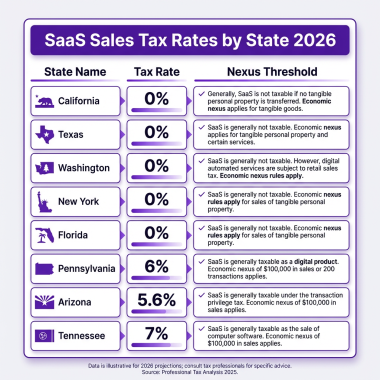
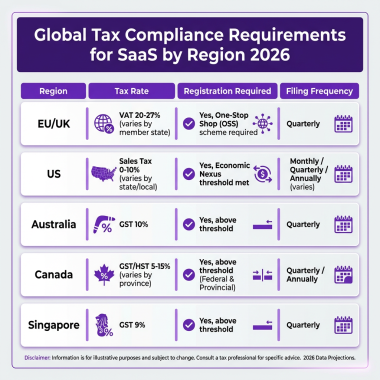
Before setting prices, spend an hour browsing your chosen platform. Look at: A common mistake is pricing based on how long something took to create. Instead, price based on: Join thousands of artists using Fungies.io — automated tax compliance, instant payouts, and global reach for your digital art. No credit card required • 5% + $0.50 per transaction Here’s the uncomfortable truth: if you’re selling digital art globally, you likely have tax obligations in multiple countries. The EU requires VAT collection on digital goods. US states have economic nexus laws. Canada, Australia, Japan—most major markets have similar rules. Your options: I’ve seen artists get hit with $10,000+ tax bills because they didn’t realize they needed to collect VAT. Don’t be that person. Creating great art is only half the battle. Here’s how to actually get sales: Your portfolio isn’t just a gallery—it’s a sales tool. Every piece should demonstrate: Reviews matter. Early sales matter. Consider: Where you promote depends on your art type: Requirements vary by location, but generally: if you’re earning more than hobby income (typically $400+ annually in the US), you should register as a business. Consult a local accountant for specifics. Depends on the product: Procreate (.brush, .brushset), Photoshop (.abr, .pat), Illustrator (.ai, .eps), 3D (.obj, .fbx, .blend), vectors (.svg, .eps), and always include PDF documentation with usage rights. You can’t completely prevent piracy, but you can: use watermarked previews, include clear licensing terms, consider DRM for high-value products, and focus on customers who value your work rather than chasing pirates. Most digital art sellers don’t offer refunds due to the nature of digital goods. Be clear about this in your listings, provide detailed previews, and offer support for technical issues. With active promotion, most artists see their first sale within 2-4 weeks. Without promotion, it could be months. The artists who treat it like a business—not a hobby—see results faster. The opportunity in digital art has never been bigger. The tools are accessible, the market is global, and the margins are incredible. But success requires treating it like a business: choose the right platform, price strategically, handle compliance, and market consistently. Don’t overthink it. Create your first product, choose a platform, and get it live. You can optimize from there. The artists making six figures today started with a single brush pack or texture set. Your move.Research Your Market
Price Based on Value, Not Time
Typical Price Ranges (2026)
Ready to Sell Your Digital Art Globally?
The Tax Compliance Problem Nobody Talks About
Marketing Your Digital Art
Build a Portfolio That Sells
Leverage Social Proof
Use the Right Channels
FAQ: Selling Digital Art Online
Do I need a business license to sell digital art?
What file formats should I sell?
How do I protect my digital art from piracy?
Should I offer refunds?
How long until I make my first sale?
Conclusion: Start Selling Today