Creating a professional game website used to require hiring developers or learning complex coding languages. In 2026, that’s no longer the case. Whether you’re an indie developer launching your first title or a seasoned creator looking to showcase your portfolio, you can now create a stunning game website without writing a single line of code.
This guide walks you through everything you need to know — from choosing the right platform to optimizing your site for sales and player engagement. By the end, you’ll have a clear roadmap to launch your game website and start monetizing your creations.
Why Every Game Developer Needs a Website
Your game website is more than just a digital business card — it’s your central hub for marketing, sales, and community building. Here’s why having a dedicated website matters:
- Direct Sales Channel: Sell your games directly to players without platform fees eating into your revenue
- Brand Control: Own your narrative and present your games exactly how you envision them
- Community Building: Collect emails, build a fanbase, and communicate directly with players
- Marketing Asset: Drive traffic from social media, ads, and press coverage to a destination you control
- Professional Credibility: Publishers, press, and potential collaborators take you more seriously
Indie developers who sell directly through their own websites typically retain 85-95% of revenue compared to 70% on major platforms like Steam — that’s a significant difference that compounds over time.
No-Code vs Custom Development: What to Choose
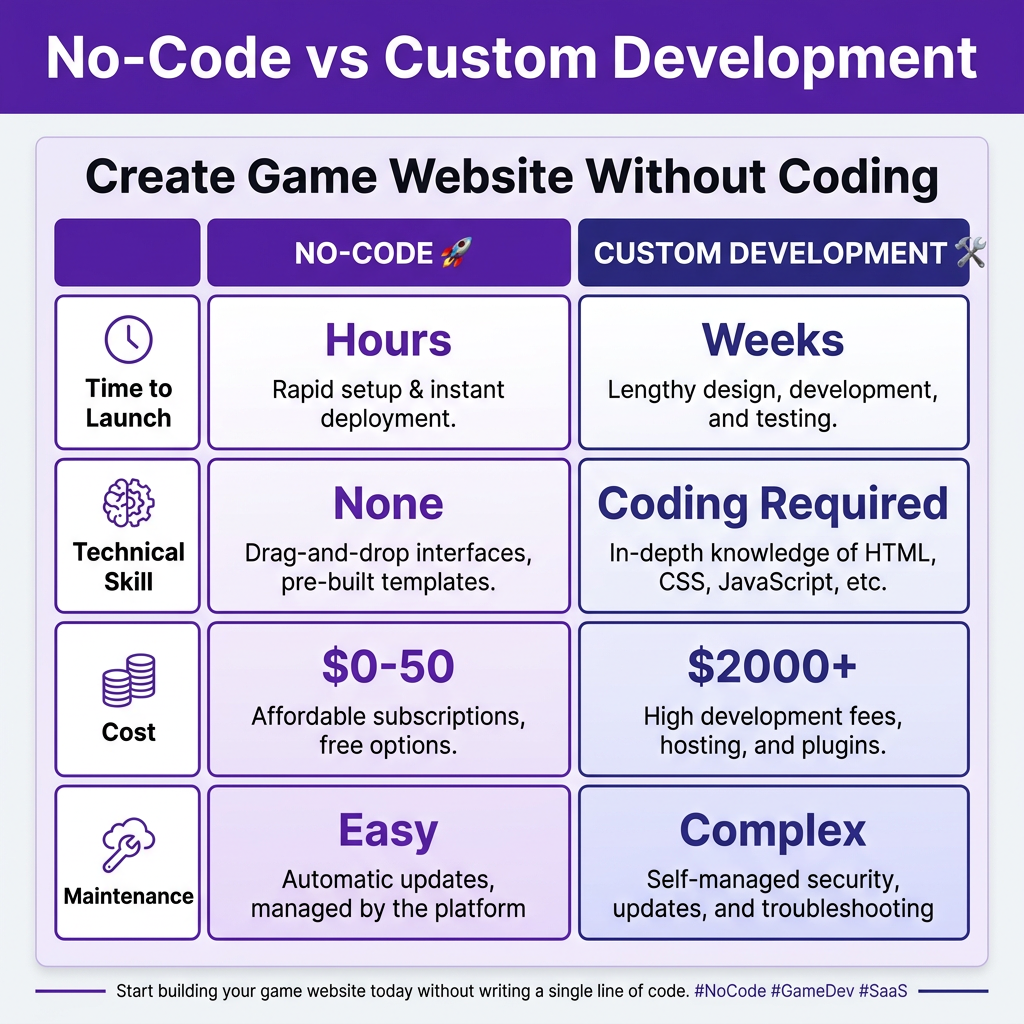
When deciding how to build your game website, you’ll face a fundamental choice: use a no-code platform or hire developers for a custom solution. Let’s break down the trade-offs:
No-Code Platforms
No-code solutions like Webflow, Wix, and Squarespace have revolutionized website creation. They’re perfect for indie developers who want to launch quickly without technical overhead.
- Time to Launch: 2-8 hours for a basic site
- Cost: $0-50/month depending on features
- Technical Skill Required: None — drag-and-drop interfaces
- Maintenance: Minimal — platforms handle hosting and updates
- Customization: Good for standard layouts, limited for unique features
Custom Development
Custom-built websites offer unlimited flexibility but come with higher costs and complexity. This route makes sense if you need specific functionality or have technical resources.
- Time to Launch: 2-8 weeks typically
- Cost: $2,000-15,000+ for professional development
- Technical Skill Required: Coding knowledge or budget for developers
- Maintenance: Ongoing — hosting, security, updates
- Customization: Unlimited — build exactly what you need
Recommendation: Start with no-code. You can always migrate to a custom solution as your studio grows and your needs become more complex.
5 Steps to Create Your Game Website Without Coding
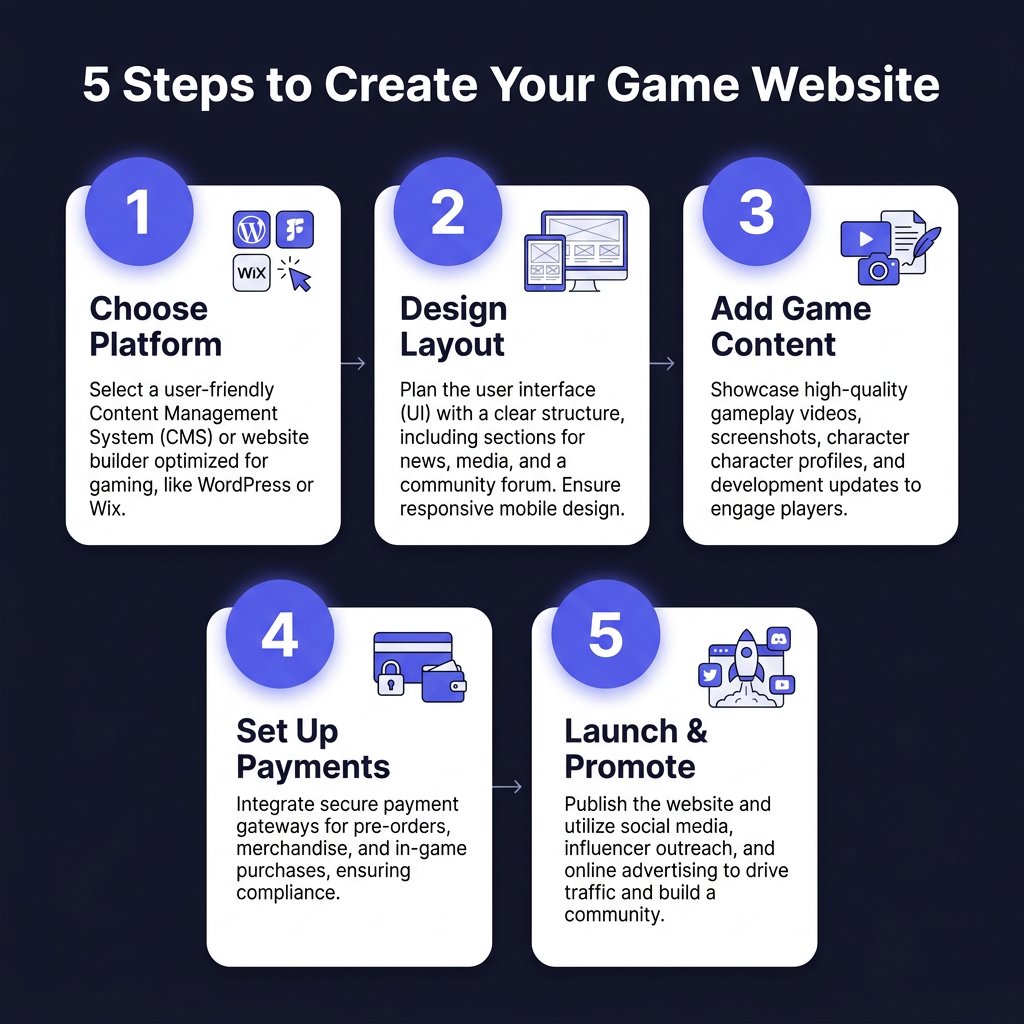
Step 1: Choose Your Platform
Select a website builder that fits your needs and budget. Here are the top options for game developers in 2026:
- Webflow: Best for design flexibility and animations. Free plan available, paid plans from $14/month.
- Carrd: Perfect for simple landing pages and portfolios. Extremely affordable at $19/year.
- Wix: Great all-rounder with game-specific templates. Plans from $16/month.
- Squarespace: Excellent for visually stunning sites. Plans from $16/month.
- WordPress + Elementor: Most customizable option with a steeper learning curve. Hosting from $5/month.
Step 2: Design Your Layout
Your website needs to accomplish specific goals. Focus on these essential pages and elements:
- Homepage: Hero section with your best game, clear value proposition, and call-to-action
- Games/Portfolio: Showcase your titles with screenshots, trailers, and descriptions
- About: Your story as a developer — players connect with people, not just products
- Press Kit: Make it easy for journalists and content creators to cover your games
- Contact: Email, social links, and possibly a newsletter signup
Pro tip: Look at websites of successful indie games you admire. Note what works and adapt those elements to your style.
Step 3: Add Your Game Content
Content is what converts visitors into players. Here’s what to include for each game:
- Trailer: 60-90 second video showcasing gameplay and story
- Screenshots: 5-8 high-quality images highlighting key features
- Description: Compelling copy that sells the experience, not just features
- System Requirements: Be transparent about what players need
- Pricing: Clear, prominent pricing with any discounts or bundles
Step 4: Set Up Payments and Delivery
This is where many indie developers get stuck. You need a way to accept payments and deliver your games securely. Your options include:
- Merchant of Record (MoR): Services like Fungies handle payments, tax compliance, and global distribution — you get paid without the headache
- Payment Processors: Stripe or PayPal integrated with your site — more setup but lower fees
- Digital Marketplaces: Embed widgets from platforms like itch.io or Gumroad
For most indie developers, a Merchant of Record solution provides the best balance of simplicity and global reach. You focus on making games; they handle the financial complexity.
Step 5: Launch and Promote
Your website is live — now get eyes on it:
- Social Media: Share on Twitter/X, Reddit (r/gamedev, r/indiegaming), and relevant Discord communities
- Email List: Start collecting emails before launch for a day-one audience
- Press Outreach: Contact gaming journalists and YouTubers with personalized pitches
- SEO: Optimize your pages for search terms players use when looking for games like yours
- Paid Ads: Consider small-budget campaigns on Reddit or Twitter to reach targeted audiences
Essential Features for Game Websites
Beyond the basics, consider these features that can significantly impact your success:
Email Capture
Email marketing consistently outperforms social media for game launches. Offer a newsletter signup, demo download, or exclusive content in exchange for email addresses. Tools like Mailchimp, ConvertKit, and Beehiiv integrate easily with most website builders.
Analytics
Understanding your traffic is crucial. Set up Google Analytics 4 or a privacy-focused alternative like Plausible to track:
- Where visitors come from
- Which pages they engage with
- Conversion rates from visitor to buyer
- Drop-off points in your sales funnel
Mobile Optimization
Over 60% of web traffic is mobile. Ensure your website looks great and functions perfectly on phones and tablets. Most modern website builders handle this automatically, but always test on real devices.
Common Mistakes to Avoid
Learn from the mistakes of others:
- Overdesigning: Flashy animations and complex layouts often hurt conversion. Keep it simple and focused.
- Hiding the Buy Button: Make purchasing obvious and frictionless. Every extra click loses customers.
- Ignoring Load Speed: Slow websites kill conversions. Optimize images and minimize heavy scripts.
- No Clear Value Proposition: Visitors should immediately understand what makes your game special.
- Neglecting Updates: An outdated website suggests an abandoned game. Keep content fresh.
FAQ
How much does it cost to create a game website?
You can create a basic game website for free using platforms like Carrd or Webflow’s free tier. For a professional site with custom domain and advanced features, expect to spend $15-50/month on the website builder plus $10-20/year for domain registration.
Do I need coding skills to sell games on my website?
No. Modern no-code platforms and Merchant of Record services like Fungies allow you to sell games without any technical knowledge. You can set up payment processing and digital delivery through simple integrations or embeddable widgets.
What’s the best platform for game developers?
Webflow and Carrd are popular among indie developers for their design flexibility and affordability. For developers wanting maximum control without coding, Webflow offers the most customization. For simple landing pages, Carrd is unbeatable value.
How do I handle taxes when selling games directly?
This is where a Merchant of Record becomes invaluable. MoR services automatically calculate, collect, and remit sales tax, VAT, and other obligations globally. Without one, you’re responsible for tax compliance in every jurisdiction where you have customers — a significant burden for solo developers.
Should I sell on Steam AND my own website?
Yes. Steam provides discovery and a massive player base, while your website offers higher margins and direct customer relationships. Many successful indies use Steam for visibility and their website for direct sales to maximize revenue.
Conclusion
Creating a professional game website without coding has never been easier. With the right no-code platform and a clear plan, you can launch your site in a weekend and start selling directly to players.
The key is to start simple, focus on what matters most (showcasing your games and making sales), and iterate based on data and player feedback. Your website will evolve alongside your games and your studio.
Ready to turn your game website into a revenue-generating machine? The tools are available, the barrier to entry is low, and the potential rewards are significant. Start building today.
Ready to Monetize Your Game?
Join hundreds of indie developers using Fungies.io — automated game sales, global tax compliance, and instant payouts.
No credit card required