Here’s a stat that should get your attention: 50% of enterprise developers are now experimenting with MCP servers, according to Stacklok’s 2026 State of MCP report. Only 11% are using them in production—but that number is doubling every quarter.
If you’re not familiar with MCP yet, you’re about to be. Model Context Protocol (MCP) is the open standard that lets AI assistants connect to external tools, databases, and services. Think of it as USB-C for AI—one standard, infinite possibilities.
What Is MCP and Why Should Developers Care?
MCP (Model Context Protocol) is an open standard created by Anthropic that defines how AI applications connect to external data sources and tools. Instead of building custom integrations for every service, developers write one MCP server—and any MCP-compatible AI client can use it immediately.
The protocol sits above traditional APIs and adds AI-specific context about what tools do and when to use them. Claude Desktop, Cursor, Cline, and Windsurf all support MCP out of the box. Even VS Code is adding native MCP support in 2026.
The 10 Essential MCP Servers for Developers
I’ve tested dozens of MCP servers across different categories. These are the ones that deliver real value and are stable enough for daily use.
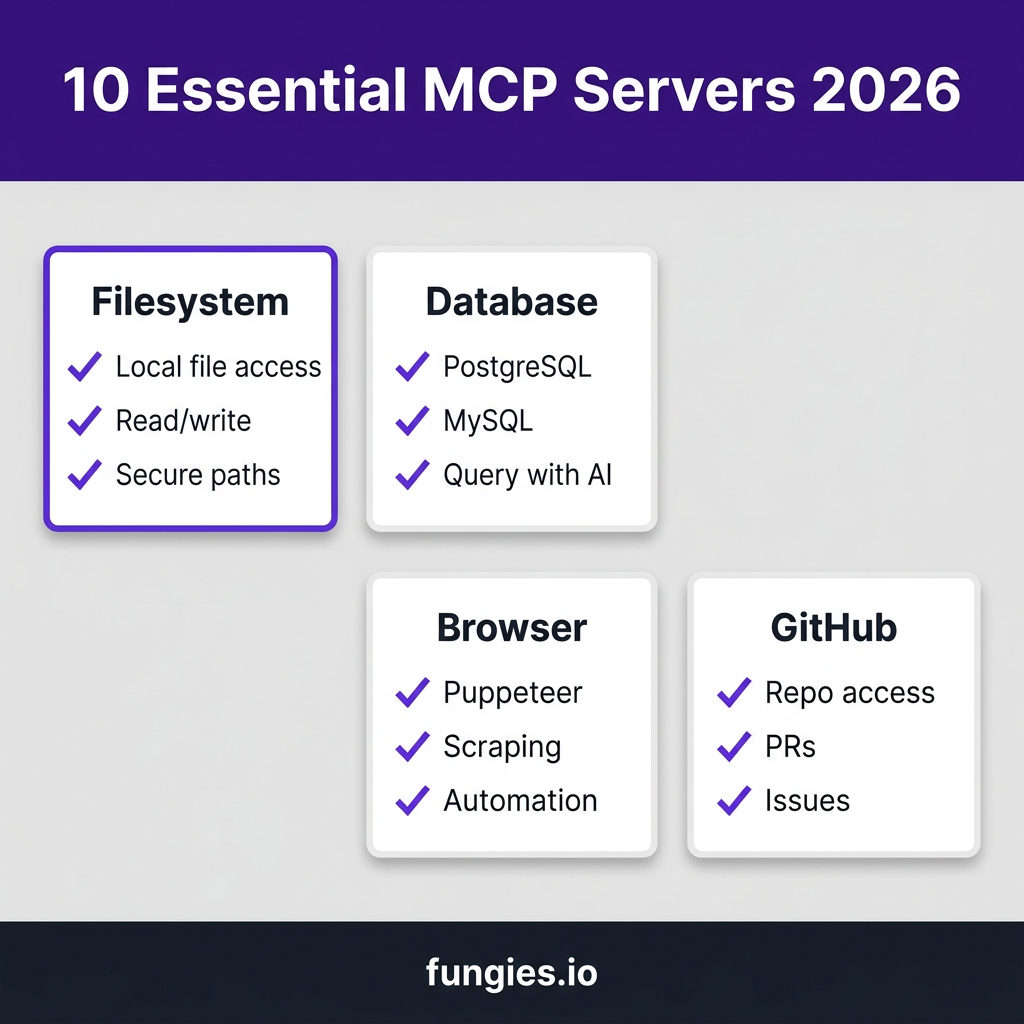
1. Filesystem MCP Server
What it does: Gives your AI assistant read/write access to your local filesystem within allowed directories.
Why you need it: This is the foundation. Your AI can read config files, analyze logs, edit code, and manage project files—all through natural language commands. The server respects path restrictions, so you control exactly which directories are accessible.
Best for: Local development, code reviews, file organization, log analysis.
Install: npx -y @modelcontextprotocol/server-filesystem /path/to/allowed/dirs
2. GitHub MCP Server
What it does: Full GitHub integration—repositories, issues, pull requests, code search, and more.
Why you need it: Create issues from conversation context, review PRs with AI assistance, search code across your organization’s repos, and manage projects without leaving your AI chat. The GitHub MCP server turns your AI into a GitHub power user.
Best for: Issue management, PR reviews, code search, repository exploration.
Install: npx -y @modelcontextprotocol/server-github (requires GITHUB_PERSONAL_ACCESS_TOKEN)
3. PostgreSQL MCP Server
What it does: Query PostgreSQL databases using natural language. Schema introspection, query execution, and result analysis.
Why you need it: Stop writing SQL manually for exploratory queries. Ask “What’s the average order value by month?” and get results instantly. The server includes safety features like automatic LIMIT clauses to prevent runaway queries.
Best for: Database exploration, ad-hoc reporting, schema analysis, data validation.
Install: Available through multiple community implementations on GitHub.
4. Brave Search MCP Server
What it does: Web search capabilities directly in your AI assistant. Uses Brave’s privacy-focused search API.
Why you need it: Your AI’s knowledge has a cutoff date. With Brave Search MCP, it can look up current documentation, check latest library versions, research error messages, and stay current with breaking changes.
Best for: Documentation lookup, troubleshooting, research, staying current.
Install: npx -y @modelcontextprotocol/server-brave-search (requires BRAVE_API_KEY)
5. Puppeteer MCP Server
What it does: Browser automation through Puppeteer. Navigate websites, extract data, take screenshots, fill forms.
Why you need it: Testing web applications, scraping data from sites without APIs, automating repetitive browser tasks, and generating PDFs from HTML. Your AI can now interact with the web just like a human user.
Best for: Web scraping, automated testing, PDF generation, form automation.
Install: npx -y @modelcontextprotocol/server-puppeteer
6. Slack MCP Server
What it does: Send messages, read channels, manage conversations in Slack workspaces.
Why you need it: Post deployment notifications, summarize threads for your team, search conversation history for decisions, and automate status updates. Integrate your development workflow with team communication.
Best for: Team notifications, thread summaries, workflow automation, status updates.
Install: Community implementations available (requires SLACK_BOT_TOKEN)
7. Fetch MCP Server
What it does: Makes HTTP requests to any API endpoint. GET, POST, PUT, DELETE—full REST support.
Why you need it: Connect to APIs that don’t have dedicated MCP servers yet. Test your own APIs, integrate with internal services, and prototype integrations before building custom servers.
Best for: API testing, custom integrations, prototyping, webhook debugging.
Install: npx -y @modelcontextprotocol/server-fetch
8. SQLite MCP Server
What it does: Query SQLite databases with natural language. Perfect for local development and embedded databases.
Why you need it: Many apps use SQLite for local storage, caching, or lightweight databases. This server lets your AI inspect and query those databases without needing a full PostgreSQL setup.
Best for: Local development, mobile app databases, caching layers, embedded analytics.
Install: Community implementations on GitHub.
9. Memory MCP Server
What it does: Persistent knowledge storage for your AI. Remembers facts, preferences, and context across conversations.
Why you need it: Without memory, every conversation starts from zero. The Memory server lets your AI remember your tech stack, coding preferences, project structure, and past decisions—making each interaction more productive.
Best for: Long-term projects, team knowledge bases, preference storage, context persistence.
Install: npx -y @modelcontextprotocol/server-memory
10. E2B MCP Server
What it does: Secure cloud sandboxes for running code. Execute Python, Node.js, or any language in isolated environments.
Why you need it: Let your AI write AND run code safely. Test snippets without polluting your local environment, run untrusted code in isolation, and automate code execution workflows. The sandbox approach means security without sacrificing capability.
Best for: Code execution, testing snippets, running untrusted code, automation workflows.
Install: Available via E2B’s GitHub repository (requires E2B_API_KEY)
MCP Server Comparison Table
| Server | Category | Auth Required | Complexity | Use Case |
|---|---|---|---|---|
| Filesystem | Core | No | Low | Local file operations |
| GitHub | DevOps | Token | Medium | Repo management |
| PostgreSQL | Database | Connection string | Medium | SQL queries |
| Brave Search | Research | API key | Low | Web search |
| Puppeteer | Automation | No | Medium | Browser control |
| Slack | Communication | Bot token | Medium | Team notifications |
| Fetch | Integration | Optional | Low | API calls |
| SQLite | Database | No | Low | Local DB queries |
| Memory | Storage | No | Low | Knowledge persistence |
| E2B | Execution | API key | Medium | Code sandboxes |
How to Set Up MCP Servers: A Quick Guide
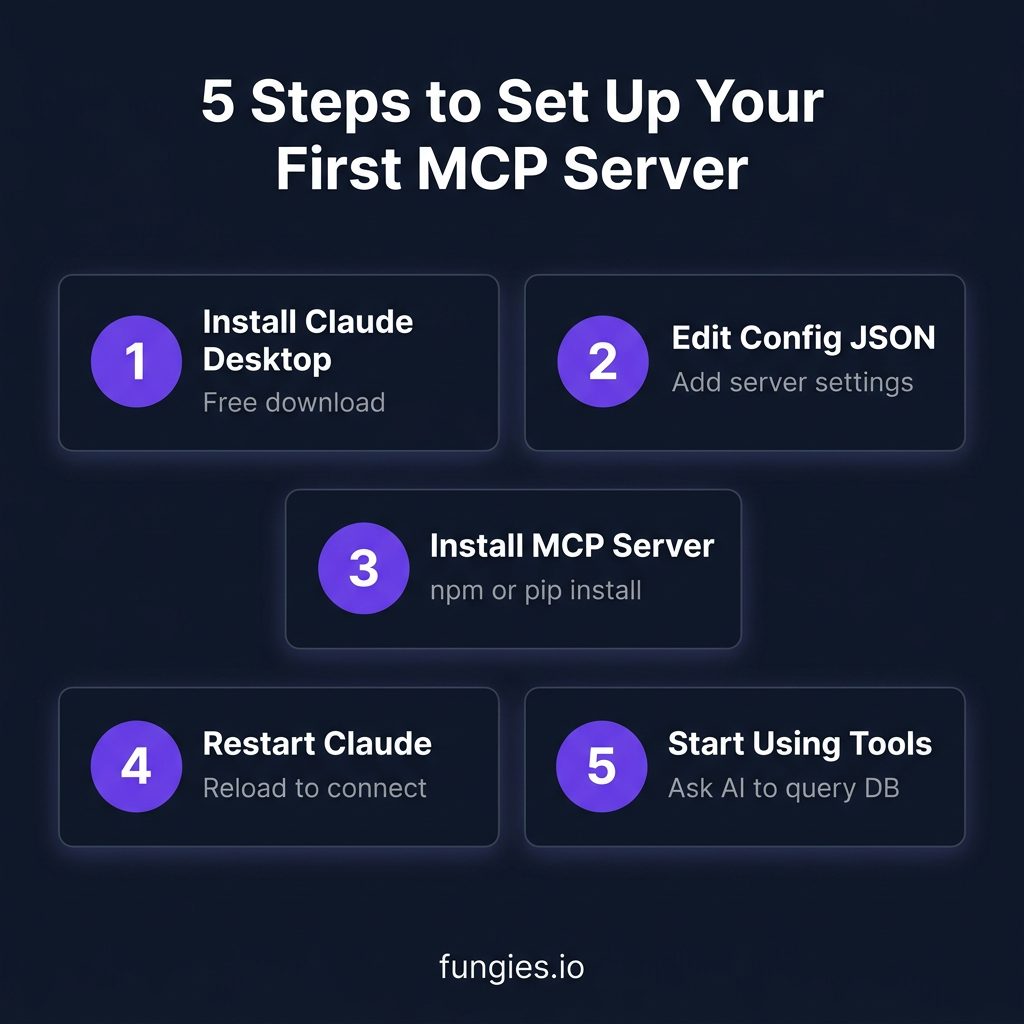
Getting started with MCP is straightforward. Here’s the five-step process:
Step 1: Install Claude Desktop
Download Claude Desktop from Anthropic’s website. It’s free and available for Mac, Windows, and Linux. This is your MCP client.
Step 2: Edit Your MCP Config
Open Claude Desktop settings and find the MCP configuration section. You’ll edit a JSON file that tells Claude which servers to connect to.
Step 3: Install MCP Servers
Most servers install via npm or pip. Add each server to your config with the appropriate command and environment variables.
Step 4: Restart Claude
After updating your config, restart Claude Desktop to load the new servers. You’ll see available tools in the interface.
Step 5: Start Using Tools
Ask Claude to use a tool naturally. “Search for the latest React documentation” or “Query my database for active users”—Claude will invoke the appropriate MCP server automatically.
Token Cost Considerations
Here’s something most guides won’t tell you: MCP operations consume tokens, and costs can add up. A Scalekit benchmark found that MCP calls cost 10-32x more tokens than equivalent CLI operations.
Strategies to control costs:
- Use CLI for simple operations—don’t query databases through MCP if a quick psql command will do
- Add schema filtering—limit which tables your Database MCP can see
- Start with LIMIT—always include row limits in exploratory queries
- Use TSV over JSON—saves 30-40% on output tokens
Key Takeaways
- MCP is becoming the standard for AI-tool integration—50% of developers are already experimenting with it
- Start with Filesystem, GitHub, and one Database MCP server for immediate productivity gains
- Browser automation (Puppeteer) and code execution (E2B) unlock advanced use cases
- Memory MCP enables persistent knowledge across conversations
- Monitor token usage—MCP convenience comes at a computational cost
Frequently Asked Questions
What is an MCP server?
An MCP (Model Context Protocol) server is a program that exposes tools, data sources, or services to AI assistants through a standardized protocol. It acts as a bridge between your AI and external systems like databases, APIs, and filesystems.
Are MCP servers free?
Most MCP servers are open-source and free to use. However, some require API keys for underlying services (like Brave Search or E2B) which may have their own pricing. The servers themselves are typically free.
Which AI clients support MCP?
As of 2026, Claude Desktop has the most mature MCP support. Cursor, Cline, and Windsurf also support MCP. VS Code is adding native MCP support, and more clients are announcing support monthly.
Is MCP secure?
MCP servers run locally on your machine and only expose the capabilities you configure. Filesystem servers respect path restrictions, and database servers use connection strings you control. However, be cautious with production databases—AI-generated queries can be unpredictable.
Can I build my own MCP server?
Yes. MCP servers are relatively simple to build using the MCP SDK, available for TypeScript, Python, and other languages. The protocol is well-documented, and many examples exist on GitHub.
Conclusion
MCP servers are transforming how developers interact with AI. Instead of context-switching between your IDE, terminal, browser, and database client, you can orchestrate everything through natural language conversation with your AI assistant.
Start with the essentials—Filesystem, GitHub, and a Database MCP. Add Browser automation when you need it. And don’t forget Memory to make your AI actually remember what you’re working on.
The future of development isn’t AI replacing developers. It’s developers augmented by AI that can actually interact with their tools. MCP is what makes that possible.
Ready to streamline your SaaS payments and checkout? Get started with Fungies.io—the Merchant of Record platform that handles VAT, sales tax, and global compliance so you can focus on building.