Here’s a sobering statistic: 96% of new users churn by the end of month three on the median SaaS product. Meanwhile, the top 10% retain 26%+ at month one. The difference isn’t luck—it’s visibility. Product analytics tools separate the teams who guess from the teams who know.
I’ve watched SaaS founders burn through engineering cycles building features nobody uses, while ignoring the behavioral data screaming at them from their own product. The right analytics tool doesn’t just show you numbers—it tells you which features drive retention, where users abandon critical workflows, and which accounts are at risk of churn.

What Is Product Analytics (And Why Web Analytics Won’t Cut It)
Product analytics measures how people interact with your digital product. Unlike web analytics tools like Google Analytics that track traffic sources and page views, product analytics focuses on logged-in user behavior—feature adoption, cohort retention, funnel conversion, and behavioral patterns that predict expansion revenue.
The core capability is an event-based data model. Every meaningful action a user takes gets recorded as a structured event with properties attached. This makes it possible to slice behavior by user, cohort, time, or feature flag long after the event was captured. Web analytics can’t answer “which cohort of users retained after Feature X shipped”—product analytics can.
How We Evaluated These Tools
I tested these platforms against the criteria that actually matter for SaaS teams in 2026:
- Event model quality — Manual instrumentation, autocapture, or hybrid approaches
- Analytical depth — Funnels, retention, cohorts, path analysis, behavioral targeting
- Platform breadth — Standalone analytics vs. integrated experimentation and session replay
- AI capabilities — Natural language queries, automated insights, agentic workflows
- Pricing transparency — Free tiers, event-based vs. seat-based models, scale economics
- Data ownership — Cloud-hosted, warehouse-native, or self-hosted options
1. Amplitude — Best for Product-Led Teams
Amplitude is the most PM-friendly analytics platform I tested. The UI guides you toward the right analysis—you start with a question, pick a chart type, define steps, and get readable answers. The learning curve is about two hours for someone who’s never used product analytics before.
Where Amplitude separates from the pack is its behavioral cohort builder. “Show me users who completed onboarding in the last 30 days but haven’t used Feature X in the last 7 days” is a three-click operation. The collaboration features matter more than you’d think—notebooks let PMs write narrative analysis alongside charts and share them with links.
The downside? Cost. Amplitude’s free plan is limited, and Growth pricing ramps fast. Teams at scale report quotes around $48,000/year for high user volumes.
Pricing: Free Starter plan (limited), paid plans scale with events
Best for: Product-led organizations where PMs drive analysis, teams that value collaboration features
2. Mixpanel — The Mature Middle Ground
Mixpanel has been around since 2009, and it shows—in both good and bad ways. The platform is stable, well-documented, and predictable. I describe it as “the Honda Accord of analytics. Nobody gets excited about it, but it works and you always know what you’re getting.”
Mixpanel’s funnel analysis is the most mature of the bunch. Multi-step funnels with conversion windows, property-level breakdowns at each step, and side-by-side cohort comparisons. The JQL query language gives power users custom analysis beyond the UI.
The weakness is scope. Mixpanel does analytics and only analytics—no session replays, no feature flags, no A/B testing. In a world where competitors bundle five tools into one platform, Mixpanel’s singular focus means you’re running (and paying for) additional vendors.
Pricing: Free plan (1M events/month), paid plans by event volume (~$280/month at scale)
Best for: Teams wanting proven, stable analytics without platform bloat
3. PostHog — Best for Engineering-Led Teams
PostHog is the leading open-source product analytics option, and it’s not hard to see why. Open source. Self-hostable. Generous free tier. And it bundles feature flags, session replays, A/B experiments, surveys, and a SQL engine called HogQL.
One CTO I spoke with called PostHog “the Swiss Army knife that actually has sharp blades.” The analytics module holds up against Mixpanel and Amplitude for most queries. Where PostHog shines is consolidation—it can replace LaunchDarkly (feature flags) and FullStory (session replay), cutting two vendors and saving about $3,000/month.
The tradeoff? The UI assumes more technical comfort. The HogQL query editor is powerful, but not everyone on a product team writes SQL. Non-technical PMs may need support for reports they could build themselves in Amplitude.
Pricing: 1M events/month free, self-host free, cloud pricing per event (~$50/month at 5M events)
Best for: Engineering-led teams wanting data ownership, startups needing generous free tiers
4. Heap — Best for Zero-Setup Analytics
Heap pioneered the autocapture approach: instrument nothing upfront, capture every click and form submission, then define events retroactively. During evaluation, you can answer questions about behavior from last month without having instrumented anything.
The problem emerges over time. Heap’s autocapture generates massive event volumes, affecting query performance and costs. Multi-step funnels across 90 days can take 15-20 seconds to render. On Amplitude, the same query returns in 2-3 seconds.
Retroactive event definitions also break silently when the UI changes—buttons move, CSS classes rename, URLs restructure. You’ll need quarterly audits to ensure events still point at the right elements.
Pricing: Free tier available, paid plans by volume
Best for: Teams needing analytics immediately without engineering time, early-stage exploration
5. Pendo — Best for Onboarding & Feature Adoption
Pendo’s real strength isn’t pure analytics—it’s the in-app guidance layer built on top. Tooltips, walkthroughs, feature announcements, NPS surveys, all targeted based on user behavior data.
The analytics are solid but not as deep as Amplitude or Mixpanel. Where Pendo earns its place is the feedback loop. One team I spoke with set up a tooltip that appeared when users visited the reports page but hadn’t used the export feature—usage went up 22% in two weeks.
Pricing is enterprise-oriented. It only makes financial sense if you’re using the guidance features heavily.
Pricing: Seat-based, custom quotes at scale
Best for: Product teams focused on user onboarding and feature adoption
6. FullStory — Best for Session Replay
FullStory is a session replay tool with analytics capabilities bolted on. It captures every user session as a replayable recording and layers conversion analytics on top. The replay experience is among the best in the category.
The tradeoff is that event taxonomy and cohort tooling are thinner than purpose-built product analytics. If you want to define complex behavioral cohorts and track retention over 90 days, FullStory will feel limiting. If you want to watch qualitative sessions of users bouncing off your pricing page, it’s excellent.
Pricing: Custom quotes
Best for: UX teams and customer experience leaders wanting visual behavior analysis
7. June.so — Best for B2B SaaS
June is purpose-built for B2B SaaS, offering company-level insights that general-purpose tools struggle with. While Mixpanel and Amplitude focus on individual user events, June understands that in B2B, the account is often more important than the user.
The auto-generated reports are genuinely useful—connect your data source and June produces meaningful dashboards without configuration. For B2B companies wanting company-level analytics without the complexity of enterprise tools, June hits a sweet spot.
Pricing: Tiered based on features and volume
Best for: B2B SaaS companies wanting company-level insights, auto-generated reports
8. LogRocket — Best for Debugging
LogRocket combines session replay with frontend performance monitoring and error tracking. Engineering teams use it to reproduce bugs, surface errors, and correlate performance issues with user behavior.
As a standalone product analytics tool, LogRocket is limited. Basic funnels and dashboards exist but lack depth. You wouldn’t choose it as your primary analytics tool—you’d choose it as a complement. The workflow where analytics tells you users drop off at checkout and LogRocket shows you they’re hitting a JavaScript error on mobile Safari—that’s where it earns its keep.
Pricing: Per-session tiers
Best for: Engineering teams debugging user-reported issues, frontend APM
9. Google Analytics 4 — Best for Marketing Teams
GA4 is free, ubiquitous, and deeply integrated with Google Ads and BigQuery. For measuring traffic sources, ad attribution, and top-of-funnel conversion, it’s the default for good reason.
The limitation shows up when you try to use GA4 as a product analytics tool. The event model was retrofitted onto a session-first architecture designed for web traffic. Cohort analysis is limited, retention reports are shallow, and complex behavioral questions require BigQuery SQL gymnastics. GA4 is a marketing analytics tool that does some product analytics—not the other way around.
Pricing: Free (Google Analytics 360 is paid for enterprise)
Best for: Marketing teams measuring traffic and attribution, not standalone product analytics
10. Adobe Analytics — Enterprise Option
Adobe Analytics is the enterprise option for organizations standardized on Adobe Experience Cloud. It offers deep segmentation, AI-driven insights through Adobe Sensei, and tight integration with Adobe Target and Audience Manager.
The honest limitation is cost, complexity, and implementation time. Standing it up and extracting value typically requires a dedicated team and a long runway. Organizations without an existing Adobe investment rarely choose it fresh in 2026.
Pricing: Enterprise quotes
Best for: Large enterprises already committed to Adobe Experience Cloud
Product Analytics Comparison Table
| Tool | Free Tier | Starting Price | Best Feature | Best For |
|---|---|---|---|---|
| Amplitude | Limited | Custom | Behavioral cohorts | Product-led teams |
| Mixpanel | 1M events | ~$280/mo | Funnel analysis | Stable analytics |
| PostHog | 1M events | ~$50/mo | Open source + bundled | Engineering teams |
| Heap | Limited | Volume-based | Autocapture | Zero-setup teams |
| Pendo | No | Seat-based | In-app guidance | Onboarding focus |
| FullStory | Limited | Custom | Session replay | UX teams |
| June.so | Limited | Tiered | B2B company insights | B2B SaaS |
| LogRocket | Limited | Per-session | Error tracking | Engineering debug |
| Google Analytics 4 | Unlimited | Free | Traffic attribution | Marketing teams |
| Adobe Analytics | No | Enterprise | Deep segmentation | Adobe ecosystem |
How to Choose the Right Tool for Your Stage
Early-stage startups (pre-product-market fit): Start with PostHog or Heap. PostHog if you have technical founders who want control. Heap if you need insights immediately without engineering bandwidth.
Growth-stage SaaS ($1M–$10M ARR): This is where Amplitude or Mixpanel shine. You have PMs who need self-serve analytics, and the cost is justified by the insights. Consider pairing with a revenue analytics tool like ChartMogul or Baremetrics.
Enterprise (>$10M ARR): Amplitude or Adobe Analytics. You need scale, governance, and the ability to handle billions of events. The integrated platform approach (analytics + experimentation + replay) becomes essential.
Common Mistakes When Choosing Product Analytics
I’ve seen teams make the same errors repeatedly:
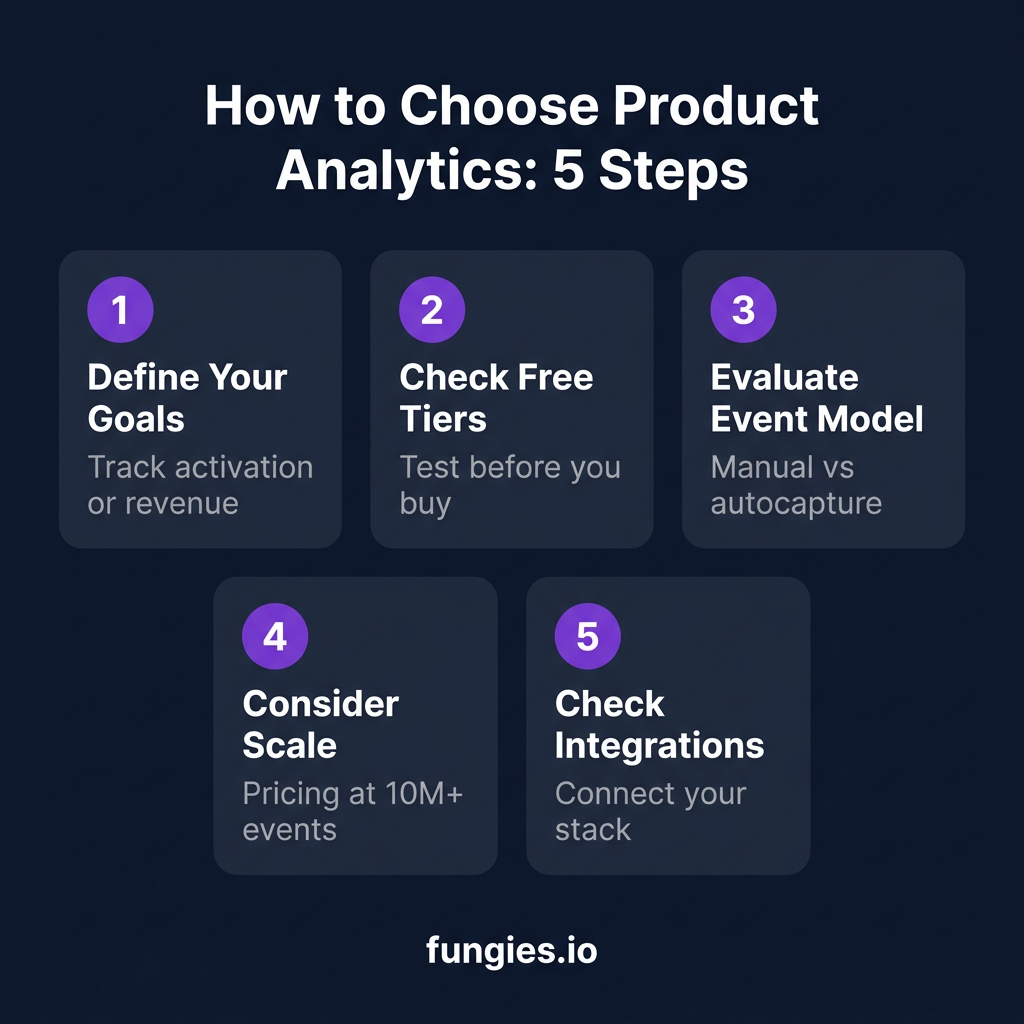
- Buying for features you’ll never use — Start with your top 3 questions, not the feature matrix
- Ignoring the free tier limits — “Free” often means free until you hit 1M events, then pricing ramps fast
- Choosing autocapture without understanding the tradeoffs — It’s fast to start but creates data governance headaches later
- Forgetting about data ownership — If you’re in healthcare, financial services, or EU markets, compliance isn’t a checkbox
- Not testing with real data — The best evaluation is installing a free tier against your actual product metrics
Frequently Asked Questions
What’s the difference between product analytics and web analytics?
Product analytics tracks logged-in user behavior inside your product—feature adoption, cohort retention, user journeys. Web analytics (Google Analytics) tracks traffic sources, page views, and marketing attribution. Most organizations need both.
Is there a free product analytics tool?
Yes. Amplitude, PostHog, Mixpanel, and Heap all offer free plans with meaningful functionality. Google Analytics 4 is fully free but is a web analytics tool, not purpose-built product analytics.
How much do product analytics tools cost at scale?
Annual spend ranges from $0 on free tiers to $100K+ for enterprise platforms. At 10M events/month, expect $200–$500/month for PostHog or Mixpanel, and $2,000–$4,000/month for Amplitude Growth.
What’s the best tool for a startup?
PostHog for engineering-led teams wanting breadth at low cost. Heap for teams needing immediate insights without instrumentation. Mixpanel for teams prioritizing ease-of-use and reporting polish.
Should I choose autocapture or manual instrumentation?
Autocapture (Heap) gets you running fast but creates governance issues as you scale. Manual instrumentation (Amplitude, Mixpanel) requires upfront engineering but gives you clean, reliable data. Hybrid approaches (PostHog) offer flexibility.
Conclusion: Start Measuring, Start Improving
The gap between the top 10% of SaaS products and everyone else isn’t luck—it’s visibility. The teams that retain 26%+ at month one aren’t guessing which features matter. They know.
My recommendation? Pick a tool with a generous free tier, instrument your core activation and retention events, and start asking questions. The best product analytics platform is the one your team actually uses.
And if you’re building a SaaS business and need to handle payments, tax compliance, and global sales without the engineering headache—check out Fungies.io. We handle the boring stuff so you can focus on building products people love.