Building a professional gaming website has never been more important for indie developers and game studios. Whether you’re showcasing your portfolio, selling digital downloads, or building a community around your games, choosing the right gaming website builder can make or break your online presence. In this comprehensive guide, we’ll explore the best platforms, features to look for, and how to create a gaming website that converts visitors into players and customers.
Why Game Developers Need a Professional Website
The gaming industry is booming, with over 3.2 billion gamers worldwide and the market expected to reach $256 billion by 2026. For indie developers, having a dedicated website isn’t just about showcasing your work—it’s about building a brand, establishing credibility, and creating direct relationships with your audience.
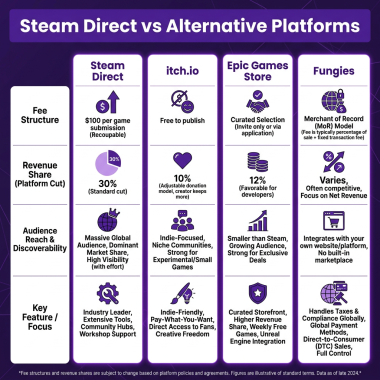
A professional gaming website serves multiple purposes: it’s your digital storefront, your portfolio showcase, your community hub, and your marketing headquarters all in one. Unlike relying solely on platforms like Steam or the App Store, your own website gives you complete control over your brand, customer data, and revenue streams.
Key benefits include direct sales without platform fees (saving 15-30% on each transaction), building an email list for marketing, showcasing your full portfolio without algorithmic restrictions, and establishing professional credibility when pitching to publishers or investors.
Top 5 Gaming Website Builders Compared
After testing dozens of platforms, we’ve identified the five best gaming website builders for different needs and skill levels. Each platform offers unique strengths depending on your technical expertise, budget, and specific requirements.
1. Wix — Best for Beginners
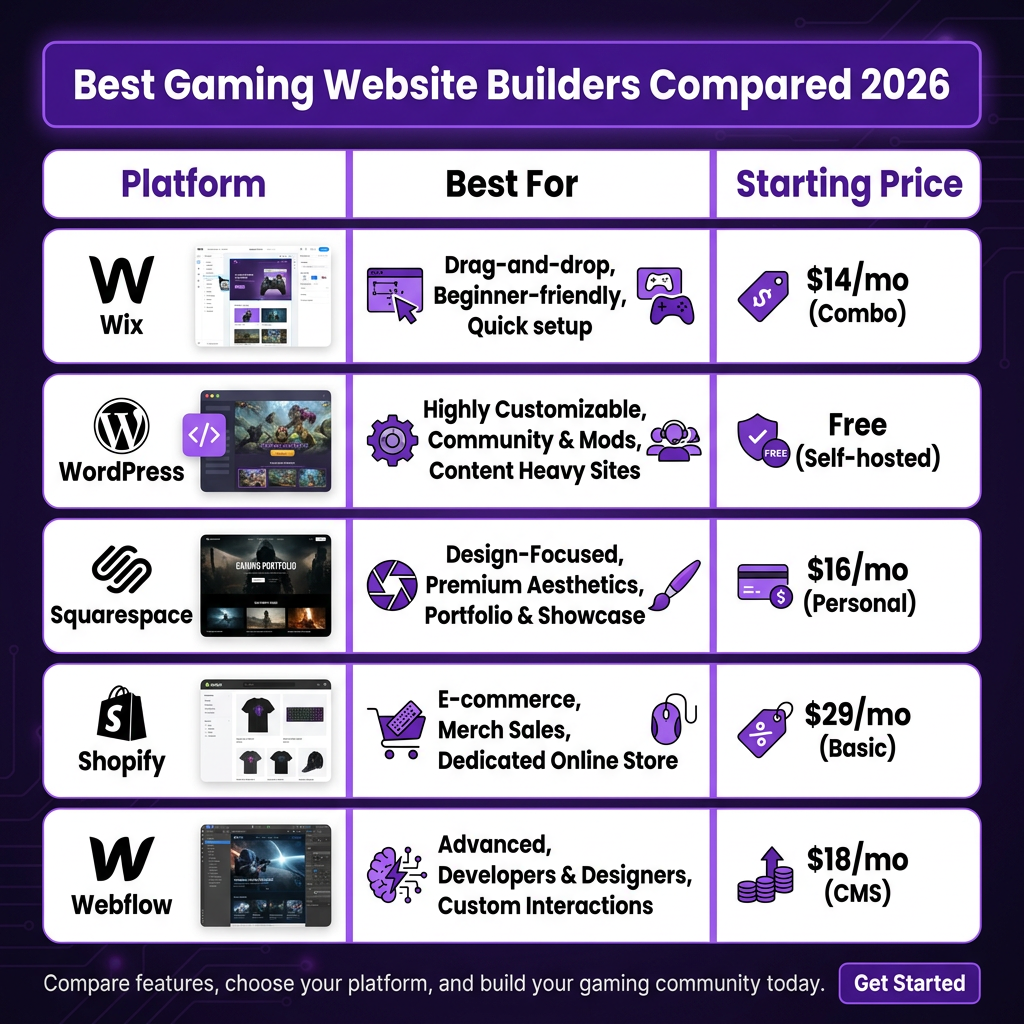
Wix offers an intuitive drag-and-drop interface that makes it perfect for developers who want to focus on making games, not learning web design. With over 900 templates including gaming-specific designs, you can launch a professional site in hours, not days.
Pricing starts at $14/month for the Combo plan, which removes Wix ads and includes a free domain for one year. The Business Basic plan at $27/month adds e-commerce functionality, allowing you to sell games and merchandise directly. Wix’s App Market includes gaming-specific features like tournament brackets, leaderboards, and community forums.
2. WordPress — Best for Customization
WordPress powers over 43% of all websites and offers unmatched flexibility for gaming websites. With thousands of themes and plugins, you can create anything from a simple portfolio to a complex gaming community with forums, member areas, and e-commerce.
The platform itself is free, but you’ll need hosting (starting around $5-15/month) and potentially premium themes or plugins. For game developers, plugins like Easy Digital Downloads or WooCommerce enable secure game sales, while bbPress or BuddyPress can add community features. The learning curve is steeper than Wix, but the customization possibilities are virtually unlimited.
3. Squarespace — Best for Visual Design
Squarespace is renowned for its stunning, professionally designed templates that make your games look their best. If visual presentation is crucial for your brand, Squarespace delivers pixel-perfect designs that work beautifully on all devices.
Plans start at $16/month for the Personal plan, with Business at $23/month adding e-commerce capabilities. While less flexible than WordPress, Squarespace offers a polished, cohesive aesthetic with less effort. The platform includes built-in analytics, SEO tools, and marketing integrations that help you grow your audience.
4. Shopify — Best for E-commerce Focus
If your primary goal is selling games and merchandise, Shopify is the industry-leading e-commerce platform. With robust inventory management, multiple payment gateways, and powerful marketing tools, it’s built specifically for online selling.
Basic Shopify starts at $29/month, with higher tiers adding features like professional reports and international pricing tools. The App Store includes game-specific integrations, and Shopify’s checkout is optimized for conversion. However, the platform is primarily commerce-focused, so content-heavy sites may find it limiting.
5. Webflow — Best for Advanced Users
Webflow bridges the gap between visual design and code, offering granular control over every design element without writing CSS. It’s perfect for developers who want pixel-perfect control and understand design principles.
Site plans start at $18/month, with e-commerce plans from $42/month. Webflow’s CMS allows dynamic content like game listings, blog posts, and team profiles. The platform generates clean, semantic code and offers powerful animation tools to make your gaming website truly stand out.
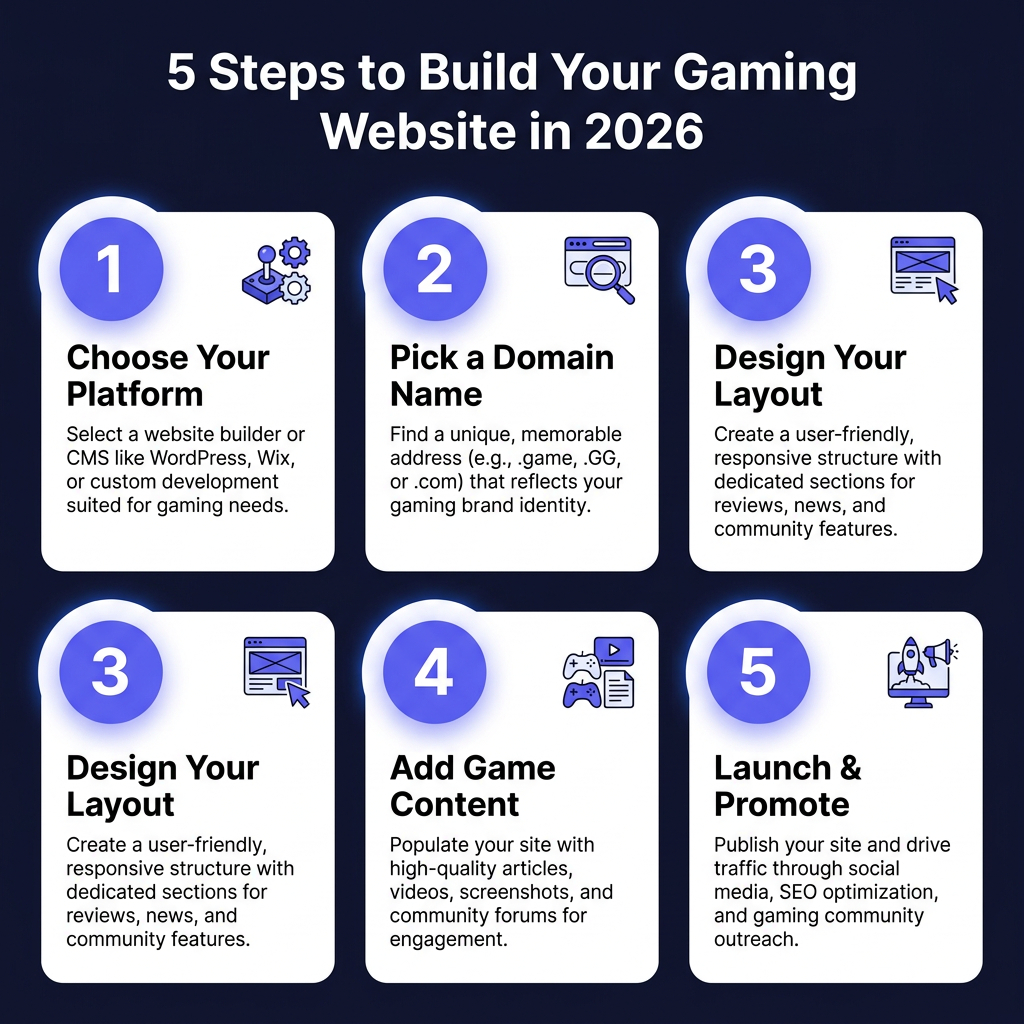
5 Steps to Build Your Gaming Website
Creating a successful gaming website follows a proven process. Here’s the step-by-step approach that professional developers use:
Step 1: Define Your Goals and Audience
Before choosing a platform, clarify what you want your website to achieve. Are you selling games directly? Building a community? Showcasing your portfolio for publishers? Your goals will determine the features you need and the platform you choose.
Identify your target audience: casual mobile gamers, hardcore PC enthusiasts, console players, or industry professionals. Understanding your audience shapes your design choices, content strategy, and marketing approach.
Step 2: Choose and Register Your Domain
Your domain name is your brand’s address on the web. Keep it short, memorable, and relevant to your games or studio name. Avoid hyphens and numbers when possible. Most website builders include a free domain for the first year, or you can purchase separately from registrars like Namecheap or Google Domains.
Step 3: Design for Your Brand
Your website’s design should reflect your game’s aesthetic and your studio’s personality. Use consistent colors, fonts, and imagery that align with your brand. Prioritize user experience: intuitive navigation, fast load times, and mobile responsiveness are essential.
Include high-quality screenshots, gameplay videos, and compelling copy that sells the experience. Your homepage should immediately communicate what you offer and why visitors should care.
Step 4: Add Essential Content and Features
Every gaming website needs certain core pages: Home (your elevator pitch), Games (your portfolio with detailed pages for each title), About (your story and team), Blog (for updates and SEO), and Contact (for press, players, and partners).
If selling directly, implement a secure checkout process. Consider adding a newsletter signup, social media integration, and analytics to track visitor behavior and optimize your site over time.
Step 5: Launch and Promote
Before launch, test everything: links, forms, checkout flow, and mobile display. Set up Google Search Console and submit your sitemap for indexing. Create a launch plan: announce on social media, reach out to gaming press, and engage with relevant communities on Reddit, Discord, and forums.
Post-launch, monitor analytics to understand your visitors and continuously improve. Regular content updates, blog posts, and community engagement keep your site fresh and improve search rankings.
Ready to Monetize Your Game?
Join hundreds of game developers using Fungies.io — automated tax compliance, 50+ payment methods, global Merchant of Record.
No credit card required
Essential Features for Gaming Websites
Regardless of which gaming website builder you choose, certain features are non-negotiable for success in 2026:
Fast Load Times: Gamers expect instant gratification. A one-second delay can reduce conversions by 7%. Optimize images, use caching, and choose a platform with solid performance.
Mobile Responsiveness: Over 60% of gaming-related searches happen on mobile devices. Your site must look and function perfectly on phones and tablets.
Media Showcase: High-quality screenshots, trailers, and gameplay videos are essential. Look for builders with strong media handling and video embedding capabilities.
SEO Tools: Organic search is crucial for discovery. Built-in SEO features or plugins help you optimize titles, meta descriptions, and content structure.
Analytics Integration: Understanding your audience is key to growth. Google Analytics integration or built-in analytics help you track visitors, conversions, and user behavior.
Monetization Strategies for Gaming Websites
Your gaming website can generate revenue through multiple streams:
Direct Game Sales: Sell digital downloads directly to keep 100% of revenue (minus payment processing). Use platforms like Fungies.io to handle tax compliance and global payments automatically.
Merchandise: T-shirts, posters, and collectibles appeal to dedicated fans. Print-on-demand services integrate with most website builders for hands-off fulfillment.
Premium Content: Offer exclusive content, early access, or behind-the-scenes material to subscribers or members.
Donations and Crowdfunding: Patreon integration or direct donation links let fans support your work directly.
FAQ
What is the best free gaming website builder?
WordPress.com offers a free tier, though it displays ads and uses a subdomain. For a professional gaming website without ads, expect to invest at least $5-15/month for hosting and a domain. Wix and Squarespace offer free trials to test their platforms before committing.
Can I sell games directly from my website?
Yes, all major website builders support e-commerce functionality. WordPress with Easy Digital Downloads or WooCommerce, Shopify, Wix Business plans, and Squarespace Commerce all enable direct game sales. For global tax compliance and multiple payment methods, integrate with a Merchant of Record like Fungies.io.
Do I need coding skills to build a gaming website?
No, modern website builders like Wix and Squarespace require no coding knowledge. WordPress and Webflow offer more customization but have steeper learning curves. Even without coding, you can create professional, feature-rich gaming websites using templates and plugins.
How much does a gaming website cost?
Basic gaming websites cost $10-30/month including hosting/domain. E-commerce functionality adds $10-20/month. Premium themes, plugins, or custom development can increase costs. For most indie developers, expect total costs of $200-500/year for a professional site.
How do I drive traffic to my gaming website?
Combine SEO (targeting keywords like “gaming website builder”), content marketing (blog posts, devlogs), social media engagement, community participation (Reddit, Discord), press outreach, and paid advertising. Email marketing to your subscriber list provides the highest ROI for ongoing engagement.
Conclusion
Choosing the right gaming website builder depends on your technical skills, budget, and specific goals. Wix and Squarespace offer the easiest paths for beginners, while WordPress provides unmatched flexibility for those willing to learn. Shopify excels for e-commerce-focused developers, and Webflow delivers design precision for advanced users.
Remember, your website is an investment in your game’s success. A professional, well-designed site builds credibility, drives sales, and creates lasting relationships with your players. Start with clear goals, choose the platform that fits your needs, and focus on creating an experience that reflects the quality of your games.
Ready to turn your gaming website into a revenue-generating machine? Start building today and join the thousands of developers who’ve taken control of their digital presence.