Here’s a number that should get your attention: 85% of developers now use AI coding assistants regularly. The question isn’t whether you should use one—it’s which one fits your specific workflow, budget, and codebase.
I’ve spent months testing the leading AI coding assistants on real projects. From multi-file refactors to debugging legacy code, each tool has distinct strengths and weaknesses. This guide cuts through the marketing hype and gives you a practical framework for making the right choice.
What Are AI Coding Assistants in 2026?
AI coding assistants have evolved far beyond simple autocomplete. In 2026, these tools fall into three distinct categories:
- IDE Assistants — GitHub Copilot, JetBrains AI, Tabnine. These integrate into your existing editor and provide inline suggestions, chat, and multi-file editing.
- AI-Native IDEs — Cursor, Windsurf. These are complete development environments built around AI, with features like agent mode, composer, and background agents.
- Terminal Agents — Claude Code, Aider. These run in your terminal and excel at complex multi-file tasks, refactors, and codebase-wide changes.
The right choice depends on where you want leverage: speed inside your editor, control on large codebases, or autonomy for complex tasks.
The 4 Dominant Tools: A Head-to-Head Comparison
Let’s break down the four tools that matter most in mid-2026.
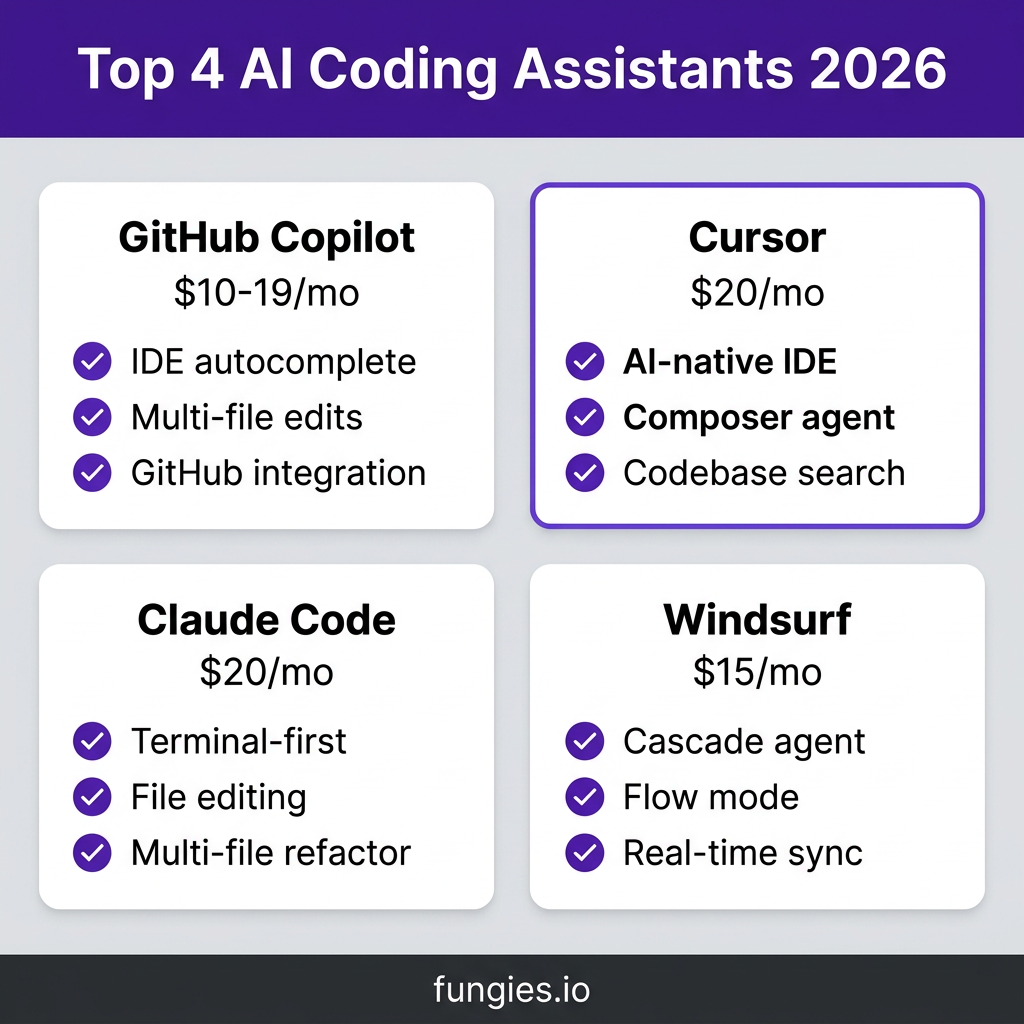
1. GitHub Copilot ($10-19/month)
GitHub Copilot has moved well past autocomplete. The 2026 version includes agent mode, multi-file editing, and model choice (GPT-4.1, Claude 4.x, Gemini 2.5/3.x).
| Feature | Details |
|---|---|
| Best For | Developers who want AI inside their existing IDE |
| Pricing | $10/mo (Pro), $19/mo (Business), $39/mo (Enterprise) |
| IDE Support | VS Code, JetBrains, Neovim, Visual Studio, Xcode |
| Key Strength | GitHub integration, autonomous agents that open PRs from issues |
| Key Weakness | Less powerful than AI-native IDEs for complex refactors |
2. Cursor ($20/month)
Cursor evolved from a VS Code fork into a fully redesigned AI-first IDE. It features Composer for multi-file editing, Background Agents for autonomous tasks, and its own model routing system.
| Feature | Details |
|---|---|
| Best For | Developers who want the most polished AI-native experience |
| Pricing | $20/mo (Pro), $40/user (Business) |
| IDE | Cursor IDE only (VS Code-based) |
| Key Strength | Composer agent, codebase search, subagents, plugin marketplace |
| Key Weakness | 2x the cost of Copilot; requires switching IDEs |
3. Claude Code ($20/month)
Claude Code is Anthropic’s terminal-first coding agent. It excels at complex reasoning, multi-file refactoring, and tasks that require understanding context across your entire codebase.
| Feature | Details |
|---|---|
| Best For | Terminal-first developers, complex refactors, large codebases |
| Pricing | $20/mo (Pro), Max 5x ($100/mo), Max 20x ($200/mo) |
| Interface | Terminal/CLI |
| Key Strength | File editing, terminal access, multi-file refactoring, MCP support |
| Key Weakness | No IDE integration; terminal-only workflow |
4. Windsurf ($15/month)
Windsurf (formerly Codeium) offers Cascade agent and Flow mode for real-time collaborative coding. It’s positioned as a more affordable alternative to Cursor with similar AI-native features.
| Feature | Details |
|---|---|
| Best For | Budget-conscious developers wanting AI-native IDE features |
| Pricing | $15/mo (Pro), $60/mo (Pro Ultimate) |
| IDE | Windsurf IDE only (VS Code-based) |
| Key Strength | Cascade agent, Flow mode, real-time sync, lower price |
| Key Weakness | Smaller ecosystem than Cursor; newer player |
Complete Pricing Comparison Table
| Tool | Free Tier | Pro/Personal | Business/Team | Enterprise |
|---|---|---|---|---|
| GitHub Copilot | Limited | $10/mo | $19/user/mo | $39/user/mo |
| Cursor | Hobby (limited) | $20/mo | $40/user/mo | Custom |
| Claude Code | Limited | $20/mo | Max 5x ($100/mo) | Max 20x ($200/mo) |
| Windsurf | Free tier | $15/mo | $60/mo | Custom |
Note: All tools offer BYO API key options for heavy users who want more control over costs.
The 5-Step Decision Framework
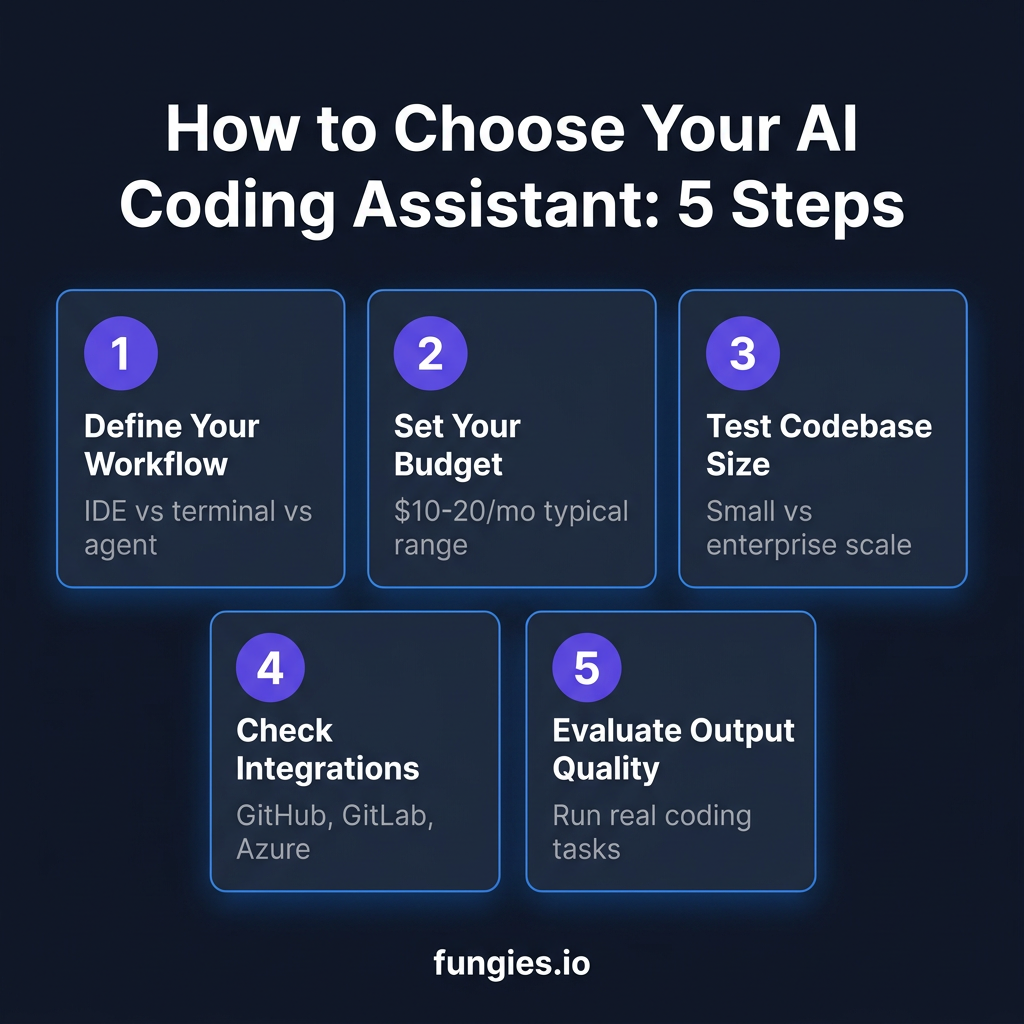
Step 1: Define Your Workflow
How do you primarily work? If you live in your IDE and want AI suggestions as you type, GitHub Copilot is the natural choice. If you prefer terminal-based workflows and complex multi-file tasks, Claude Code wins. For AI-native IDE experiences, Cursor or Windsurf are your options.
Step 2: Set Your Budget
The entry-level price has commoditized at $10-20/month. GitHub Copilot is the cheapest at $10/mo. Windsurf offers a middle ground at $15/mo. Cursor and Claude Code sit at $20/mo for their base plans.
At the team level, the gap doubles: Cursor Business at $40/user versus Copilot Business at $19. For heavy usage, Claude Code’s Max tiers ($100-200/mo) provide 5-20x more capacity.
Step 3: Test Against Your Codebase Size
Small projects (under 10K lines): Any tool works well. Medium projects (10K-100K lines): Cursor and Claude Code start showing advantages. Large codebases (100K+ lines): Claude Code and Cursor’s codebase understanding becomes critical. Enterprise scale: Consider Copilot Enterprise or Cursor Business for team features.
Step 4: Check Integration Requirements
Your existing toolchain matters. GitHub Copilot integrates with GitHub, GitLab, and Azure DevOps. Cursor has its own ecosystem but supports MCP servers. Claude Code works with any git repository. Consider where your code lives and how you deploy.
Step 5: Evaluate Output Quality
Run a real coding task with each tool. Try a multi-file refactor, a bug fix, or implementing a feature. Pay attention to:
- Does it understand your codebase context?
- How often do you need to correct it?
- Does the generated code follow your team’s patterns?
- How fast is the response time?
When to Choose Each Tool
| Scenario | Best Choice | Why |
|---|---|---|
| You want AI in your existing IDE | GitHub Copilot | Widest IDE support, GitHub integration |
| You want the best AI-native IDE | Cursor | Most polished experience, powerful agents |
| You work in terminal preferentially | Claude Code | Built for CLI workflows, complex tasks |
| You want AI features on a budget | Windsurf | $15/mo, solid feature set |
| You need team collaboration | Cursor Business | Team sync, shared context |
| You have strict privacy requirements | Claude Code Max | Higher rate limits, enterprise features |
| You use multiple IDEs | GitHub Copilot | Works across VS Code, JetBrains, Neovim |
Key Takeaways
- 85% of developers now use AI coding assistants—it’s become standard tooling
- Entry-level pricing has commoditized at $10-20/month
- GitHub Copilot is the safe default for IDE integration
- Cursor offers the most polished AI-native experience at a premium
- Claude Code excels at complex terminal-based workflows
- Windsurf provides solid AI features at the lowest price point
- The best tool is the one that fits your workflow, not the one with the most features
Frequently Asked Questions
Can I use multiple AI coding assistants?
Yes. Many developers use Copilot for inline suggestions and Cursor or Claude Code for complex tasks. They complement each other well.
Is Claude Code worth 2x the price of Copilot?
If you regularly do multi-file refactors or work with large codebases, yes. The time saved on complex tasks often justifies the cost. For simple autocomplete, Copilot is sufficient.
Which tool has the best free tier?
Windsurf offers the most generous free tier. Claude Code and Cursor have limited free tiers focused on trial usage. Copilot requires a subscription for meaningful use.
Do these tools work with private codebases?
All four tools support private repositories. Enterprise plans offer additional security features like SSO, audit logs, and data residency controls.
What’s the difference between agent mode and autocomplete?
Autocomplete suggests code as you type. Agent mode can perform multi-step tasks autonomously—like “refactor this API endpoint and update all callers.” Cursor, Claude Code, and Copilot (in agent mode) all support agentic workflows.
Conclusion
Choosing an AI coding assistant in 2026 isn’t about finding the “best” tool—it’s about finding the right tool for your specific needs. GitHub Copilot wins for IDE flexibility. Cursor leads for AI-native experience. Claude Code dominates terminal workflows. Windsurf offers the best value.
Start with the 5-step framework: define your workflow, set your budget, test against your codebase, check integrations, and evaluate output quality. The best way to decide is to try them on real work.
And if you’re building a SaaS or digital product business, you’ll need more than just coding tools. You’ll need a payment infrastructure that handles global tax compliance automatically. Check out Fungies.io—we’re the Merchant of Record platform that handles payments, VAT, and sales tax so you can focus on building.
References
- Best AI Coding Assistant 2026 – Zemith
- Best AI Coding Assistants 2026 – Verdent AI
- Claude Code Pricing vs Alternatives 2026
- Cursor vs Copilot 2026 – MorphLLM
- Cursor vs Copilot in 2026 – Autonoma AI
- Claude Code vs Copilot vs Cursor – Cosmic JS
- 15 Best AI Coding Assistant Tools 2026 – Qodo
- Best AI Coding Agents 2026 – Faros AI