84% of developers now use AI coding tools daily. But here’s the kicker: only 29% actually trust the code these tools generate enough to ship it to production without heavy review.
That gap between adoption and trust is exactly why choosing the right AI coding assistant matters more than ever in 2026. The wrong tool doesn’t just waste money—it creates technical debt that compounds with every AI-generated line.
I’ve spent the last month testing the five most popular AI coding assistants on real production tasks. Not toy examples—actual refactoring, multi-file features, and debugging sessions. Here’s what the pricing pages won’t tell you.
What Makes an AI Coding Assistant Worth Paying For in 2026?
The landscape shifted dramatically in early 2026. What started as fancy autocomplete has evolved into agentic systems capable of multi-file editing, autonomous planning, and deep codebase reasoning.
But not all “AI coding assistants” are built the same. Here’s what separates the tools that actually speed up development from expensive toys:
- Agent mode capability: Can it plan and execute multi-step changes across files?
- Context window size: 128K tokens vs 1M tokens makes a massive difference on large codebases
- IDE integration depth: Native AI-first experience vs bolted-on extension
- Pricing transparency: Flat rate vs credit-based vs usage-metered
- Model flexibility: Can you switch between GPT-5, Claude, and Gemini?
The 5 Best AI Coding Assistants of 2026
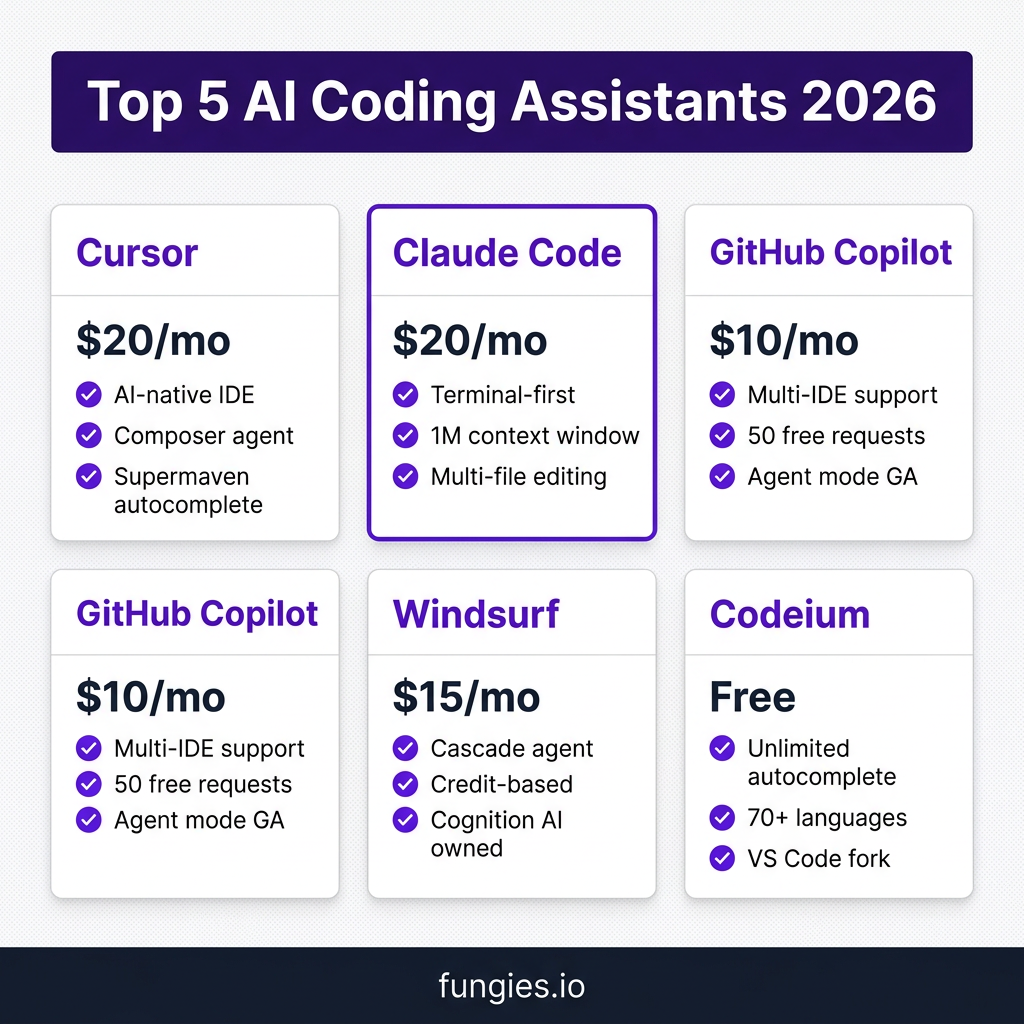
1. Cursor — Best Overall AI-Native IDE
Price: $20/month (Pro) | Free tier: Limited
Cursor is a fork of VS Code rebuilt from the ground up with AI at its core. It’s not an extension—it’s an entirely new editor where every feature is designed around AI assistance.
What makes it special:
- Composer: Visual multi-file editing with AI that understands your entire codebase
- Supermaven autocomplete: 72% acceptance rate on suggestions (industry-leading)
- Background agents: Run up to 8 agents in parallel for autonomous tasks
- Auto mode: Unlimited usage on paid plans—no credit counting
Best for: Developers who want the most polished AI-native experience and don’t mind switching editors.
The catch: You have to leave your current IDE. If you’re deeply invested in JetBrains or Vim workflows, the switch cost is real.
2. Claude Code — Best for Terminal-First Workflows
Price: $20/month (Pro) | API: Pay-per-token
Claude Code from Anthropic takes a fundamentally different approach. Instead of living in your IDE, it lives in your terminal—and it can work with any editor or no editor at all.
What makes it special:
- 1M token context window: Feed it your entire codebase and documentation
- File editing & terminal access: Direct filesystem manipulation and command execution
- Multi-file reasoning: Best-in-class for understanding relationships across files
- Model quality: Claude Opus 4.6 leads benchmarks on complex reasoning tasks
Best for: Senior developers who prefer terminal workflows and need to work with large, complex codebases.
The catch: Usage limits on Pro can be frustrating. Heavy users report burning through limits 10x faster than expected on Opus 4.6.
3. GitHub Copilot — Best Value & Accessibility
Price: $10/month (Pro) | Free tier: 2,000 completions + 50 premium requests
GitHub Copilot remains the most accessible AI coding tool in 2026. It works in VS Code, JetBrains, Neovim, and even has a genuine free tier that casual coders can actually use.
What makes it special:
- Universal IDE support: Use it wherever you already work
- Agent mode (GA March 2026): Autonomous multi-step coding in VS Code and JetBrains
- Coding agent: Assign GitHub issues and Copilot writes code, runs tests, opens PRs
- Code review: AI-powered reviews that gather full project context
Best for: Teams, beginners, and developers who don’t want to switch editors.
The catch: 50 premium requests on the free tier is only 2-3 Chat interactions per day. You’ll hit the limit fast if you’re actually building.
4. Windsurf — Best Budget Option with Cascade
Price: $15/month (Pro) | Free tier: 5 Cascade sessions/day
Windsurf (formerly Codeium) was acquired by Cognition AI (makers of Devin) in December 2025 for approximately $250 million. The integration is still ongoing, but Cascade—its agentic AI feature—is already impressive.
What makes it special:
- Cascade agent: Understands your entire codebase and suggests multi-file edits
- Credit-based pricing: Pay for what you use—good for intermittent users
- Future Devin integration: Cognition plans to merge Windsurf with Devin for fully autonomous workflows
- Cheaper than Cursor: $5 less per month for comparable features
Best for: Budget-conscious developers who want agentic features without the Cursor price tag.
The catch: Credit-based pricing can be unpredictable. Heavy users may end up paying more than flat-rate alternatives.
5. Codeium — Best Free Option
Price: Free | Pro: $12/month
Codeium offers unlimited autocomplete for free across 70+ languages. It’s not as flashy as the others, but it’s genuinely free—and that’s rare in 2026.
What makes it special:
- Truly free tier: Unlimited autocomplete, no credit card required
- 70+ languages: Broad language support including niche options
- VS Code fork: Familiar interface if you’re coming from VS Code
- Self-hosted option: Enterprise can run it on their own infrastructure
Best for: Students, hobbyists, and anyone who wants AI assistance without paying.
The catch: The free tier is autocomplete-only. Chat and agent features require Pro.
Complete Pricing Comparison Table
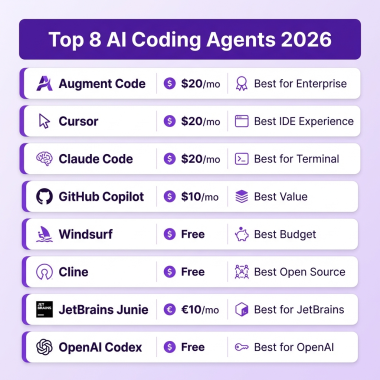
| Tool | Starting Price | Free Tier | Context Window | Agent Mode | Best For |
|---|---|---|---|---|---|
| Cursor | $20/mo | Limited | 200K-1M | ✅ Composer | AI-native IDE experience |
| Claude Code | $20/mo | None | 1M tokens | ✅ Terminal agent | Large codebases, terminal users |
| GitHub Copilot | $10/mo | 50 requests/mo | 128K | ✅ Agent mode GA | Teams, multi-IDE workflows |
| Windsurf | $15/mo | 5 sessions/day | 200K | ✅ Cascade | Budget-conscious developers |
| Codeium | Free | Unlimited autocomplete | 128K | ❌ Pro only | Students, hobbyists |
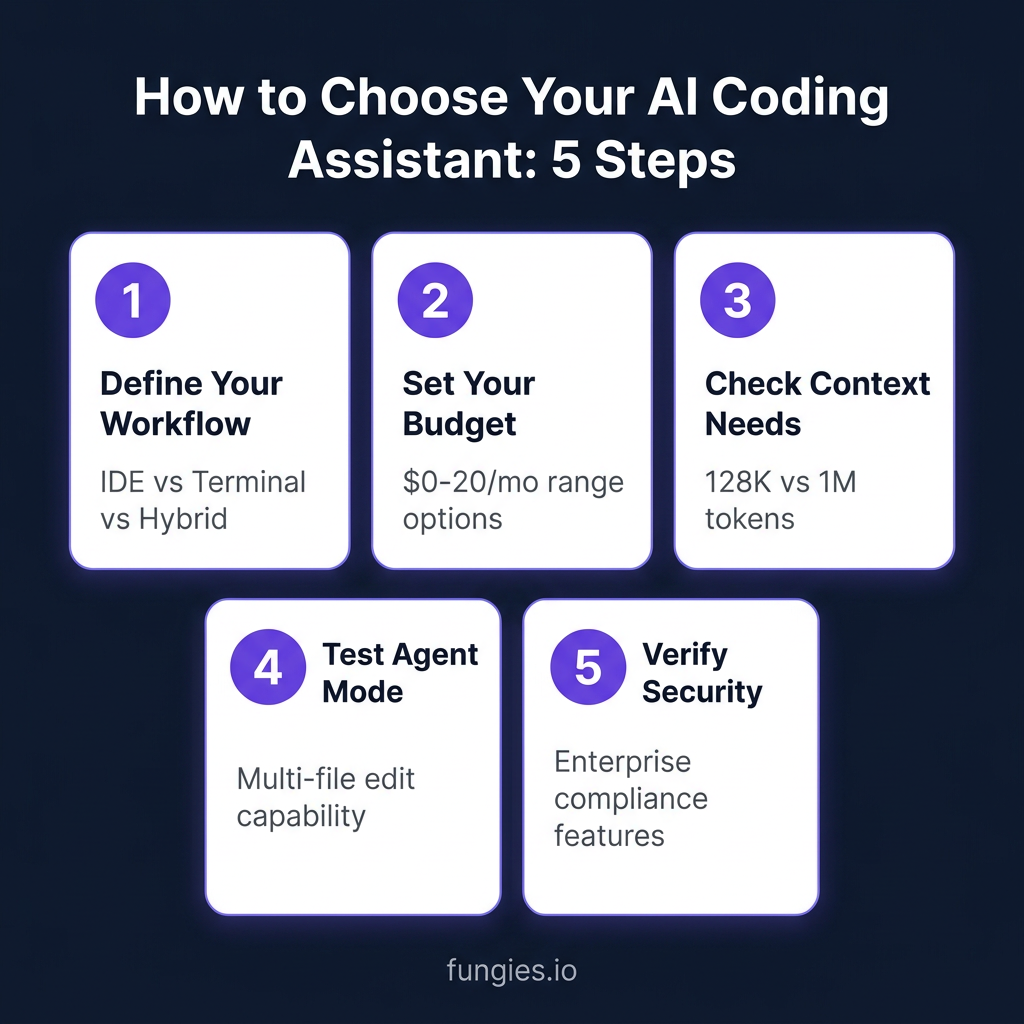
How to Choose the Right Tool for Your Workflow
After testing all five tools extensively, here’s my decision framework:
Choose Cursor if…
- You want the most polished AI-native editing experience
- You code 4+ hours daily on complex projects
- You don’t mind switching from your current IDE
- You value unlimited Auto mode over credit counting
Choose Claude Code if…
- You prefer terminal workflows over GUI IDEs
- You work with massive codebases that need 1M token context
- You need the best reasoning quality for complex architecture decisions
- You don’t mind managing usage limits
Choose GitHub Copilot if…
- You want to stay in your current IDE (VS Code, JetBrains, Neovim)
- You’re on a budget but need more than a free tier
- You work in a team that needs standardized tooling
- You want the new agent mode features without switching editors
Choose Windsurf if…
- You want agentic features at a lower price than Cursor
- You’re curious about the Cognition/Devin integration roadmap
- Credit-based pricing fits your usage pattern
- The free tier’s 5 Cascade sessions/day is enough for your workflow
Choose Codeium if…
- You want genuinely free AI assistance
- Autocomplete is your primary need, not chat/agents
- You work in a language that other tools don’t support well
- You need a self-hosted option for security compliance
The Reality Check: What the Stats Don’t Tell You
Stack Overflow’s 2026 survey shows 84% of developers use AI tools, but trust has actually dropped—from 40% to 29% who trust AI-generated code in production.
Here’s what I’ve learned from real usage:
- AI accelerates prototyping, not production: These tools are incredible for exploring ideas quickly. They’re less reliable for production-grade code without review.
- The “vibe coding” trap: It’s easy to generate 1,000 lines of code that mostly works. Debugging AI-generated spaghetti is harder than writing it yourself.
- Tool stacking is normal: Experienced developers use 2.3 AI tools on average. The most common stack is Cursor for editing + Claude Code for complex CLI tasks.
- Context is everything: A tool with a 1M token context window (Claude Code) beats a smarter model with 128K when you’re working with large codebases.
Key Takeaways
- Cursor leads on developer experience at $20/mo—worth it if you code daily
- GitHub Copilot at $10/mo is the best value for most developers
- Claude Code has the best reasoning but watch those usage limits
- Windsurf at $15/mo is the budget agentic option with interesting future potential
- Codeium is genuinely free for autocomplete—start here if you’re unsure
The “best” AI coding assistant isn’t universal—it depends on your workflow, budget, and codebase size. Start with the free tier, test on real tasks, and upgrade when you hit limits.
Frequently Asked Questions
Which AI coding assistant has the best free tier in 2026?
GitHub Copilot’s free tier offers 2,000 completions and 50 premium requests per month—enough for casual use. Codeium offers unlimited autocomplete but no chat/agent features for free.
Is Cursor worth $20/month compared to Copilot at $10?
If you code 4+ hours daily on complex projects, yes. Cursor’s AI-native experience, Composer for multi-file editing, and unlimited Auto mode justify the premium. For occasional coding, Copilot’s $10 tier is sufficient.
Can I use multiple AI coding assistants together?
Absolutely. Many developers use Cursor for daily editing plus Claude Code for terminal-based complex tasks. The tools complement each other rather than compete.
What’s the difference between autocomplete and agent mode?
Autocomplete suggests the next few lines as you type. Agent mode can plan and execute multi-step changes across multiple files autonomously—like “refactor this API endpoint and update all callers.”
Which tool is best for beginners learning to code?
GitHub Copilot is the most beginner-friendly. It works in familiar IDEs, has extensive documentation, and the $10 price is accessible. The free tier lets you test before committing.
Bottom Line
AI coding assistants have evolved from autocomplete gimmicks to genuine productivity tools in 2026. But they’re not magic—they’re accelerators that require skilled operators.
The right tool depends on your specific workflow. Cursor for the AI-native experience. Claude Code for terminal power users. Copilot for accessibility and value. Windsurf for budget agentic features. Codeium for free autocomplete.
Start with a free tier. Test on real work. Upgrade when you hit limits. And always review AI-generated code before shipping to production—84% of developers use these tools, but only 29% trust them blindly.
Ready to build faster? Get started with Fungies.io—the Merchant of Record platform that handles payments, tax compliance, and checkout for your next AI-powered SaaS project.