Self-Service Customer Portal for Digital Businesses
Give your customers a branded space where they can manage their subscriptions and purchases on their own. They can update their account details, check past purchases, and make changes whenever they need to.















Give Customers Control Over Their Account
Your buyers get instant access to their accounts via a secure, passwordless magic link sent to their inboxes. From there, they can manage their account and subscription as soon as they log in.
The portal lets your customers:
- Update Personal Details
-
They can change their name, billing address, and contact information whenever something changes. Their account stays up to date for future purchases.
- Add Business Information
-
For business purchases, customers can add their company details and tax ID. The information is then available for billing.
- Manage Payment and Billing
-
They can keep payment details up to date and manage the information used for future transactions.
- View Invoices and Transactions
-
Customers can review past purchases and open the details of each transaction. They can also download invoices or credit notes when they need a copy.
- Manage Subscriptions
-
They can see their current and past subscriptions, along with active plan details and upcoming billing dates. They can also change their plan, pause it, or cancel.
- Access License Keys and Downloads
-
Customers can find their game or software keys alongside the files that came with their purchases.
Let Customers Manage Their Subscriptions
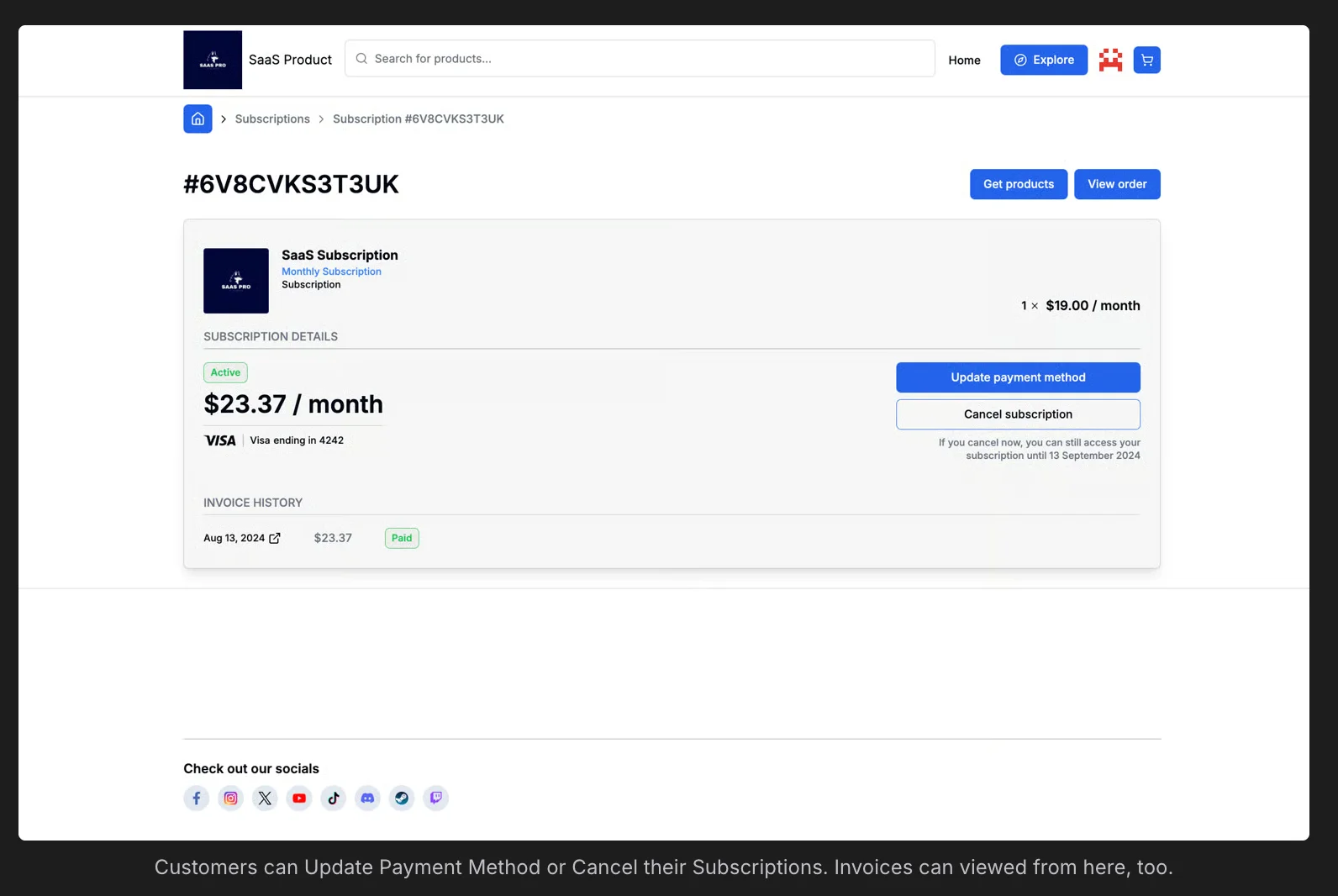
Give your customers the flexibility to manage their subscriptions on their own terms, with every action available directly from their account.
Plan Changes
Buyers upgrade, downgrade, or switch between available plans from their account view. Changes take effect at the start of the next billing cycle.
Renewals
Active subscriptions show current status and upcoming billing dates. Buyers stay informed about what renews and when.
Purchase History
Current and past subscriptions, one-time purchases, and transaction activity are all visible in one place.
Cancellations
Buyers can cancel from the portal at any time. They will keep access to your products/services until the end of the current billing period.
See How It Works in Under a Minute
Take a quick look at the portal from the customer's perspective. See how the account works and what customers can access once they log in.
Create a Customer Portal That Matches Your Brand
A short line on what the reader gets by clicking.Keep the customer portal consistent with the rest of your site. Use your branding so the experience feels familiar from purchase through account management.
Colors and Themes
Apply your brand colors and visual style across the entire portal from the Store Builder dashboard.
Logo and Favicon
Add your logo and favicon to the customer portal and the access email buyers receive. This keeps your branding consistent across the customer experience.
Typography
Choose the font family and styling for your portal so it matches your storefront across every page.
Smooth Integration
Customers can access their account from the same place they shop. It is available directly at your store URL.
What sellers say once they have switched
 Vadim Finayev
 “We work with quite a few merchants of record, but none comes close to the support and speed of implementation of Fungies. If you want a payment partner that actually gives you the feeling they want to work with you — rather than leaving you on read for three days or randomly restricting your account — you are in the right place.”
 David Elliott
 “I researched the options and Fungies was the best fit for functionality and customisation within a store builder you can connect to your own domain. Taking a small percentage of sales, instead of charging a subscription for every environment and plugin, is refreshing.”
 Elnura Abdimanap Kyzy
 “The platform is user-friendly, integrates easily with APIs and webhooks, and simplifies managing digital products and subscriptions. We were up and running quickly and support has been responsive throughout. Fungies is clearly tailored to the needs of SaaS businesses.”
 Francisco Magnone Rienzi
 “Fungies has been a great partner — fast setup, competitive pricing, and real humans providing quick answers. They are constantly rolling out new features, and I am excited to see what is next.”
The portal is included in the commission
Customer portal questions
Can I use the customer portal alongside my own account management system?
Yes. You can link the portal from your interface, or manage subscriptions entirely through the API if you prefer to build your own customer-facing flow.
Does the portal reduce subscription support requests?
Customers handle plan changes, payment method updates, and cancellations themselves. Routine subscription management happens without your team being involved.
Can customers who purchased as individuals update to a business invoice later?
Customers can add or update company details and VAT ID from the portal at any time. Updated billing information applies to all future invoices.
Will I know when a customer cancels or changes plan?
Yes. Subscription created, updated and cancelled events are sent by webhook, and the change also appears in your dashboard alongside the customer's orders.
Does the portal cost extra?
No. It is covered by the same 5% + 50¢ per transaction as checkout, tax and payouts, with no monthly fee on top. The commission is negotiable at higher sales volume.
Give customers a portal without building one
Set up your store, run a test purchase through the sandbox, and open the portal as that customer to see exactly what they will see.