Stay in Control of Your Business With a Merchant Dashboard
Get a clear view of what’s happening across your business and take care of the day-to-day work from your merchant dashboard.















Main Dashboard Features
-
Visibility
See how your business is doing with a clear view of sales, revenue, payouts, and customer activity.
-
Control
Make changes across your business, from subscriptions and customers to products and transactions.
-
Configuration
Set up and adjust your products, checkout, storefront, and developer settings as needed.
Merchant Dashboard
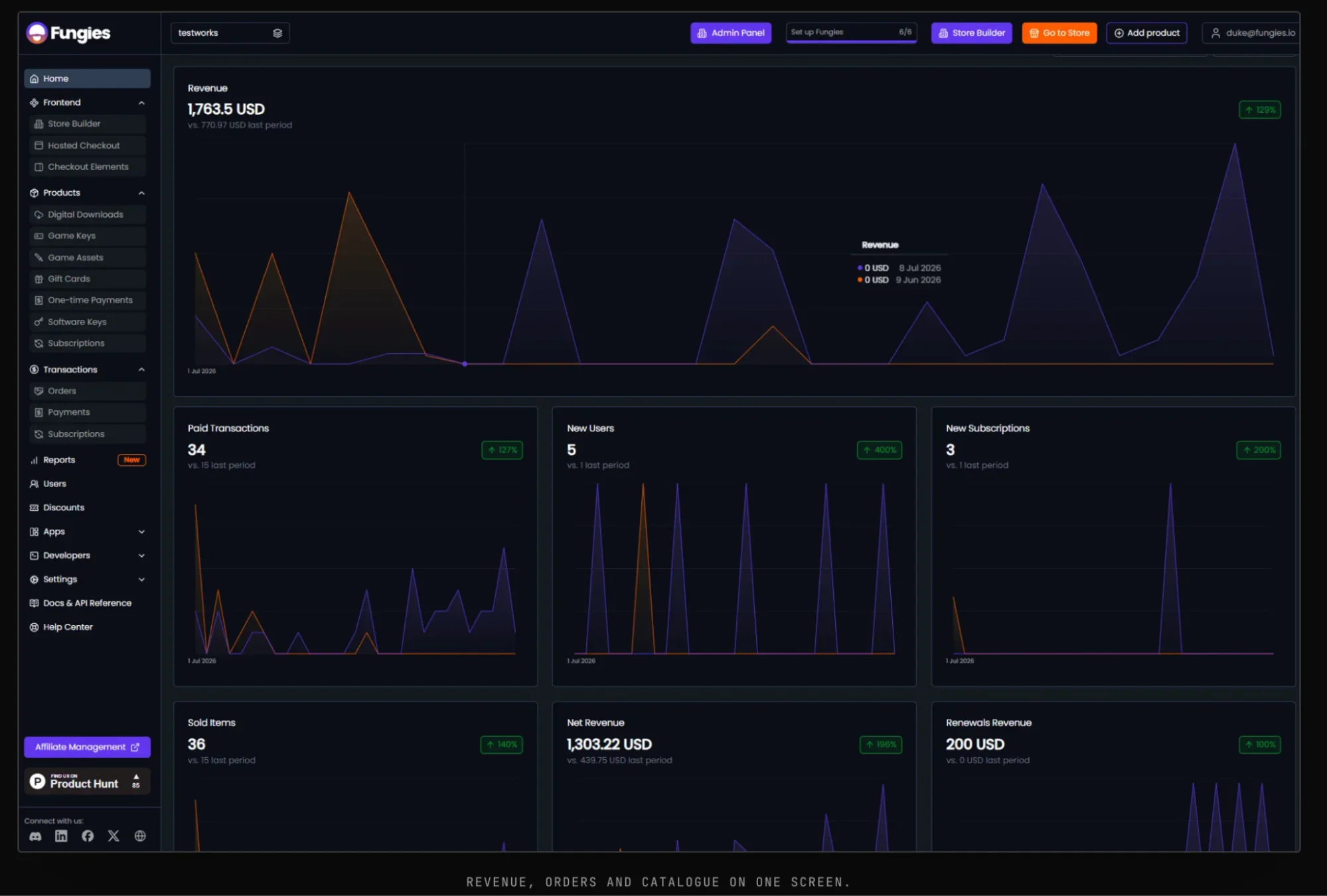
Track Your Sales and Revenue
See the essential data behind your sales and compare the current period with the previous one. The dashboard gives you a straightforward view of your revenue, sales activity, and overall results.
See the financial breakdown behind your sales, including revenue, tax, fees, net revenue, and payouts.
When you need to go beyond the summary, transaction reports let you review the individual transactions behind the figures and the financial information recorded against them.
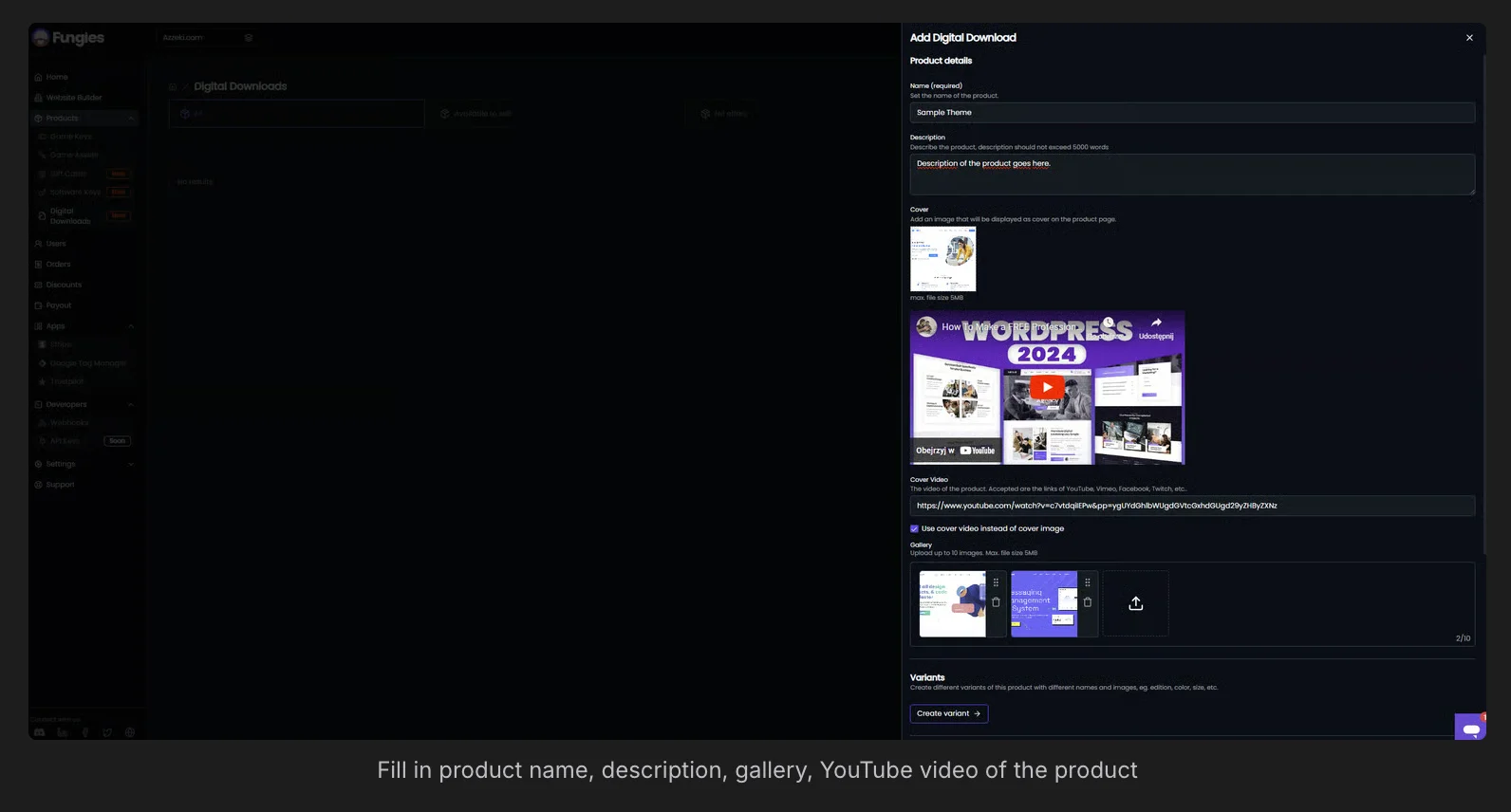
Create and Manage Product Catalog
Manage the digital products you sell directly from the dashboard, whether you offer digital downloads, subscriptions, game keys, or other digital products.
Set up an offer
Add the product information, media, and other details customers need before they buy.
Choose your pricing
Set your product prices and configure how you want to sell them.
Make changes as you go
Update product information and pricing from the dashboard as your offers change.
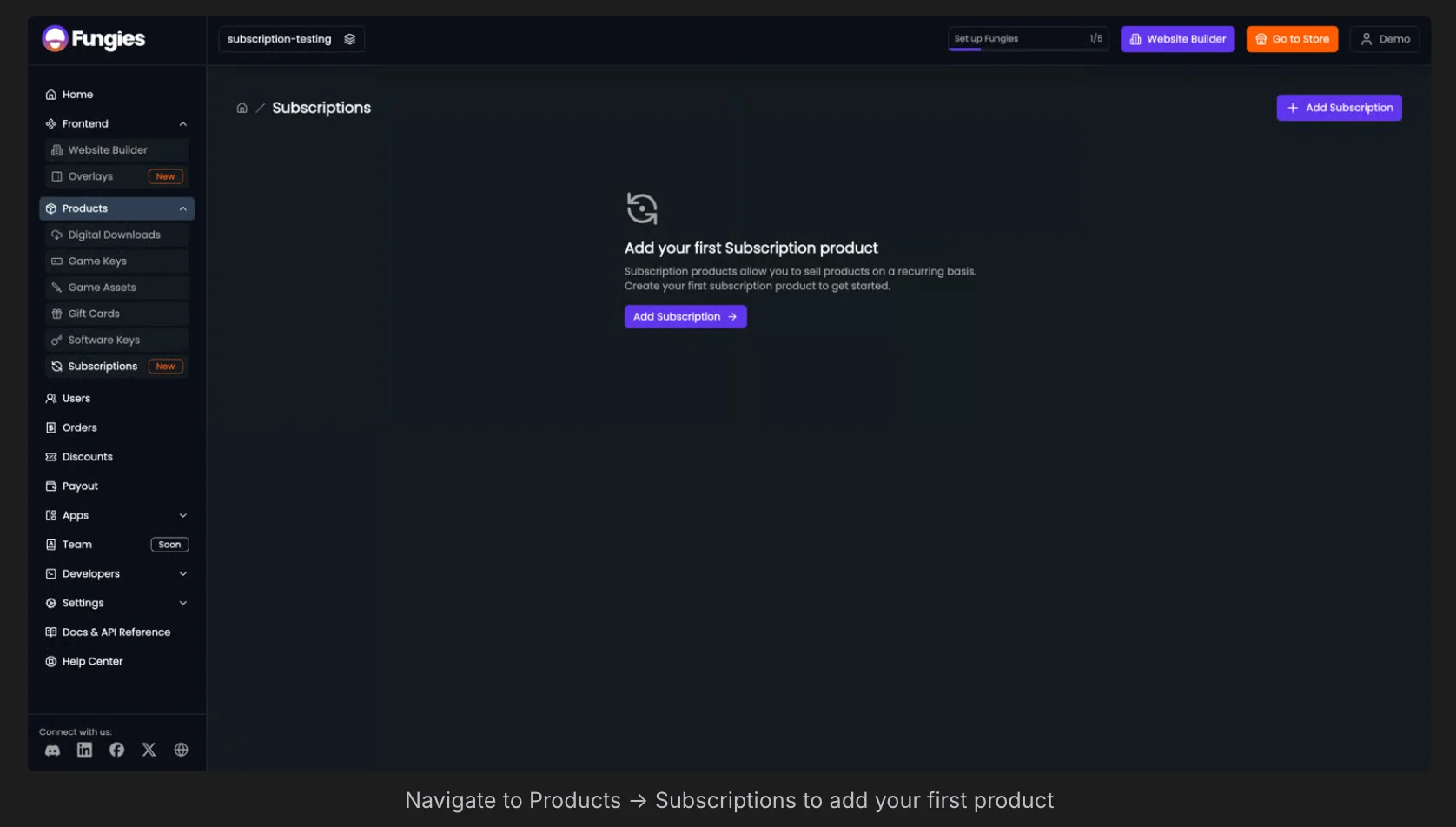
Create and Configure Subscriptions
Set up subscription products and control the billing settings behind them directly from the dashboard.
Create subscriptions
Set the subscription name, billing cycle, price, trial period, and the options customers can subscribe to.
Configure billing rules
Choose how often customers are charged and define the billing setup for each subscription.
Manage subscription plans
Keep your subscription plans current by adding new plans or updating existing ones.
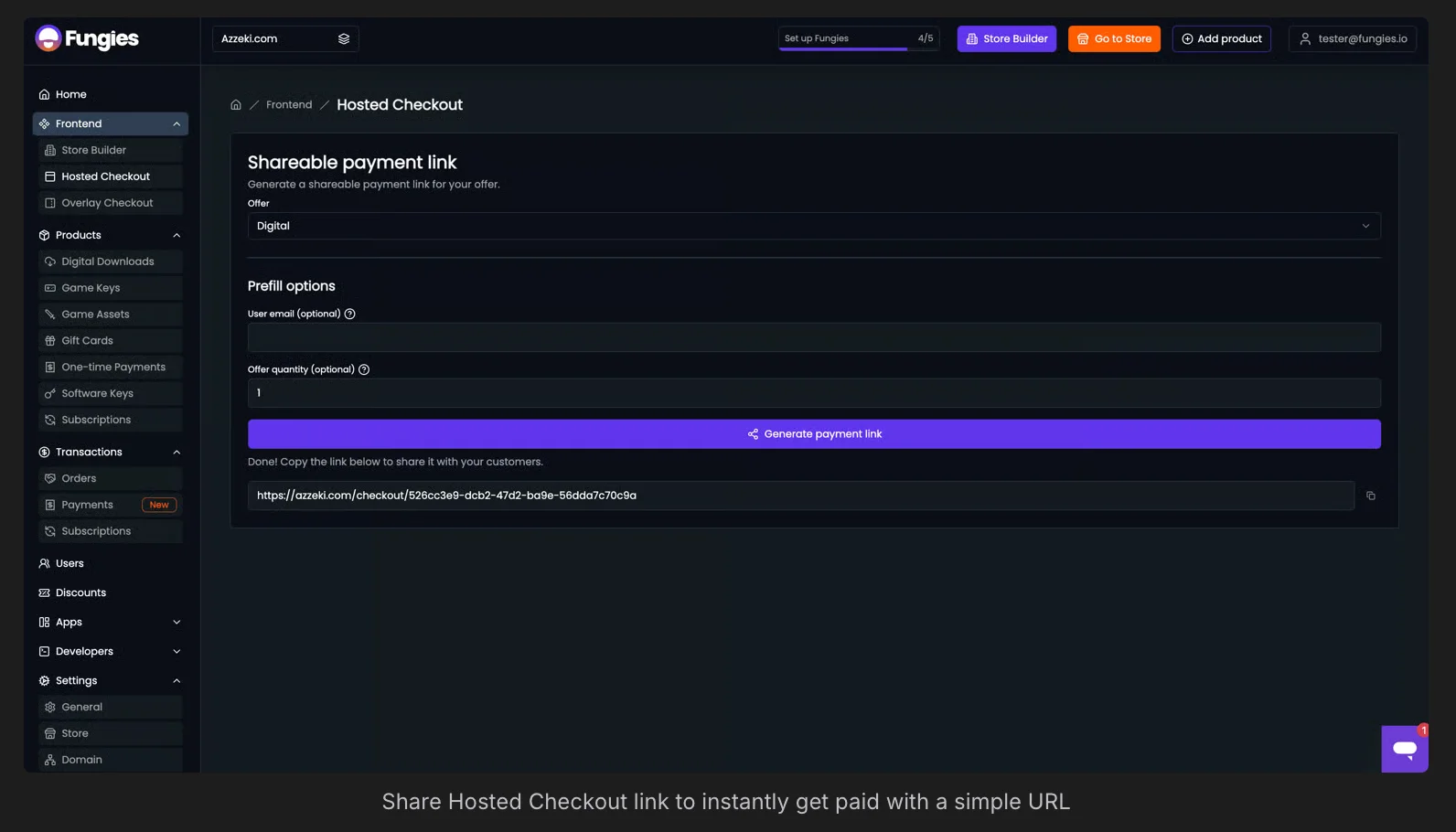
Set Up the Front End of Your Store
Customize the parts of your store that customers interact with, including checkout and the optional storefront.
Set Up Your Checkout
Configure payment checkouts, set up payment methods, the information you collect during checkout, and what customers see after they pay.
Need a Storefront?
Launch a no-code digital storefront to present and sell your products, with your own content, branding, and domain.
Get Your Store Ready to Sell
Create Your Workspace
Add the business details and workspace settings that your Fungies setup will use. This is where you establish the environment for your products, checkout, transactions, and payouts.
Add Your Products
Create the products and subscriptions you want to sell, then add the offers and prices for each. This catalog becomes the base for what appears in checkout and what your integrations work with.
Configure Checkout
Connect checkout to the products and subscriptions you created, and define the purchase settings customers will see at checkout.
Connect Payouts
Complete the payout setup and verification required to receive your share of each sale. Fungies separates the tax and fees from the transaction and sends the merchant the net amount.
Connect the Developer Side
Create API keys, register webhook endpoints, and connect the SDKs your product uses so Fungies can work with the rest of your application.
Get Started With Your Store
Learn how to create your store with Fungies in 12 minutes!
5% + 50¢
per sale, and nothing else
Negotiable at higher sales volume.
No monthly fee. No minimum. No card to get started.
One rate covers the whole stack. There is no tier that unlocks tax filing and no add-on for the store builder.
- ✓ Payment processing
- ✓ Tax calculation and filing
- ✓ Fraud screening
- ✓ Chargeback handling
- ✓ Store builder and hosting
- ✓ Every platform feature
Teams like yours, already shipping
Abrams Studios
A three-person studio with its own storefront
The makers of Morels: The Hunt added a branded shop to their existing site with no upfront cost and no maintenance.
Nimblebit and Superscale
A Tiny Tower web store, built in hours
Nimblebit sells in-app purchases directly to players instead of paying a 30% app store commission on every one.
Viewbot.tv
Merchant of Record billing, live in one session
The engagement platform for Twitch and Kick streamers moved its whole subscription business onto a checkout that matches its own dark theme.
Questions about the dashboard
Can multiple team members access the dashboard?
Yes. You can invite team members to a workspace with role-based access. Roles include Admin, Manager, Support, Developer, and Custom, with read and write permissions set per role.
Can I manage multiple stores from one account?
Each workspace is a separate store with its own products, currency, checkout, and payout settings. You can add multiple workspaces under the same Fungies account.
Can I export transaction data from the dashboard?
Full transaction and payout history can be exported to CSV from the dashboard at any time.
Is there a sandbox environment for testing before going live?
A staging environment is available that mirrors the full production setup. Test purchases run through the complete checkout flow without processing real payments.
What does the dashboard cost?
Nothing on its own. The only charge is 5% + 50¢ per transaction, negotiable at higher sales volume, which covers processing, tax handling, fraud screening, chargebacks and every platform feature.
Can customers manage their own subscriptions?
Yes. A branded user portal lets them manage subscriptions and their account, see order history and fetch downloads or keys, so you do not need to build that yourself.
Do buyers receive invoices and receipts?
Yes. Invoices and receipts are generated for buyers automatically, and billing details are collected at checkout because Fungies is the seller of record.
Can I get my data out of the dashboard?
Yes. Transaction reports are available in the dashboard, and products, offers, orders, payments, subscriptions, users and discounts are readable through the REST API, the CLI or the MCP server.
Manage Your Digital Commerce With Fungies
Instead of managing separate systems for products, customers, subscriptions, and transactions, Fungies gives you one dashboard to manage your digital business.